00197973-10_SM_MaterialTower.pdf - 第194页
Portal 00197 973 - 10 / 02 , 2016 8- 30 © ASM SIPLACE Mat. Tower St ora ge Ser vice Manu al Hold th e l oad cell until all four s crews a re removed. Let the load ce ll hang down very c arefully, withou t damaging the ca…
00197973-10 / 02 , 2016 Portal
SIPLACE Mat. Tower Storage Service Manual © ASM 8-29
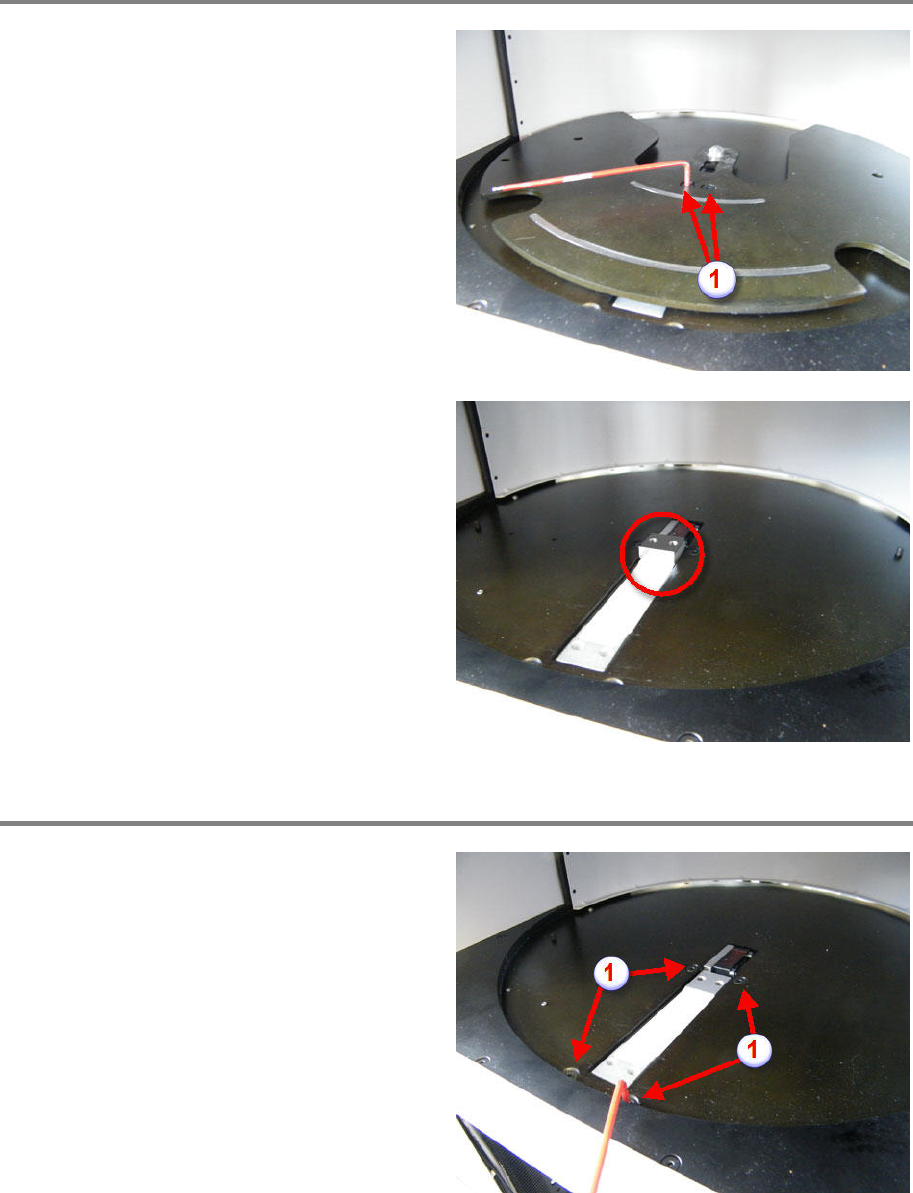
Remove Measuring Plate
Loosen and remove the two fixing screws (1) of
the measuring plate.
Remove the measuring plate.
Remove the spacer block.
Remove the Load Cell
Loose
n and remove the four fixing screws (see
picture).
From below, hold the load cell during screw
removement.
Portal 00197973-10 / 02 , 2016
8-30 © ASM SIPLACE Mat. Tower Storage Service Manual
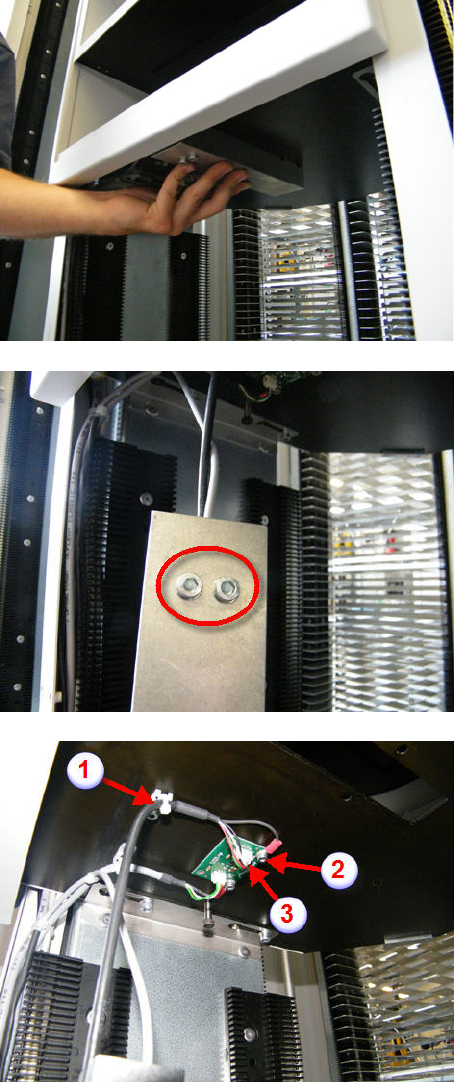
Hold the load cell until all four screws are
removed.
Let the load cell hang down very carefully,
without damaging the cables.
Loosen and remov
e the both screws as shown
on picture.
Remove the load cell fixture.
Cut off the cable tie (1).
Loosen and remove ground screw (2).
Unplug th
e data cables (3).
Remove the load cell.
00197973-10 / 02 , 2016 Portal
SIPLACE Mat. Tower Storage Service Manual © ASM 8-31
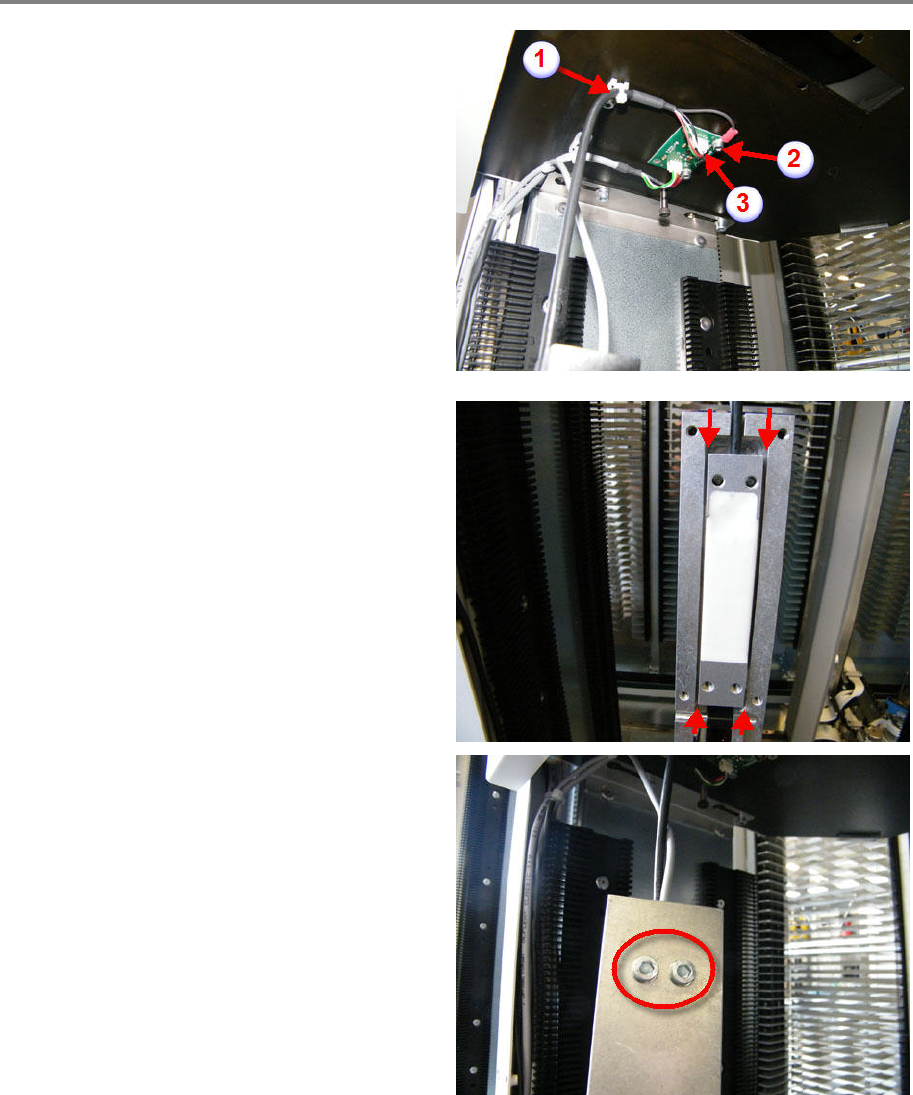
Mount the new load cell
Fix the cable by using the cable tie (1).
Let the load cell hang down very carefully,
without damaging the cable.
Fix the ground cable by using the ground screw
(2).
Plug in the data cables (3).
Mount the load cell to the load cell fixture
Make sure the load cell is positioned in the
middle of the fixture and in parallel to it (see
pictur
e).
Tighten the both screws as shown on picture.