00197973-10_SM_MaterialTower.pdf - 第197页
0019797 3 - 10 / 02 , 2016 Portal SIPLACE Mat. Towe r St ora ge Serv ice Manual © ASM 8- 33 Loosen and rem ove the two mounting shoulder screws (1) Screw in the two mounting shoul der screws to bring the measuring plate …
Portal 00197973-10 / 02 , 2016
8-32 © ASM SIPLACE Mat. Tower Storage Service Manual
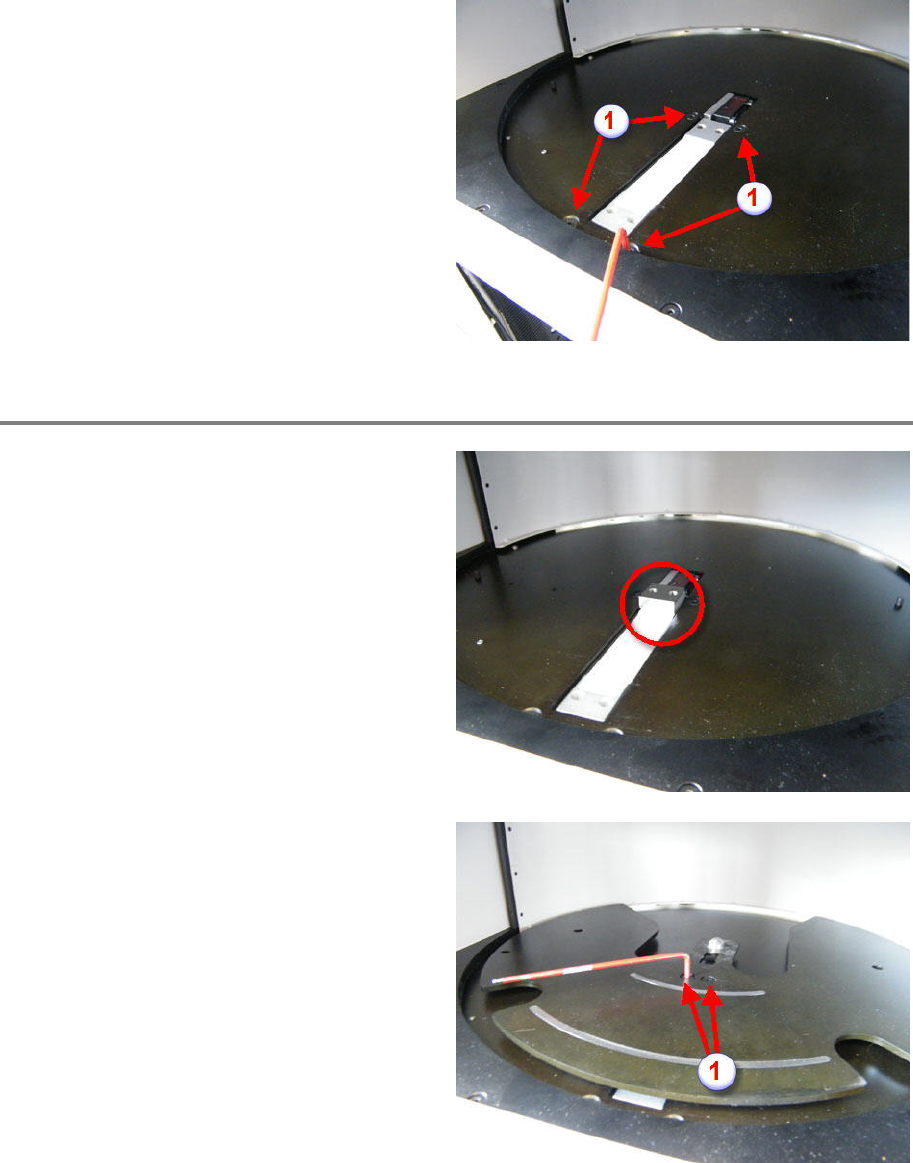
From below, insert the load cell.
Screw in and tighten the four fixing screws (see
picture).
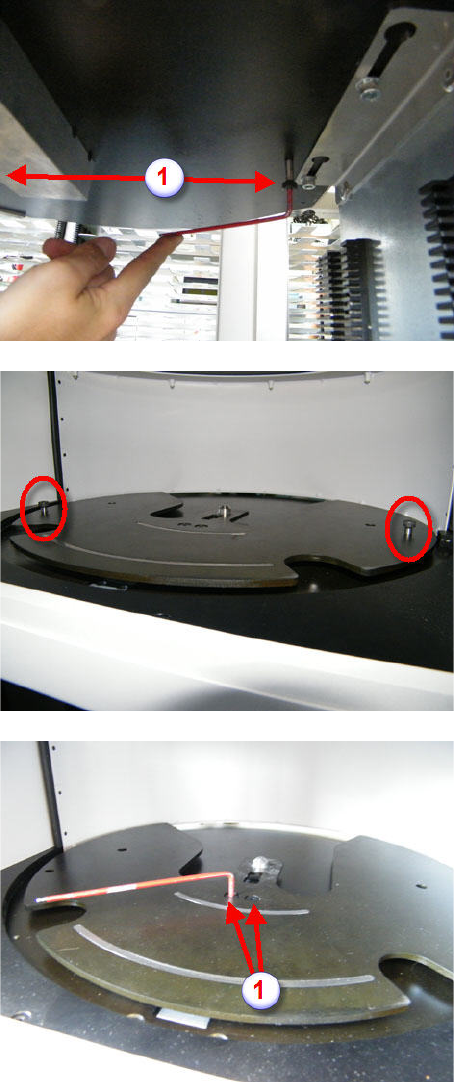
Re-mount the Measuring Plate
Inser
t the spacer block.
Apply the measuring plate on top of the spacer
block.
Screw in the two fixing screws (1) but do not
tighten them.
00197973-10 / 02 , 2016 Portal
SIPLACE Mat. Tower Storage Service Manual © ASM 8-33
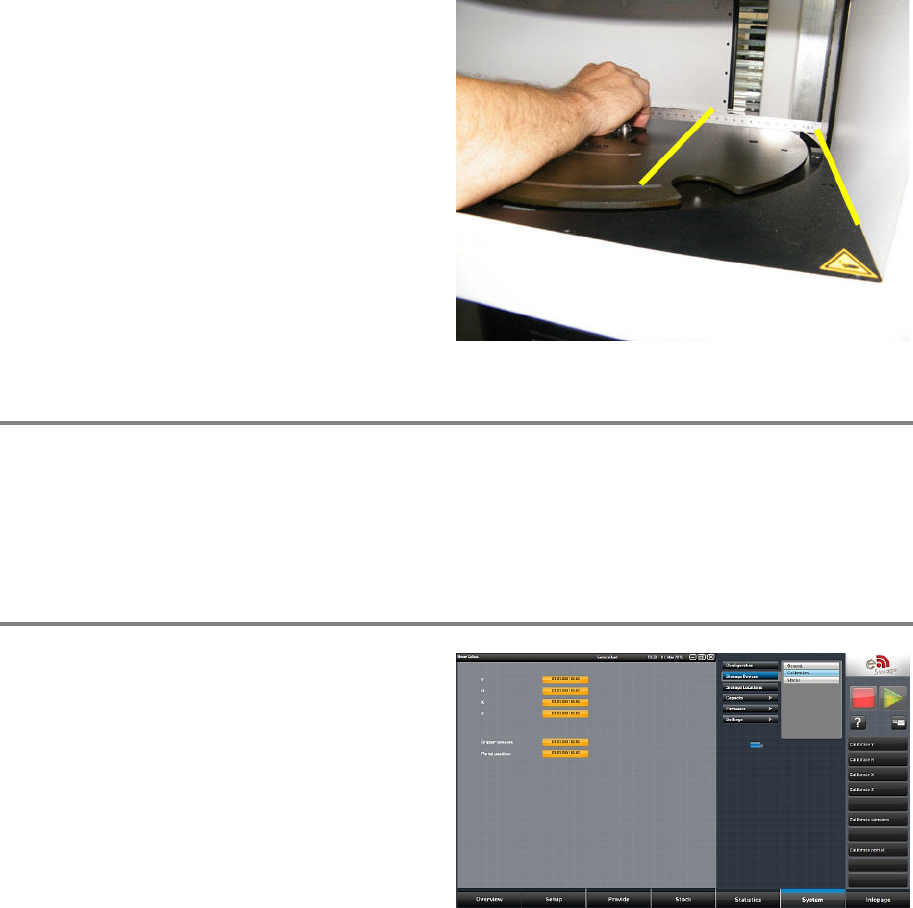
Loosen and remove the two mounting shoulder
screws (1)
Screw in the two mounting shoulder screws to
bring the measuring plate into the correct
position.
Tighten the two fixing s
crews (1)
Remove the two mounting shoulder screws.
Return the two mounting shoulder screws to
their origin position.
Portal 00197973-10 / 02 , 2016
8-34 © ASM SIPLACE Mat. Tower Storage Service Manual
• Ruler
By means of the ruler, check parallelism of side
cover and measuring plate edge (see picture).
Finalize exchange steps
Remove all tools, attach all previously removed covers and close the doors of the machine.
Plug in the power connector and switch on the machine.
Initialize the machine by means of the software.
Calibration
In the software, in
System - Storage
Devices
/Units
select the appropriate machine in
the table and press
Load.
In tab
Calibration press Calibrate portal and
follow the instructions given by the software.