00197973-10_SM_MaterialTower.pdf - 第208页
Electronics 0019797 3 - 10 / 02 , 2016 9- 10 © ASM SIPLACE Mat. Tower St ora ge Ser vice Manu al Step 4 Take the new p ower supply and fasten all cable connections in the ir correct slots. Push it firmly on the hat ra il…
00197973-10 / 02 , 2016 Electronics
SIPLACE Mat. Tower Storage Service Manual © ASM 9-9
Main electrical power:
• Equipment disconnected from power supply system. Fully
disconnect the mains power cable and secure against
unintentional plugging.
Compressed air /
Nitrogen (if used):
• Equipment disconnected from nitrogen.
Access:
• Open the door on the left side of the machine.
•
The electrical units are located in the bottom right corner.
9.3.4 Exchange steps
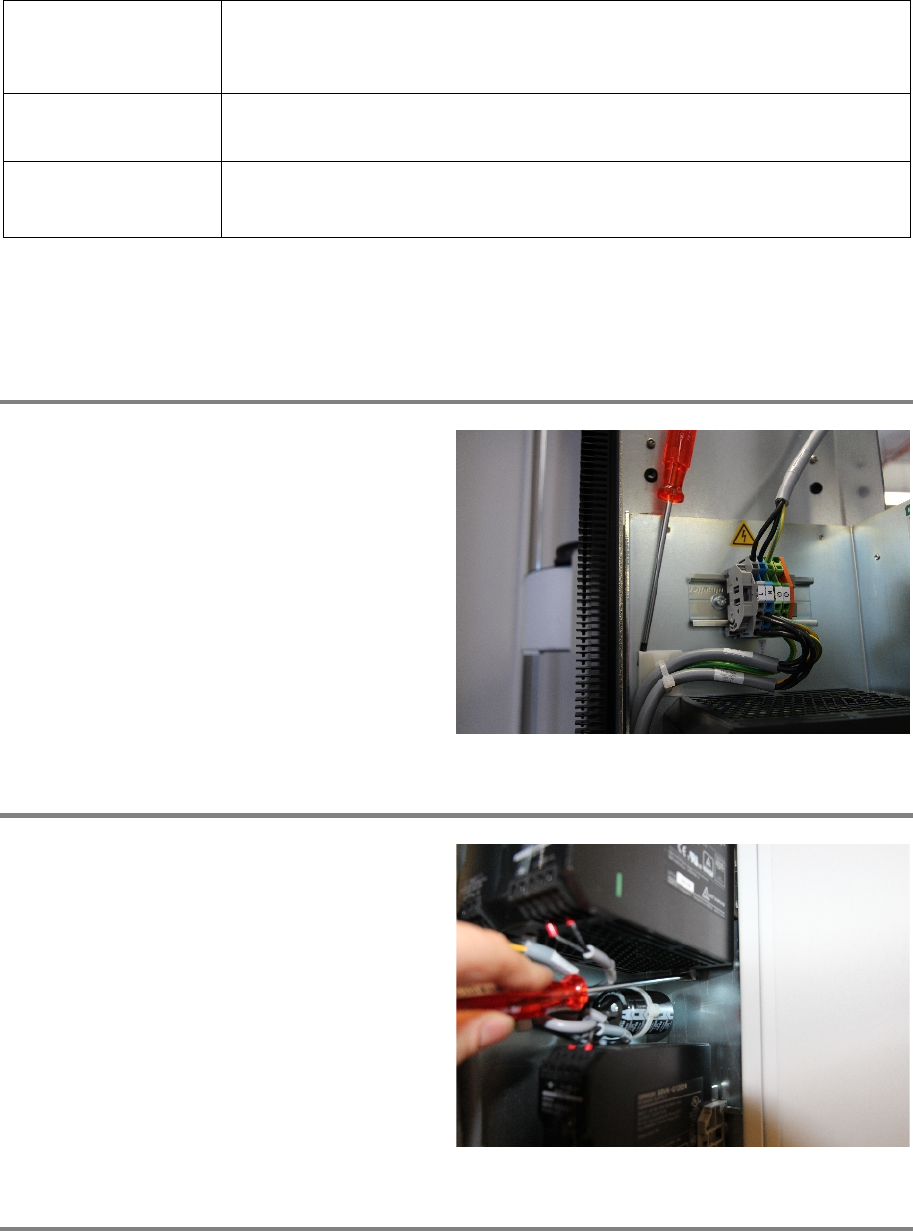
Step 1
Carefully loosen the cable tie holder that is
sticked to the electrical base plate.
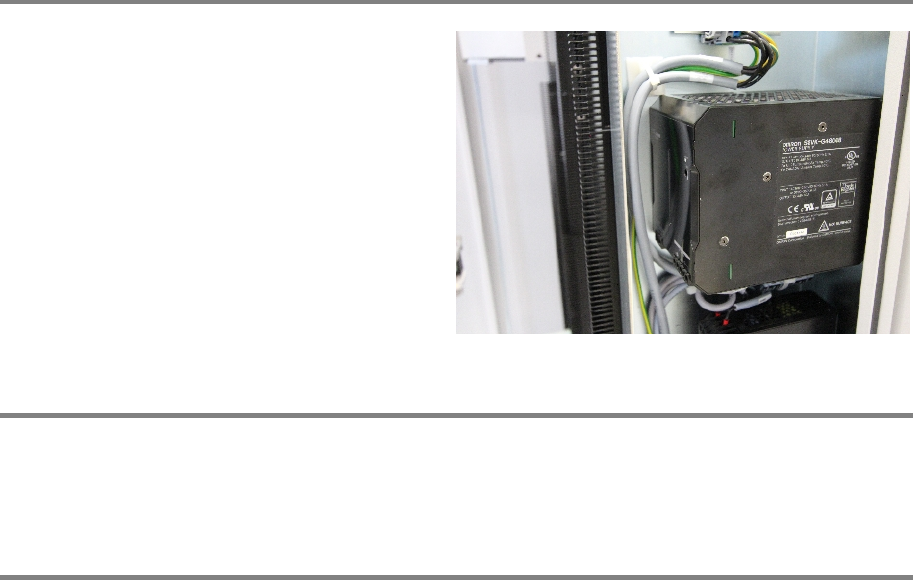
Step 2
Using the screwdriver, push the clip down that
sec
ures the power supply to the hat rail.
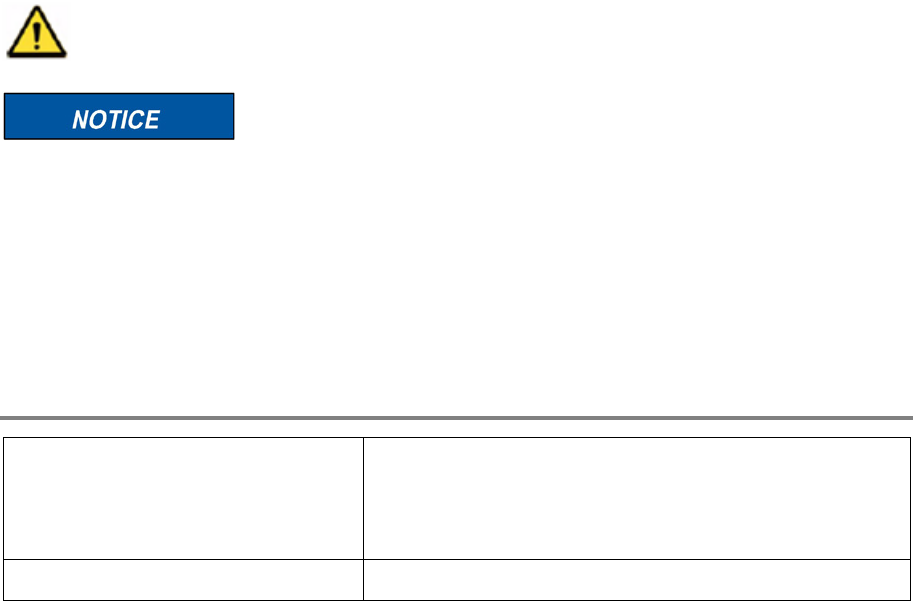
Step 3
Unscrew all cable connections on the top and the bottom of the power supply.
Make sure to label the cables or mark their proper slot in the power supply.
Remove the power supply.
Electronics 00197973-10 / 02 , 2016
9-10 © ASM SIPLACE Mat. Tower Storage Service Manual
Step 4
Take the new power supply and fasten all cable
connections in their correct slots.
Push it firmly on the hat rail. Make sure the clip is
secured and the posit
ion is fixed.
Reattach the cable tie holder to the electrical
base plate.
Step 5
Remove all tools, plug in the power connector and switch on the machine.
By means of the voltmeter, measure the output voltage of the power supply. It should be 48V
Step 6
Close the door of the machine and Initialize the machine by means of the software.
00197973-10 / 02 , 2016
SIPLACE Mat. Tower Storage Service Manual © ASM 10-1
10 Structure
10.1 Cell Plate
10.1.1 Introduction
This modification instruction describes how to change a cell plate on SIPLACE Material Tower.
Spare part number: 03126682-01
Before starting the maintenance, read the Safety instructions carefully.
After this modification this specific stack must be recalibrated. Therefore, empty this stack of
SIPLACE Material Tower in advance by means of the software.
10.1.2 Tools, Material and Scheduling
For an effective and efficient maintenance, the following resources have to be provided:
Required Tools / Auxiliary Material / Spare parts
Tools: Drilling machine
Drilling bit, diameter 4.6-5.0
Vacuum cleaner
Auxiliary Material: Cover sheets