00197973-10_SM_MaterialTower.pdf - 第214页
在线预览 00197973-10_SM_MaterialTower.pdf PDF 文档。
00197973-10 / 02 , 2016 Structure
SIPLACE Mat. Tower Storage Service Manual © ASM 10-5
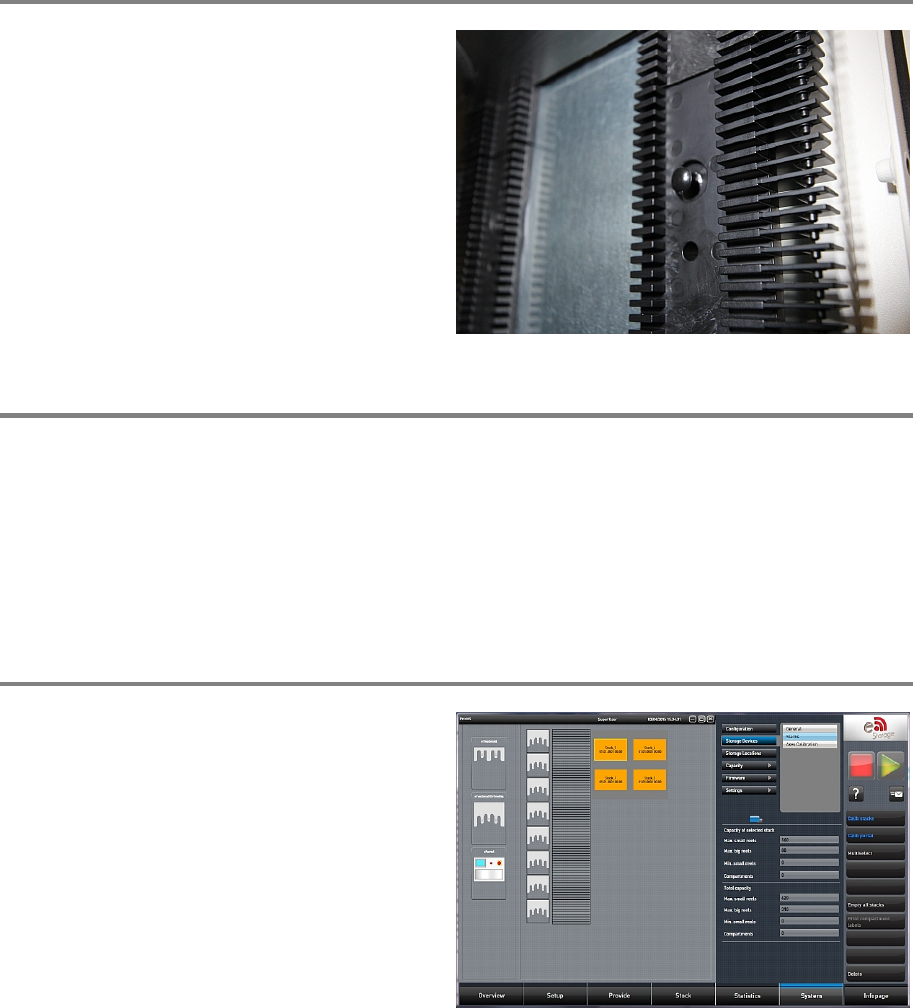
Step 4
Insert the new cell plate in direction as shown on
the picture. Insert the two black knobs to f
asten
it.
Step 5
Remove the cover sheets and clean the whole machine and surroundings by means of the vacuum
cleaner. Make sure no drilling splinters are present.
Remove all tools, attach all previously removed covers and close the doors of the machine.
Plug in the power connector and switch on the machine.
Initialize the machine by means of the software.
Step 6
In the software, in
System - Storage
Devices/Units
select the appropriate machine in
the table and press
Load.
In tab
Stacks calibrate the stack where the cell
plate has been exchanged.

00197973-10 / 02 , 2016
SIPLACE Mat. Tower Storage Service Manual © ASM 11-1
11 Option Air Dryer
11.1 Retrofit Air Dryer Option
11.1.1 Introduction
This modification instruction describes how to install the complete Air Dryer Option on a SIPLACE
Material Tower at customer side.
Spare part number: 03124552-01
Before starting the maintenance, read the Safety instructions carefully.
11.1.2 Tools, Material and Scheduling
For an effective and efficient maintenance, the following resources have to be provided:
Required Tools / Auxiliary Material / Spare parts
Tools: Side cutter (big and small)
Flat wrench 14, 19 and 33
Scissors
Pincer
Allen Key Set
Drilling machine
Thread cutter
Auxiliary Material: Cable Ties
Teflon tape