00197973-10_SM_MaterialTower.pdf - 第262页
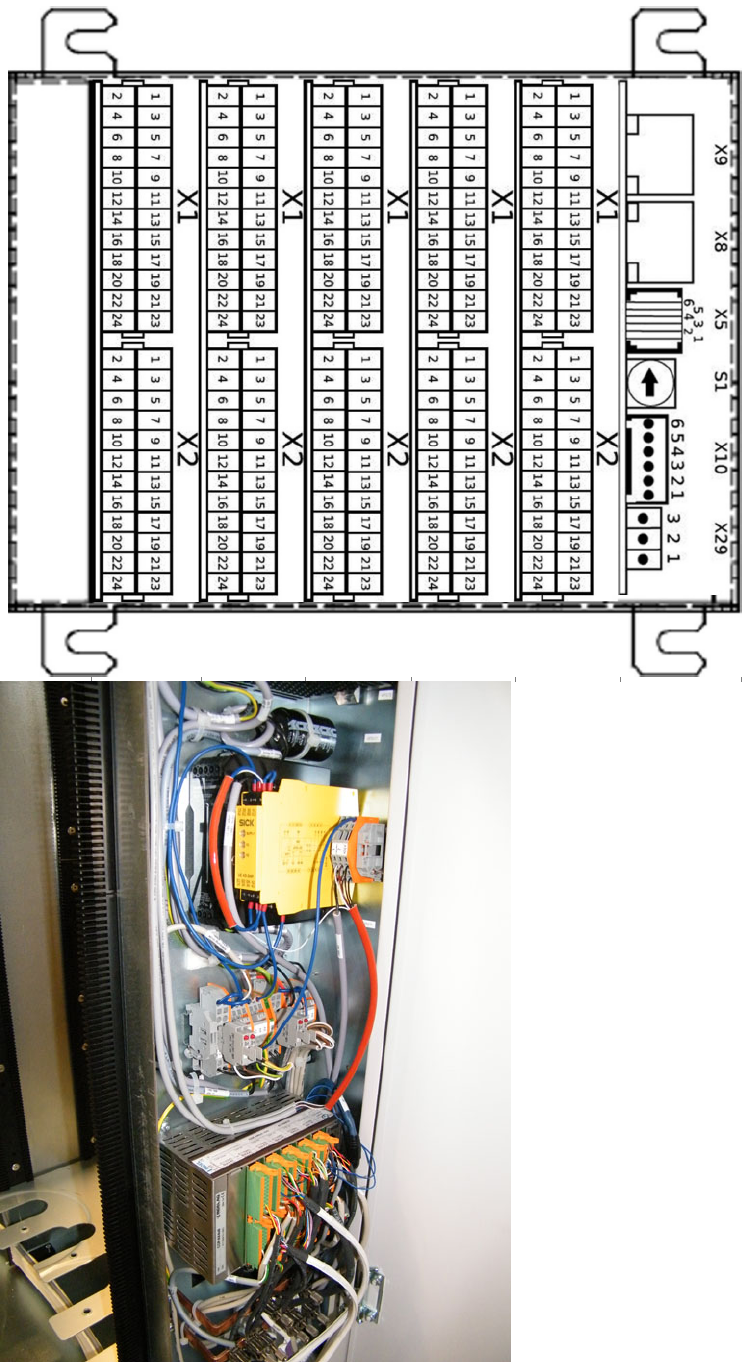
Serv ice D oor Monit oring 0019797 3 - 10 / 02 , 2016 12 - 16 © ASM SIPLACE Mat. Tower St ora ge Serv ice Manu al Routing of the Cabl e Excess If cabling a SIP LACE Material Tower Regular , the sensor cable from the righ…
00197973-10 / 02 , 2016 Service Door Monitoring
SIPLACE Mat. Tower Storage Service Manual © ASM 12-15
Service Door Monitoring 00197973-10 / 02 , 2016
12-16 © ASM SIPLACE Mat. Tower Storage Service Manual
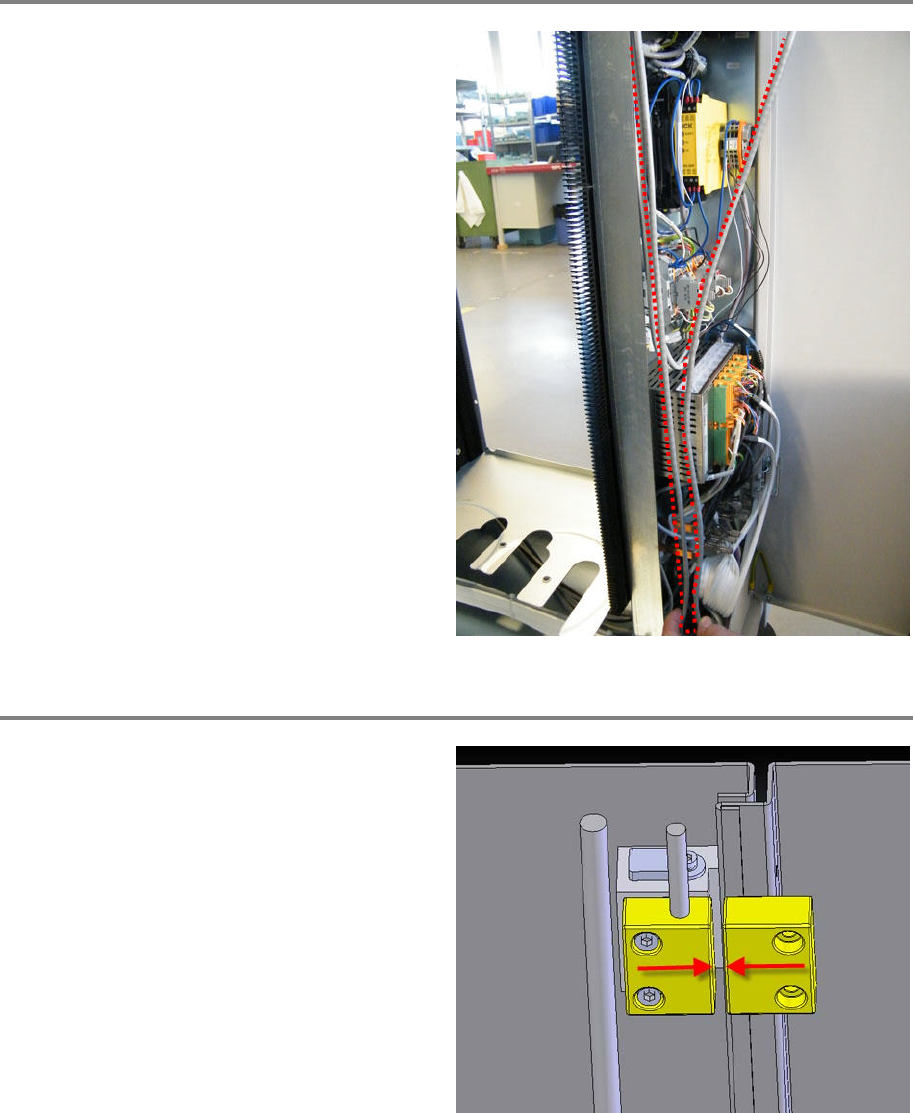
Routing of the Cable Excess
If cabling a SIPLACE Material Tower Regular, the
sensor cable from the right side of the machine
is too lon
g.
In this case just route it as shown on the picture.
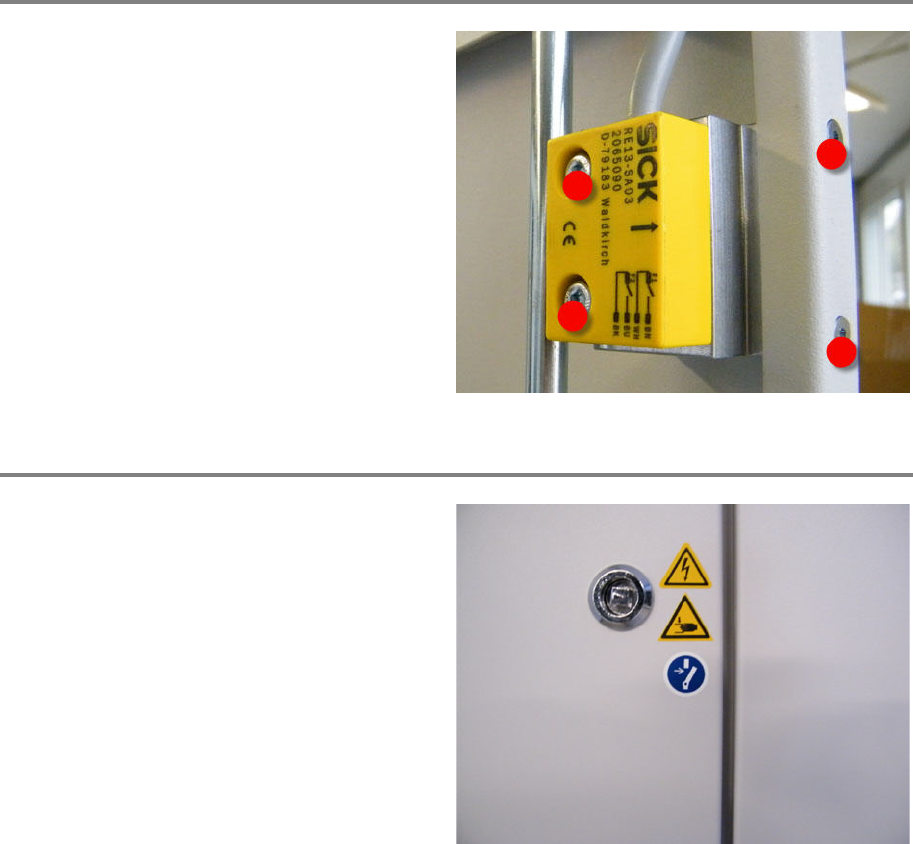
Adjusting the Sensor
Enter the machine with a small double ladder.
Clos
e the door.
Slightly loosen the two fixing screws of the
sensor (part with the cable)
Adjust the position of the sensor. The space
between the sensor and the magnet must not
exceed 3 mm.
Make sure the doors can be opened and closed
smoothly without coll
ision of sensor and
magnet.
Do the same procedure on the other side of the
machine.
00197973-10 / 02 , 2016 Service Door Monitoring
SIPLACE Mat. Tower Storage Service Manual © ASM 12-17
Attach Thread-Lock Paint
Attach four dashes of thread
-lock paint to each
of the two sensors and each of the two magnets
(left and right side of the machine), see picture.
Check Safety Labels
Make sure that all safety labels are placed on
both of the doors (left and right of the machine).
Complete missing labels (clean the surface by
means of Isopropanol).