00197973-10_SM_MaterialTower.pdf - 第40页
HMI 0019797 3 - 10 / 02 , 2016 3-6 © ASM SIPLACE Mat. Tower S tor ag e Service Ma nual If the r efit of shel ves and items do es not me et the original po sitions, th e machi ne crashe s and c an b e damag ed. It is r ec…
00197973-10 / 02 , 2016 HMI
SIPLACE Mat. Tower Storage Service Manual © ASM 3-5
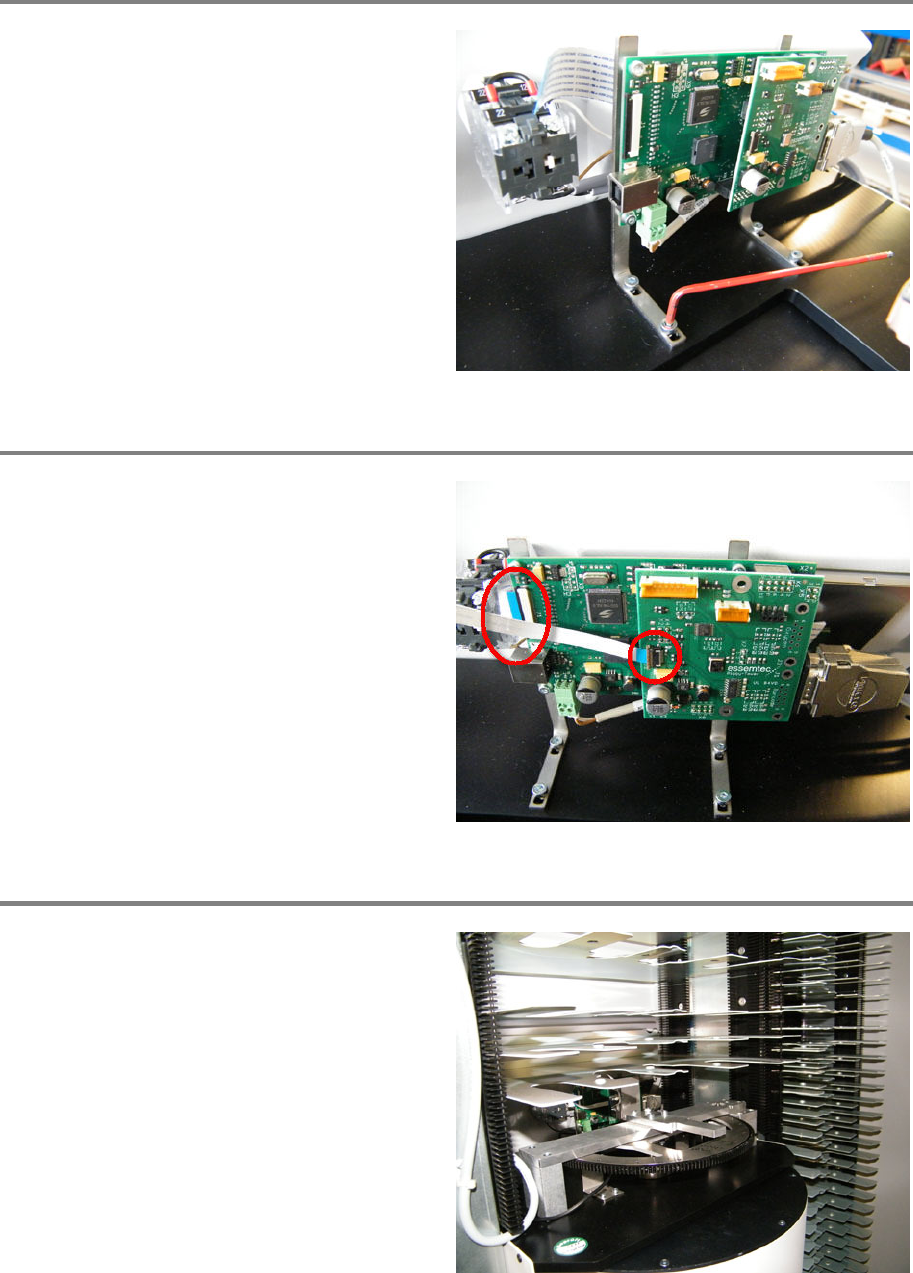
Tighten the fixing screws
Place the module to the correct position.
Screw in and
tighten the four fixing screws.
Plug in the ribbon cables
Plug in both ribbon cables (see picture).
Refit shelves and items
Refit all the removed shelves and items to
exactly their original positions.

HMI 00197973-10 / 02 , 2016
3-6 © ASM SIPLACE Mat. Tower Storage Service Manual
If the refit of shelves and items does not meet the original positions, the machine crashes
and can be damaged.
It is recommended to re
-calibrate the stack.
Finalize exchange steps
Remove all tools, attach all previously removed covers and close the doors of the machine.
Plug in the power connector and switch on the machine.
Update the firmware
After switching on machine and swType, a message should appear automatically onswType if the
Firmware is not up-to-date.
Anyway, it is recommended to go to screen System - Firmware - Motion System and to update all
the firmware (green state).
00197973-10 / 02 , 2016
SIPLACE Mat. Tower Storage Service Manual © ASM 4-1
4 X Axis