00197973-10_SM_MaterialTower.pdf - 第48页
X Axis 0019797 3 - 10 / 02 , 2016 4-8 © ASM SIPLACE Mat. Tower S tor ag e Service Ma nual Step 6 Plug both connection cables. Step 7 Carefully fit the sha ft into the upper coupling. Securely hold the shaft in one hand a…
00197973-10 / 02 , 2016 X Axis
SIPLACE Mat. Tower Storage Service Manual © ASM 4-7
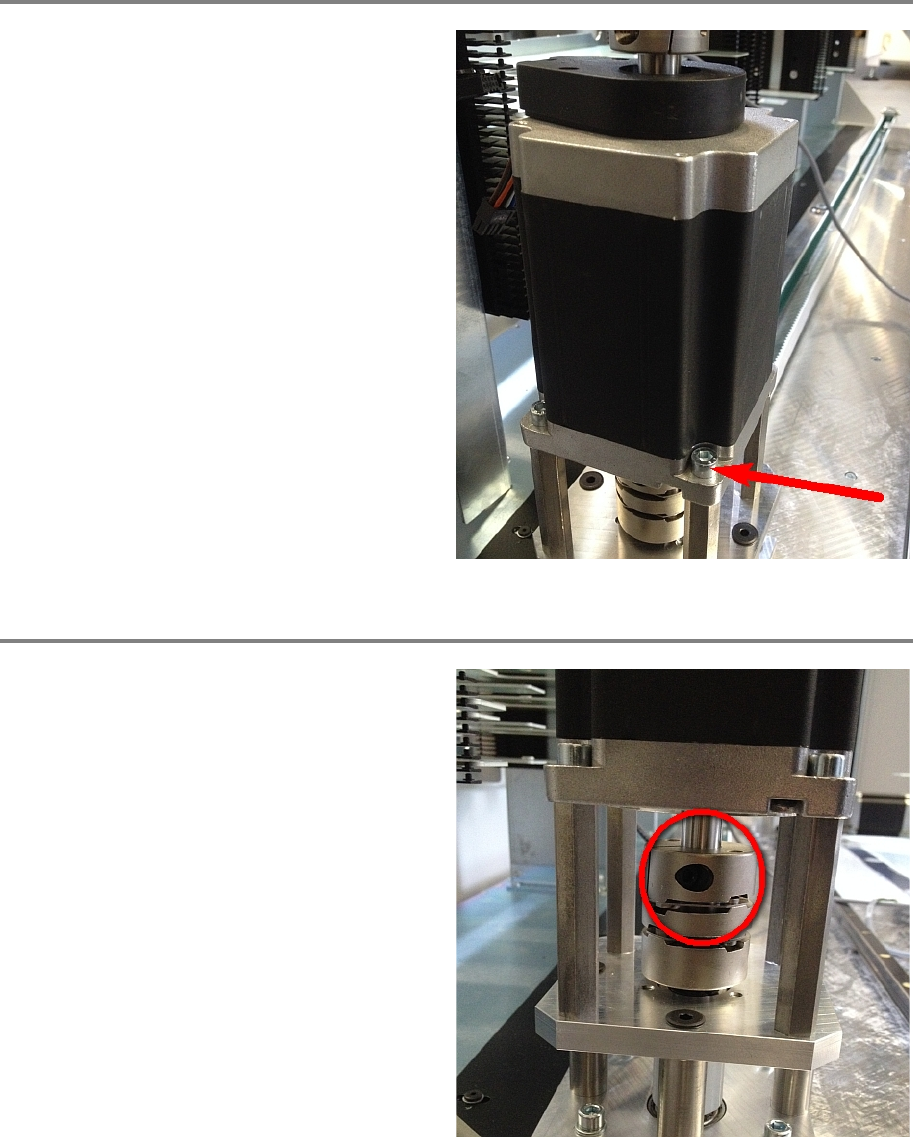
Step 4
Loosen all four screws holding the motor.
Carefully pull the motor out of the coupling and
put the new motor in its place.
Fasten all four screws holding the motor.
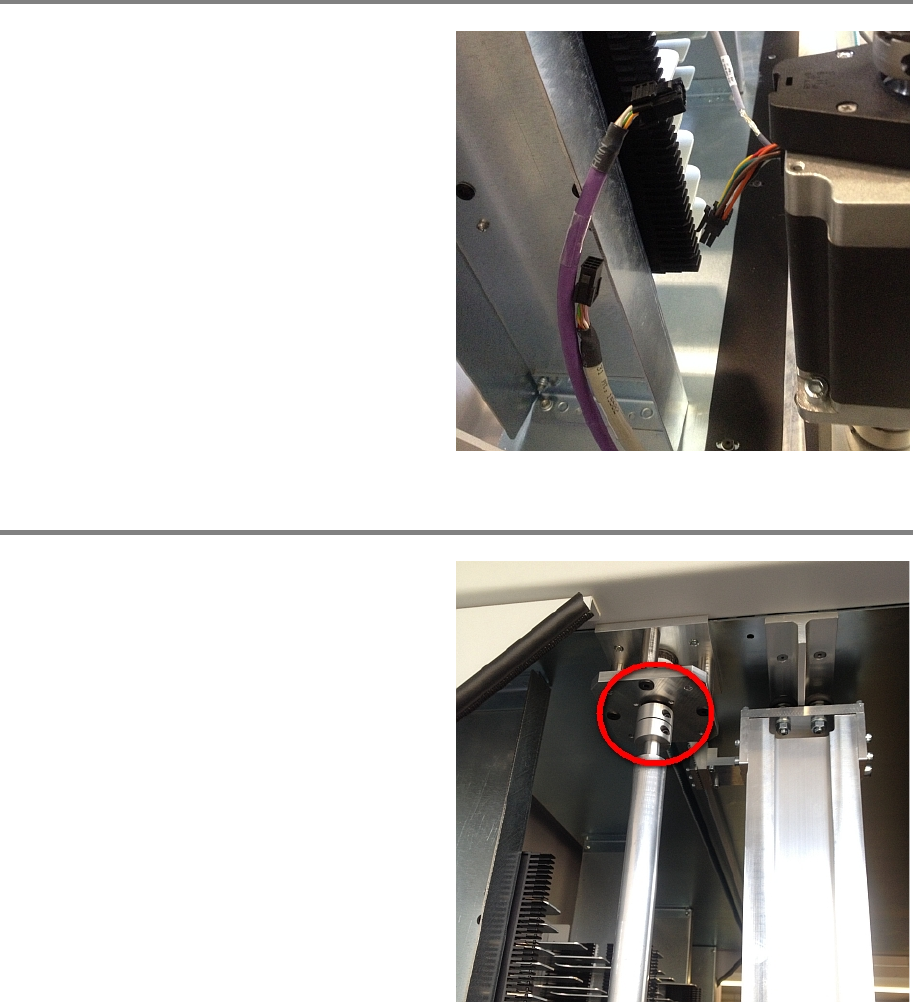
Step 5
Fasten the screw of the coupling using a torque
key adjusted on 7 Newton.
X Axis 00197973-10 / 02 , 2016
4-8 © ASM SIPLACE Mat. Tower Storage Service Manual
Step 6
Plug both connection cables.
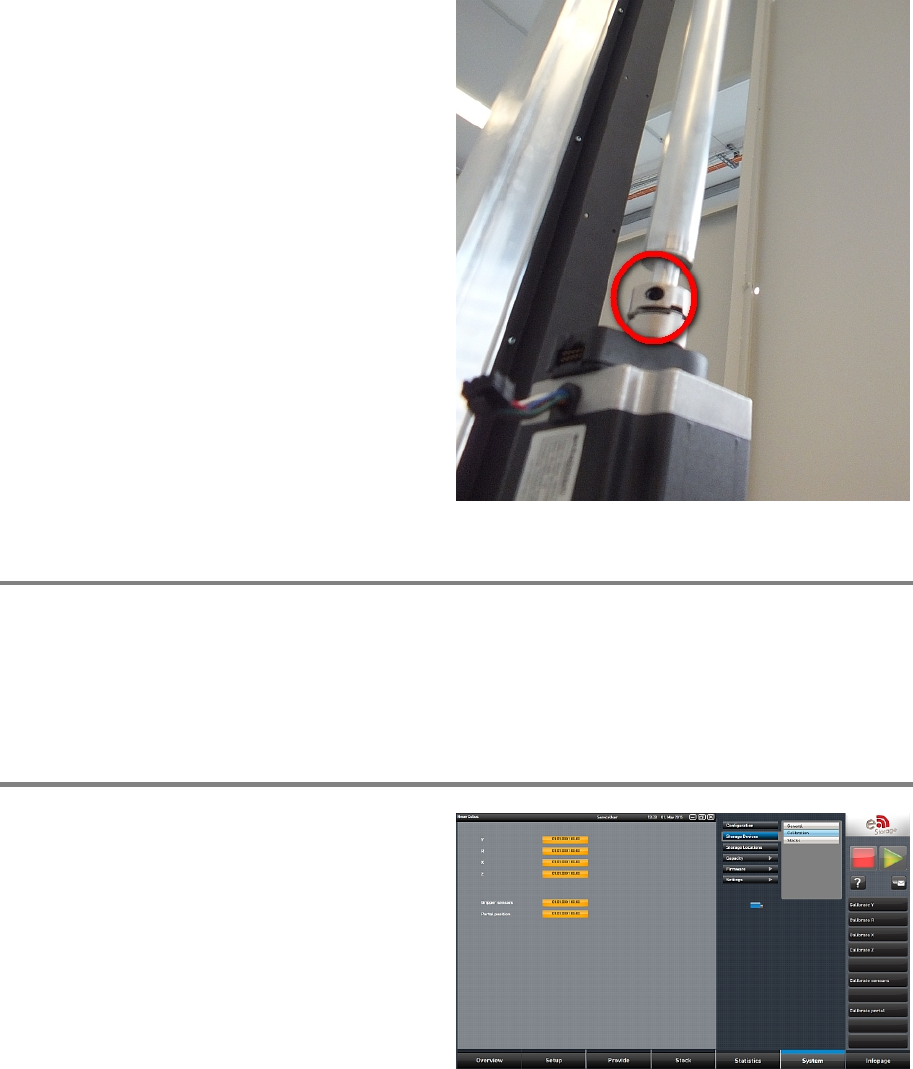
Step 7
Carefully fit the shaft into the upper coupling.
Securely hold the shaft in one hand and fixate
the rigid coupling by fastening both screws
using a torque key adjusted on 2.5 Newton.
00197973-10 / 02 , 2016 X Axis
SIPLACE Mat. Tower Storage Service Manual © ASM 4-9
Loosen the rigid coupling by loosening the
upper screw. Now it can be pulled down to
connect with the motor axis. Make sure the gap
between the two axes is in the middle of the
coupling so that each part o
f the coupling
clamps one shaft. Fasten both screws using a
torque key adjusted on 2.5 Newton
Step 8
Remove all tools and close the doors of the machine.
Plug in the power connector and switch on the machine.
Initialize the machine by means of the software.
Step 9
In the software, in
System - Storage
Devices/Units
select the appropriate machine in
the table and press
Load.
In tab
Calibration calibrate the X axis and follow
the instructions given by the software.
4.2 X Belt
4.2.1 Introduction
This modification instruction describes how to change the two belts of the X Axis on SIPLACE
Material Tower.