00197973-10_SM_MaterialTower.pdf - 第58页
X Axis 0019797 3 - 10 / 02 , 2016 4- 18 © ASM SIPLACE Mat. Tower St ora ge Ser vice Manu al Step 8 Use Lo ctite on all screws. Fasten the screw of the coupling usi ng a torque key adjusted on 2.5 Newton. Step 9 Remov e a…
00197973-10 / 02 , 2016 X Axis
SIPLACE Mat. Tower Storage Service Manual © ASM 4-17
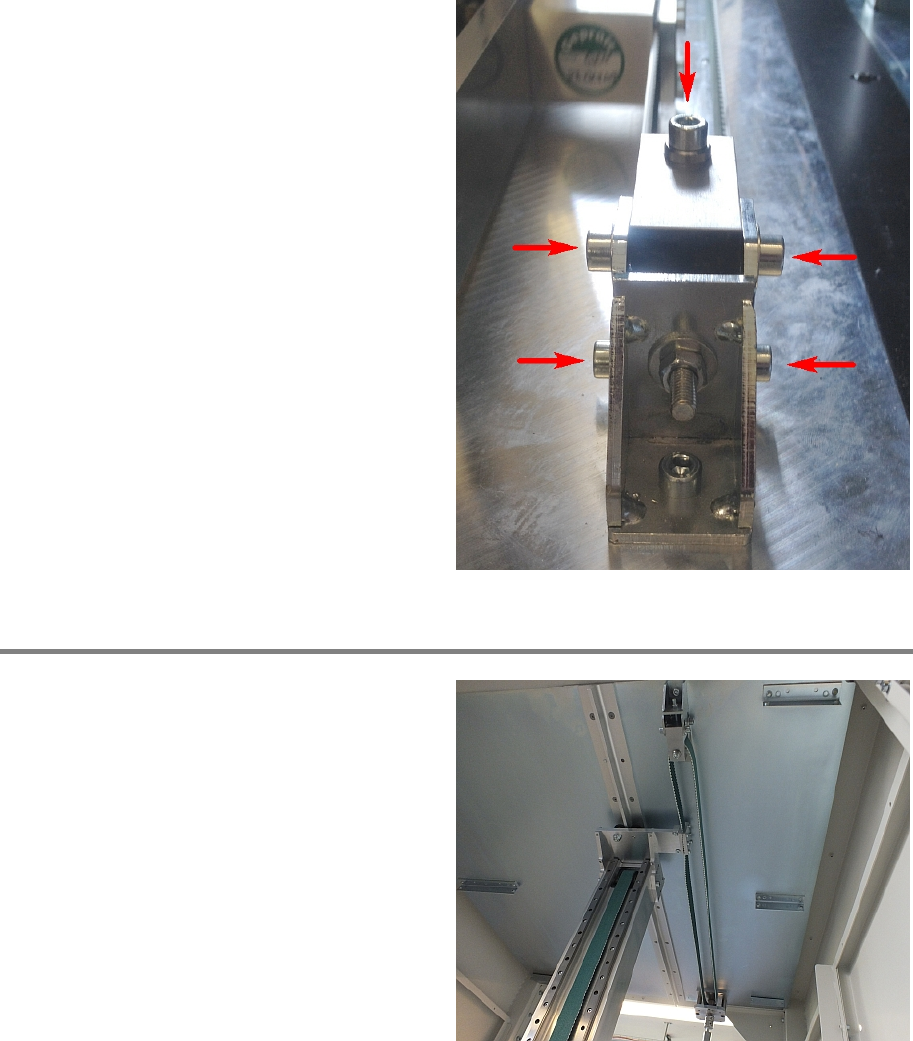
Fasten the five screws that are retaining the belt
tensioner.
Step 7
To exchange the belt at the top proceed
similarly as describe
d in Step 2 - 6.
X Axis 00197973-10 / 02 , 2016
4-18 © ASM SIPLACE Mat. Tower Storage Service Manual
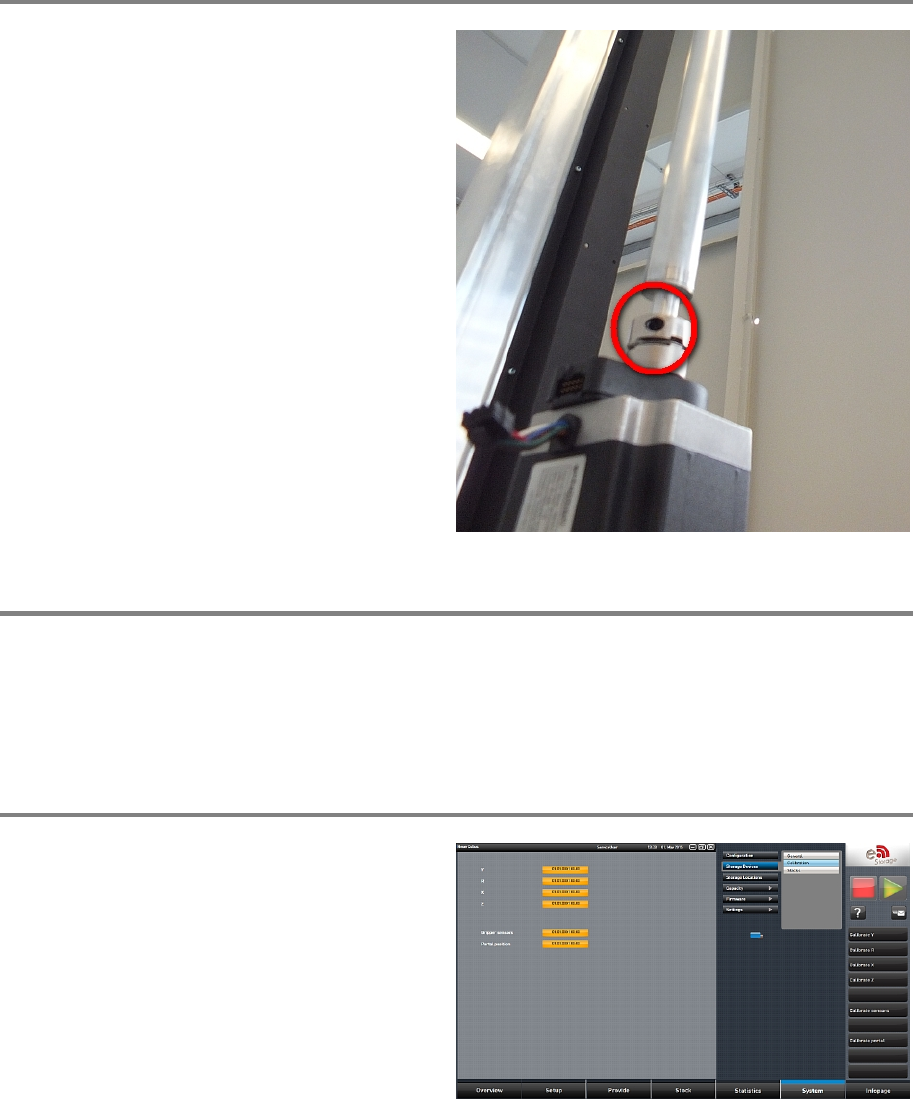
Step 8
Use Loctite on all screws.
Fasten the screw of the coupling using a torque
key adjusted on 2.5 Newton.
Step 9
Remove all tools and close the doors of the machine.
Plug in the power connector and switch on the machine.
Initialize the machine by means of the software.
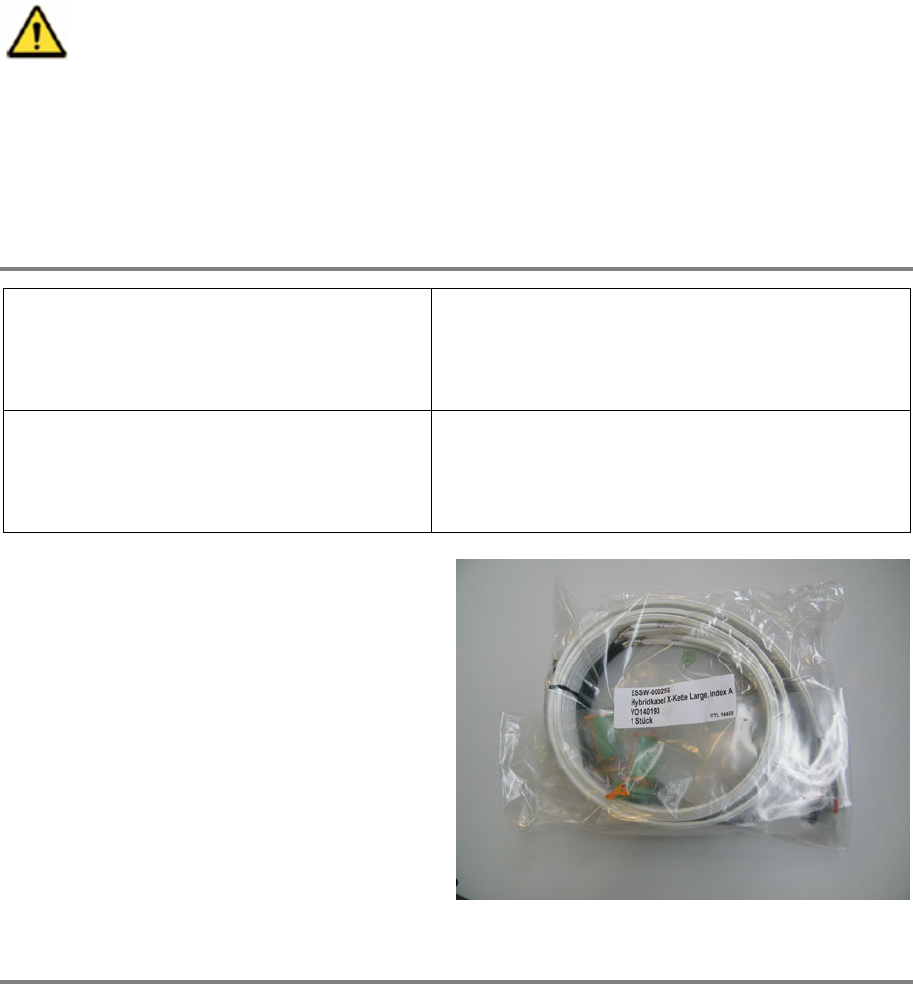
Step 10
In the software, in
System - Storage
Devices/Units
select the appropriate machine in
the table and press
Load.
In tab
Calibration calibrate the X axis and follow
the instructions given by the so
ftware.
00197973-10 / 02 , 2016 X Axis
SIPLACE Mat. Tower Storage Service Manual © ASM 4-19
4.3 Hybrid cable X drag chain
4.3.1 Introduction
This modification instruction describes how to change the hybrid cable X drag chain on SIPLACE
Material Tower.
Spare part number: 03124542-01
Before starting the maintenance, read the Safety instructions carefully.
4.3.2 Tools, Material and Scheduling
For an effective and efficient maintenance, the following resources have to be provided:
Required Tools / Auxiliary Material / Spare parts
Tools: Allen key nr. 3 and 5
Screwdriver 00
Side cutter
Auxiliary Material: Cable ties
Sticky tape or labels
Pen
Spare parts:
03124542
-01 Hybrid Cable
Time needed
Schedule around 1 to 1.5 hours for this task.