00197973-10_SM_MaterialTower.pdf - 第61页
0019797 3 - 10 / 02 , 2016 X Axis SIPLACE Mat. Towe r St ora ge Serv ice Manual © ASM 4- 21 The hybrid cable X, marked on picture, will be exchanged. Remove hybrid cable from motor Cut off and remo ve all cable ties. Pul…
X Axis 00197973-10 / 02 , 2016
4-20 © ASM SIPLACE Mat. Tower Storage Service Manual
4.3.3 Prerequisites
For a safe and efficient maintenance, the following prerequisites have to be fulfilled:
Personnel:
• Any work with or at the equipment must be carried out by skilled and
trained personnel in accordance with the locally applicable
regulations.
• Inform all involved persons regarding the currently running
maintenance works.
Machine loading:
• Stored items do not have to be unloaded.
Machine operating
condition:
• Shut down
Main electrical
power:
• Equipment disconnected from power supply system. The Main Switch
(switched off) locked by means of a padlock to secure the main switch
against unintentional switching on.
Compressed air /
Nitrogen (if used):
• Equipment disconnected from compressed air or nitrogen supply.
Access:
• Open both doors of the machine.
4.3.4 Exchange steps
Prepare working space
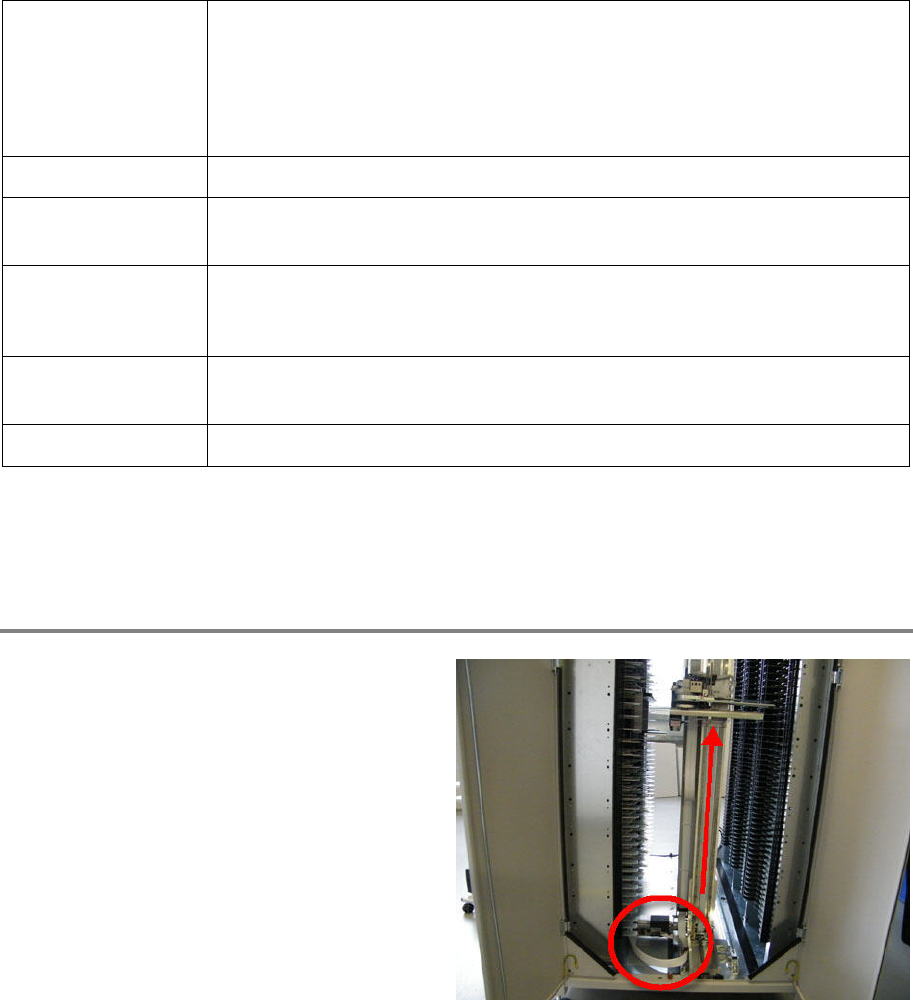
Move the axes manually to the position shown
on picture (to the right of the machine) to have
easy access to the needed working space.
00197973-10 / 02 , 2016 X Axis
SIPLACE Mat. Tower Storage Service Manual © ASM 4-21
The hybrid cable X, marked on picture, will be
exchanged.
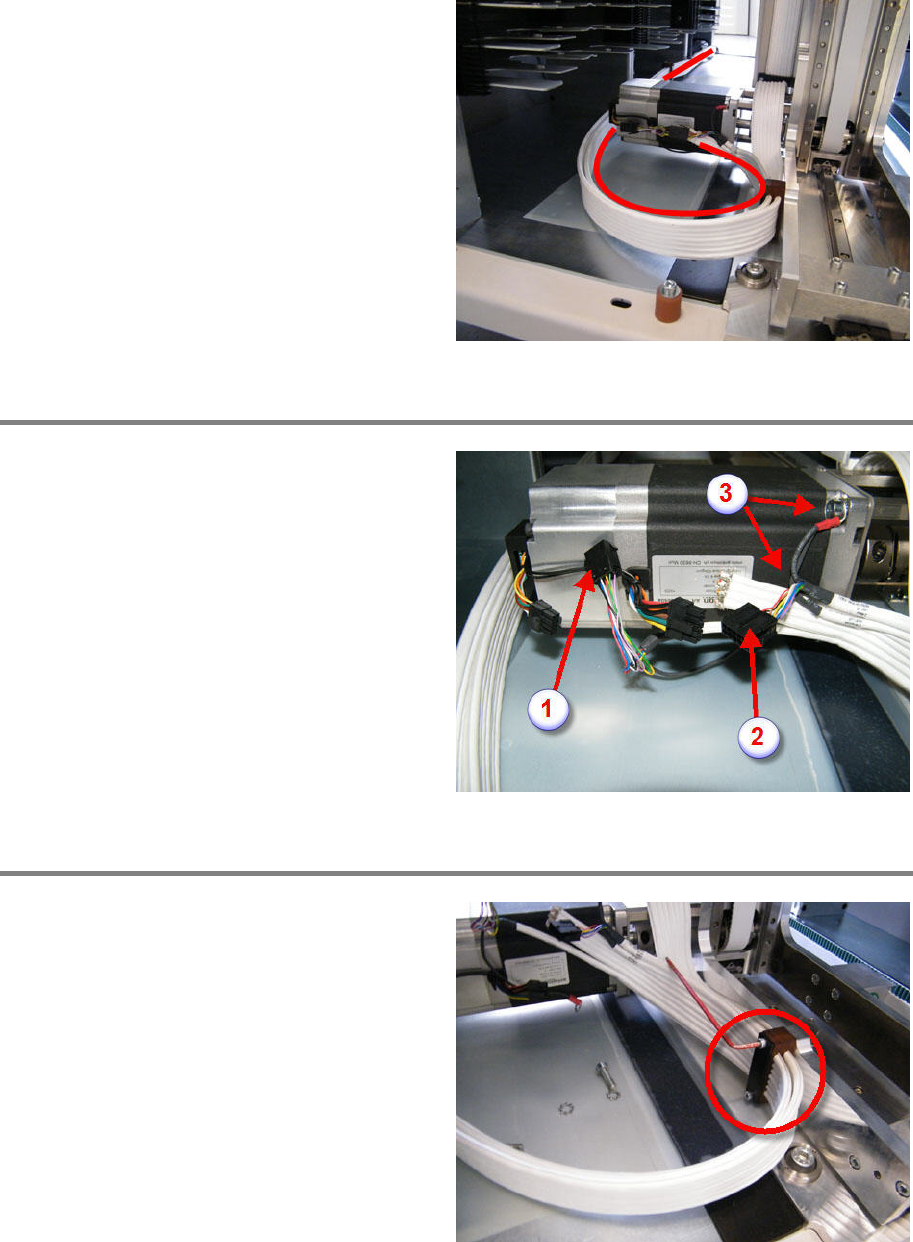
Remove hybrid cable from motor
Cut off and remove all cable ties.
Pull out the plugs (1) + (2).
Loosen and remove the two screws of the cable
shields (3).
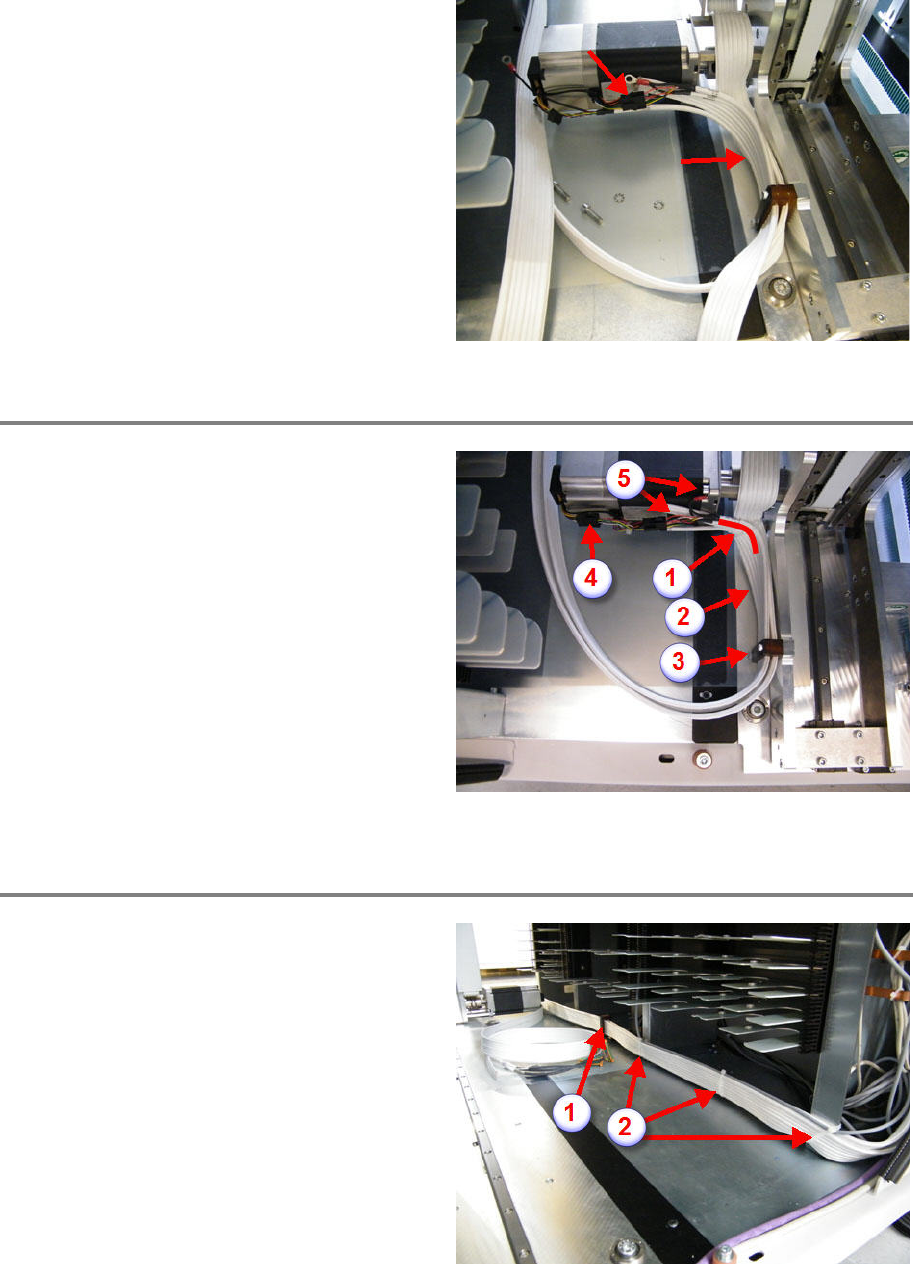
Exchange hybrid cable
Loosen and remove the two screws of the cable
clamping.
Remove the defective hybrid cable.
Place the new hybrid cable int
o position.
Mount all the clamping parts as they were
before.
Screw in the clamping screws but do not tighten
them.
X Axis 00197973-10 / 02 , 2016
4-22 © ASM SIPLACE Mat. Tower Storage Service Manual
Plug in the cable as shown
on picture to have a
rough idea of the correct length.
Make sure the hybrid cable does not touch the
chassis.
Connect new hybrid cable
Take the hybrid cable as close as possible along
the hybrid cable Z (1).
Make sure again, the cable does not touch the
chassis (2).
Tighten the two screws of the cable clamp (3).
Plug in the remaining cables (4).
Screw on the two cable shields (5). Mak
e sure
the lower cable lug does not touch the chassis.
Bend the lugs against the motor.
Fix all the cables and plugs with cable ties for a
compact assembly and ready for movements.
Continue exchanging the cable
Loosen and remove the two screws of the cable
clamping (1).
Cut off the cable ties and remove them (2).
Remove the defective hybrid cable.
Place the new hybrid cable into position.
M
ount all the clamping parts as they were
before.
Screw in the clamping screws but do not tighten
them.