OM-1241-005_w.pdf - 第56页
1-19 AIX-ML T-P 3.3 T raverse The traverse is provided with a mechanism that pulls out a pallet from the magazine. A pallet is pulled out at the specied position from the magazine and transferred to the component pickup…
1-18
AIX-MLT-P
•
Detachment of Magazine
(1)
Move the magazine to be replaced to the magazine change position by
means of the operation monitor.
Note
While the magazine is moving, the LED of the [READY] switch
ickers in green.
When the magazine reaches the magazine change position, the LED
of the [READY] switch extinguishes.
(2) Conrm that the LED of the [READY] switch is "OFF" and pull the
door handle forward to open the door.
(3) While pulling out the magazine stopper knob forward, turn it clockwise
by approximately 90
°
.
(4) Hold the handle in the magazine base and slowly pull it out until it
stops.
Notice
Be sure to pull out the magazine base slowly. Otherwise, the
magazine will drop forward by itself.
(5) Shift the magazine a little forward and take it out.
0705-003
3.2 Magazines
1-19
AIX-MLT-P
3.3 Traverse
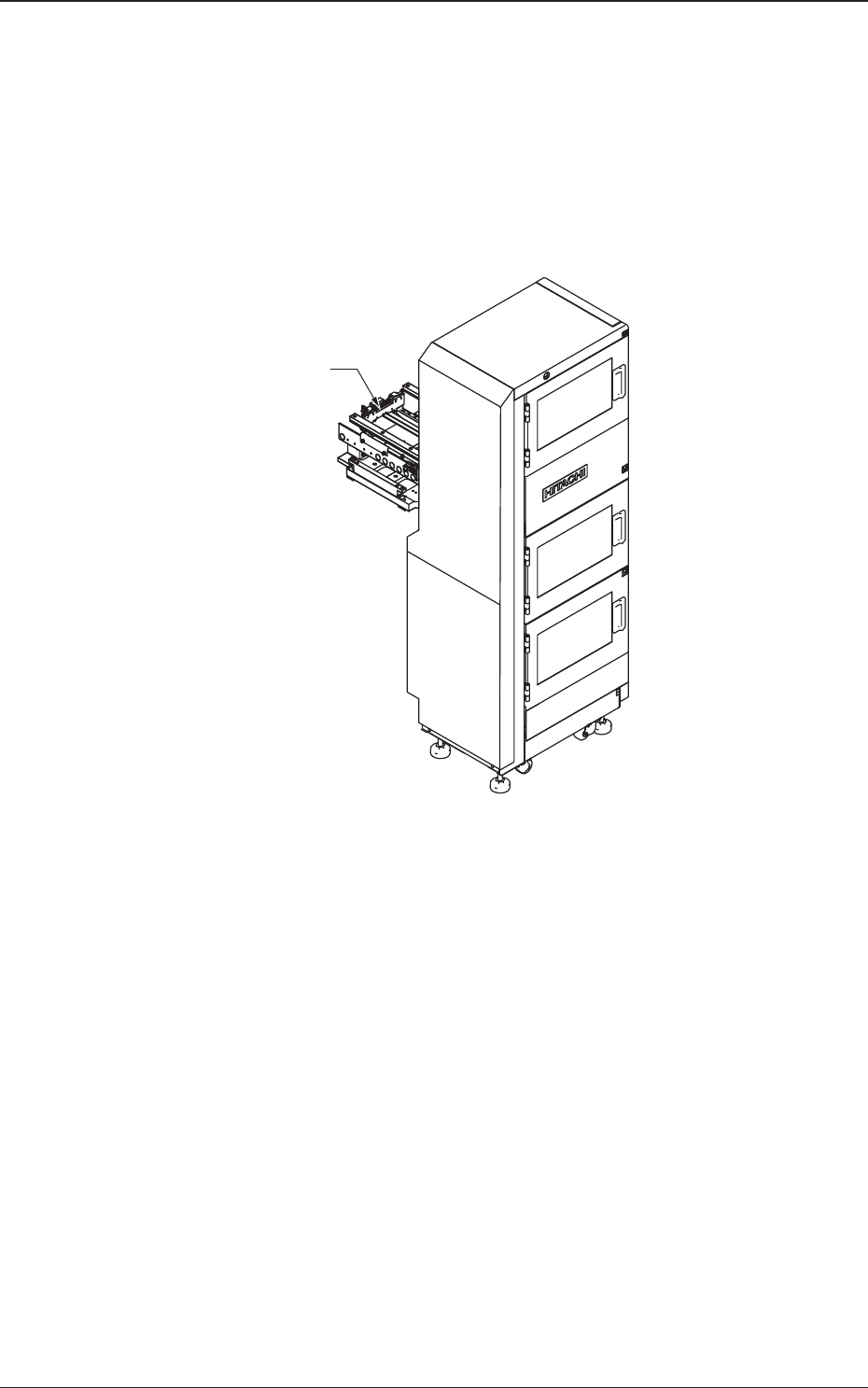
The traverse is provided with a mechanism that pulls out a pallet from the
magazine.
A pallet is pulled out at the specied position from the magazine and
transferred to the component pickup position.
After the components have been picked up, the pallet is stored in the
magazine.
Traverse
Fig. 8
0705-003
3.3 Traverse
1-20
AIX-MLT-P
3.4 Pallets
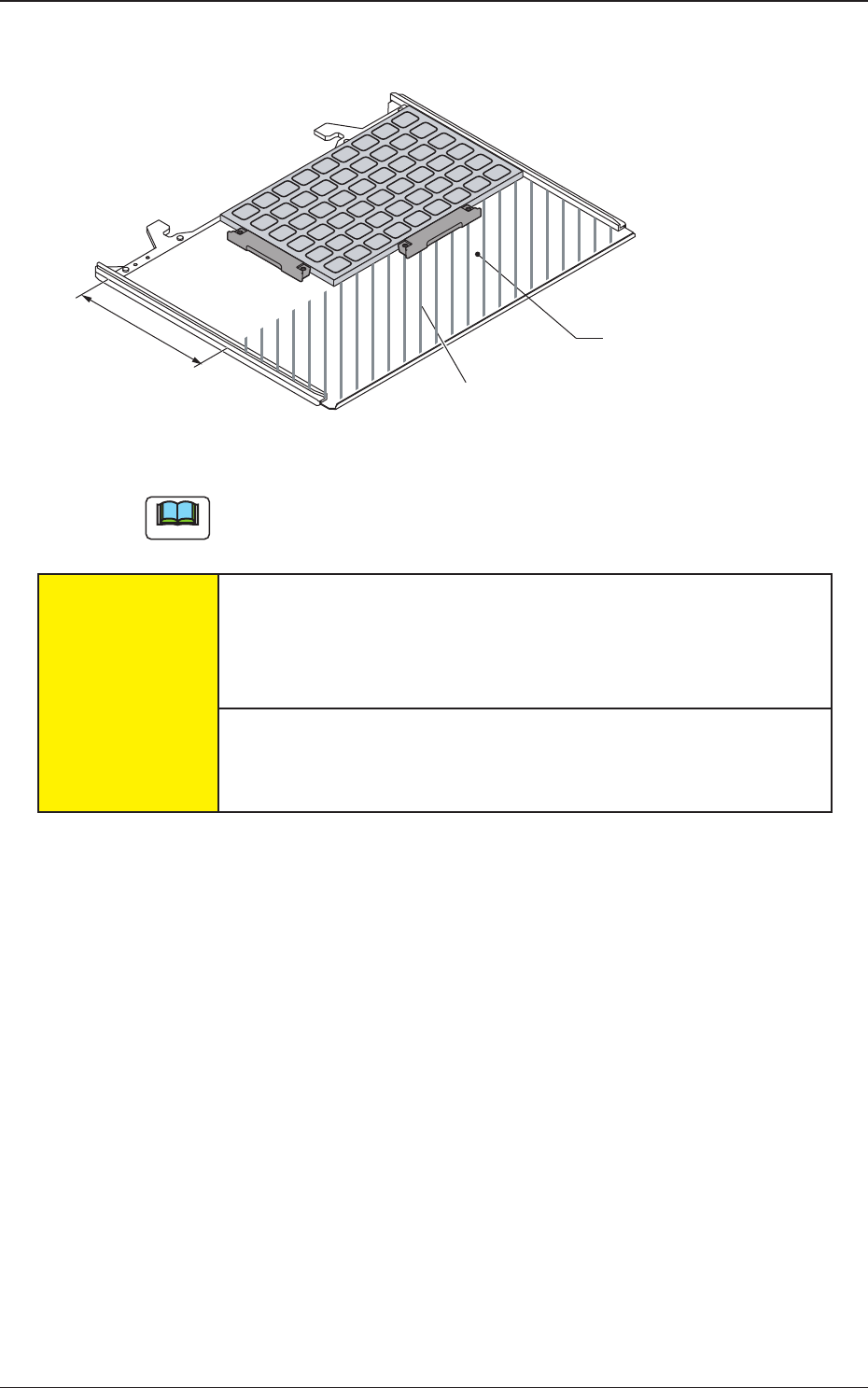
Pallet (MP-G100)
Area where no tray should be put
136mm
Fig. A9 Pallet
Note
No tray should be put in the shadowed area.
CAUTION
Handle the pallets carefully.
Otherwise, the pallets may be deformed.
•
Do not drop the pallet onto the oor
, etc.
•
Do not apply any force partially to any area of the pallet.
•
Do not store the pallets in a pile.
When a deformed pallet is used, a component pickup error may occur.
When a component pickup error occurs frequently, replace the pallet
with a new one.
0705-003
3.4 Pallets