OM-1241-005_w.pdf - 第75页
2-12 AIX-ML T-ID 2.3.3 T est Mode The corresponding window makes it possible to set parameters for the test mode. Fig. B5-4 "T est Mode" Window T est Patterns Set the contents of the test mode. The following sh…
2-11
AIX-MLT-ID
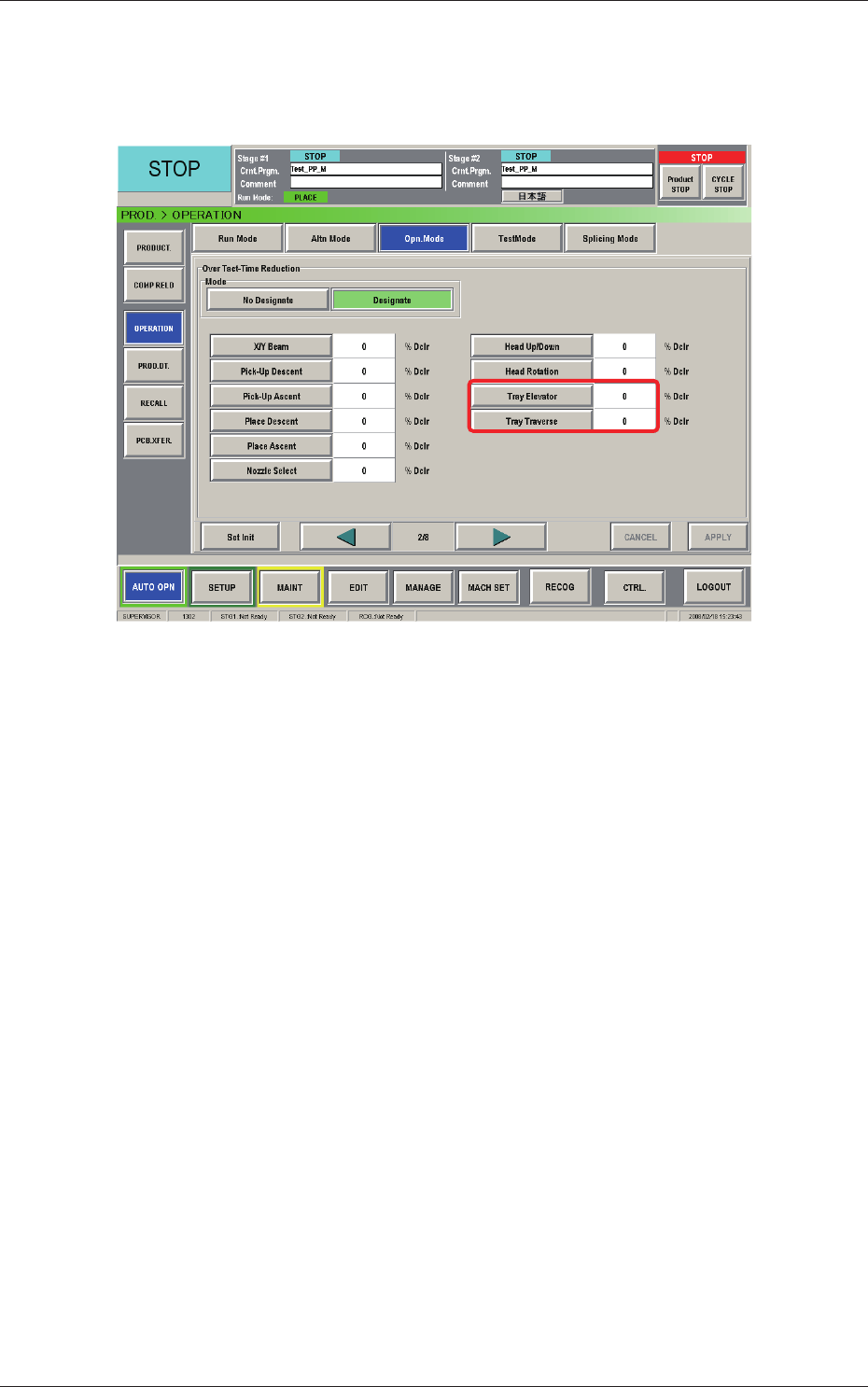
2.3.2 Operation Mode
The corresponding window makes it possible to set the reduction rate of the
running speeds for the tray elevator and traverse.
Fig. B5-3 "Opn. Mode" Window (2/4)
When the multi-layer tray feeder is connected, the following items are added.
[Tray Elevator] Button :
This button can be used to set the rate of the
elevator speed reduction.
[Tray T
raverse] Button :
This button can be used to set the rate of the
traverse speed reduction.
0804-004
2.3 Operation
2-12
AIX-MLT-ID
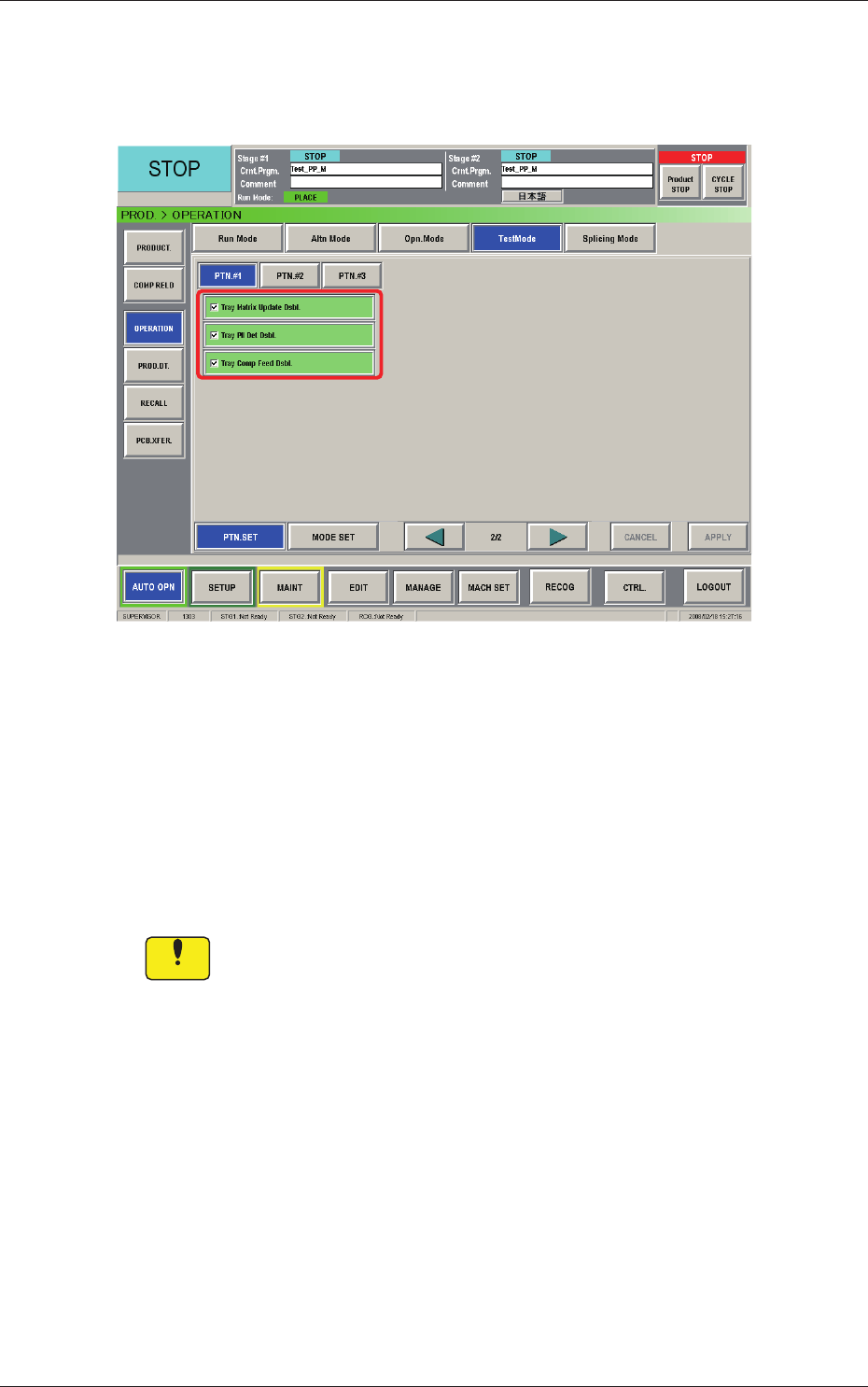
2.3.3 Test Mode
The corresponding window makes it possible to set parameters for the test
mode.
Fig. B5-4 "Test Mode" Window
Test Patterns
Set the contents of the test mode.
The following shows the items related to the multi-layer tray feeder.
Tray Matrix Update Dsbl.
Tray Pll Det Dsbl.
Tray Comp Feed Dsbl.
Notice
Wrong selections (test run in wrong modes) will cause various
deciencies such as component picks by vacuum nozzles,
scattering of components, or collision with the chute, etc.
0804-004
2.3 Operation
2-13
AIX-MLT-ID
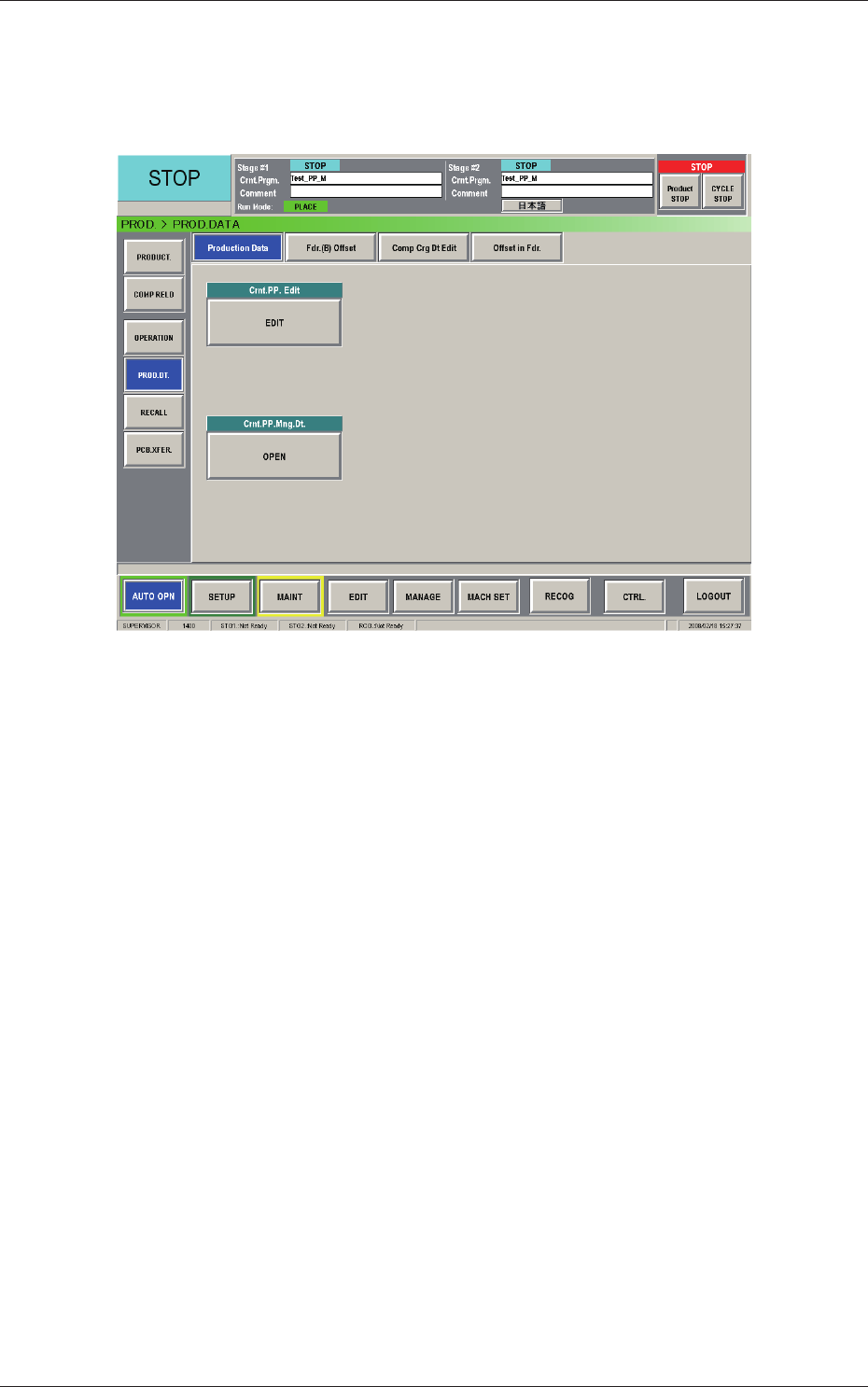
2.4 Production Data
When the [PROD DT.] button on the submenu bar of the "AUTO OPN."
window is pressed, the "PROD. DATA" window appears.
Fig. B6 "Production Data" Window
The "PROD. DATA" window is composed of the "Production Data", "Fdr. (B)
Offset", "Comp Crg Dt Edit", and "Offset in Fdr." windows.
0804-004
2.4 Production Data