OM-1241-005_w.pdf - 第78页
2-15 AIX-ML T-ID 2.4.2 Component Carriage Data Editing This window enables the operator to check and change the component carriage data for the production model. [1] [2] [3] [4] Fig. B8 "Comp Crg Dt Edit" Windo…
2-14
AIX-MLT-ID
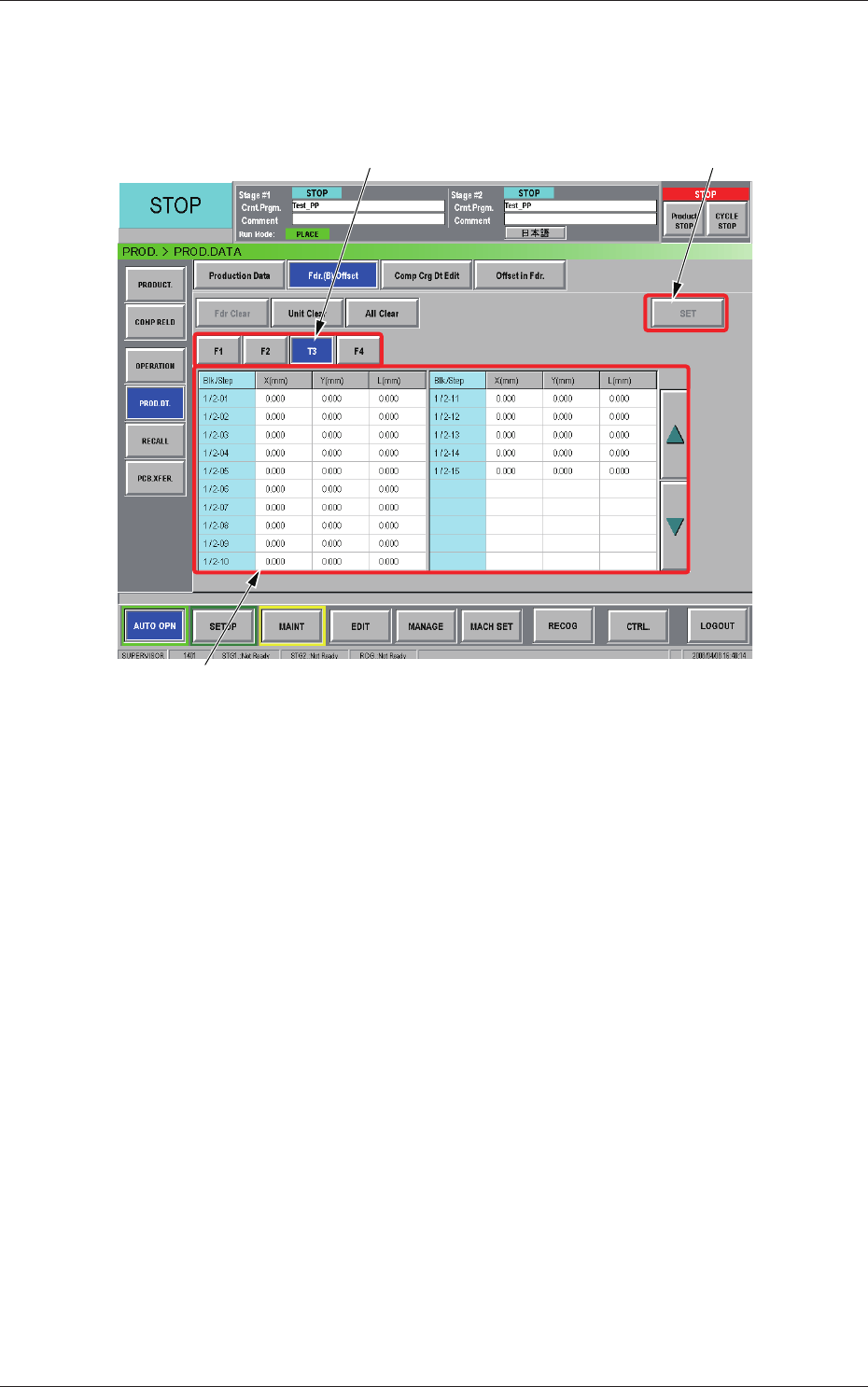
2.4.1 Feeder (B) Offset
Displayed is the current feeder (B) offset data.
The feeder (B) offset data can be conrmed, adjusted, or cleared (initialized).
[1]
[3]
[2]
Fig. B7 "Fdr. (B) Offset" Window
[1] Unit Selection Buttons
Select the feeder base (the [Tn] button in the case of the multi-layer tray
feeder) whose feeder (B) offset data should be conrmed or cleared.
[2] Information Display
Displayed is the data of the feeder base (the multi-layer tray feeder)
selected currently in [1].
When a value in the "X (mm)", the "Y (mm)", or the "L (mm)" text box
of each "Blk/Step" No. is pressed, the "Fdr
. (B) Offset" window opens,
making it possible to adjust the feeder (B) of
fset data.
[3] [SET] Button
When the [Set] button is pressed, the selected value is replaced with the
adjusted one.
0804-004
2.4 Production Data
2-15
AIX-MLT-ID
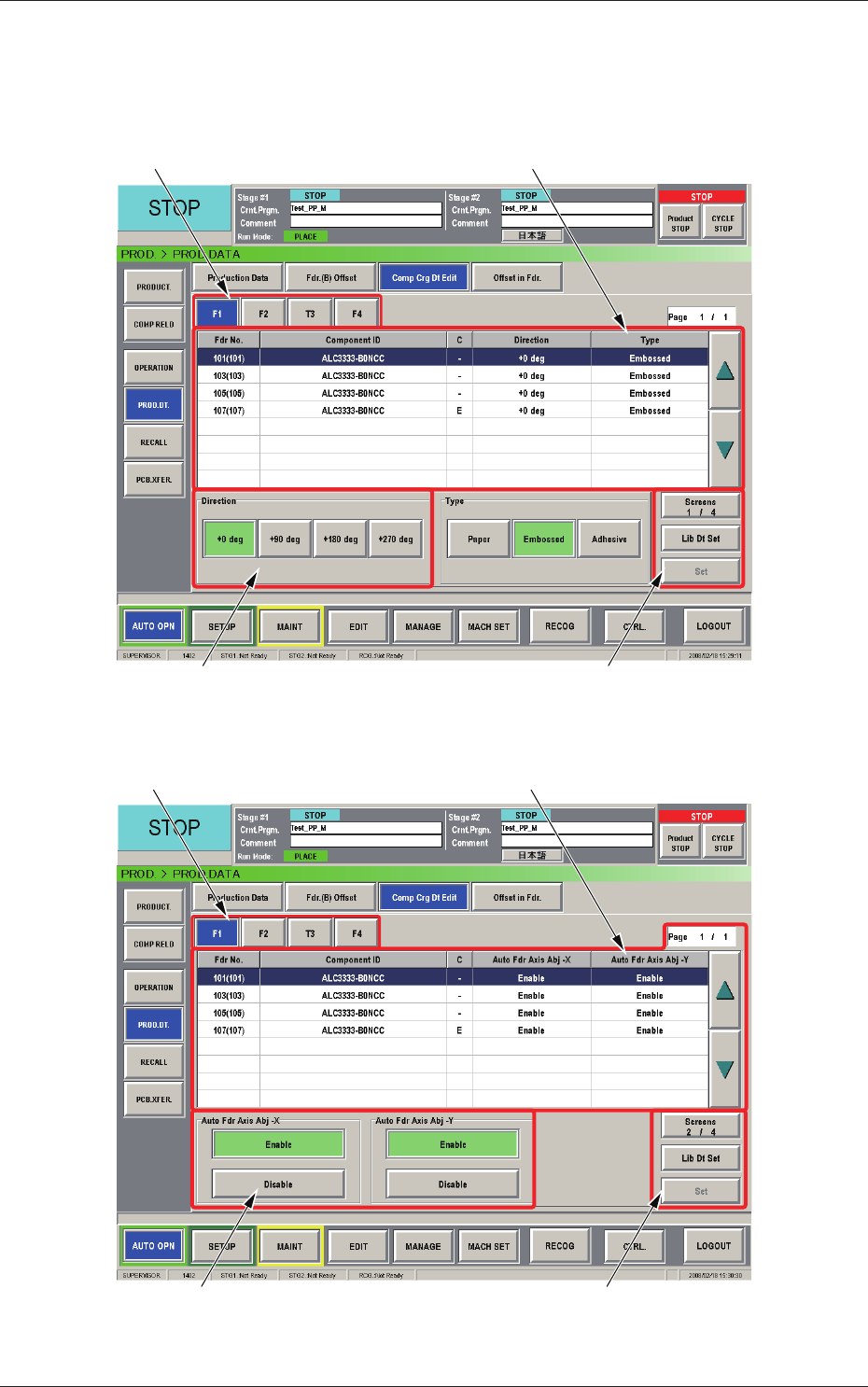
2.4.2 Component Carriage Data Editing
This window enables the operator to check and change the component
carriage data for the production model.
[1] [2]
[3] [4]
Fig. B8 "Comp Crg Dt Edit" Window (1/4)
[1] [2]
[3] [4]
Fig. B9 "Comp Crg Dt Edit" Window (2/4)
0804-004
2.4 Production Data
2-16
AIX-MLT-ID
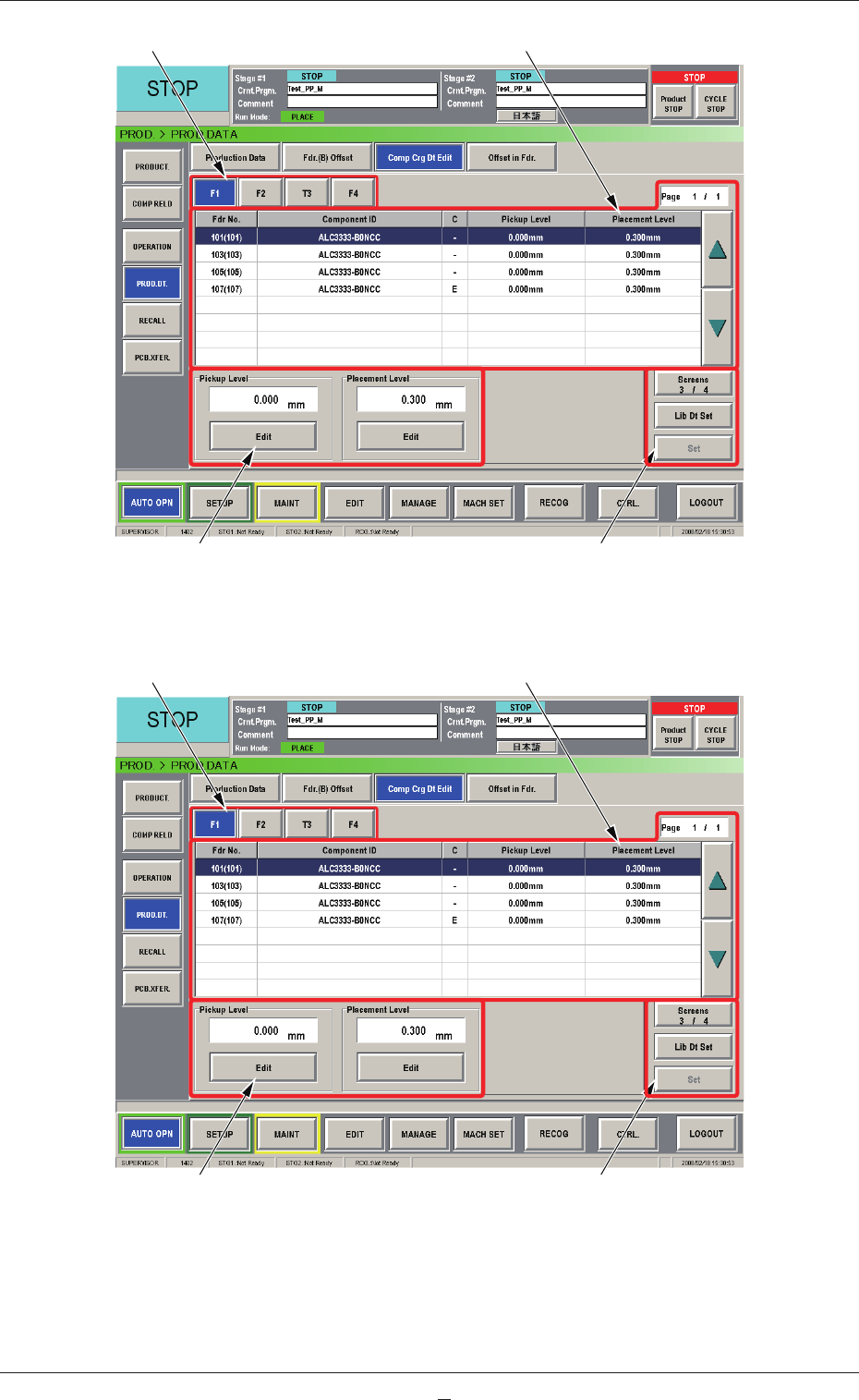
[1] [2]
[3] [4]
Fig. B10 "Comp Crg Dt Edit" Window (3/4)
[1] [2]
[3] [4]
Fig. B10-1 "Comp Crg Dt Edit" Window (4/4)
0804-004
2.4 Production Data