Siplace TX-设备参数-EN - 第31页
31 SIPLACE Vision Options OSC package The licensed OSC package contains functions for simpli- fied placement of odd shaped com ponents (O SC), such as connectors or soc k- ets. The license is activated via SIPLACE Pro. T…

30
SIPLACE Vision
Barcode and data matrix code
1D Barcodes
1D Barcodes
Code types Code 39
Code 93
Code 128
EAN-8 (AddOn 2, AddOn 5), EAN-13 (AddOn 2, AddOn 5)
Interleaved 2 of 5 (station software version 710.1 or higher required)
Minimum width of bar 50 µ
If the quality of the marking is high enough, the width can be reduced
down to 30 µ.
Maximum size of barcode X
≤ 30 mm and Y ≤ 30 mm, or
X ≤ 10 mm and Y ≤ 100 mm, or
X ≤ 100 mm and Y ≤ 10 mm
Minimum height of symbol 5% of length of whole symbol.
Symbol angle All symbol angles will be accepted.
Inverse symbols Light bars on a dark background will be accepted.
(Station software version 708.0 or higher required)
Mirrored symbols Mirrored symbols will be accepted.
(this corresponds to a rotation of 180 degrees for 1D codes)
Region of Interest (ROI) The area on the board, in which the barcode is searched for (ROI),
should not exceed the following values:
ROI (direction of reading)
≤ 3 * symbol width
ROI (vertical to direction of reading)
≤ 10 * symbol width
Uniformity of bars and spaces Each bar and space represents 1 to 4 bits (applies to all code types
implemented), whereby the number of bits corresponds to the width of
the bar/space. When the barcode is read with the PCB camera, it is
assumed that the code is flat. This is why the same nominal width is
applied to all bars and spaces in the symbol when reading 1D bar-
codes with the PCB camera. As a consequence, barcodes cannot be
read if a bar/space with n bits appears to be smaller than another bar/
space with n-1 bits.
31
SIPLACE Vision
Options
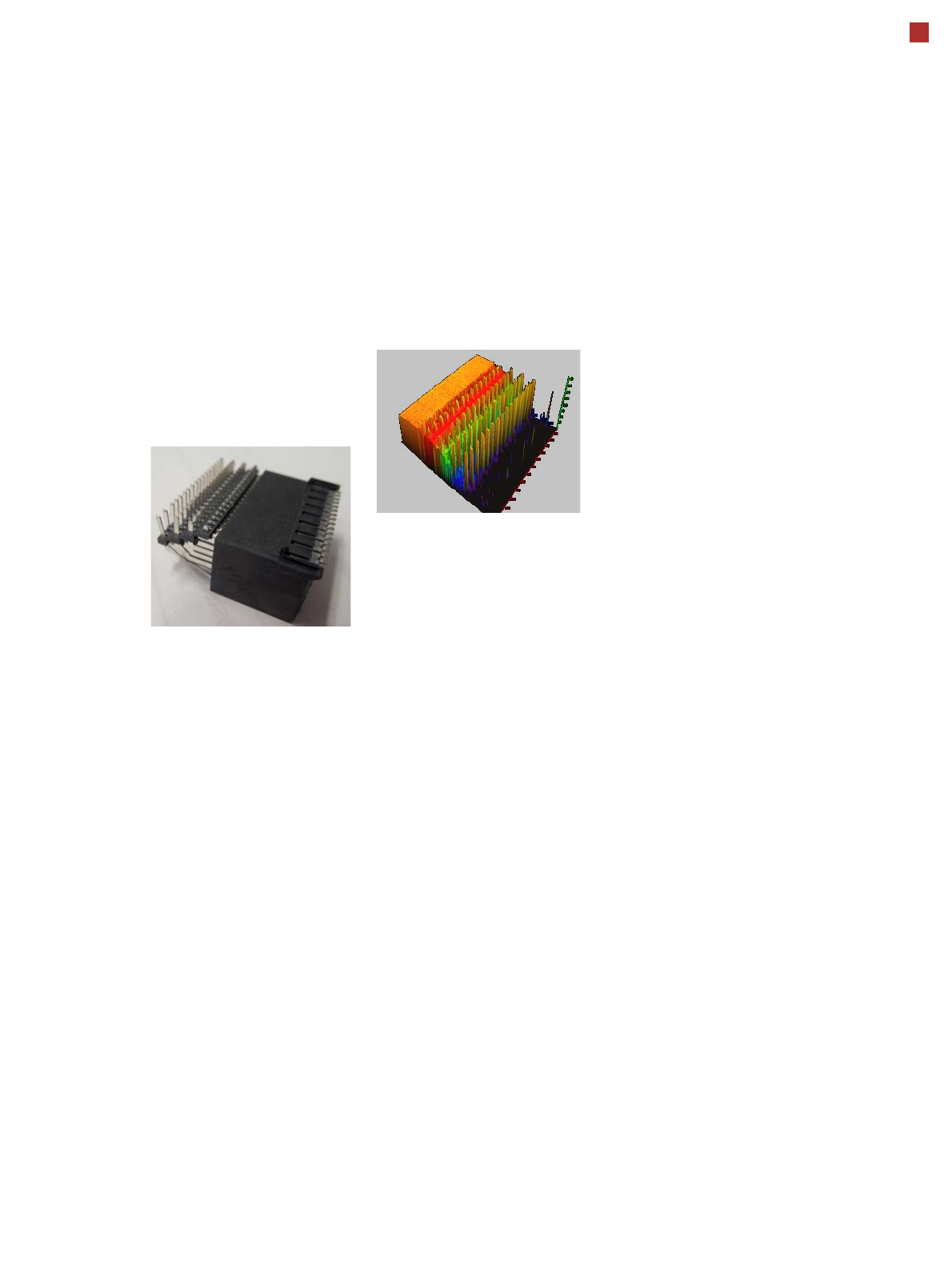
OSC package
The licensed OSC package
contains functions for simpli-
fied placement of odd
shaped components (OSC),
such as connectors or sock-
ets.
The license is activated via
SIPLACE Pro.
The following functions are
contained in the OSC pack-
age:
OSC measurement options
• Customized odd shaped
component
This enables the user to
describe any abstract pat-
tern on a component e.g.
connection leads of a tri-
angular shape. This pat-
tern can then be easily
created and edited at the
station, using the wizard
function.
• Stereo measurement
Stereo measurement
means that two images
are taken of each compo-
nent, from different direc-
tions, using a stationary
camera. These images
are overlapped to show
connectors, pins etc. in 3D
to support easy and pre-
cise evaluation of struc-
tures which, due to color,
shading or background
structures, are difficult to
recognize in conventional
2D measurement.
• Special position evalua-
tion
This function supports
separate definition of posi-
tion determining features
(x,y, angle) independent
of the features for good-
bad recognition. Place-
ment of snap-in compo-
nents
This function monitors
whether snap-in components
engage in the board prop-
erly, during automatic place-
ment.
Automatic calculation of
optimum acceleration
This function enables the
user to automatically calcu-
late the optimum accelera-
tion of individual axes for a
component at the station.
The acceleration values
found can then be checked in
an additional test run and
sent back to the program-
ming system if successful.
32
ASM Software Products
Overview
Workflows ASM Software Product Standard Option
Station operation and con-
trol
SIPLACE station software X
Product definition,
optimization and line con-
trol
SIPLACE Pro
One application for all programming tasks
X
SIPLACE SiCluster Professional / SiCluster Multiline
Fully automatic product grouping
X
SIPLACE LED Pairing
Simple placement of LEDs with multiple classes
X
ASM EDM
Convenient data management for placement programs
X
Production monitoring &
process control
ASM OIS
Operator Information System
X
SIPLACE Explorer
Line monitoring system
X
Setup verification & trace-
ability
ASM Setup Center
Avoid setup errors with reliable setup verification
X
ASM Traceability
Traceability of the placement processes
X
Material Management ASM Line Monitor
Line based view of material consumption at a glance
X
ASM Material Manager
Control and optimize the management of SMD material at your
production plant
X
SIPLACE Material Setup Assistant
Optimize setup preparation and material flow offline
X
Factory Integration
ASM OIB
Seamless integration of SIPLACE software solutions with third
party systems
X