IM7585A987-02.pdf - 第15页
11 LAN Settings and Connection 5 LAN Settings Select the subnet mask. 6 Subnet mask Settings Use or to set the subnet mask , and press to conrm the setting. Any of the following 30 subnet masks can be set for the instru…
10
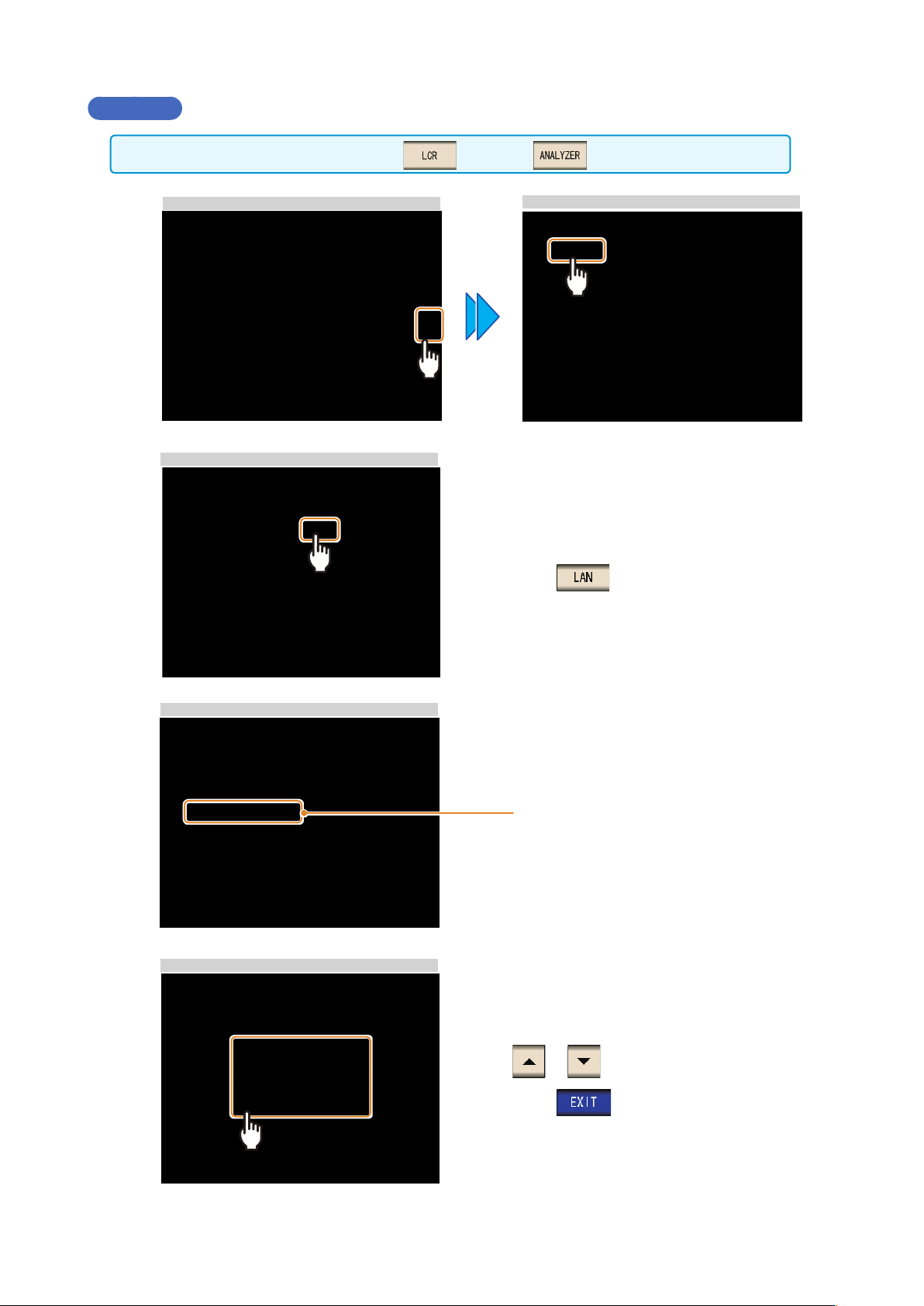
LAN Settings and Connection
Procedure
You can congure the setting from any of mode and mode.
1
LCR Measurement Screen
Interface Settings
2
LAN Settings
Press .
3
LAN Settings
Select the IP address.
4
IP address Settings
or to set the IP address.
Press
to conrm the setting.
11
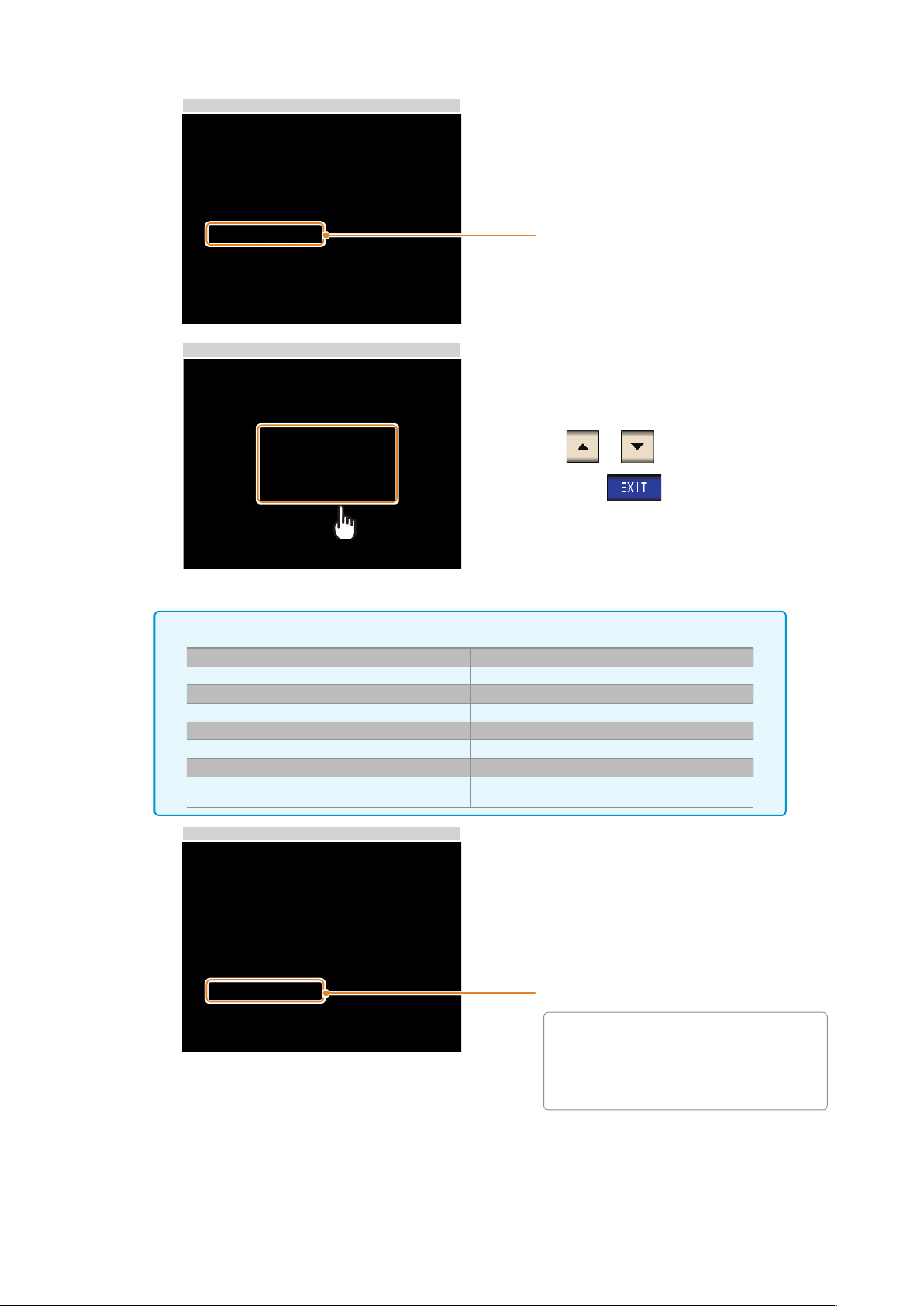
LAN Settings and Connection
5
LAN Settings
Select the subnet mask.
6
Subnet mask Settings
Use or to set the subnet mask
,
and press
to conrm the setting.
Any of the following 30 subnet masks can be set for the instrument.
128.000.000.000 255.128.000.000 255.255.128.000 255.255.255.128
192.000.000.000 255.192.000.000 255.255.192.000 255.255.255.192
224.000.000.000 255.224.000.000 255.255.224.000 255.255.255.224
240.000.000.000 255.240.000.000 255.255.240.000 255.255.255.240
248.000.000.000 255.248.000.000 255.255.248.000 255.255.255.248
252.000.000.000 255.252.000.000 255.255.252.000 255.255.255.252
254.000.000.000 255.254.000.000 255.255.254.000
255.000.000.000 255.255.000.000
255.255.255.000
(Initial setting)
7
LAN Settings
Select the default gateway.
If the default gateway does not need to
be set
,
for example
,
when connecting the
instrument and computer on a one-to-one
basis using a cross cable
,
leave this set
to OFF.
2