4OM-1064-001.pdf - 第186页
Tg0249-PM-MM [EDIT DA T A] Key When this key is pressed, a display appears, enabling the editing of the data which corresponds to the test compo- nent ID at the line cursor position in the list box under the [TEST ID L…
Tg0249-PM-MM
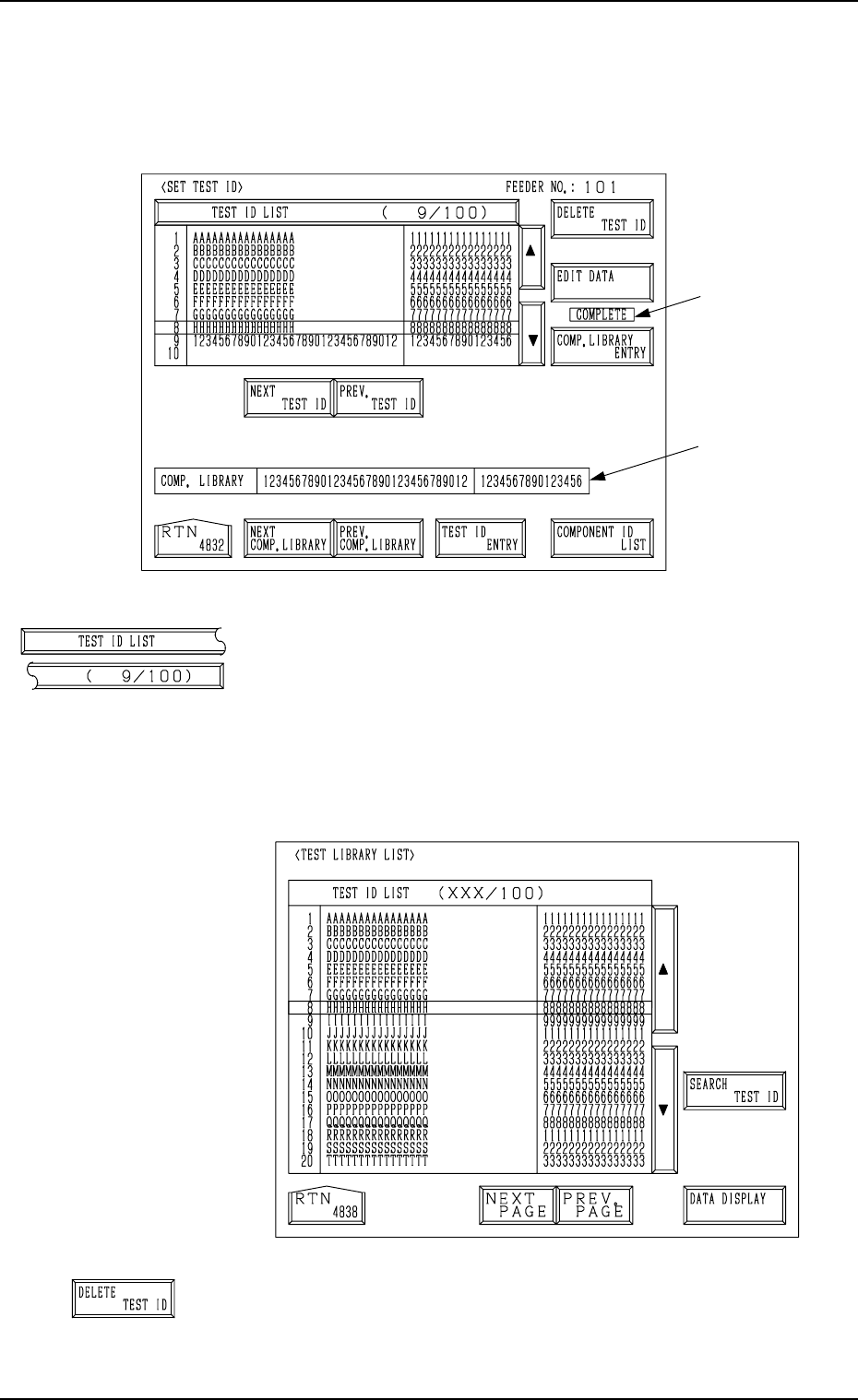
7.2.1 SET TEST ID Display
When the [SET TEST ID] key is pressed at the “COMPONENT RECOG.
TEST” display, the following display appears on the screen.
[TEST ID LIST (9/100)] Key
When the [TEST ID LIST (XXX/100)] key is pressed at
the “SET TEST ID” display, the following display appears
on the screen.
The [SEARCH TEST ID] key is provided to easily locate
the test ID of the data to be corrected.
The [DATA DISPLAY] key is also provided to display the
contents of the test ID data.
[DELETE TEST ID] Key
When this key is pressed, the test ID data (one of the IDs
under the [TEST ID LIST (XXX/100)] key) at the line cur-
sor is deleted.
7. DEVICE TEST Display
0004-002 3-139
B
A
Fig. 3.92-1
Fig. 3.92-2
Tg0249-PM-MM
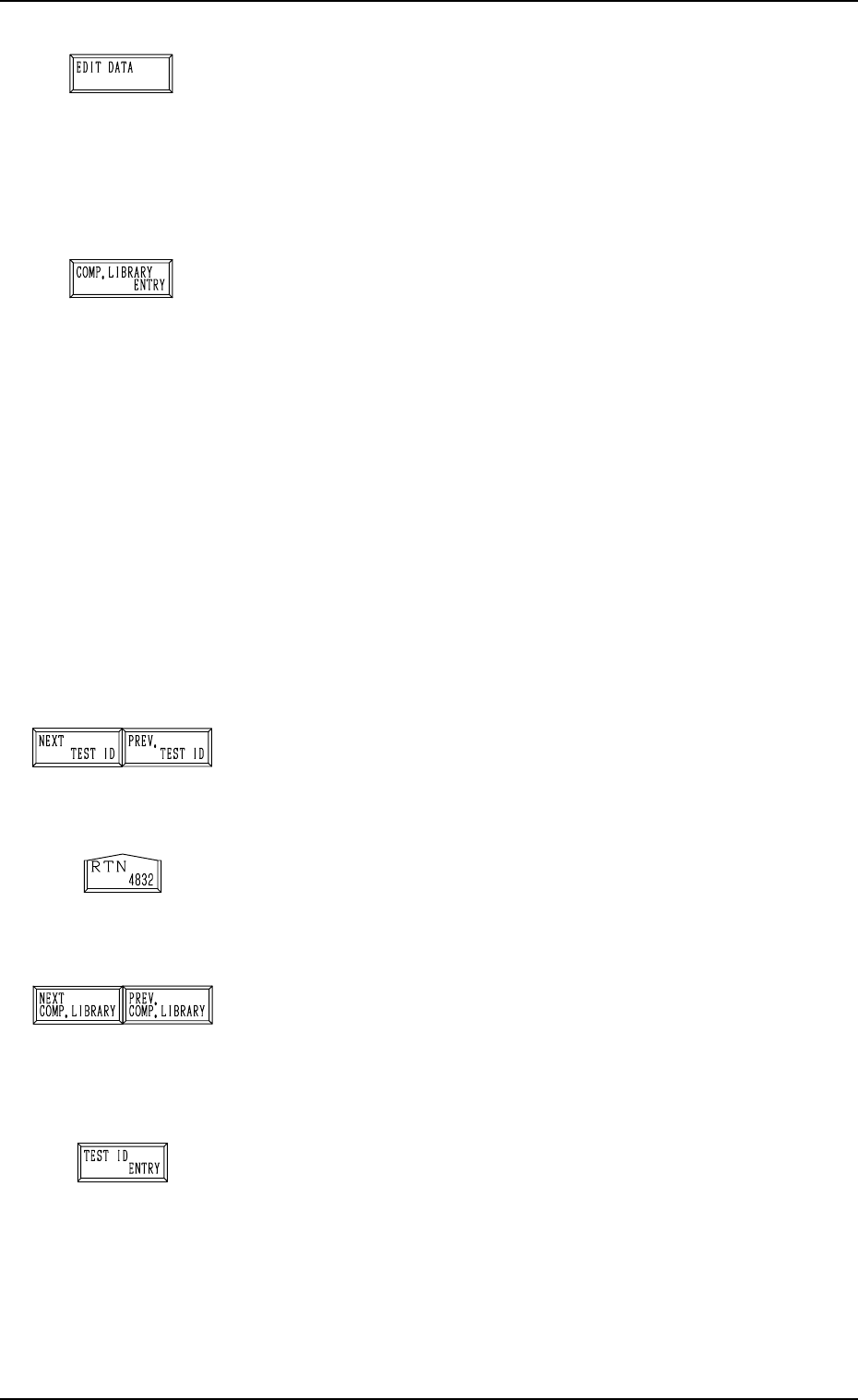
[EDIT DATA] Key
When this key is pressed, a display appears, enabling the
editing of the data which corresponds to the test compo-
nent ID at the line cursor position in the list box under the
[TEST ID LIST (XXX/100)] key.
Refer to the “COMPONENT LIBRARY” for details.
[COMP. LIBRARY ENTRY] Key
When this key is pressed, the data corresponding to the test
ID at the cursor position in the list box under the [TEST ID
LIST (XXX/100)] key can be registered in the component
library with a component ID.
When the registration is completed normally, it is indicated
at B in Fig. 3.92-1 for 5 seconds.
When the same component ID is already registered, the
“DATA SAVE MODE” display appears, enabling the op-
erator to select one of the option keys ([SAVE] and [DON’T
SAVE] key).
Note: As test IDs are protected by the password in the
same level (password available areas) as that of the
component library data (Saving and Deleting), they
may not be registered.
Refer to “3. Management of Password of Section
4” for details.
[NEXT TEST ID] and [PREV. TEST ID] Keys
When the [NEXT TEST ID] key is pressed, another list of
test IDs appears in the list box. Pressing the [PREV. TEST
ID] key lists up the previous test IDs.
[RTN] Key
When this key is pressed, the test ID data at the line cursor
position in the list box is set as the component ID objective
in data correction.
[NEXT COMP. LIBRARY] and [PREV. COMP. LI-
BRARY] Keys
When the [NEXT COMP. LIBRARY] or the [PREV. COMP.
LIBRARY] key is pressed, the next or the previous library
data appears in the “COMP. LIBRARY” text boxes *A.
[TEST ID ENTRY] Key
When this key is pressed, the component IDs (component
library data) in the text box A in Fig.3.92-1are registered
as test ID data.
Ref.: Up to 100 pieces of test ID data can be registered.
7. DEVICE TEST Display
0004-002 3-140
Tg0249-PM-MM
7. DEVICE TEST Display
0004-002 3-141
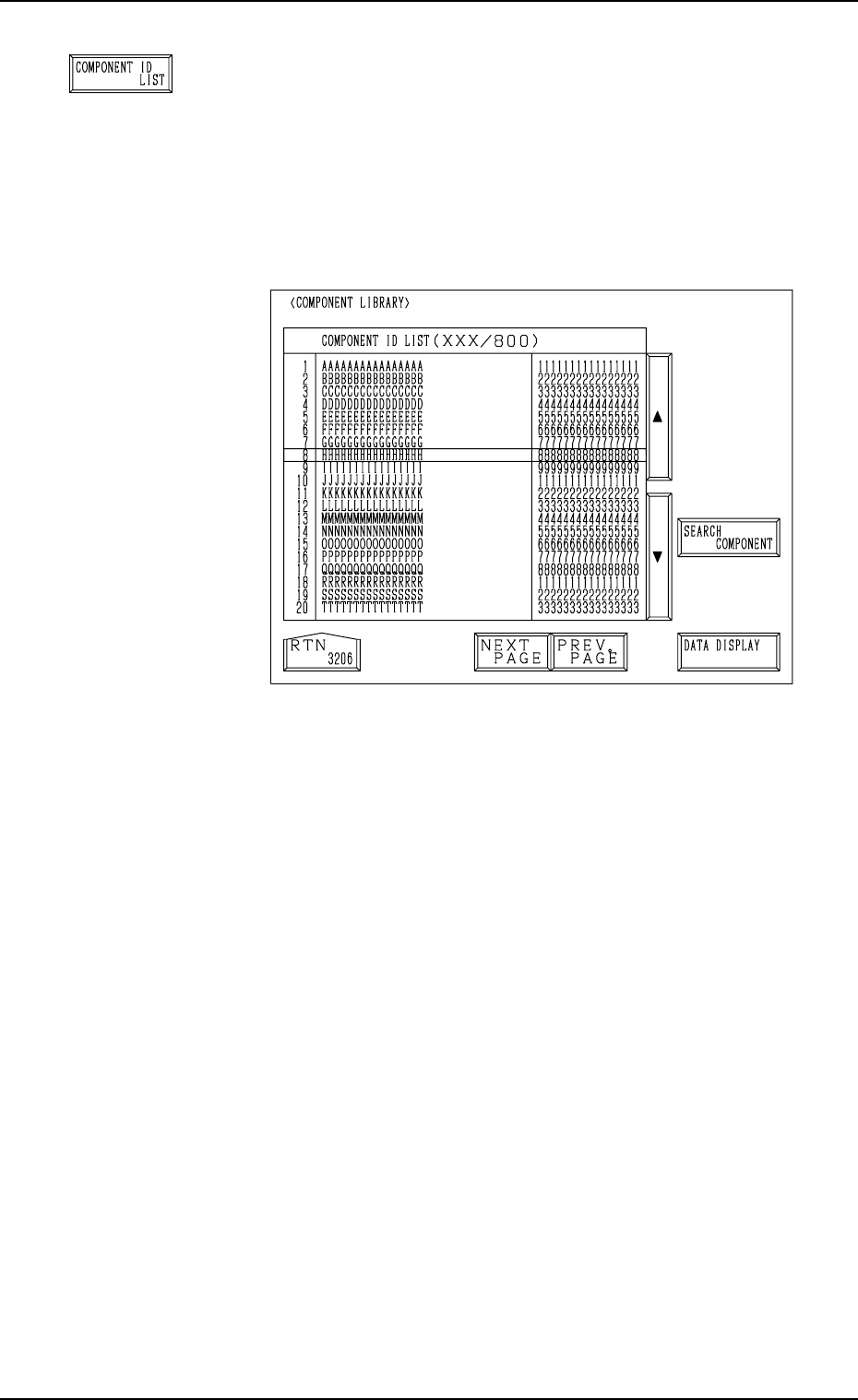
[COMPONENT ID LIST] Key
When this key is pressed, the following display appears on
the screen.
The [SEARCH COMPONENT] key is proved to easily lo-
cate the component ID of the data set as test ID data. The
located component ID appears at A in Fig. 3.92-1.
The [DATA DISPLAY] key is also provided to display the
contents of the component library data.
Fig. 3.92-3