4OM-1064-001.pdf - 第208页
Tg0249-PM-MM Note: The -marked functions are optional. 8. DEVICE CHECK Display 9910-001 3-162 “INPUT CHECK” Display (Fig. 3.104) [I/O (DIO) DIAGNOSTIC] Key
Tg0249-PM-MM
8. DEVICE CHECK Display
9910-001 3-161
8.1.1 DIO, SDS CH1, SDS CH2, Interlock, Motor Control
When the [INPUT CHECK] key is pressed at the “DEVICE CHECK” display,
the following display appears on the screen.
[I/O (DIO) DIAGNOSTIC], [I/O (SDS CH1) DIAGNOSTIC], [I/O (SDS
CH2) DIAGNOSTIC], [INTERLOCK], and [MOTOR CONTROL] Keys
When one of these keys is pressed, the “INPUT CHECK” display corre-
sponding to the selected key appears on the screen, showing the list of
various ports. When a port No. key is pressed, the status of each bit for
individual ports is displayed.
The operation status of the sensors and switches on the machine can be
checked.
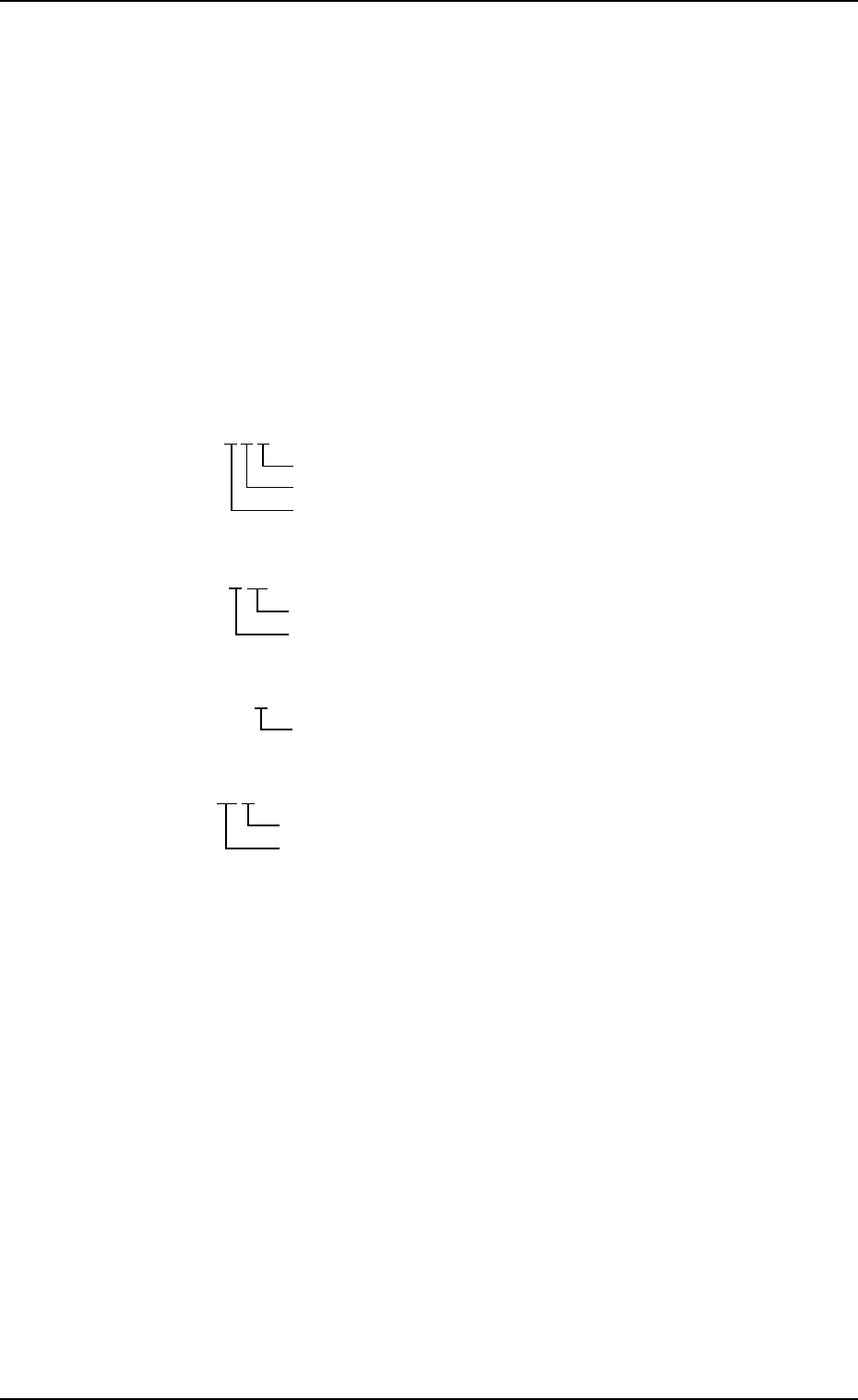
Input Port Name
INPx-x x
SDS CH1 and CH2 Port Name
SDSx-xx
Interlock Port Name
INTLKx
Motor Control Port Name
M xx-x
“STATUS”
E/R : The light beam is emitted and received.
E/NR : The light beam is not received.
“ON”, “OFF”, “0” and “1” show the sensor detection conditions. For de-
tails, refer to the judgment of “0” and “1” at the “INPUT CHECK” display.
Port No.
Serial No. of P.C.B.
CPU ID
Node No.
Channel No.
Port No.
Port No.
Shaft No.
Tg0249-PM-MM
Note: The -marked functions are optional.
8. DEVICE CHECK Display
9910-001 3-162
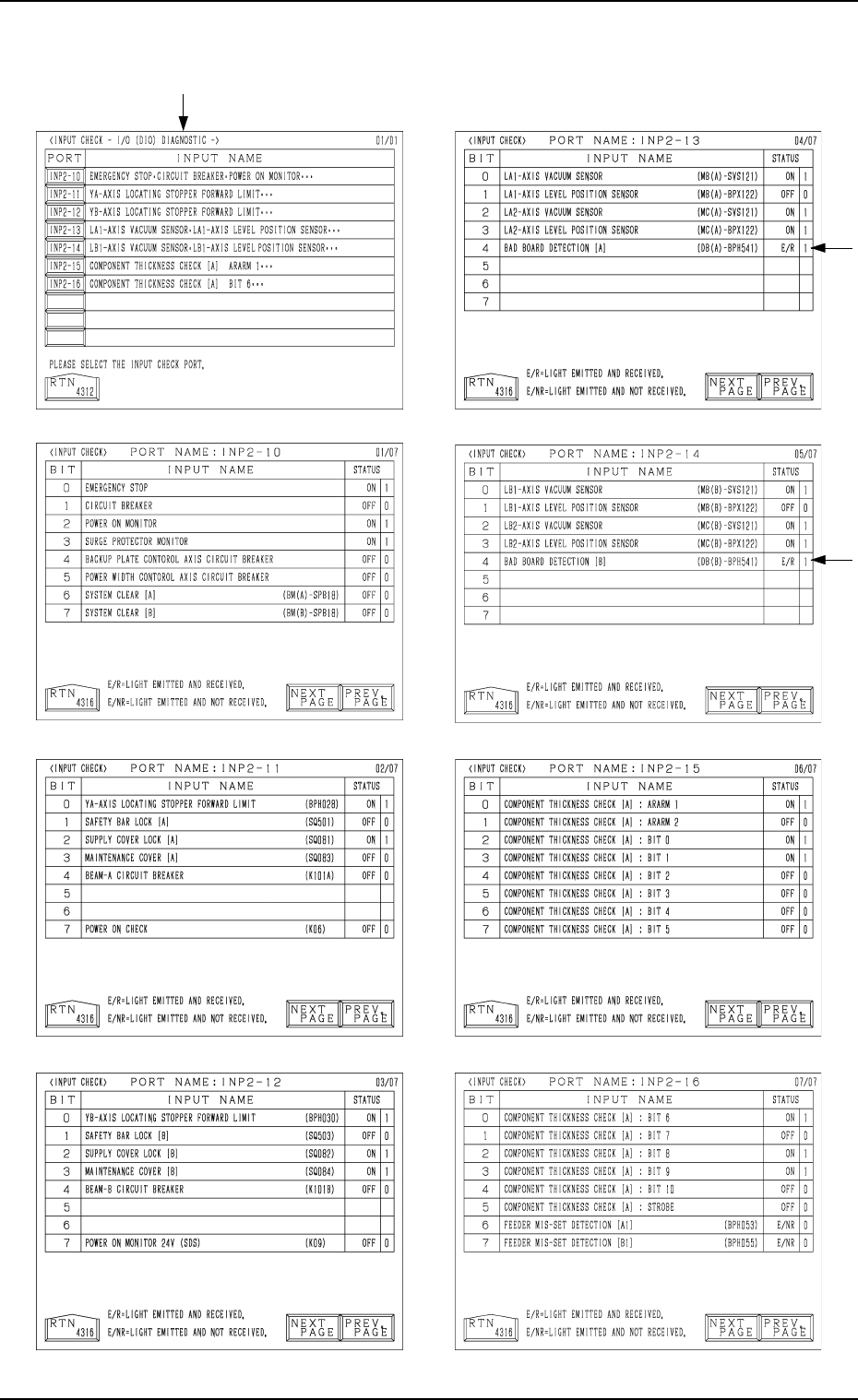
“INPUT CHECK” Display (Fig. 3.104)
[I/O (DIO) DIAGNOSTIC] Key
Tg0249-PM-MM
Note: The -marked functions are optional.
8. DEVICE CHECK Display
0004-002 3-163
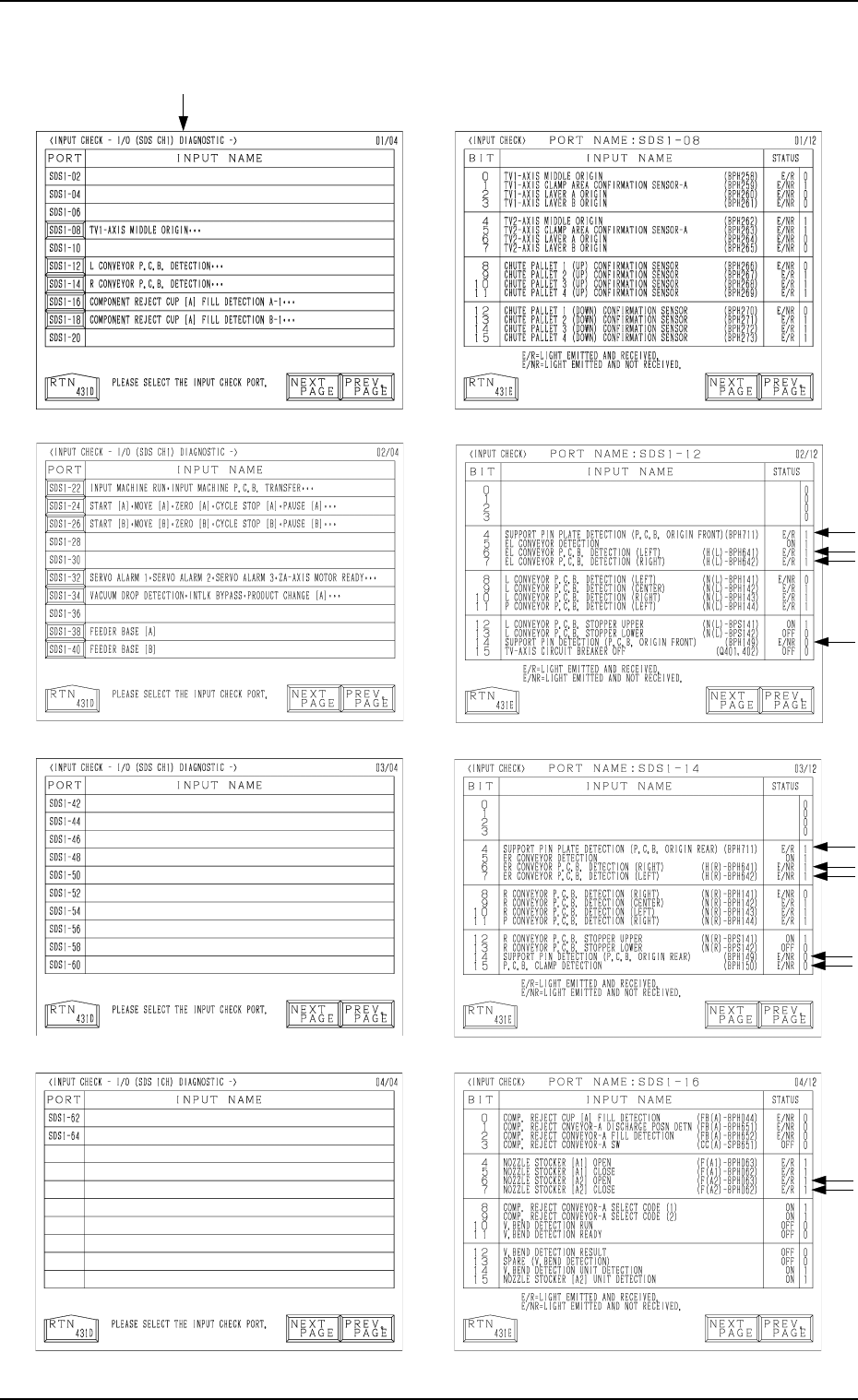
“INPUT CHECK” Display (Fig. 3.104)
[I/O (SDS CH1) DIAGNOSTIC]