4OM-1064-001.pdf - 第232页
9910-001 Tg0249-PM-MM 8. DEVICE CHECK Display 3-186 8.1.5 FEEDER UNIT SET-UP INFORMA TION Display • Displayed are the names of the feeders installed on the feeder base units # 1 through # 4. When the [FEEDER UNIT SET-UP …
9910-001 Tg0249-PM-MM
8. DEVICE CHECK Display
3-1853-185
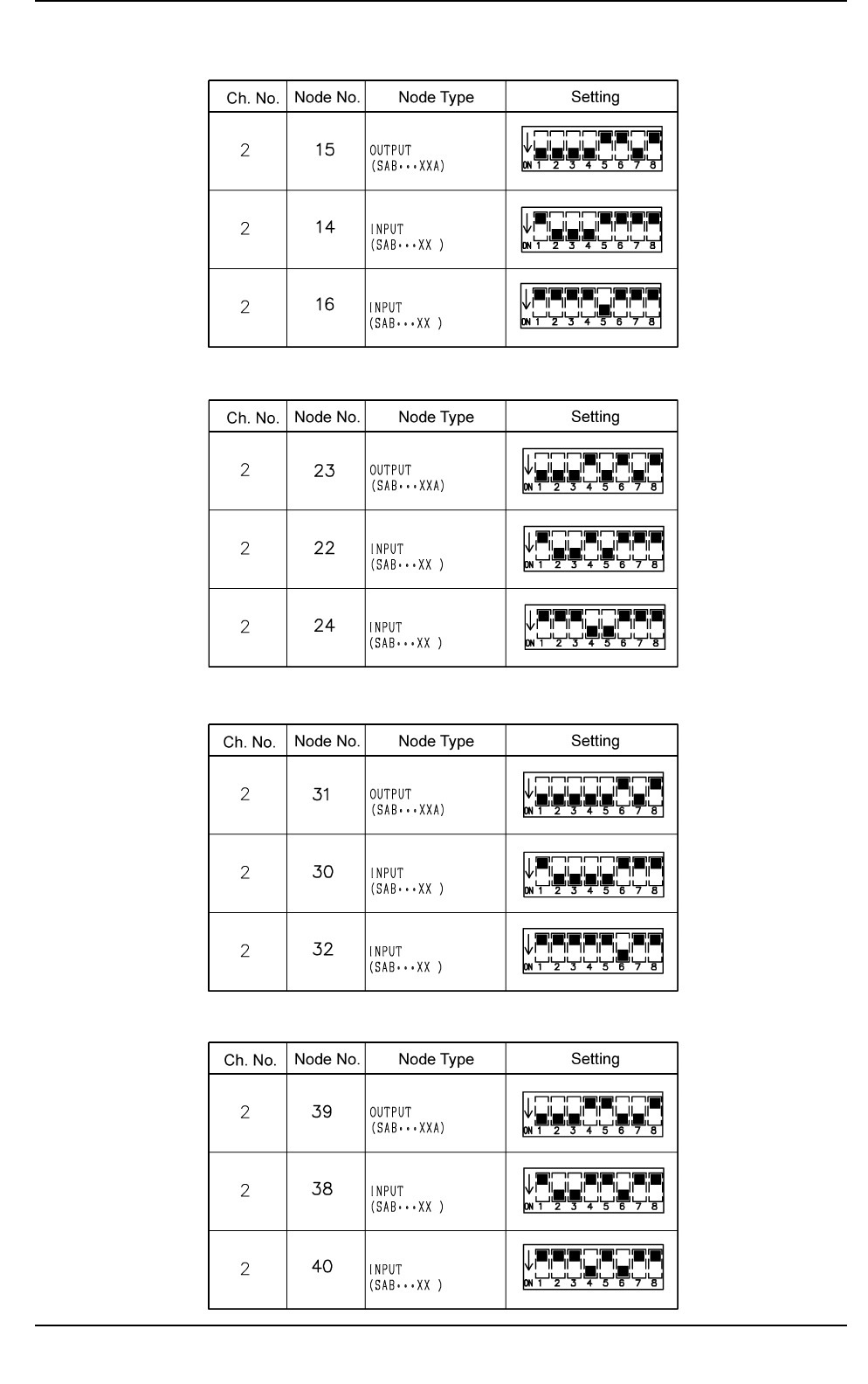
Table 3.14
Stick Feeder Setting of SDS Nodes for Feeder Base R (A) (Option)
Table 3.15
Stick Feeder Setting of SDS Nodes for Feeder Base L (A) (Option)
Table 3.16
Stick Feeder Setting of SDS Nodes for Feeder Base R (B) (Option)
0103-002 Tg0249-PM-MM
Table 3.17
Stick Feeder Setting of SDS Nodes for Feeder Base L (B) (Option)
9910-001 Tg0249-PM-MM
8. DEVICE CHECK Display
3-186
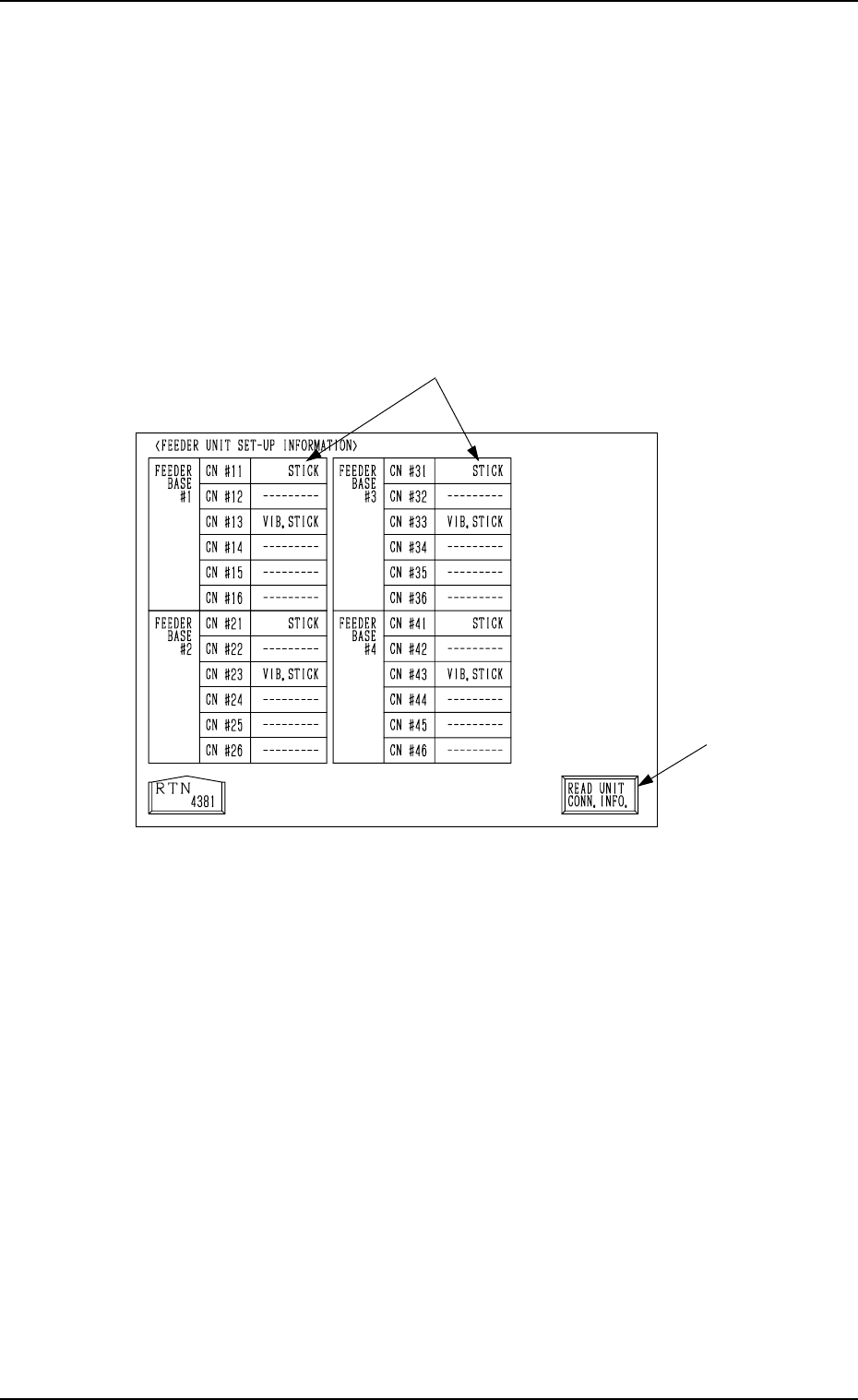
8.1.5 FEEDER UNIT SET-UP INFORMATION Display
• Displayed are the names of the feeders installed on the feeder base units #1
through #4.
When the [FEEDER UNIT SET-UP INFO.] key is pressed at the “INPUT
CHECK” display, the following display (Fig. 3.107) appears on the screen.
Note: When the connection of the unit is changed after this display is opened,
be sure to press the [READ UNIT CONN. INFO.] key. Otherwise, the
correct device information will not be displayed.
*1 Indicated are what types of feeders are connected with which connectors.
*2 [READ UNIT CONN. INFO.] Key
This key is used to update the feeder unit set-up information.
*2
*1
Fig. 3.107
Tg0249-PM-MM
8.2 MACHINE PROGRAM INFORMATION Display
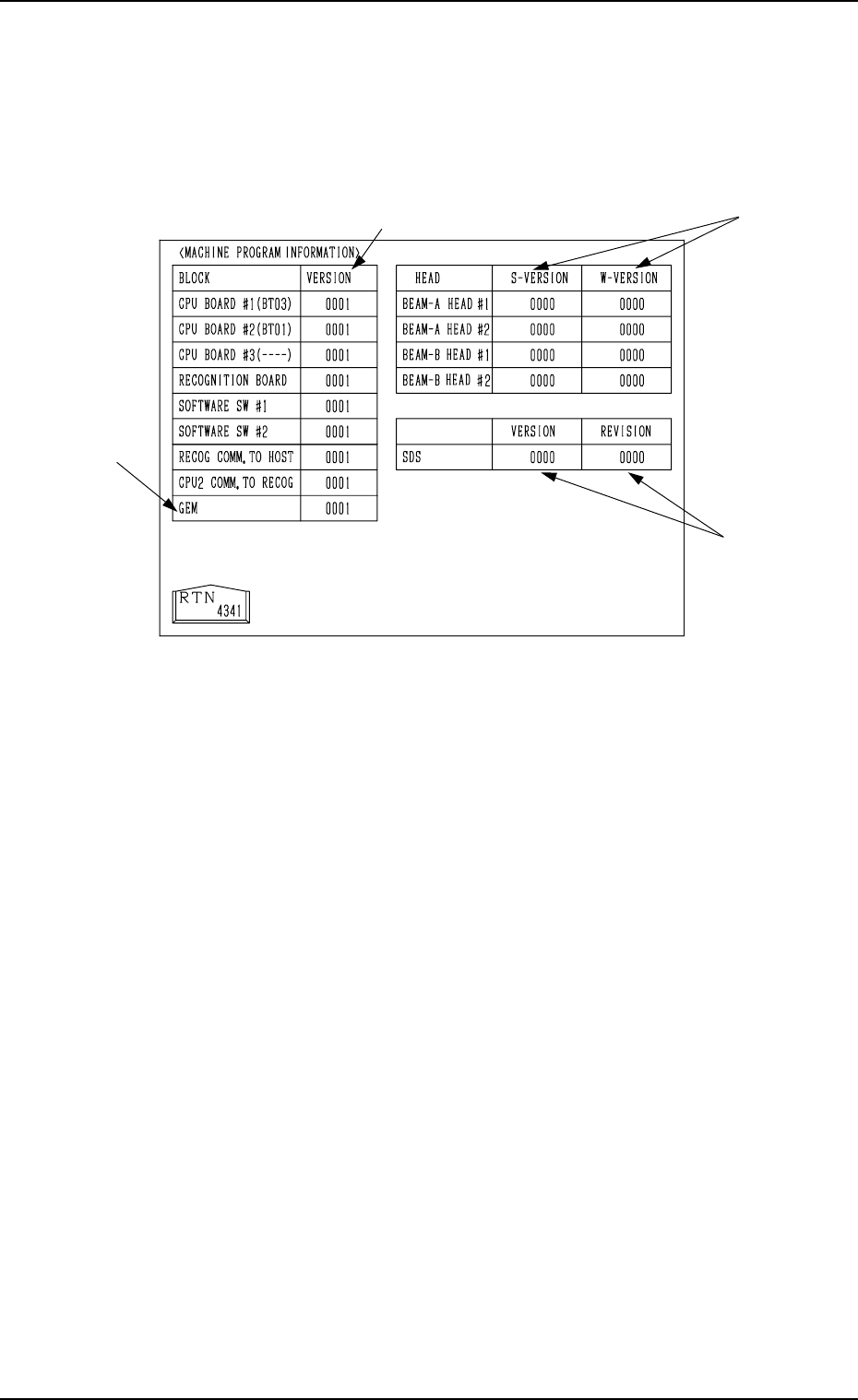
When the [MACHINE PROGRAM INFORMATION] key is pressed at the
“DEVICE CHECK” display, the following display appears on the screen.
Note: The -marked item is optional.
• Software versions of the machine control system are displayed in A-marked
text boxes.
CPU BOARD #1 : Version of Software which controls the op-
eration system.
CPU BOARD #2 : Version of Software which controls the me-
chanical system.
CPU BOARD #3 : Version of Software which controls the multi-
layer tray feeder.
RECOGNITION BOARD : Software Version for Recognition System
SOFTWARE SW #1, #2 : Version of ROM Switches for Distinction of
Options
RECOG COMM. TO HOST: Software Version for Communication be-
tween Recognition and Host Computer
CPU2 COMM. TO RECOG: Software Version for Communication be-
tween Control and Recognition
GEM : Software Version of GEM System (Option)
• Software versions of the placement heads (ZA1, ZA2, ZB1, ZB2 axis) are
displayed in the B-marked text boxes.
S-VERSION : Version of Software for Head Motor Drivers
W-VERSION : Version of Waveforms for Head Motor Drivers
Note: “----” appears in the text box for a head where a communication error
has occurred during version reading.
• Software versions of the SDS (Serial I/O Interface) P.C.B. are displayed in
the C-marked text boxes.
VERSION : Main Version
REVISION : Minor Version (Minute Correction Record No.)
8. DEVICE CHECK Display
0004-002 3-187
A
B
C
Fig. 3.108