4OM-1064-001.pdf - 第253页
Tg0249-PM-MM 10. HDD/FDD OPERA TION Display 9910-001 3-207 10.5 HDD/FDD OPERA TION - NOZZLE ST OCKER DA T A Display When the [PLACEMENT HEAD/NOZZLE DA T A] key is pressed at the “HDD/ FDD OPERA TION” display , the follow…
Tg0249-PM-MM
10. HDD/FDD OPERATION Display
9910-001 3-206
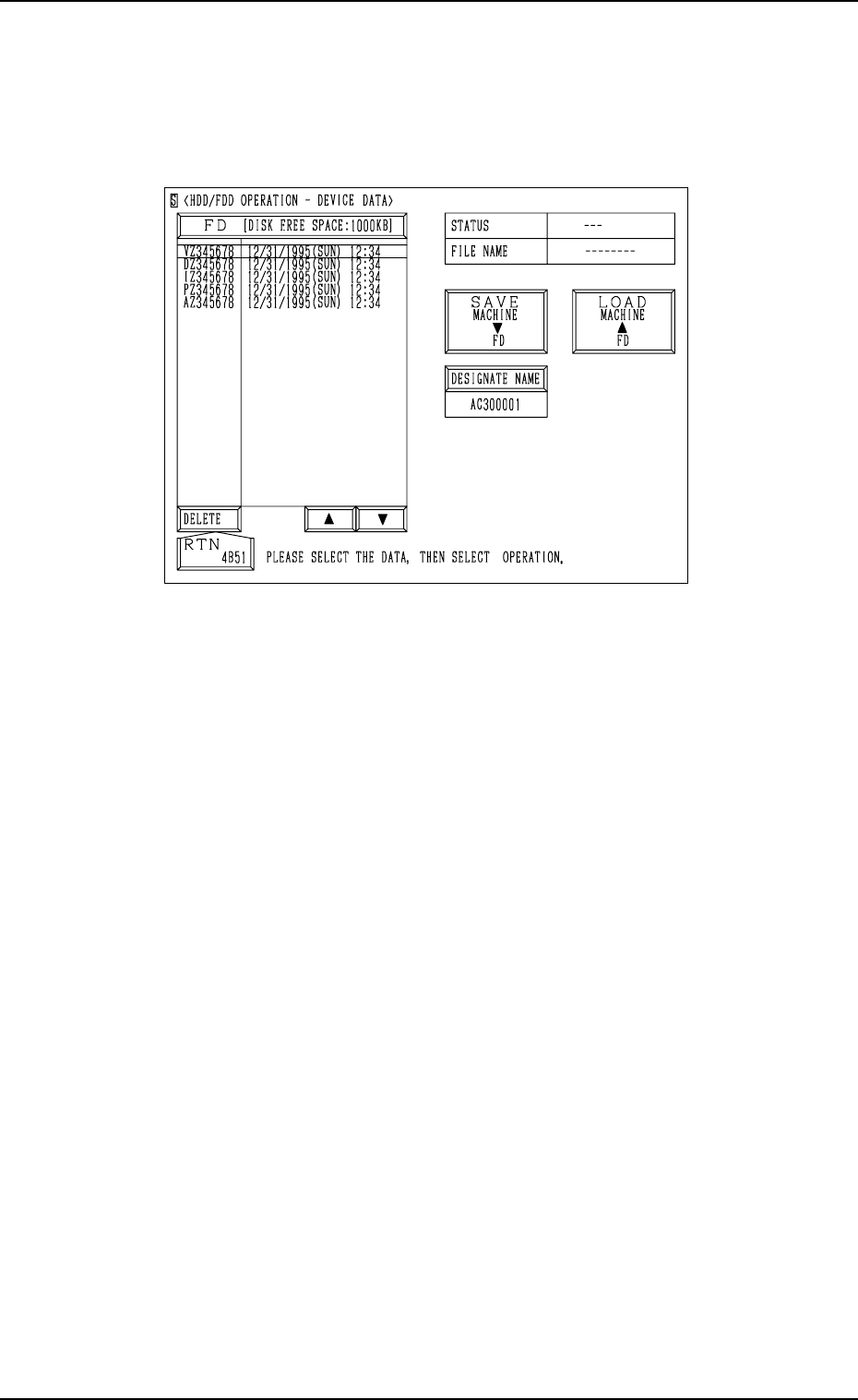
10.4 HDD/FDD OPERATION - DEVICE DATA Display
When the [DEVICE DATA] key is pressed at the “HDD/FDD OPERATION”
display, the following display appears on the screen.
Notes: (a) This display can be opened only when the machine is in the
“STOP” mode and the device data is not exchanged between the
machine and the programming device (option).
(b) While this display is active, the device data cannot be exchanged
between the machine and the programming device.
The [ZERO] and [READY] buttons also become invalid.
Refer to “10.3 HDD/FDD OPERATION - OFFSET DATA Display of Section
3” for the detailed information on how to save, load, or delete the nozzle stocker
data.
Fig. 3.124
Tg0249-PM-MM
10. HDD/FDD OPERATION Display
9910-001 3-207
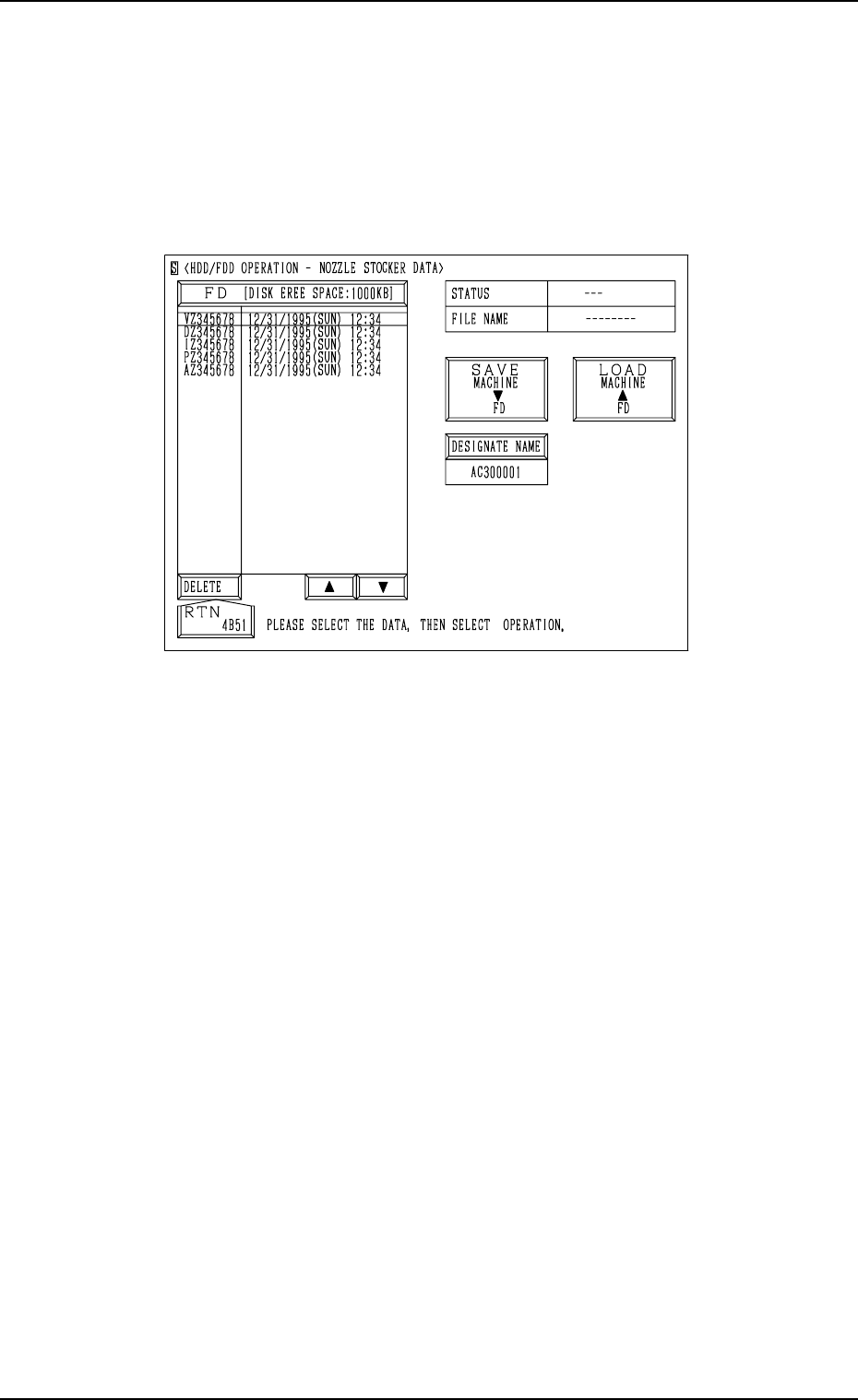
10.5 HDD/FDD OPERATION - NOZZLE STOCKER
DATA Display
When the [PLACEMENT HEAD/NOZZLE DATA] key is pressed at the “HDD/
FDD OPERATION” display, the following display appears on the screen.
Notes: (a) This display can be opened only when the machine is in the
“STOP” mode and the nozzle stocker data is not exchanged be-
tween the machine and the programming device (option).
(b) While this display is active, the nozzle stocker data cannot be
exchanged between the machine and the programming device.
The [ZERO] and [READY] buttons also become invalid.
Refer to “10.3 HDD/FDD OPERATION - OFFSET DATA Display of Section
3” for the detailed information on how to save, load, or delete the nozzle stocker
data.
Fig. 3.125
Tg0249-PM-MM
10. HDD/FDD OPERATION Display
9910-001 3-208
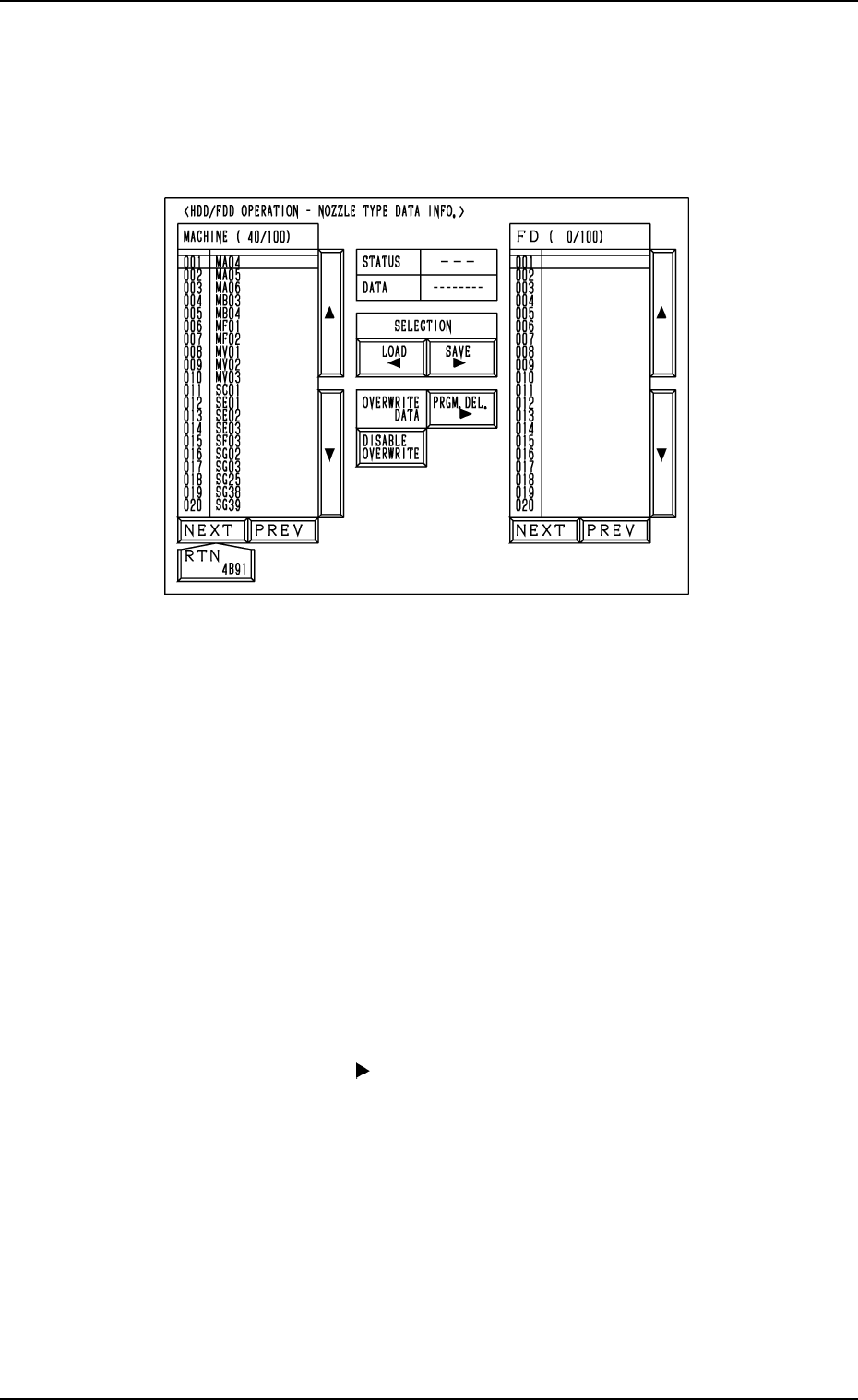
10.6 HDD/FDD OPERATION - NOZZLE TYPE DATA
INFO. Display
When the [NOZZLE DATA] key is pressed at the “HDD/FDD OPERATION”
display, the following display appears on the screen.
Notes: (a) This display can be opened only when the machine is in the
“STOP” mode and the nozzle type data is not exchanged between
the machine and the programming device (option).
(b) While this display is active, the nozzle type data cannot be ex-
changed between the machine and the programming device.
The [ZERO] and [READY] buttons also become invalid.
Refer to “10.3 HDD/FDD OPERATION - OFFSET DATA of
Section 3” for detailed information on how to save, load, or de-
lete the nozzle type data.
(c) Another display cannot be opened from this display during save
and load operation.
Save Operation (Machine
→→
→→
→
FD)
(1) Insert a DOS-formatted floppy disk (1.44 MB) into the FDD (floppy
disk drive).
(2) Move the line cursor (“MACHINE” side) to the nozzle type data name
to be saved.
(3) When nozzle type data having the same name is found in the floppy
disk, whether or not the exiting data should be replaced with the one
is to be selected. (Select it by pressing the [OVERWRITE DATA] or
[DISABLE OVERWRITE] key and changing the indication).
(4) Press the [SAVE ] key.
“SAVING” appears in the “STATUS” text box, indicating that the
selected nozzle type data is being saved.
• When the data is saved normally, “SAVED” appears in the text box
and the saved nozzle type data name appears on the “FD” side.
• When an error is found during save operation, an error message is
issued and the save operation is interrupted.
Note: When a file in the floppy disk (a program file created on the
programming device side) keeps the data to be used exclu-
sively for another machine and is replaced with the new one,
it cannot be used for another machine.
To keep the exclusive data stored in memory, follow the data
replacement procedure through data communication with the
programming device.
Fig. 3.126