4OM-1064-001.pdf - 第83页
Tg0249-PM-MM 4. RECALL MESSAGES Display Menus are provided to recall device errors, handling errors, recognition errors, and machine information which occurred in the past. When the [RECALL MASSAGES] key is pressed at th…
9910-001 Tg0249-PM-MM
3.3.7 Management Data (Type 1) Clear Mode
To clear all of the management data, press the [CLEAR MANAGEMENT
DATA (TYPE 1)] key at the “MANAGEMENT DATA (TYPE 1)” display.
The following display appears on the screen.
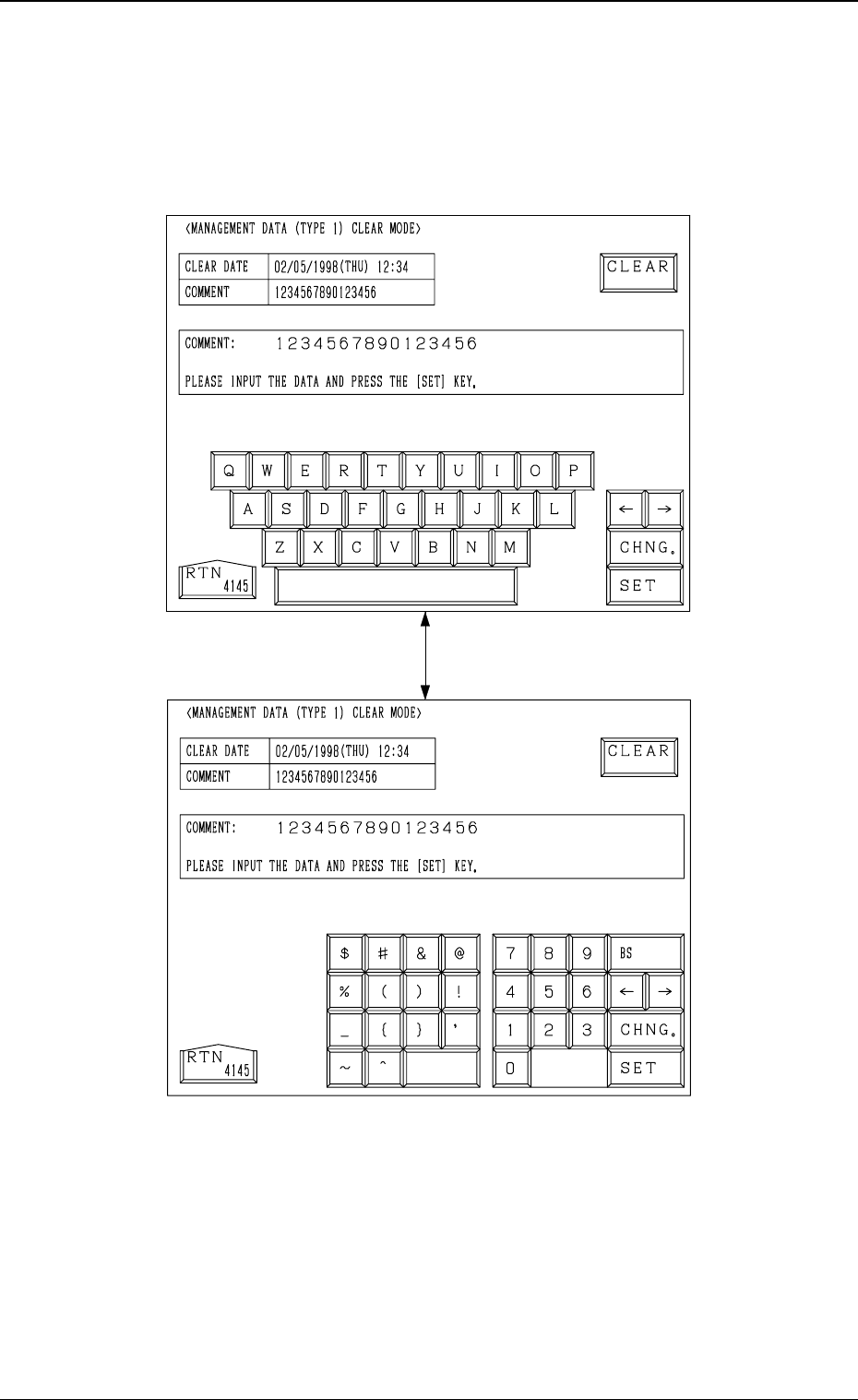
Every time the [CHNG.] key is pressed, the display changes.
• When the [CLEAR] key is pressed, all of the management data is cleared.
• The date when the [CLEAR] key is pressed is displayed in the “CLEAR
DATE” text box.
• Enter a comment in the “COMMENT” text box, using the ten-key pad and
press the [SET] key. The current comment is changed to the entered one.
Fig. 3.22-1
Fig. 3.22-2
3-36
3. MANAGEMENT DATA Display
[CHNG.] Key
Tg0249-PM-MM
4. RECALL MESSAGES Display
Menus are provided to recall device errors, handling errors, recognition errors,
and machine information which occurred in the past.
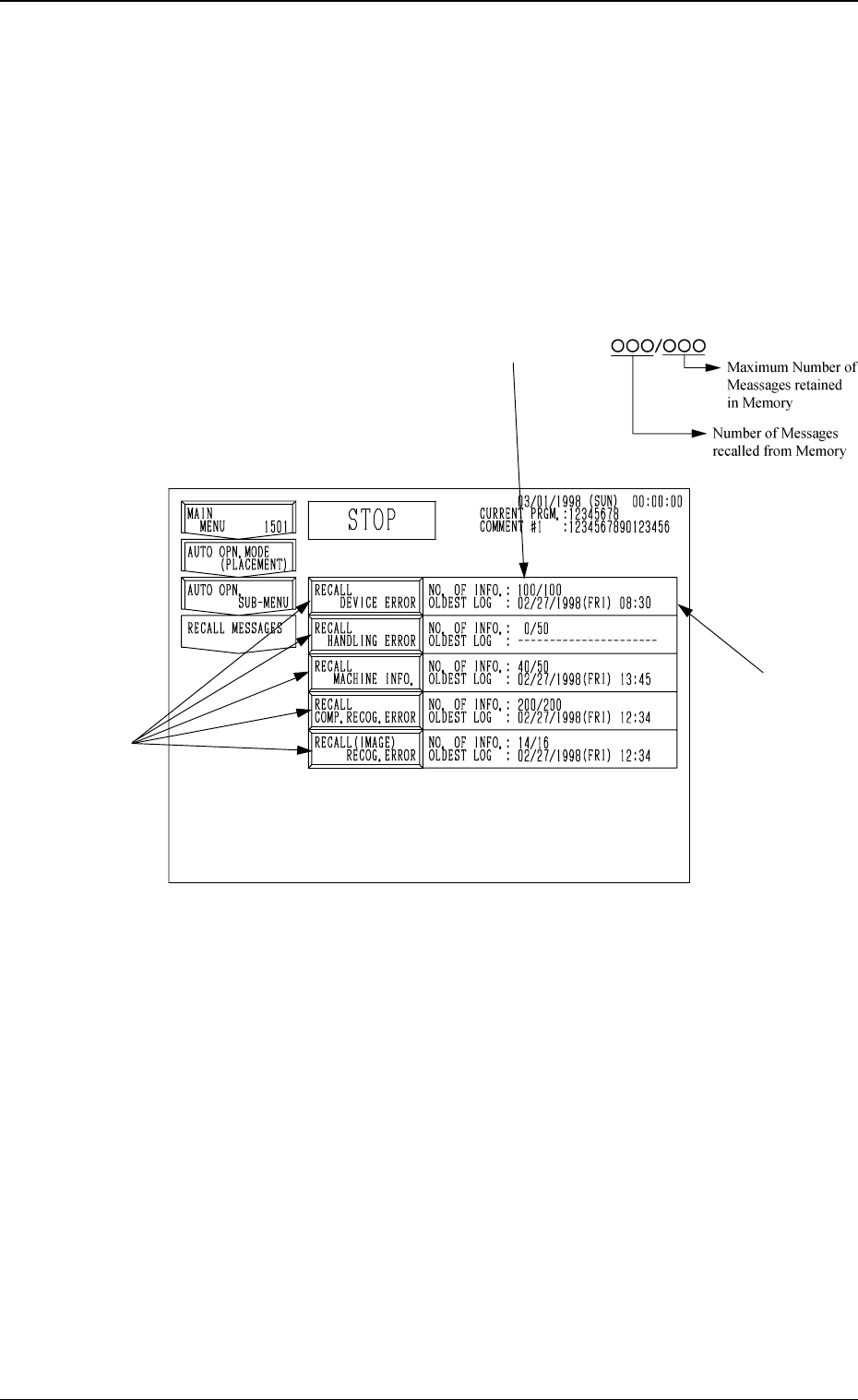
When the [RECALL MASSAGES] key is pressed at the “SPECIAL SEL.”
display, the following display appears on the screen.
This display can also be opened from the “AUTO OPN. SUB-MENU”
display.
*1 NO. OF INFO.
Shown is the number of information messages retained in the current memory
area. The numerator shows the number of retained messages and the de-
nominator the maximum number of retainable messages in memory.
*2 OLDEST LOG
Shown is the oldest date and time for the currently retained information
messages.
When no information message is retained in memory, “--------” appears.
• When one of the keys A is selected, the corresponding display appears on
the screen. The “RECALL DEVICE ERROR”, “RECALL HANDLING
ERROR”, “RECALL MACHINE INFO.”, “RECALL COMP. RECOG.
ERROR”, or “RECALL (IMAGE) RECOG. ERROR” display (Figs. 3.24-1
through 3.24-5) will appear accordingly.
0004-002 3-37
4. RECALL MESSAGES Display
Fig. 3.23
*1
*2
A
Tg0249-PM-MM
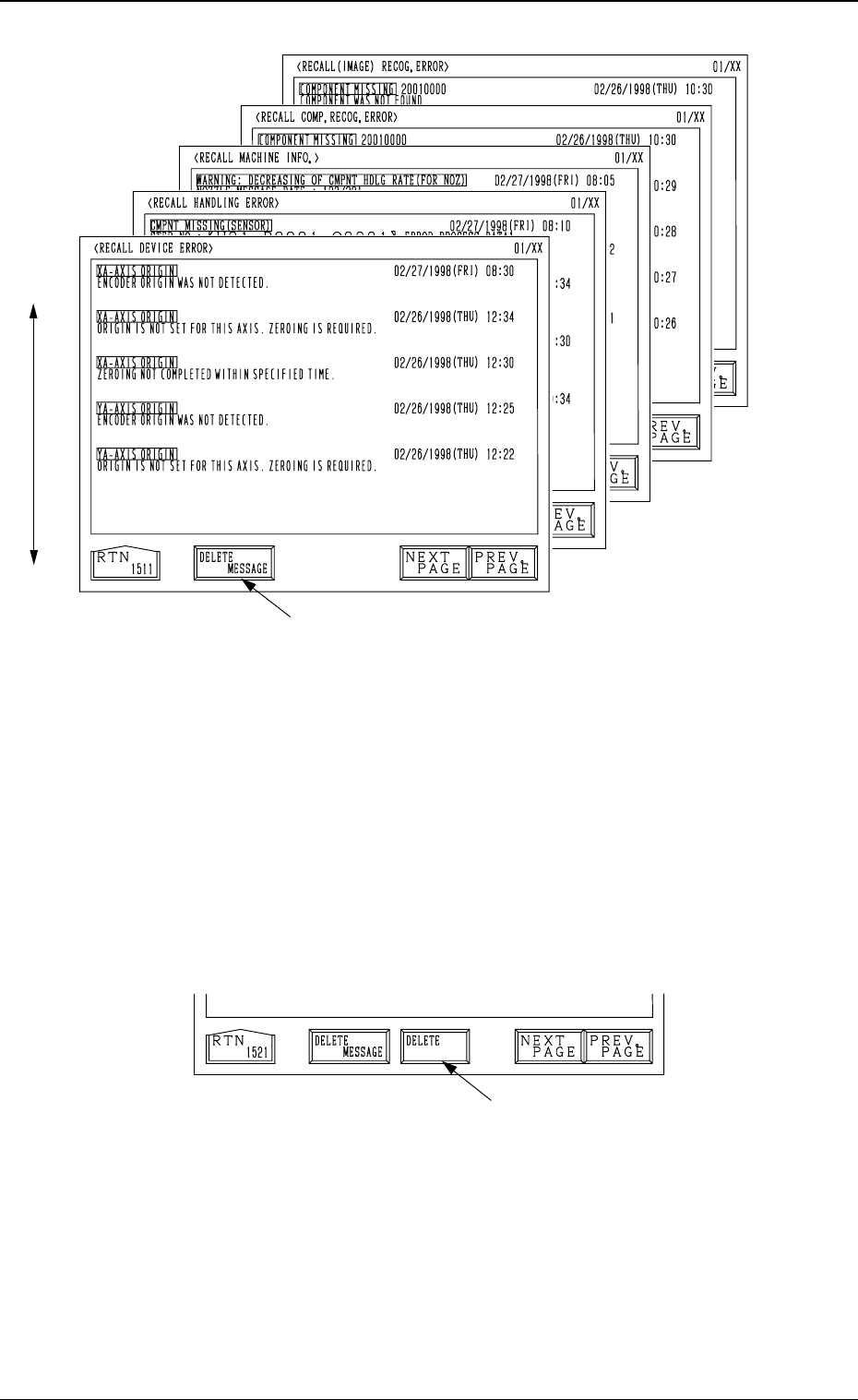
• Each message is arranged and recalled in a time series.
• Mark (green) shows an error ocurred during operation.
How to Delete the Recalled Messages
(1) Press the [DELETE MESSAGE] key A.
The key turns red, indicating that the delete mode is set.
The [DELETE] key B appears beside the [DELETE MESSAGE] key as
shown in Fig. 3.25.
(To cancel the delete mode, press the [DELETE MESSAGE] key again.)
(2) When the [DELETE] key is pressed, the registered information messages
are deleted and the “RECALL MESSAGES” display (Fig. 3.23) appears
on the screen.
Fig. 3.24-5
New Data
Old Data
Fig. 3.24-3
Fig. 3.24-2
Fig. 3.24-1
Fig. 3.24-4
0004-002 3-38
4. RECALL MESSAGES Display
A
B
Fig. 3.25