Horizon UserManualV6.pdf - 第255页
Shapes The inspection system uses shape recognition to inspect shapes other than rectangles. A number of features can be inspected in one inspection, ie a row or column of pads/apertures or a combination of features. Sof…
Board Inspection The various board inspections are shown below.
NOTE
Uneven tinning of the board and/or misaligned soldermask can be seen as paste,
which can cause false readings. This can be eliminated with the correct lighting
setup.
8.4 User Manual Software Version 6
2Di INSPECTION
MODULE OVERVIEW
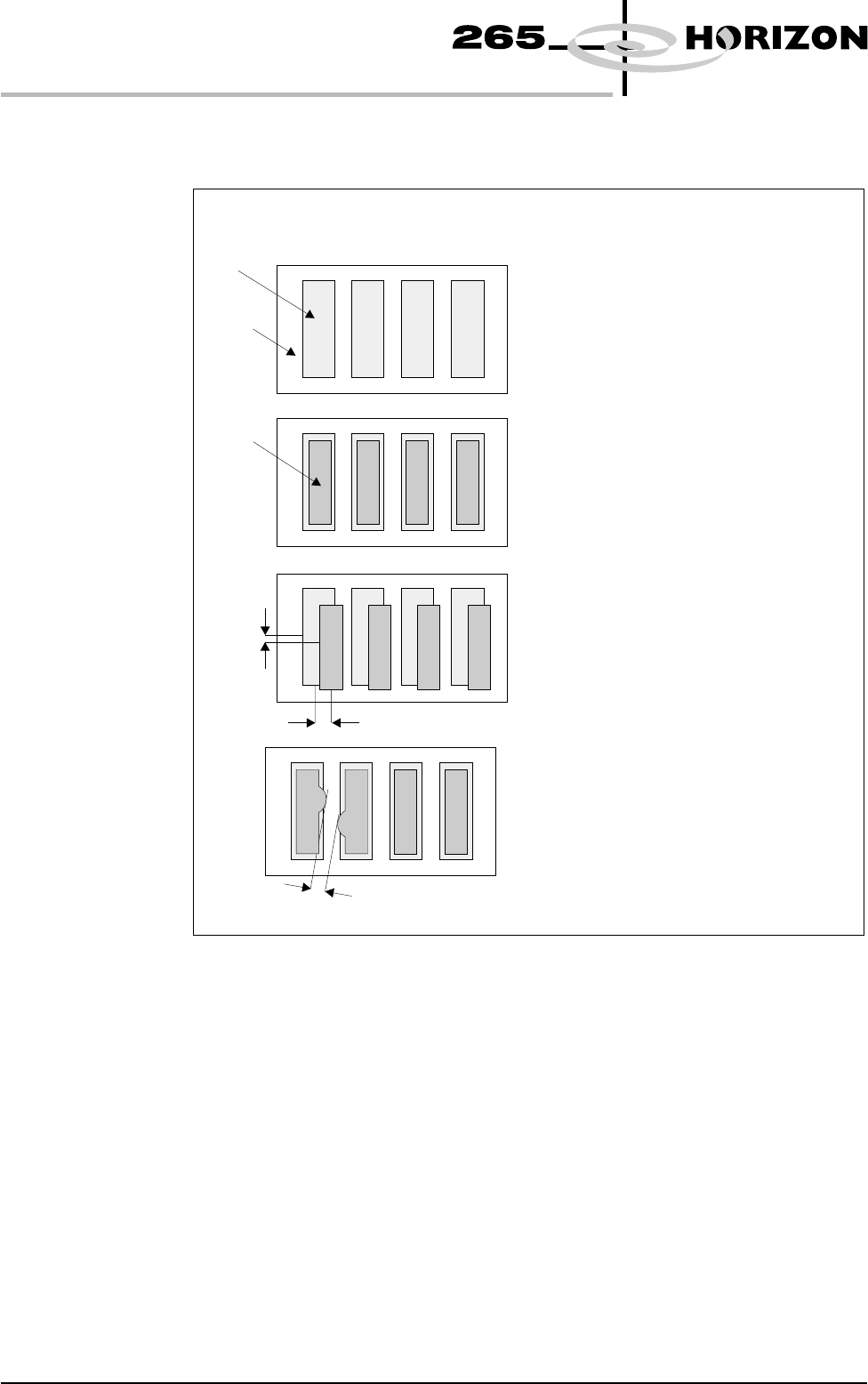
The pad on a selected board site is learnt
as a reference for comparison with
inspected sites.
Since the area of the pad is learnt,
and the area of paste can be recognized,
any change in pad area must be paste.
Hence the area of paste present can be
calculated.
The centre of the paste is compared
to the centre of the pad to produce
alignment error information in X and Y.
Since the area of paste can be
recognized, the distance between
two areas of paste (bridging) can
be calculated.
Pa d
Board
Pa s t e
Clean Board
Paste Present (Basic)
Alignment (Advanced)
Bridging (Advanced)
X
Bridging Distance
Y
Figure 8-3 Board Inspection
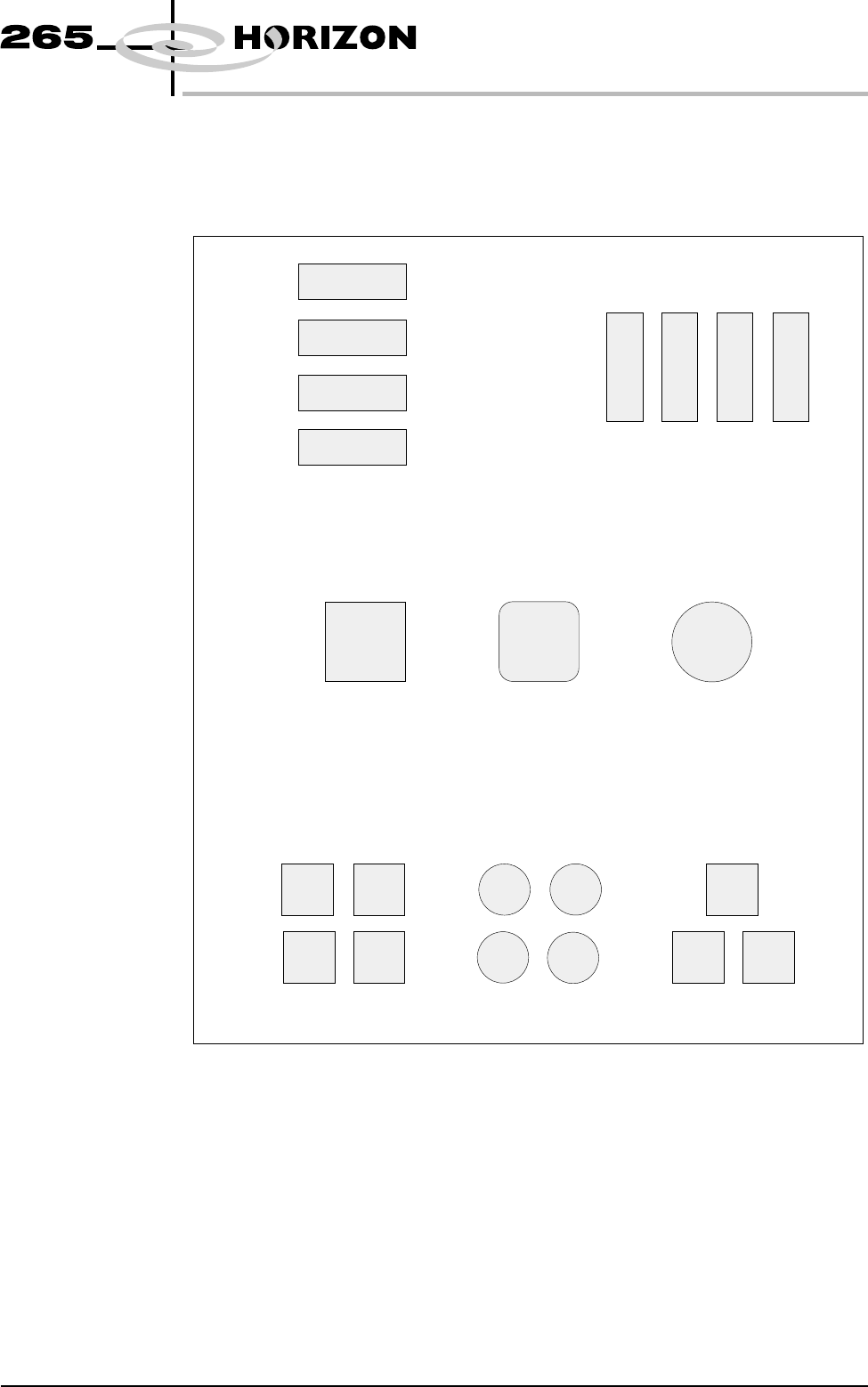
Shapes The inspection system uses shape recognition to inspect shapes other than
rectangles. A number of features can be inspected in one inspection, ie a row or
column of pads/apertures or a combination of features.
Software Version 6 User Manual 8.5
2Di INSPECTION
MODULE OVERVIEW
Column of Pads or Apertures
Shape Recognition
Combination of Features
Row of Pads or Apertures
Figure 8-4 Shape Types
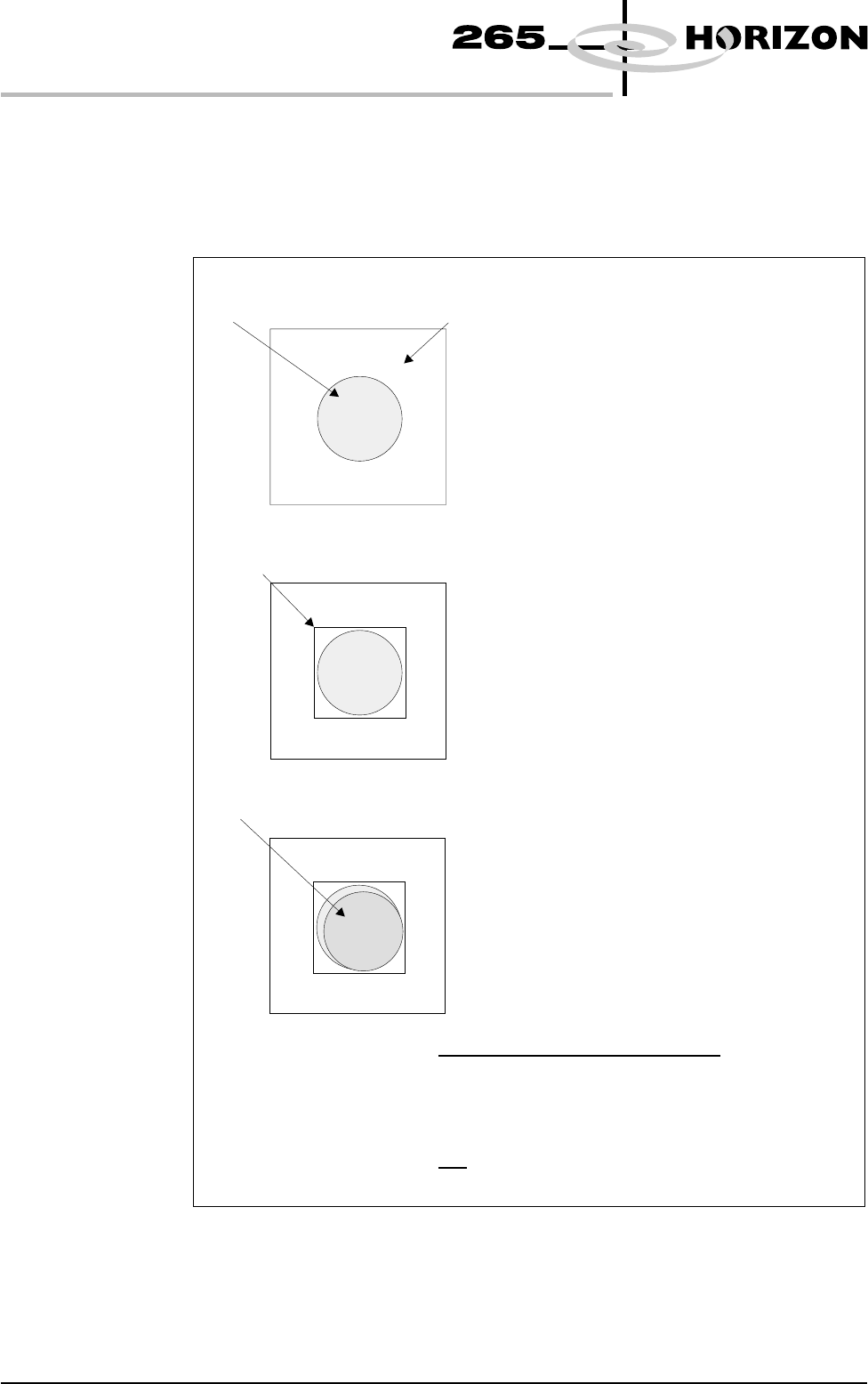
Shape Recognition To recognize shapes other than rectangles the inspection system counts the
pixels within the box graphic. By identifying which pixels have similar grey
scale levels, the system can distinguish between board and pad. An example of
how this is achieved is given below.
8.6 User Manual Software Version 6
2Di INSPECTION
MODULE OVERVIEW
In the example shown the selected board site
contains a circular pad. This could be any
shape.
The board is learnt.
A graphic box is drawn around the pad.
The percentage of the graphics box the pad
covers is the proportion of pad pixels against
the total graphic box pixels.
In this example the pad area = 78%
The board is printed
In the example shown the area of paste within
the graphics box = 72%.
Pa s t e o n Pa d = %
Area of Pad
In the example shown:
Paste on Pad = = 92%
78%
Area of Paste Within the Graphics Box
72%
Site Area
Pa d
Graphic Box
Pa s t e
Figure 8-5 Shape Recognition