Horizon UserManualV6.pdf - 第332页
13. Insert the paper roll rod into the right hand flange of the shaft. Lay the rod along the shaft’s groove trapping the cleaner paper between the shaft and rod. 14. Rotate the end flange of the rod towards the rear of t…
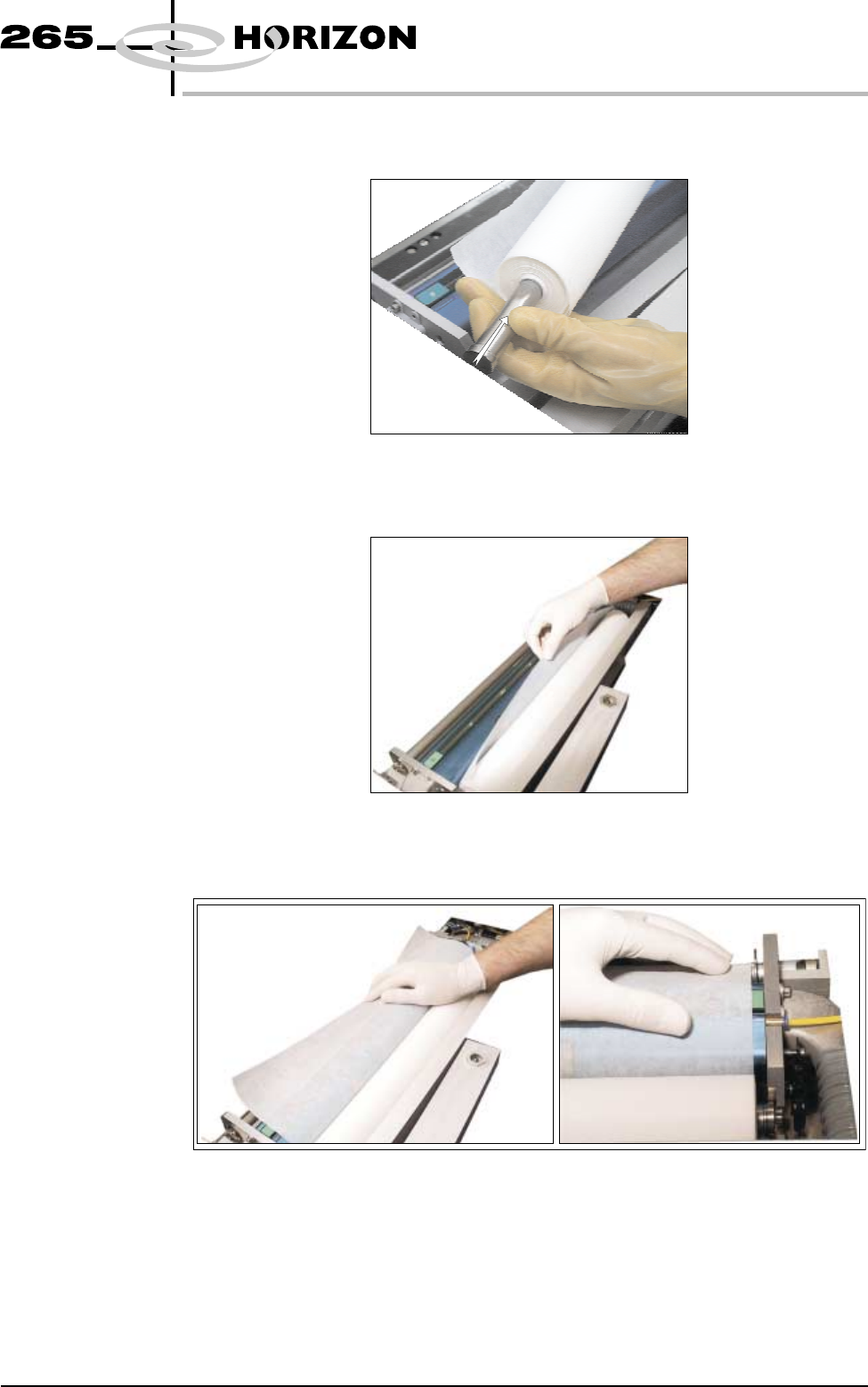
10. Refit the paper spindles to both ends of the new paper roll. Ensure both
faces of the new paper roll are flush.
11. Install the new clean paper roll at the front of the unit, ensure the paper is
routed from underneath the roll towards the rear of the unit.
12. Feed the cleaner paper across the body assembly, ensuring the cleaner paper
is aligned parallel to the unit end plate.
Software Version 6 User Manual 9.31
CONSUMABLE REPLENISHMENTS
BLUE UNDERSCREEN CLEANER
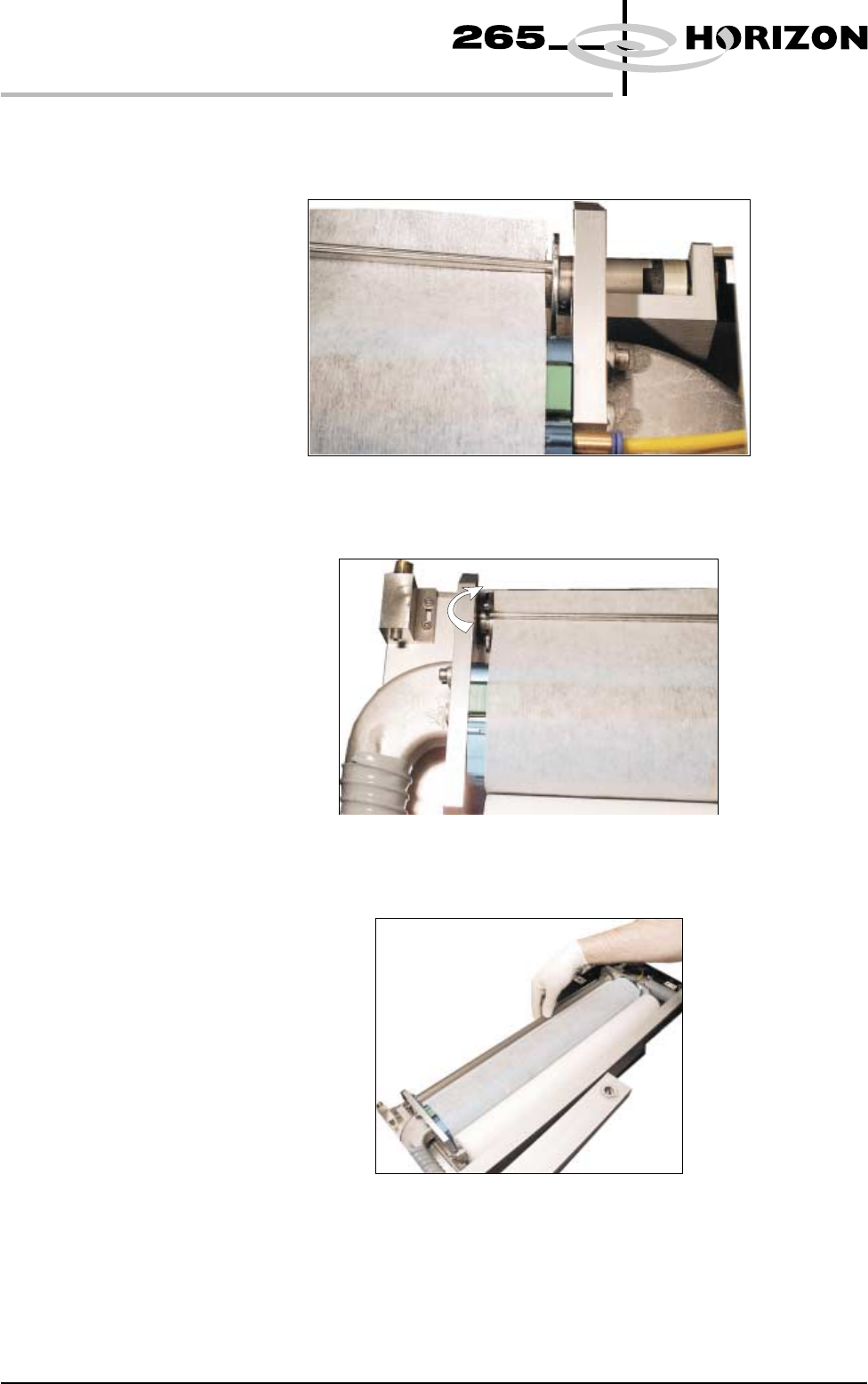
13. Insert the paper roll rod into the right hand flange of the shaft. Lay the rod
along the shaft’s groove trapping the cleaner paper between the shaft and
rod.
14. Rotate the end flange of the rod towards the rear of the machine to lock the
rod onto the shaft.
15. Rotate the take up roll one complete revolution against the motor clutch to
tension the cleaner paper across the cleaner squeegee assembly.
9.32 User Manual Software Version 6
CONSUMABLE REPLENISHMENTS
BLUE UNDERSCREEN CLEANER
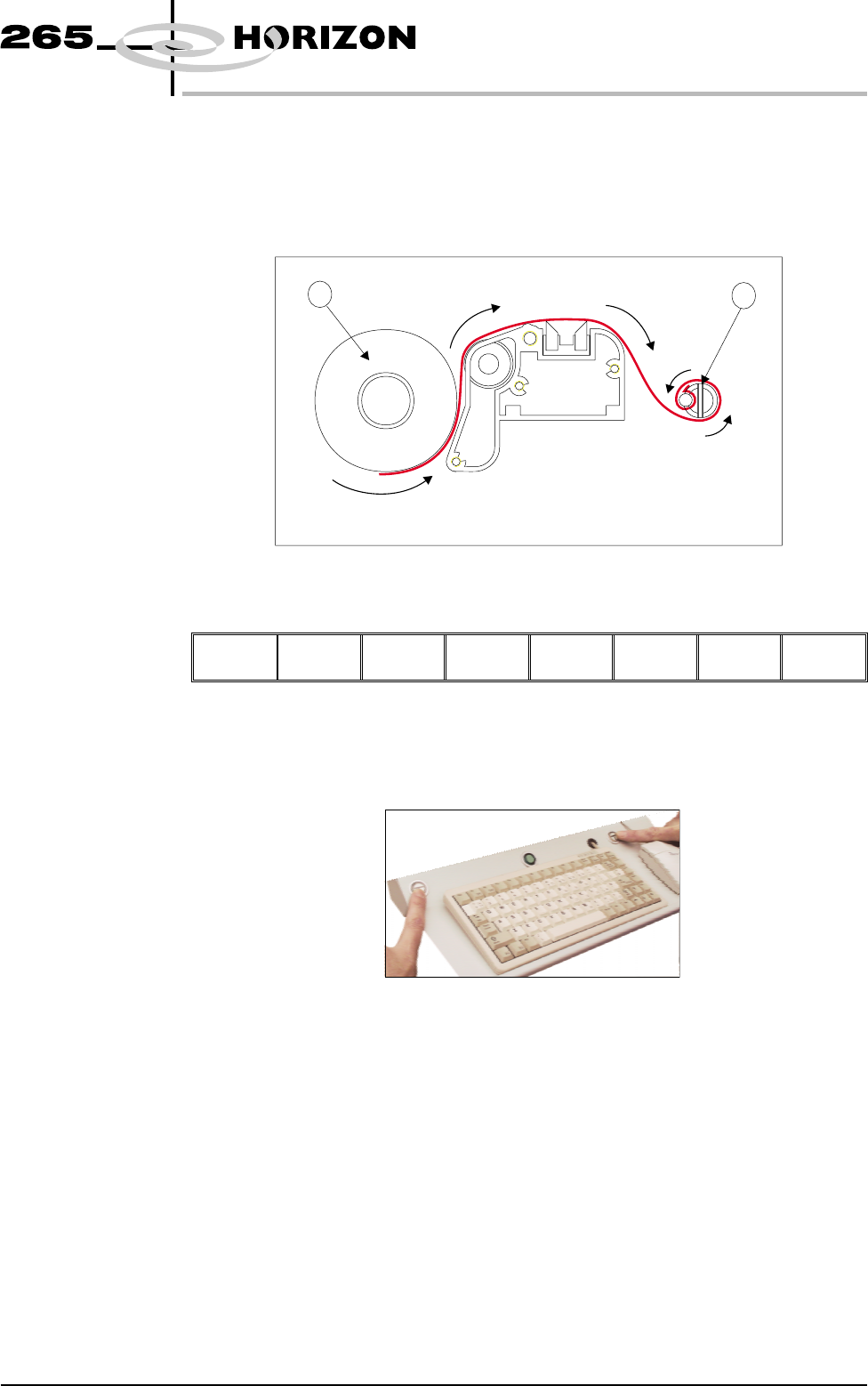
16. Ensure the cleaner paper has been routed correctly, from underneath the
paper roll (1) rearwards across the squeegee assembly and threaded between
paper rod and shaft (2).
NOTE
Figures in brackets refer to the diagram below.
17. Press Prime Paper (F5) key.
Board
Clamps
Prime
Paper
Prime
Solvent
Exit
The message ‘Press the two control buttons to feed paper’ is displayed.
18. Using the two button control, prime the paper ensuring it feeds correctly.
Software Version 6 User Manual 9.33
CONSUMABLE REPLENISHMENTS
BLUE UNDERSCREEN CLEANER
1
2