Horizon UserManualV6.pdf - 第335页
VORTEX UNDERSCREEN CLEANER Provision is made on the printer for automatic underscreen cleaning. This is carried out using a cleaning cassette which contains a wet and a dry cell. The wet cell is impregnated with an appro…
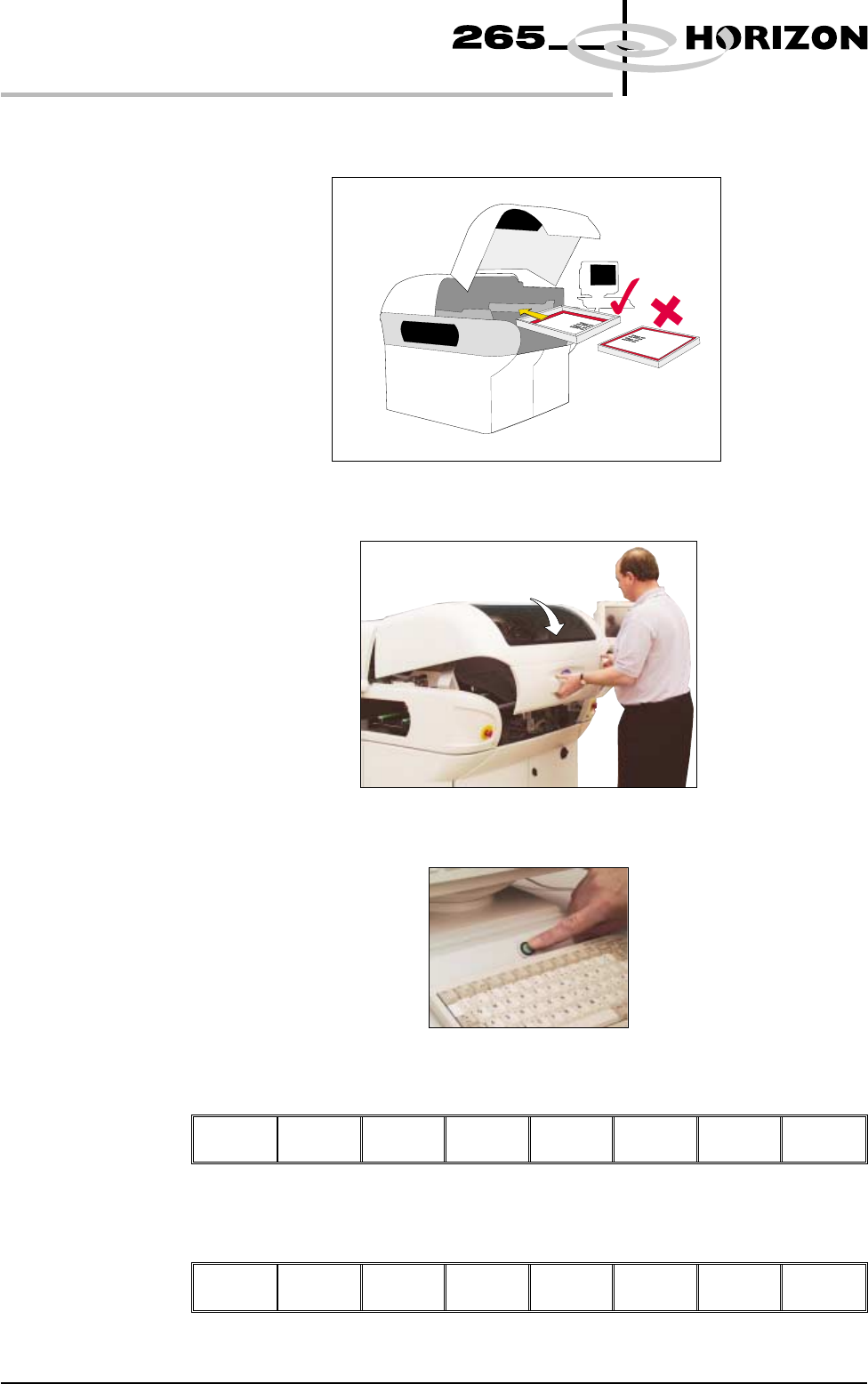
19. Insert the screen into the printer, ensure correct orientation and print
justification.
20. Close the front printhead cover.
21. Press the System button.
26. Press Change Screen (F2).
Change
Screen
Board
Clamps
Prime
Paper
Prime
Solvent
Exit
24. Press Exit (F8).
Change
Screen
Board
Clamps
Prime
Paper
Prime
Solvent
Exit
9.34 User Manual Software Version 6
CONSUMABLE REPLENISHMENTS
BLUE UNDERSCREEN CLEANER
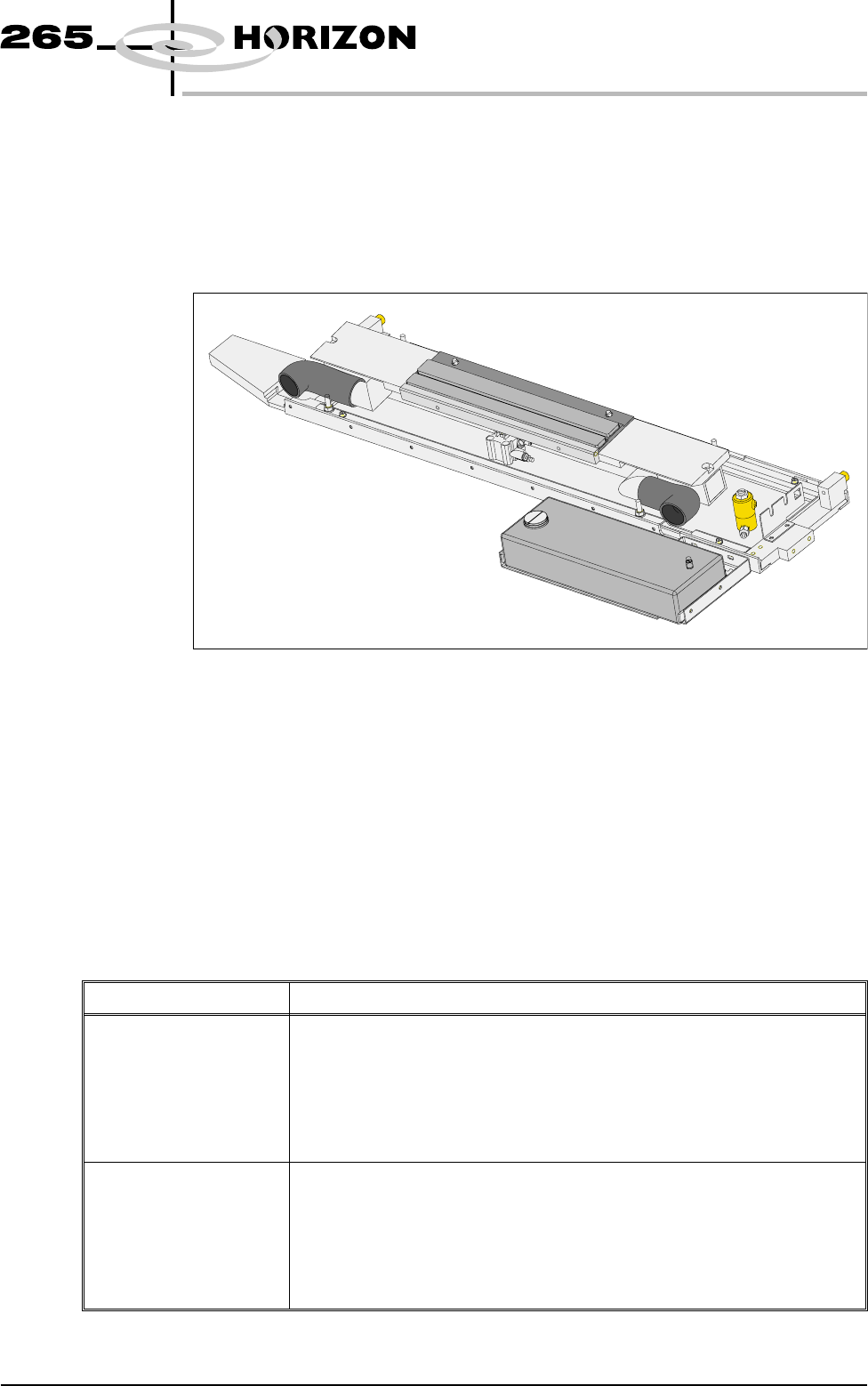
VORTEX UNDERSCREEN CLEANER
Provision is made on the printer for automatic underscreen cleaning. This is
carried out using a cleaning cassette which contains a wet and a dry cell. The wet
cell is impregnated with an appropriate solvent. A cleaning cycle consists of a
single return stroke incorporating a wet and dry wipe with or without vacuum.
The cleaning options can be programmed into a particular product file so that
they take place at preprogrammed intervals or they can be selected, directly from
the MMI, to take place at the operators discretion.
Programming
Screen Clean
Operation into a
Product File
The screen clean parameters can be setup when editing a product file, while
setting up a new product. It may be more convenient to set these after the
product has been setup and printed and screen cleaning requirements have been
decided upon.
The parameters to be edited that affect the operation of the underscreen cleaner
are listed below with a definition of each as an aid to setup:
Parameter Definition
Front Start Offset The distance, in from the front edge of the board, at which the cleaner is to
finish. While a Vortex USC is in use the minimum value is extended from 0
to -60mm.
Minimum -60mm
Maximum 60mm
Default 30mm
Increment 1mm
Rear Start Offset The distance, in from the rear edge of the board, at which the cleaner is to
start. While a Vortex USC is in use the minimum value is extended from 0 to
-60mm.
Minimum -60mm
Maximum 60mm
Default 30mm
Increment 1mm
Software Version 6 User Manual 9.35
CONSUMABLE REPLENISHMENTS
VORTEX UNDERSCREEN CLEANER
Parameter Definition
Vortex Cassette Life This parameter sets the number of cleaning strokes that are applied before a
cleaning cassette is replaced.
Minimum 0
Maximum 200
Default 20
Increment 1
Vortex Clean Rate This parameter sets the frequency (in print cycles) at which screen cleaning
occurs.
Minimum 0
Maximum 200
Default 0
Increment 1
Vortex Solvent Rate This parameter sets the frequency (in cleaning cycles) at which solvent is
dispensed.
Minimum 1
Maximum 10
Default 1
Increment 1
Vortex Vacuum Start The distance, in from the front edge of the board, where vacuum is applied.
Minimum Vacuum Stop
Maximum Board Width
Default 0mm
Increment 1mm
Vortex Vacuum Stop The distance, in from the front edge of the board, where vacuum application
is stopped.
Minimum -100mm
Maximum Vacuum Stop
Default 0mm
Increment 1mm
Vortex Vacuum Rate This parameter sets the frequency (in cleaning cycles) at which vacuum is
applied.
Minimum 1
Maximum 10
Default 1
Increment 1
Vortex Vacuum Period This parameter sets the period for which vacuum is applied.
Minimum 1 sec
Maximum 10 secs
Default 5 secs
Increment 1 sec
Dry Clean Speed This parameter sets the speed of the screen clean return stroke.
Minimum 10mm/sec
Maximum 120mm/sec
Default 30mm/sec
Increment 1mm/sec
9.36 User Manual Software Version 6
CONSUMABLE REPLENISHMENTS
VORTEX UNDERSCREEN CLEANER