Horizon UserManualV6.pdf - 第34页
4. Using the appropriate stencil for the product file loaded, position the FormFlex setup plate centrally over the stencil image. 5. Ensure the spring loaded plungers are in contact with the left side of the stencil fram…
STAGE 4C
Tooling Setup - FormFlex
CAUTION
BOARD CLAMPS. Care must be taken to ensure that the board clamps
are not damaged when removing or replacing tooling.
1. Select Change Screen (F5).
Mode Load
Data
Edit
Data
Setup
Squeegee
Change
Screen
Change
Tooling
Change
Language
Exit
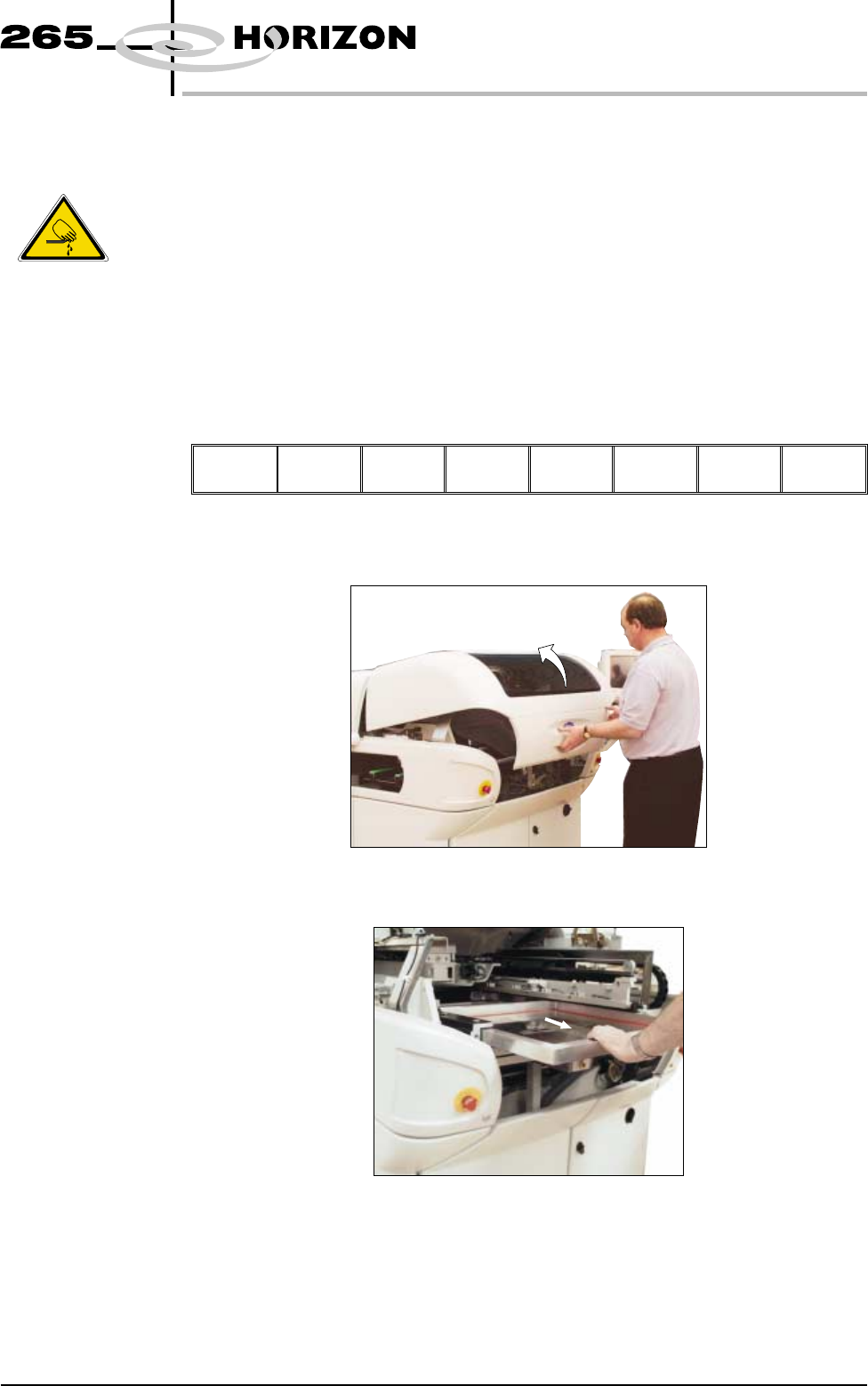
2. When prompted, open the front printhead cover.
3. If fitted, remove the stencil.
Software Version 6 User Manual 1.17
MACHINE PROGRAMMING
STAGE 4C
WARNING
BOARD CLAMPS. EXTREME CARE MUST BE EXERCISED WHEN
WORKING IN THE TOOLING AREA OF THE MACHINE TO AVOID
INJURY. THE FOILS ON THE FRONT AND REAR BOARD CLAMPS
ARE VERY SHARP.
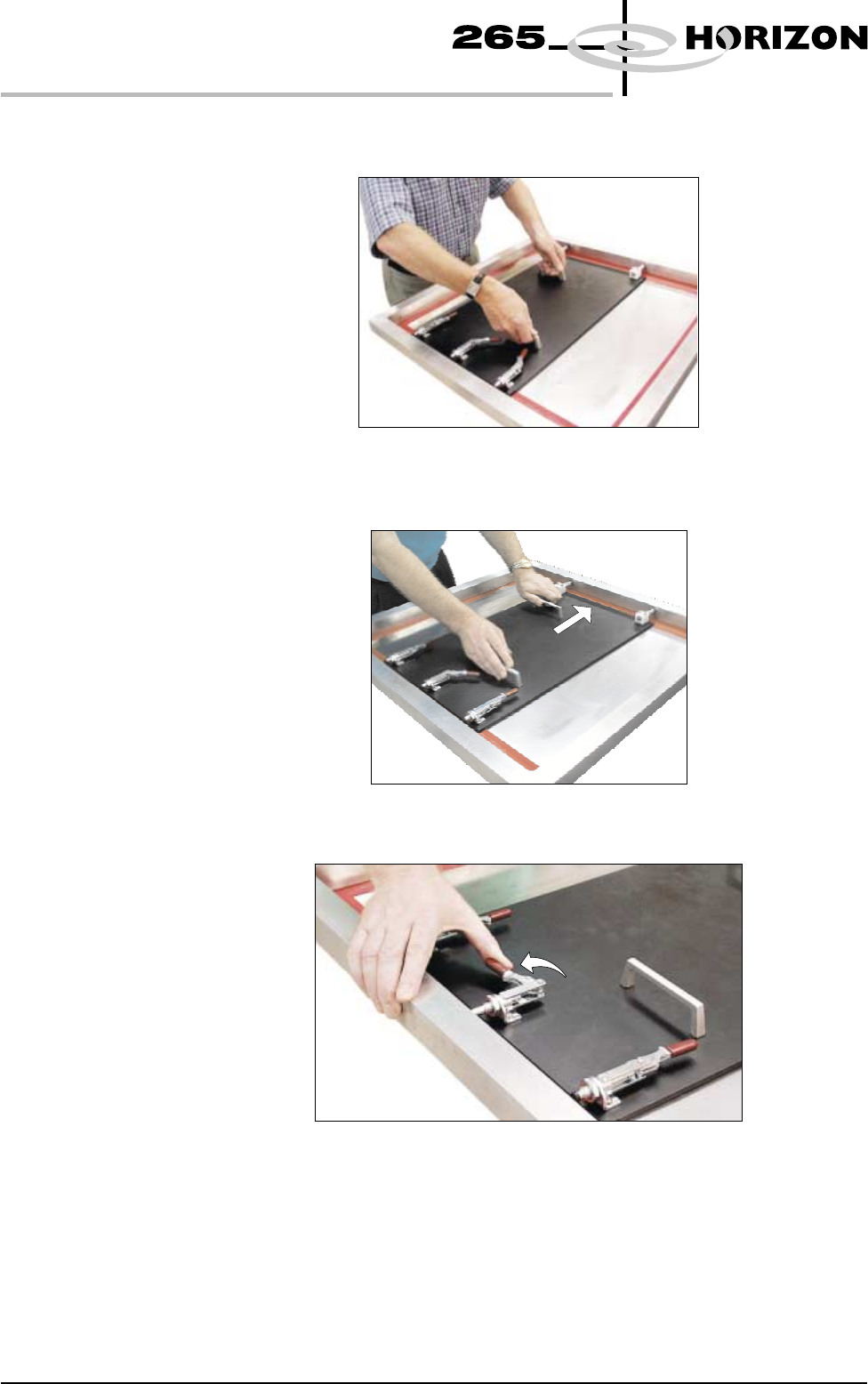
4. Using the appropriate stencil for the product file loaded, position the
FormFlex setup plate centrally over the stencil image.
5. Ensure the spring loaded plungers are in contact with the left side of the
stencil frame.
6. Close the central toggle lever.
1.18 User Manual Software Version 6
MACHINE PROGRAMMING
STAGE 4C
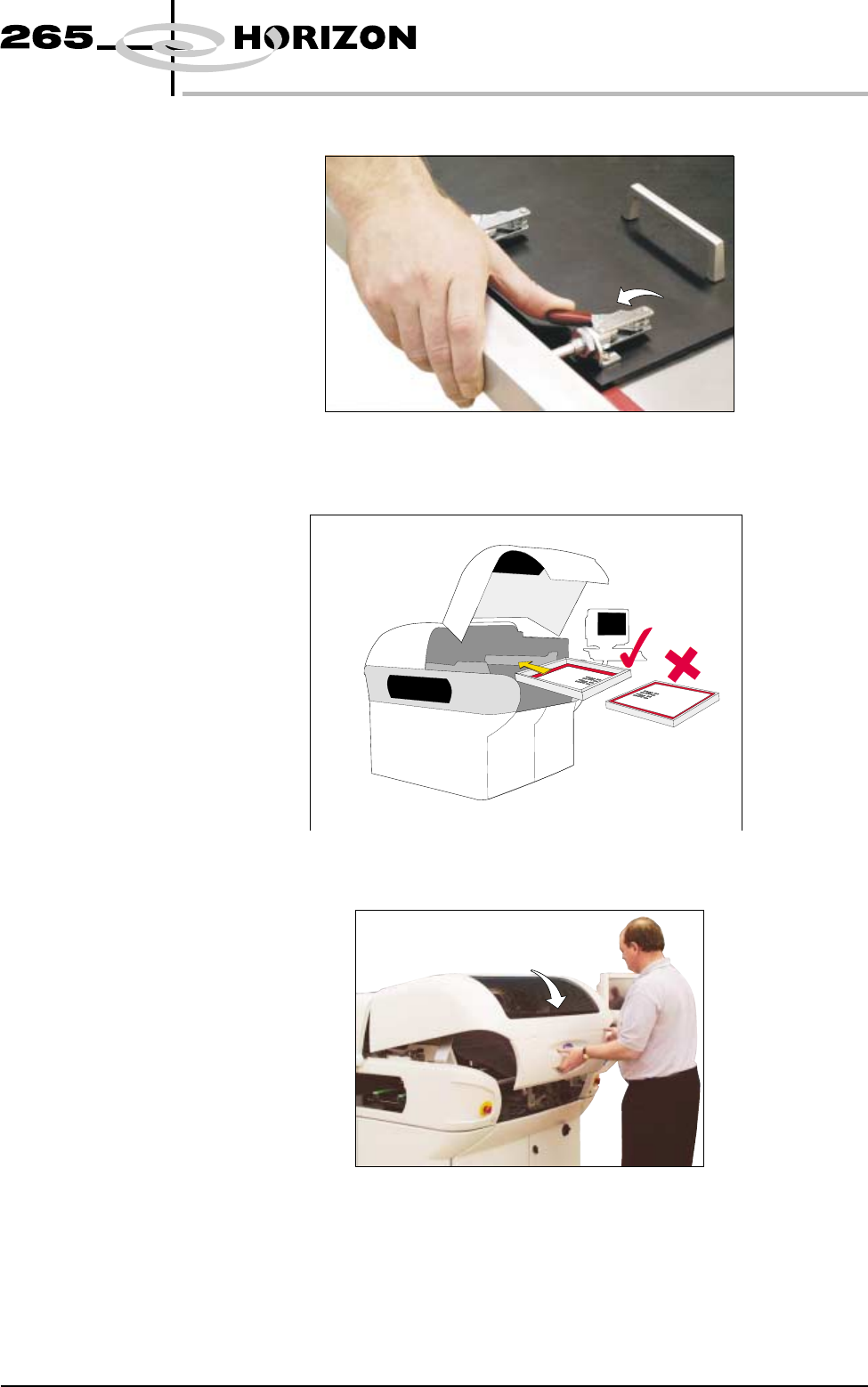
7. Close the two outer toggle levers.
8. Load the stencil to the machine, ensuring the correct orientation of the
stencil.
9. Close the front printhead cover.
Software Version 6 User Manual 1.19
MACHINE PROGRAMMING
STAGE 4C