Horizon UserManualV6.pdf - 第347页
7. Fit the edge of the new cleaning cassette (1) beneath the solvent bar (3) and snap into place on the two pip pins (2). NOTE Numbers in brackets refer to figure below. 8. Press Prime Solvent (F6) key. Screen Clamps Boa…
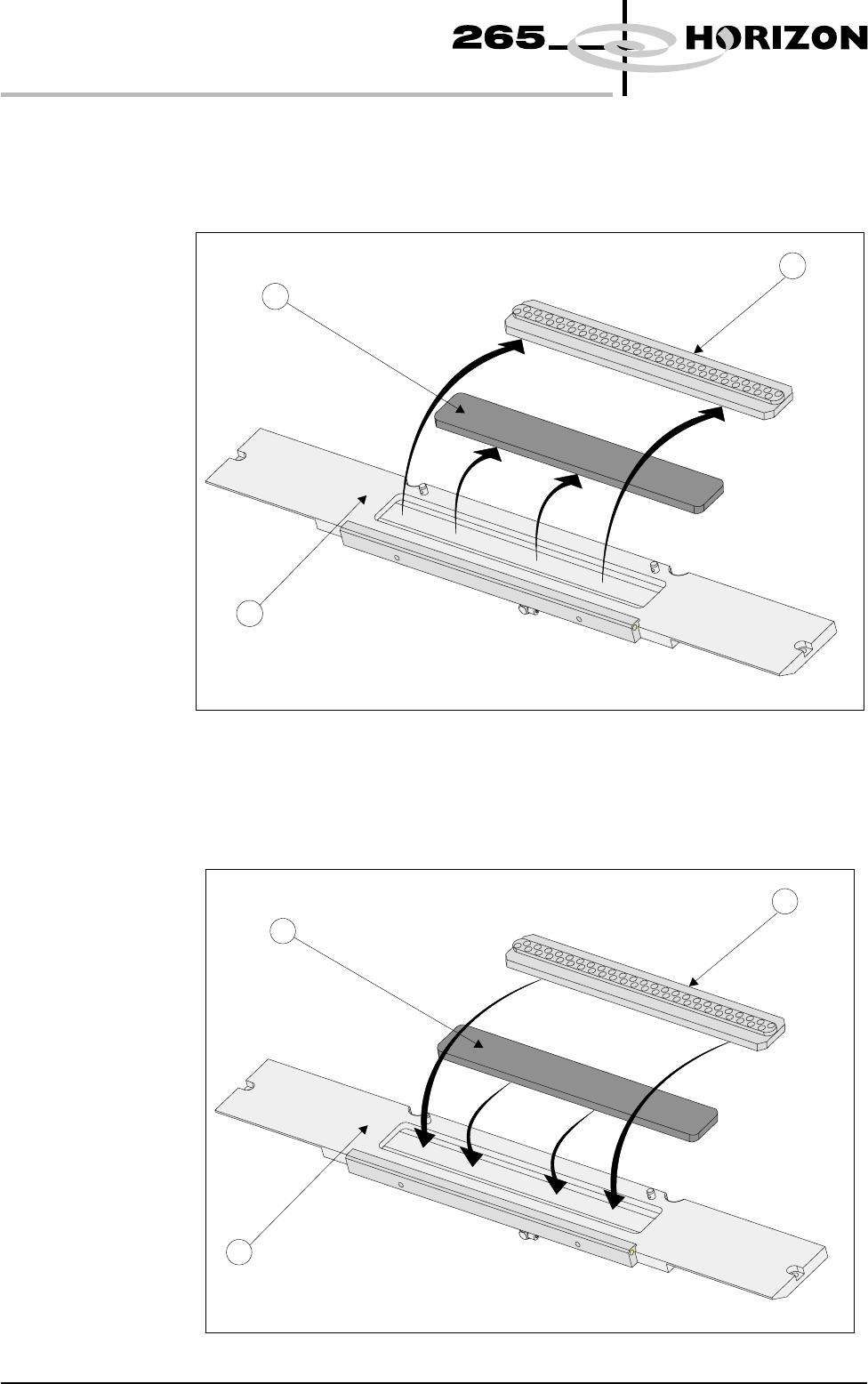
4. Remove the vacuum grid (1) from the mounting tray (3). Remove the filter
cassette (2) from the mounting tray (3).
NOTE
Numbers in brackets refer to figure below.
5. Dispose of the used filter cassette in accordance with local authority
guidelines.
6. Fit the new filter cassette (2) into the mounting tray (3). Fit the vacuum grid
(1) into the mounting tray (3).
9.46 User Manual Software Version 6
CONSUMABLE REPLENISHMENTS
VORTEX UNDERSCREEN CLEANER
1
2
3
1
2
3
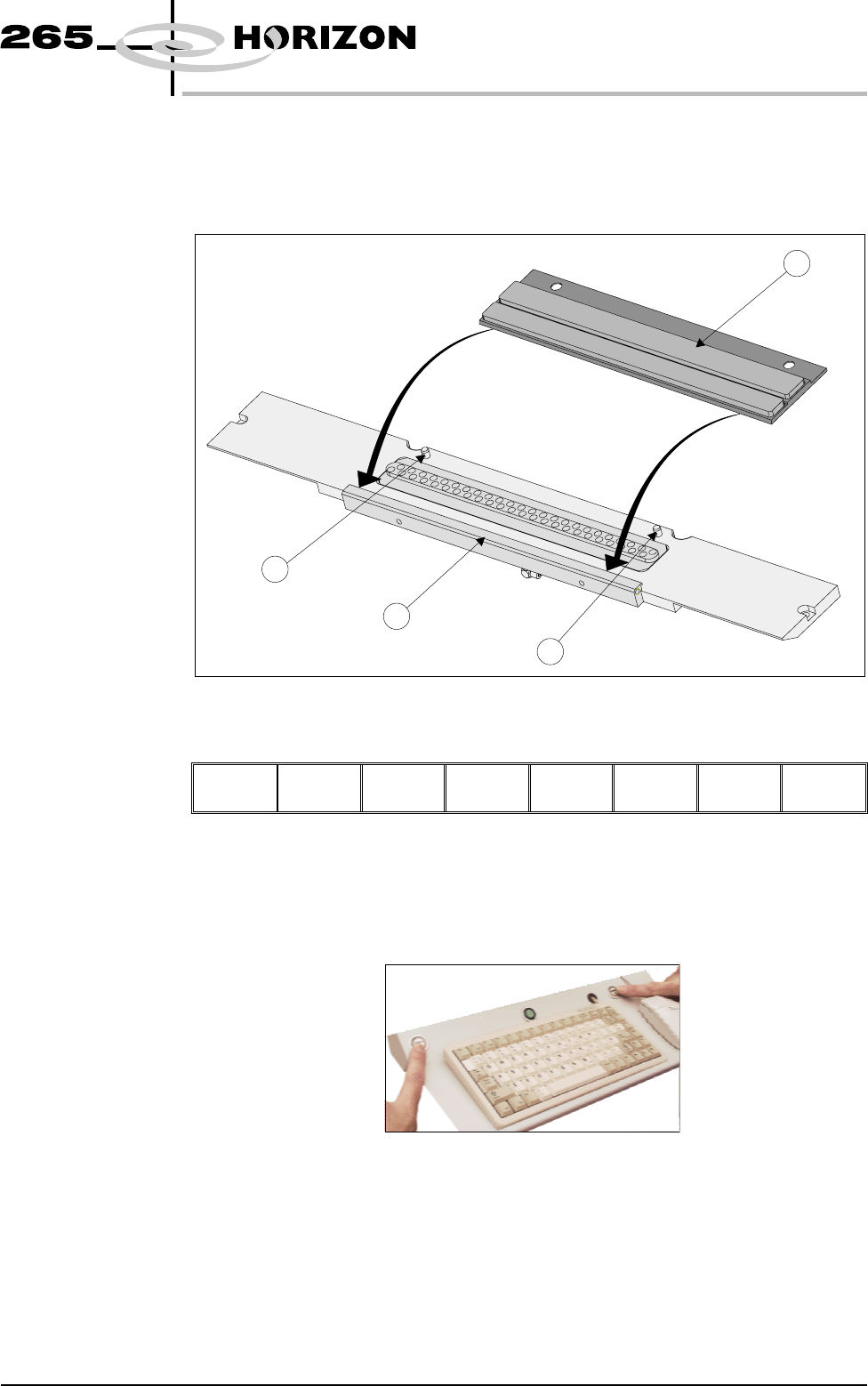
7. Fit the edge of the new cleaning cassette (1) beneath the solvent bar (3) and
snap into place on the two pip pins (2).
NOTE
Numbers in brackets refer to figure below.
8. Press Prime Solvent (F6) key.
Screen
Clamps
Board
Clamps
Prime
Solvent
Exit
The message ‘Press the two button control buttons to prime solvent.’ is
displayed.
9. Prime the solvent using the two button control.
Software Version 6 User Manual 9.47
CONSUMABLE REPLENISHMENTS
VORTEX UNDERSCREEN CLEANER
1
2
2
3
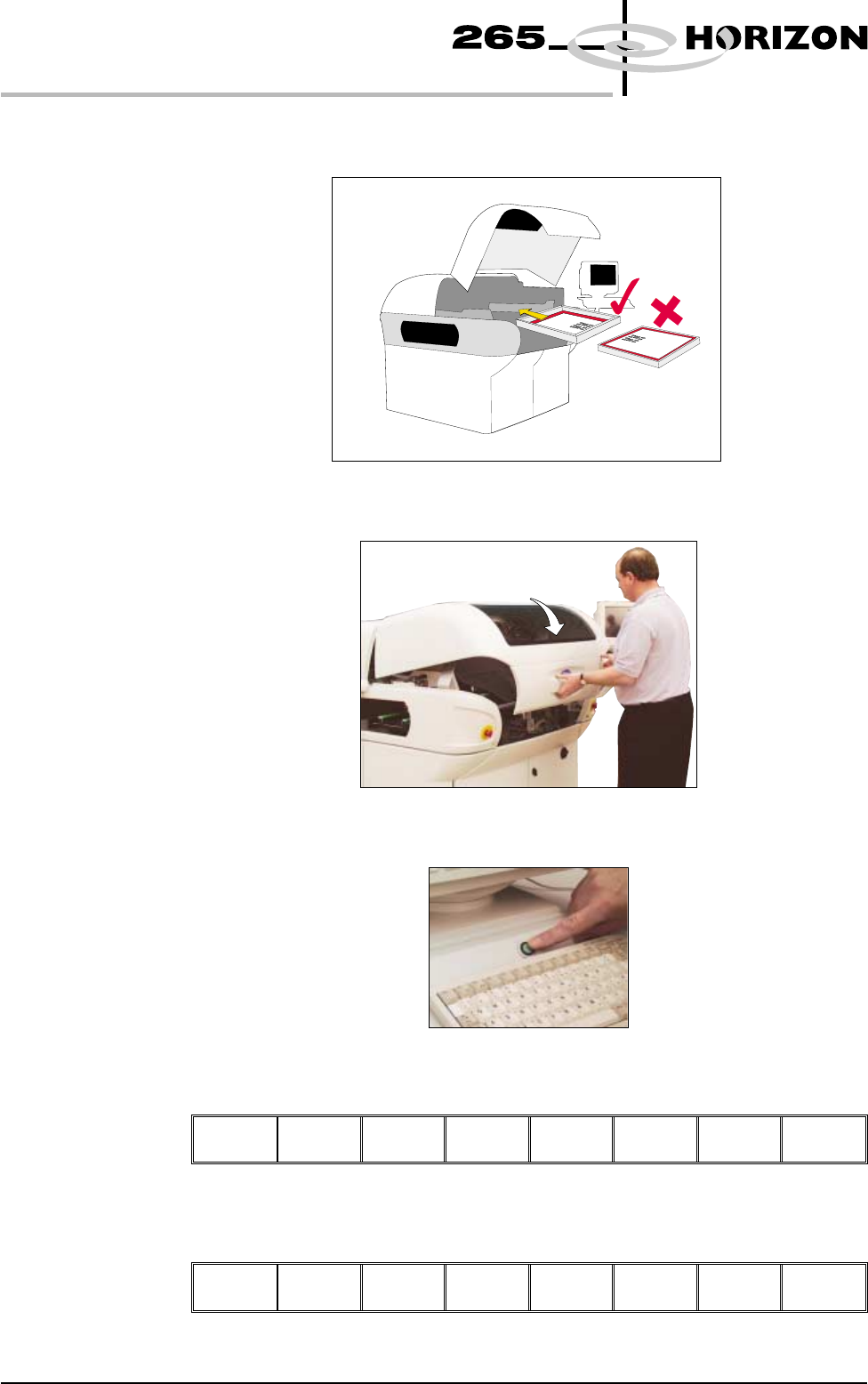
10. Insert the screen into the printer, ensure correct orientation and print
justification.
11. Close the front printhead cover.
12. Press the System button.
13. Press Change Screen (F2).
Change
Screen
Board
Clamps
Prime
Paper
Prime
Solvent
Exit
14. Press Exit (F8).
Change
Screen
Board
Clamps
Prime
Paper
Prime
Solvent
Exit
9.48 User Manual Software Version 6
CONSUMABLE REPLENISHMENTS
VORTEX UNDERSCREEN CLEANER