Horizon UserManualV6.pdf - 第358页
20. To gain access to the transfer head (1), release the latch on the front of the pressure mechanism (2) and raise the mechanism forward and upwards to engage the spring locking device. NOTE Numbers in brackets refer to…
16. Select Use (F1).
Use
Next Previous Exit
17. Select Exit (F8).
Use Next Previous
Exit
18. Select Proceed (F1).
Proceed
Select
Another
The ProFlow unit is placed in contact with the screen.
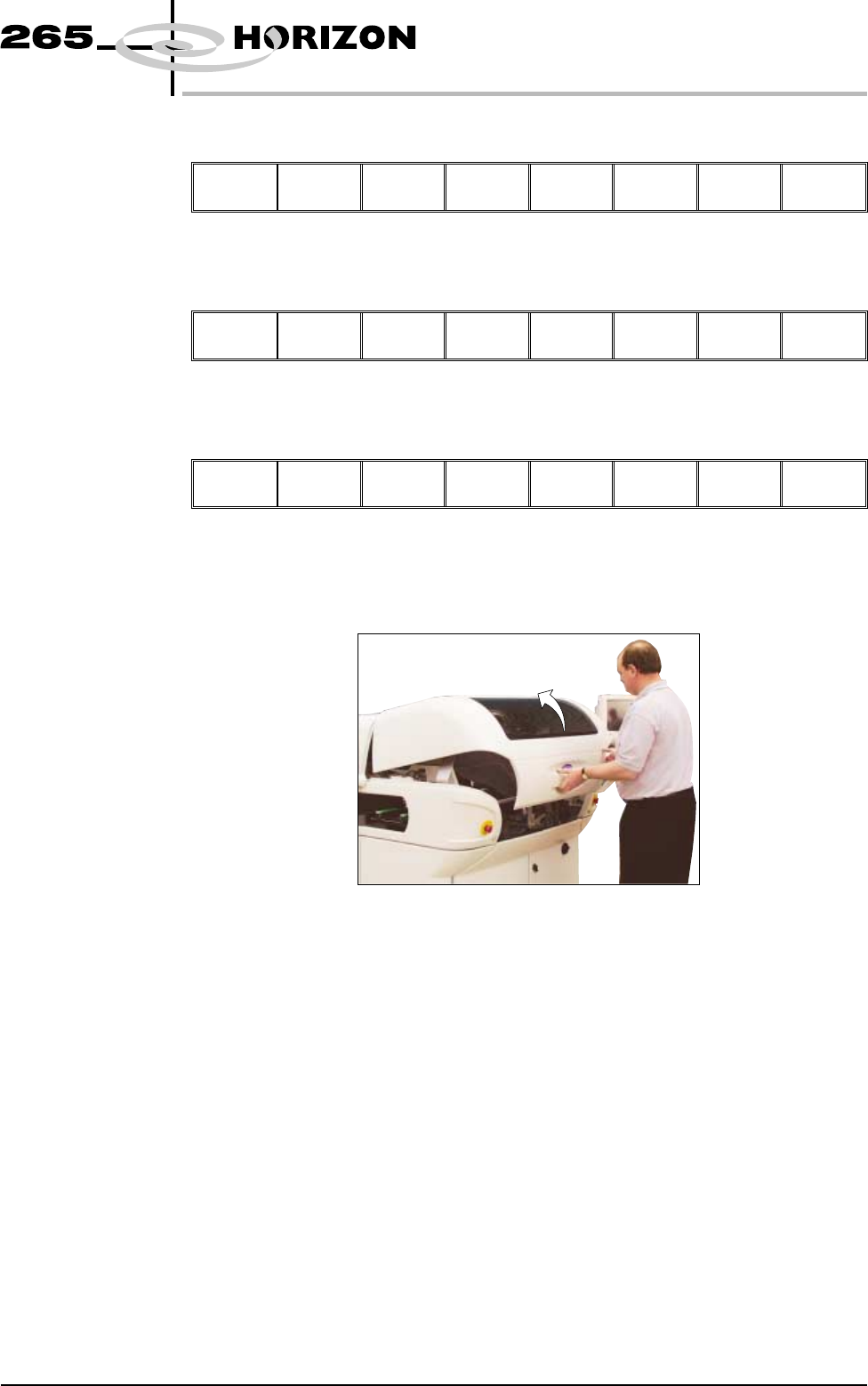
19. Open the front printhead cover.
Software Version 6 User Manual 9.57
CONSUMABLE REPLENISHMENTS
PROFLOW
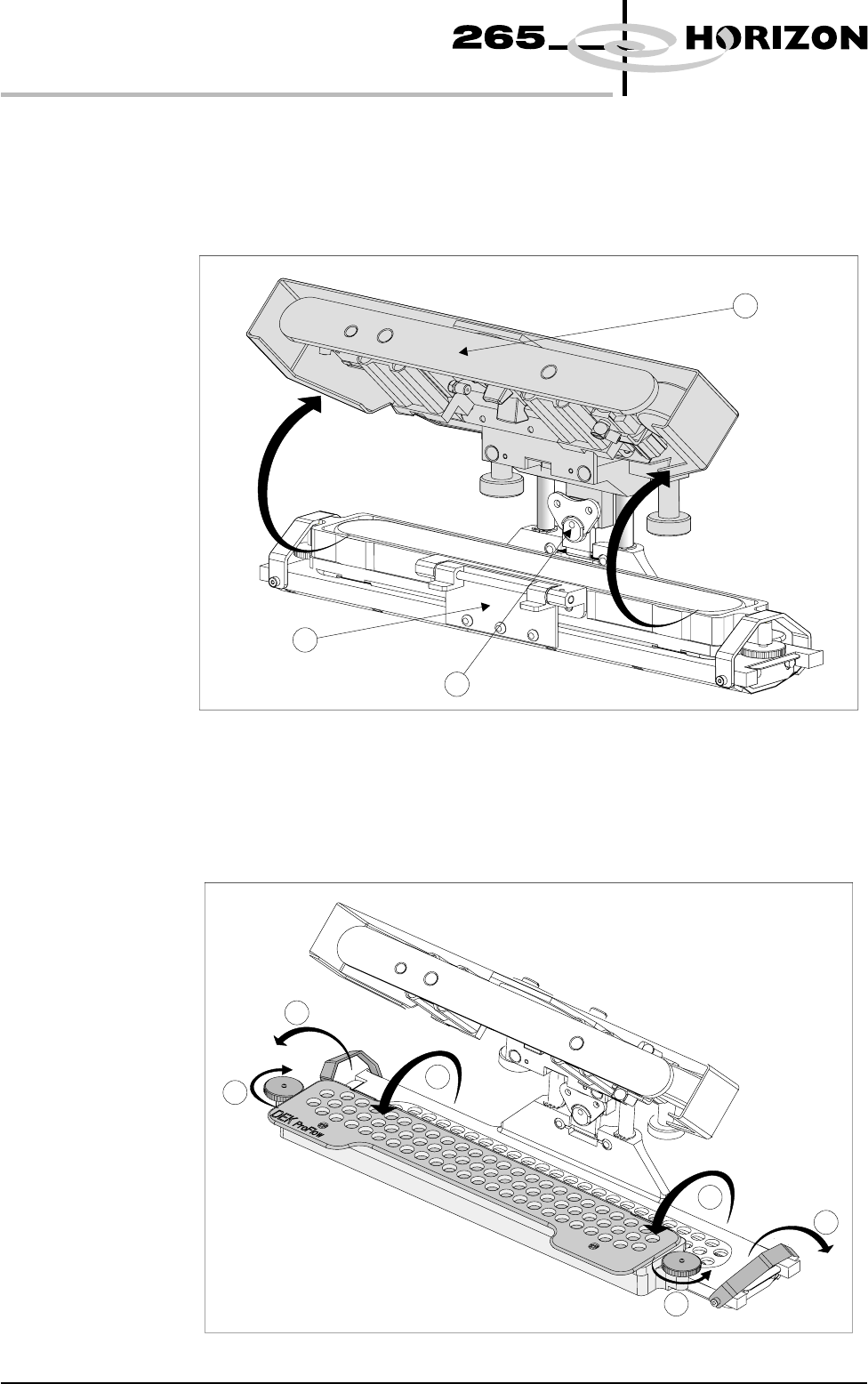
20. To gain access to the transfer head (1), release the latch on the front of the
pressure mechanism (2) and raise the mechanism forward and upwards to
engage the spring locking device.
NOTE
Numbers in brackets refer to figure below.
21. To release the carrier from the transfer head, unscrew the thumbscrews (1) at
each end of the carrier to loosen the clamp brackets. Hinge the clamp
brackets (2) outwards. Hinge the carrier and paste cassette (3) towards the
front of the machine exposing the top of the paste cassette.
NOTE
Numbers in brackets refer to figure below.
9.58 User Manual Software Version 6
CONSUMABLE REPLENISHMENTS
PROFLOW
2
2
1
1
3
3
2
1
3
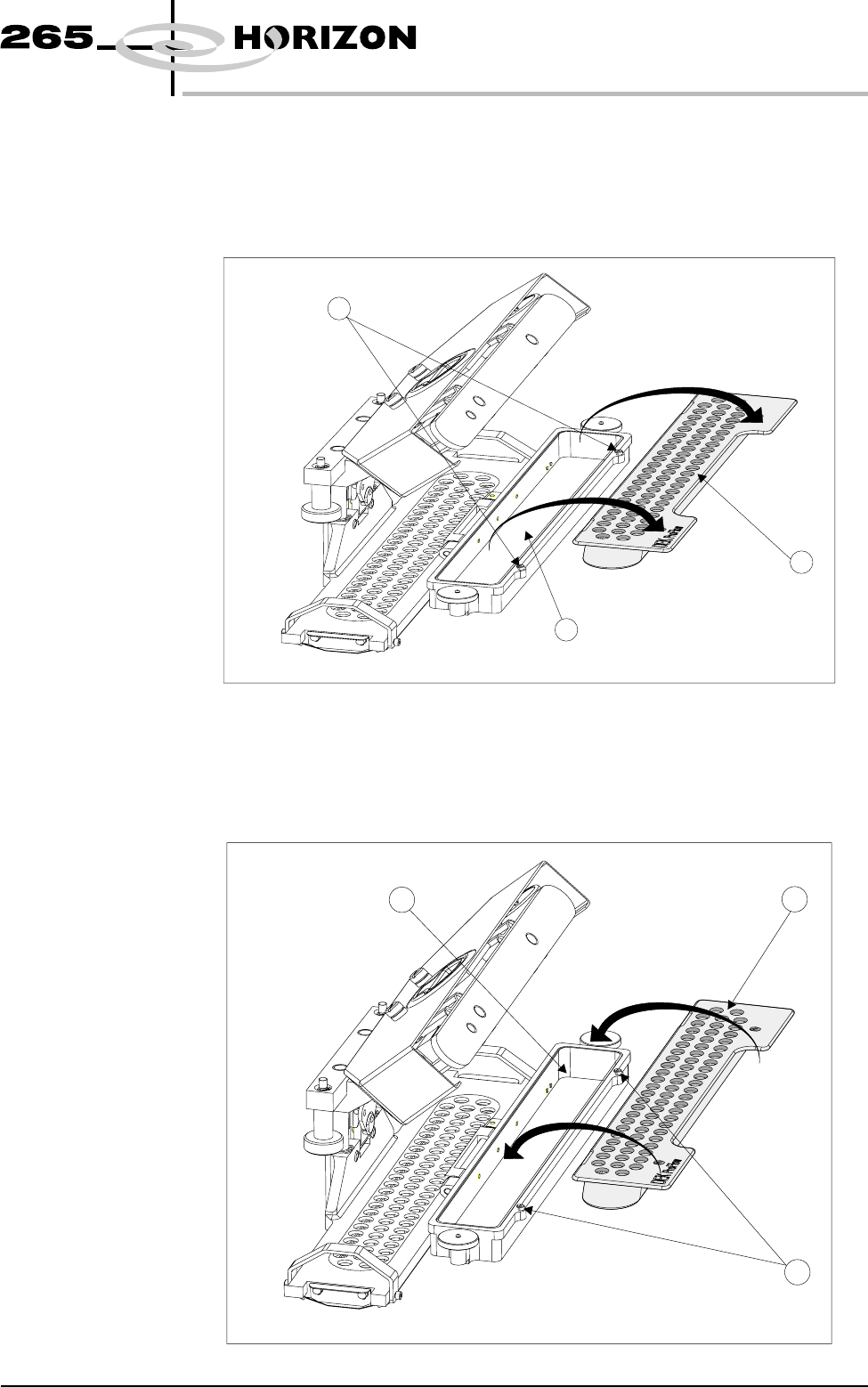
22. Carefully remove the empty paste cassette (1) from the carrier (2) by lifting
the paste cassette clear of the retaining pins (3) sited at each end of the carrier
unit.
NOTE
Numbers in brackets refer to figure below.
23. Dispose of the empty cassette in accordance with local authority guidelines.
24. Fit a new cassette (1) into the carrier recess (2) and secure into place with the
retaining pins (3).
NOTE
Numbers in brackets refer to figure below.
Software Version 6 User Manual 9.59
CONSUMABLE REPLENISHMENTS
PROFLOW
3
1
2
3
1
2