Horizon UserManualV6.pdf - 第368页
Rechargeable & ITC Transfer Heads It is necessary at intervals to replenish the rechargeable/ITC transfer head. If there is no print medium in the transfer head at the end of a print stroke, the warning window ‘Print…
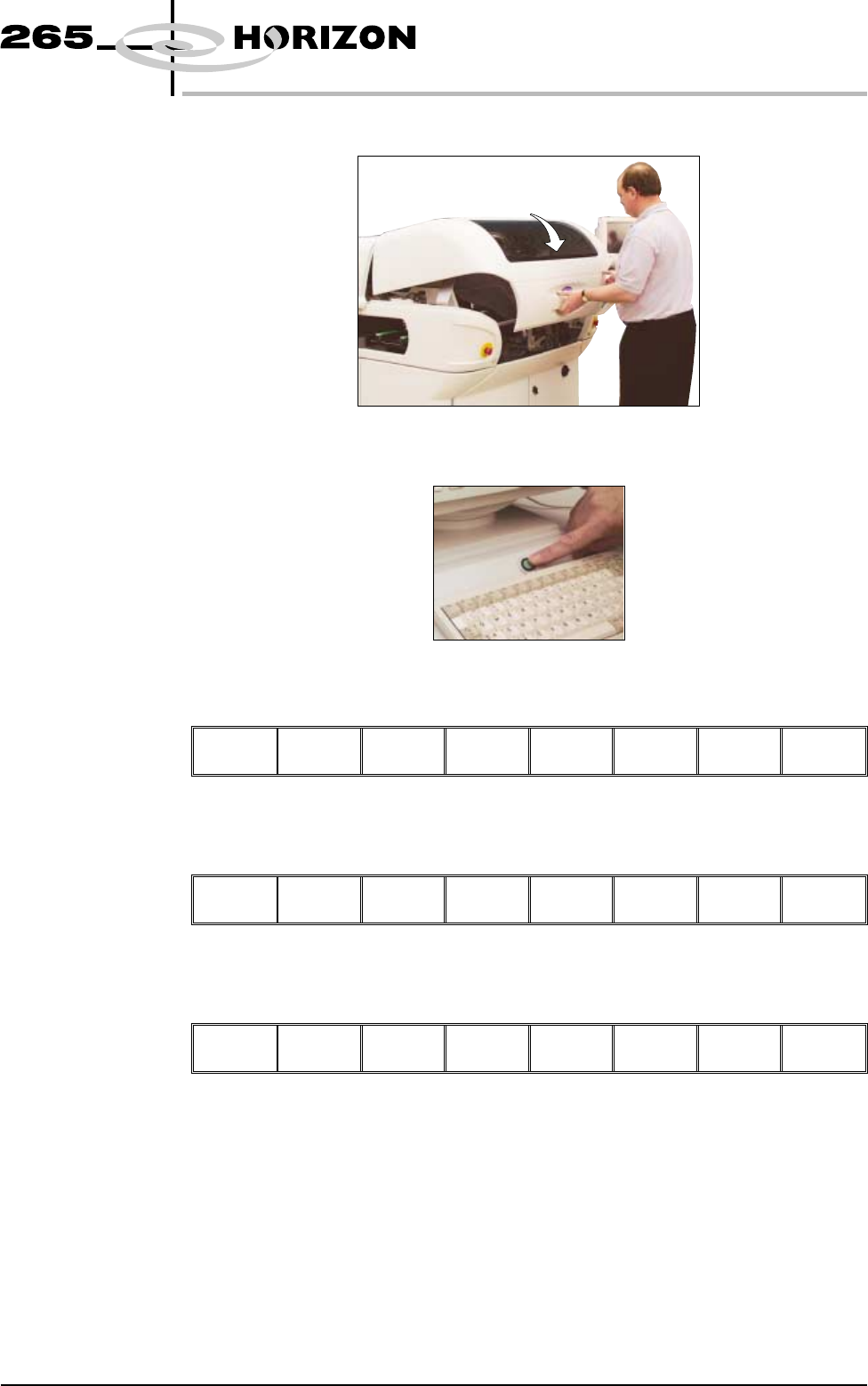
21. Close the front printhead cover.
22. Press the System button.
23. Press Continue (F1).
Continue
24. Press Exit (F8).
Change
ProFlow
Load
Cassette
Prime
ProFlow
Exit
25. Press Exit (F8).
Mode Load
Data
Edit
Data
Setup
ProFlow
Change
Screen
Change
Tooling
Change
Language
Exit
Software Version 6 User Manual 9.67
CONSUMABLE REPLENISHMENTS
PROFLOW
Rechargeable &
ITC Transfer
Heads
It is necessary at intervals to replenish the rechargeable/ITC transfer head. If
there is no print medium in the transfer head at the end of a print stroke, the
warning window ‘Print Medium Low. Please Replenish.’ is displayed.
Initial Filling If an empty/new rechargeable/ITC transfer head is to be used prior to printing.
The transfer head unit is to be initially charged in accordance with the following:
1. Fit the clean/new transfer head to the maintenance stand, so that the unit is
upside down.
2. Remove wipers, end retainers (skis) and the secondary ProFlow grid to gain
access to the primary grid.
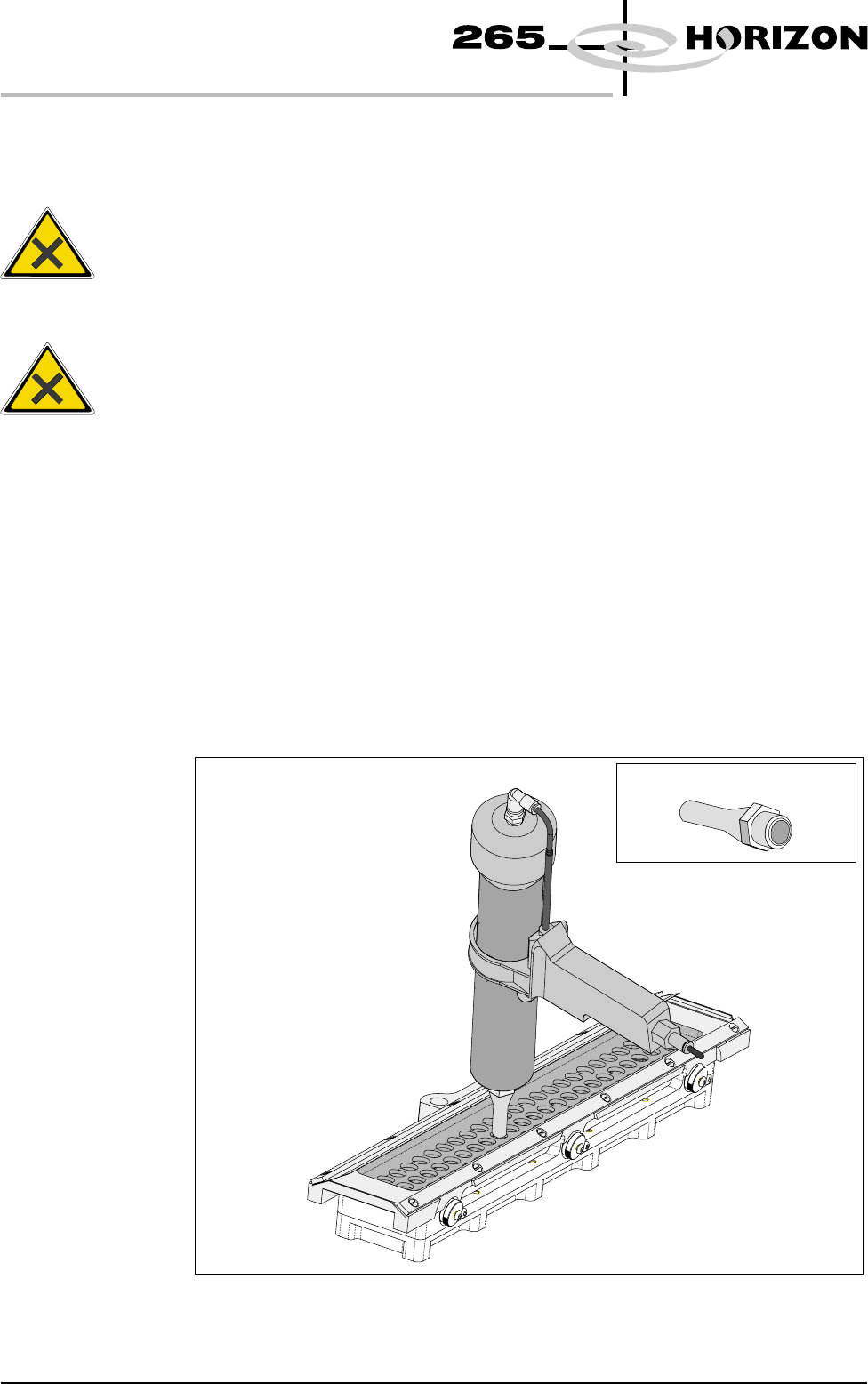
3. Ensure that the long nosed nozzle is fitted to the recharging gun (mastic or
pneumatic gun).
4. Starting at one end of the centre row of holes in the primary grid, insert the
gun nozzle through the grid into the area adjacent to the diaphragm.
9.68 User Manual Software Version 6
CONSUMABLE REPLENISHMENTS
PROFLOW
WARNING
SOLDER PASTE AND SOLVENTS. WHEN USING OR HANDLINGAN
Y
SOLDER PASTE OR SOLVENT FORMULATION THE
MANUFACTURERS' RECOMMENDED SAFETY PRECAUTIONS
MUST BE STRICTLYADHERED TO.
WARNING
PROTECTIVE CLOTHING. APPROVED PROTECTIVE CLOTHIN
G
SHOULD BE WORN BY SOLDER PASTE AND SOLVENT HANDLERS
AT ALL TIMES TO ELIMINATE FUME INHALATION, EYE
CONTACT, SKIN CONTACTAND INGESTION.
Long Recharging Nozzle
5. Fill the cavity until the paste starts to flow back up through the primary grid,
extracting the nozzle slowly whilst continuing to fill. (This action fills the
hole left by the nozzle.)
6. Move to the next available centre hole, in the primary grid, that has not been
filled with paste. Repeat Steps 4 and 5.
7. Continue the above procedures until all the space below the primary grid is
topped up with paste.
NOTE
Ensure that there is little or no air bubbles trapped within the paste fill.
8. Refit the secondary ProFlow Grid, wipers and end retainers (skis) to the unit.
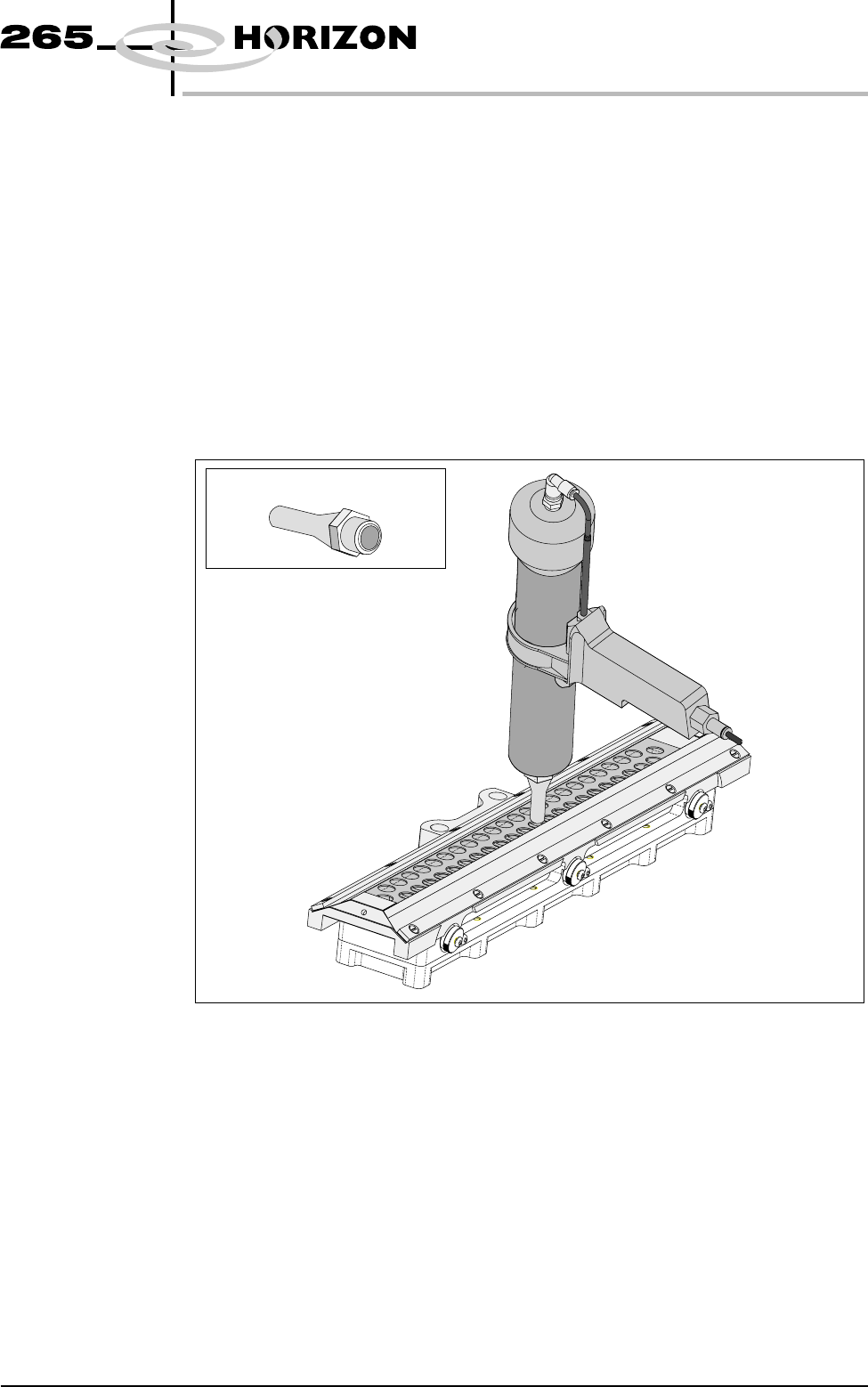
9. Starting at one end of the centre row of holes in the secondary ProFlow grid,
insert the gun nozzle through the grid into the conditioning chamber area.
10. Fill the cavity until the paste starts to flow back up through the grid,
extracting the nozzle slowly whilst continuing to fill. (This action fills the
hole left by the nozzle.)
11. Move to the next available centre hole, in the secondary grid, that has not
been filled with paste. Repeat Steps 9 and 10.
Software Version 6 User Manual 9.69
CONSUMABLE REPLENISHMENTS
PROFLOW
Long Recharging Nozzle