Horizon UserManualV6.pdf - 第91页
Histogram The histogram gives a graphical representation of the grey scale values within the box set around the fiducial. As can be seen there are two peaks which represent the light and dark areas of the picture. Ideall…
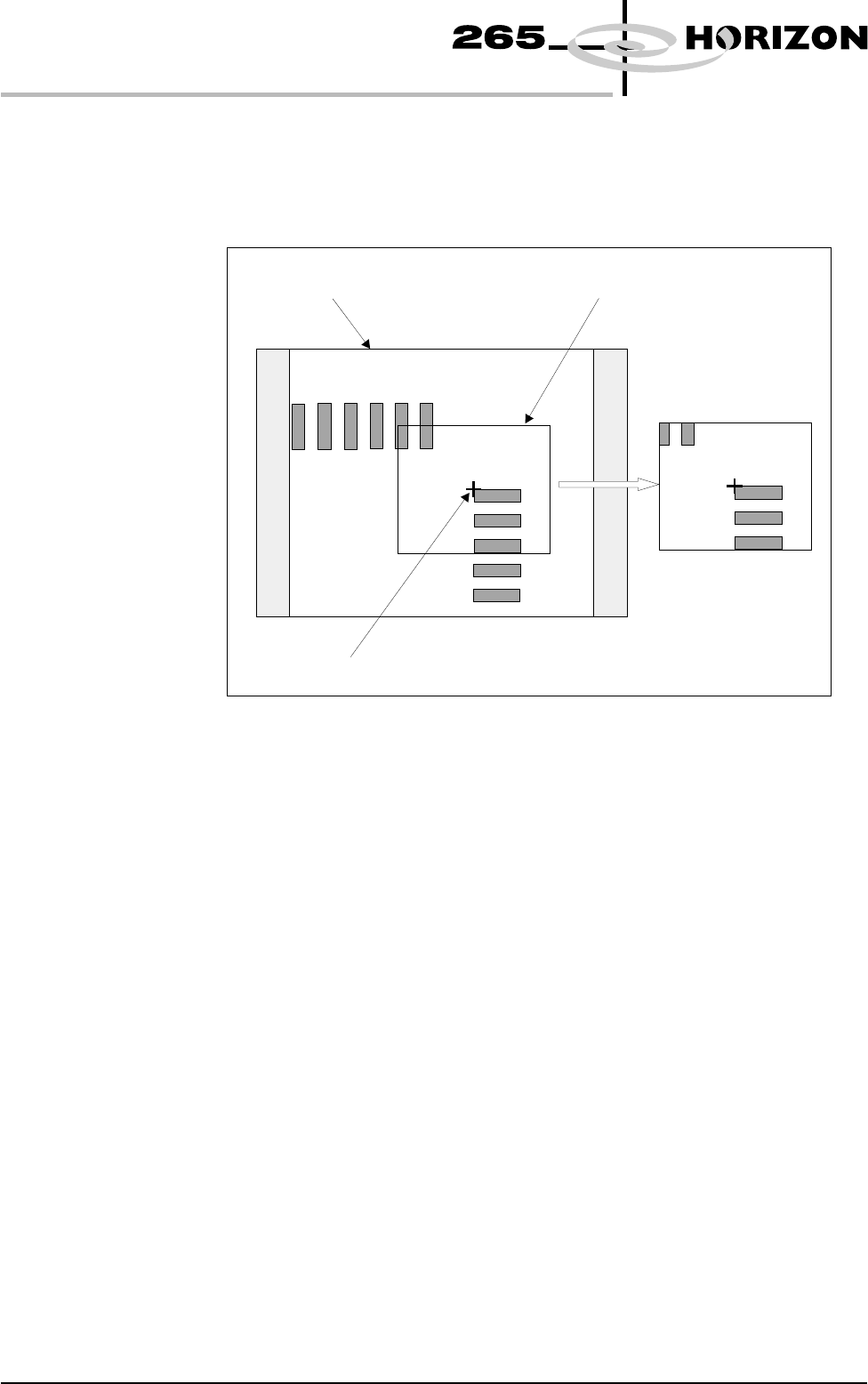
Video Model The video model is an alternative to using fiducials for board alignment. Video
model uses the correlation between the image of an area of the screen and the
image of the same area of the board to align the two. This is useful if the board
has no fiducials or the condition of the fiducials does not allow satisfactory
recognition (see optimizing a video model).
Image Quality The vision system is able to accept a wide variation of quality of fiducial,
therefore any variation in lighting normally causes no problems with fiducial
recognition. However the image quality can be optimized by ensuring the
lighting levels are correct. Changing the intensity of the vision illumination is
achieved by the adjustment of the software controlled lighting during Fiducial
setup.
1.74 User Manual Software Version 6
MACHINE PROGRAMMING
STAGE 6
Mono Monitor
X Y Reference
Fiducial Box
Video Model Fiducial
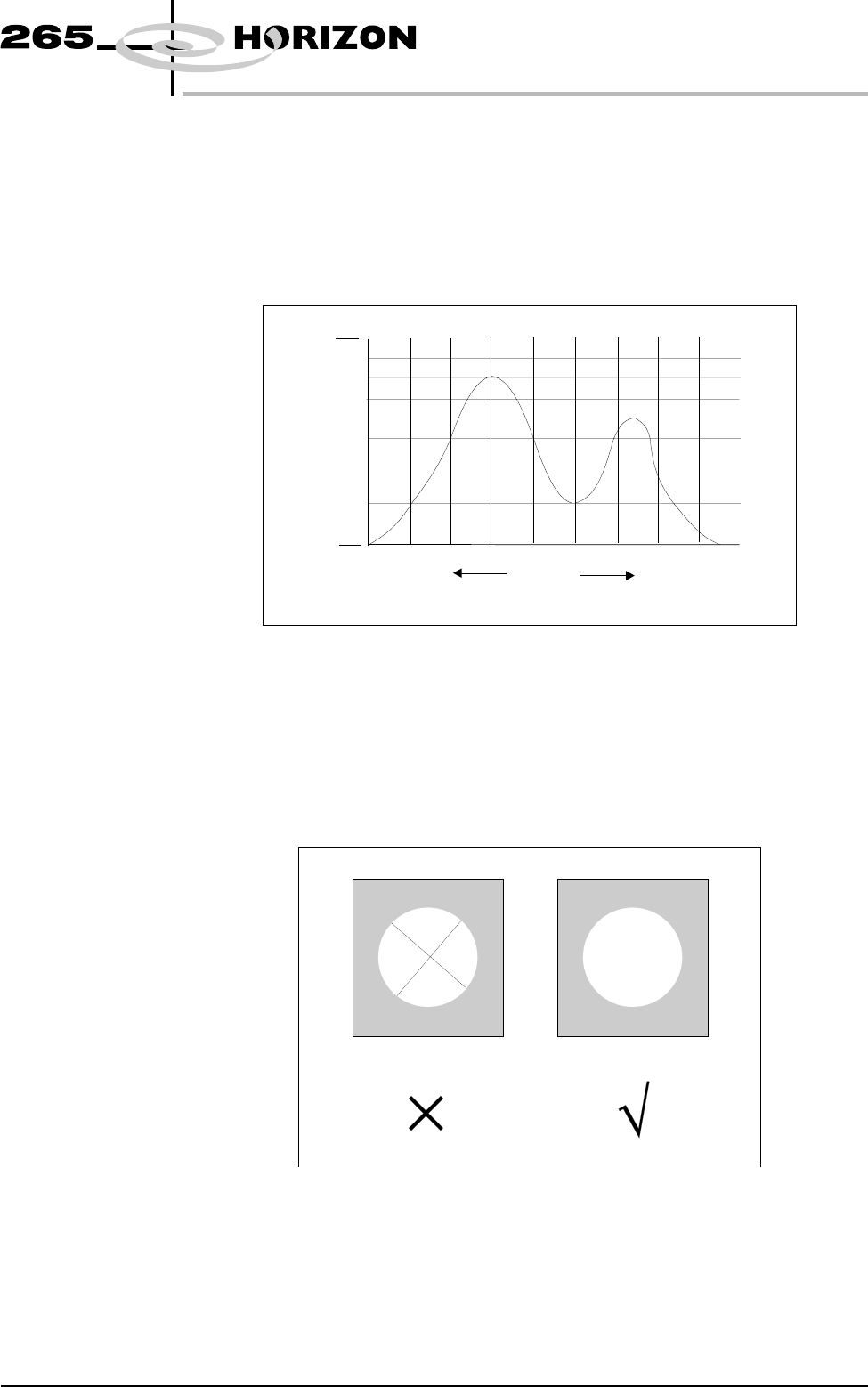
Histogram The histogram gives a graphical representation of the grey scale values within
the box set around the fiducial. As can be seen there are two peaks which
represent the light and dark areas of the picture. Ideally there should be two
distinct peaks, the separation of which can be changed by varying the lighting
levels.
Experience of changing these parameters, while viewing the histogram,
demonstrates their effects.
Optimizing a
Video Model
When using a Video Model, selection of a good image shape is critical. The
following are some basic guidelines for selection of an optimum image.
Fine And Course
Features
As with fiducials, areas of a board selected as a Video Model should have shapes
with a solid consistent tone within the boundaries ( course features ) and not
shapes with inner lines or lettering (fine features):
Software Version 6 User Manual 1.75
MACHINE PROGRAMMING
STAGE 6
Black
%Area
Within Box
Mid Grey
White
Darker Lighter
Model with
Fine Features
Model with
Course Features
Positional
Information
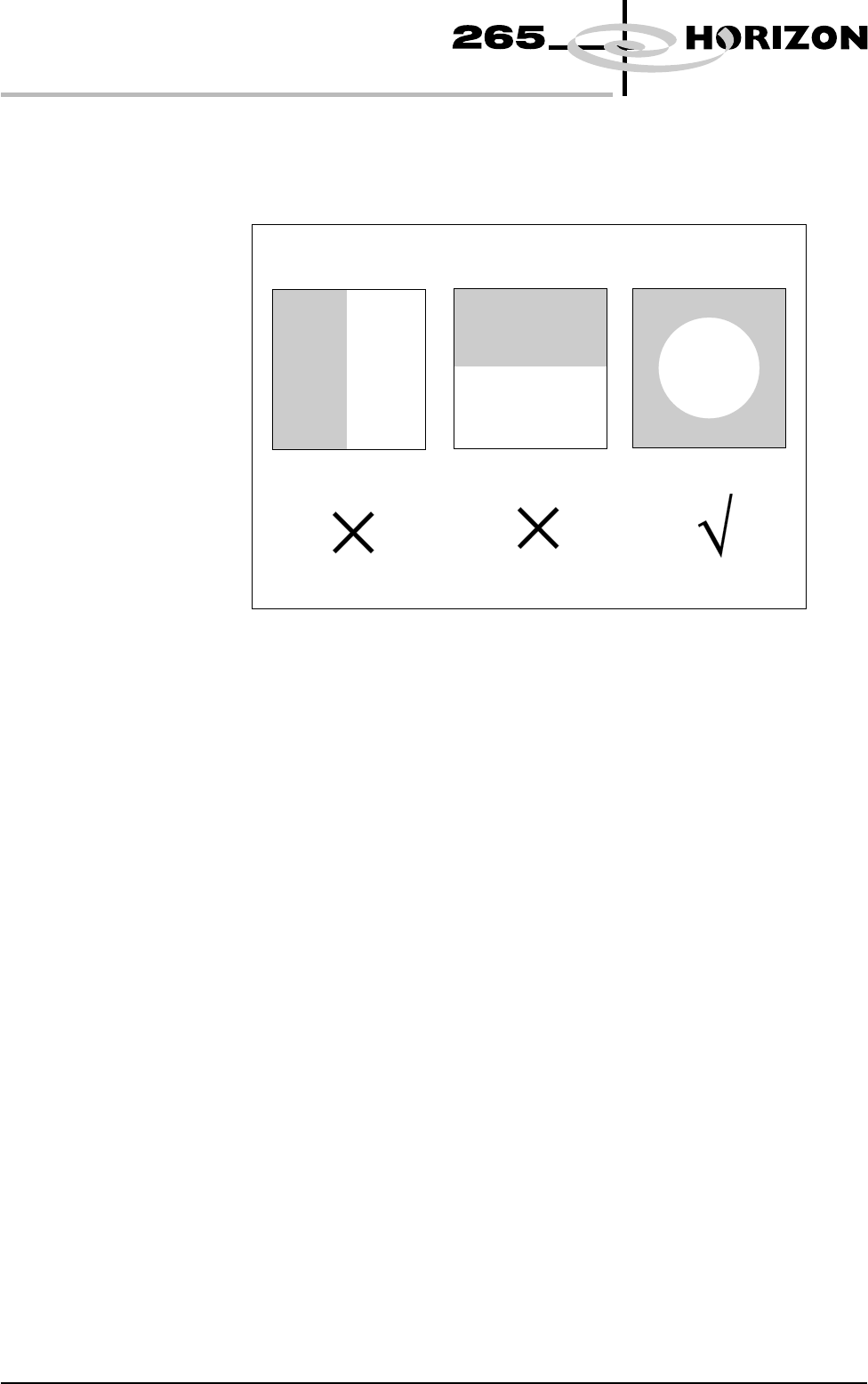
When selecting a Video Model, if the image shapes have edges all in the X
direction or all in the Y direction, not enough positional information exists for
the camera system. An image with good X and Y information is necessary for
accurate positioning:
1.76 User Manual Software Version 6
MACHINE PROGRAMMING
STAGE 6
No Positional information
in the X direction
No positional information
in the Y direction
Equal positional information
in the X and Y directions.