StackShotManual_1_5.pdf - 第28页
28 3.12 Mode: Manual Step 3.12.1 Overview “ Manual ” mode is similar to “ Distance Per Step ” mode in that it le ts you specify the distance to travel per step,…

28
3.12 Mode:ManualStep
3.12.1 Overview
“Manual”modeissimilarto“DistancePerStep”modeinthatitletsyouspecifythedistanceto
travelperstep,butitwillonlystepthespecifieddistancewhenabuttonispressed.Thisgives
theopportunitytomakesmalladjustmentstocamerasettingsifnecessary.
3.12.2 DistanceperStep
Thedistancetherailtravelsperstep(“Dist/Step”)istheamounttraveledeachtimetherailis
moved.UsetheUP/DOWNbuttonstoadjustthedistance.
Mode: Manual
> Dist/Step: 10.0 mm
Start (up/down)
3.12.3 StartingtheSequence
PresstheSELECTbuttonuntilitisnexttothe“Start(up/down)”text.
Mode: Manual
Distance: 10.0 mm
> Start (up/down)
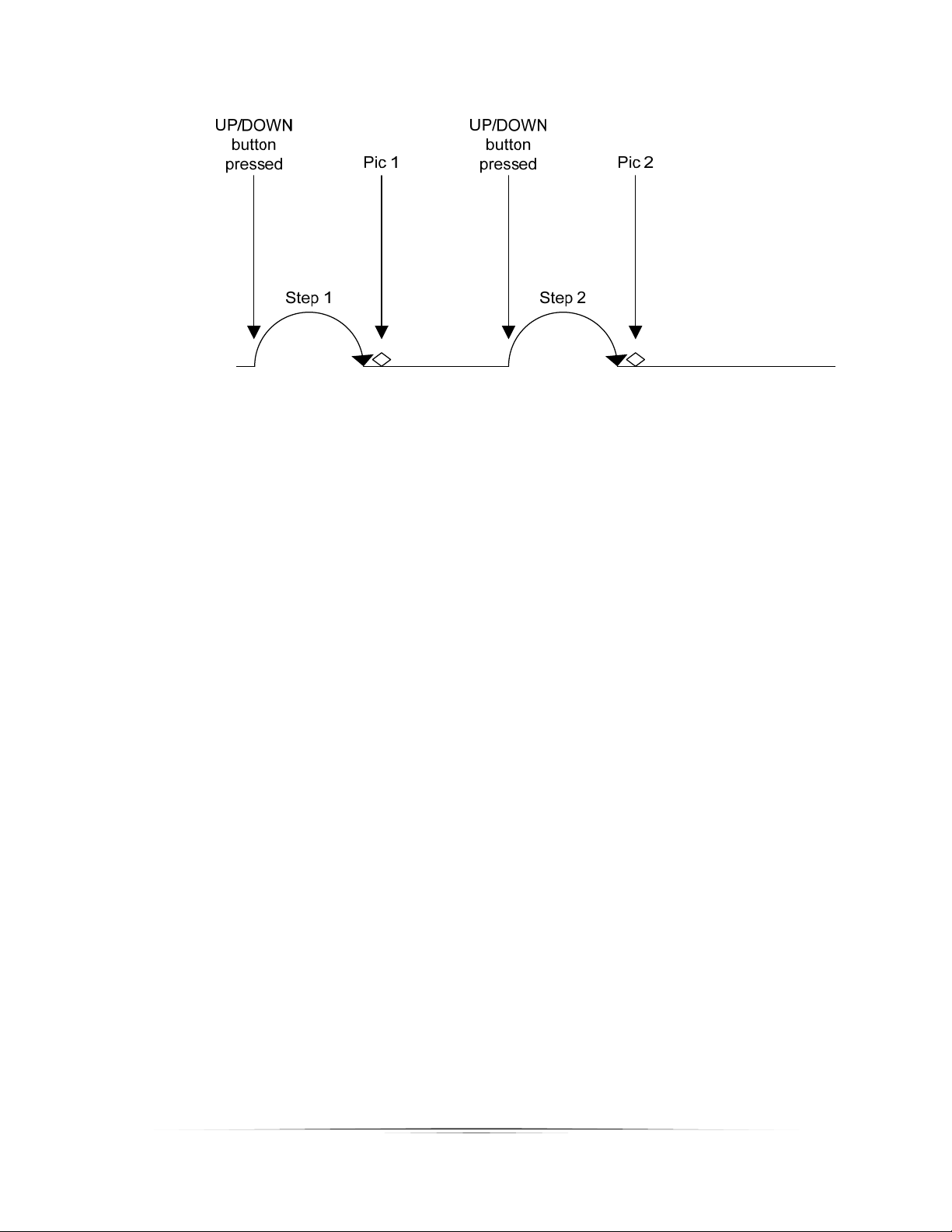
Thedirectionthattherailtravelsiscompletelydependentonwhichbuttonyoupresstoinitiate
themanualstep.IfyoupresstheUPbutton, therailwillmovetowardthesubject.Ifyoupress
theDOWNbutton,itwillmoveaway.
Pressinganybuttonwillstopthemotorfrommovingtherail.
SeeFigure10belowtoshowhow“Manual”mode functions.
29
Figure10‐ManualMode