StackShotManual_1_5.pdf - 第38页
6.2 100mm vs. The Orchid In this setup example we have a Canon 7D, EF 100mm macro lens , and of course StackShot. Figure 14 ‐ StackShot Orchid Setup The StackShot…

37
6. Setupexamples
6.1 MirrorLockup
Mirrorlock‐upisacommonlyusedfeatureinmacrophotographytoreducevibrationofthe
cameraduringshooting.SLRcamerasswingthemirrorupoutofthelight‐pathtothefilmor
sensorjustpriortotheshutteropening.Thismovementultimatelyleadstovibrationwhichcan
inducemotionblurinthepicture.Somecamerashavetheabilitytoenableafeaturewherethe
firstbuttonpressoftheshutterswingsthemirrorupandthesecondbuttonpressopensthe
shutter.ThisfeaturecanbeprogrammedintoStackShotbygoingintotheconfigurationmenu.
ThismethodisidenticaltosettingStackShottotakemultiplepictures.PresstheCONFIGbutton
toentertheglobalconfiguration:
== Global Config ==
> # pics: 1
Tsettle: 500.0 ms
Toff: 500.0 ms ->
Withthecursornextto“#pics”(discussedinsection3.3.1),presstheUPbuttontochangethe
settingto“2”.Thiswillcausetheshutteroutputtofiretwotimespercamerastep.Thefirst
timewillswingthemirrorupandthesecondwillexposetheimage.We’renotquiteyetdone
though.PresstheSELECTbuttonuntilthecursorisnextto“Toff”.
== Global Config ==
# pics: 1
Tsettle: 500.0 ms
> Toff: 500.0 ms ->
“Toff”isthetimetheshutteroutputwillremainoffbetweenoutputpulses(seesection3.3.3for
moredetails).Inthiscase,thiswillbethetimebetweenwhenthemirrorisraisedandthe
pictureisactuallytaken.AdjustthisparameterusingtheUP/DOWNbuttonstoasuitablevalue
toletthemirrorvibrationsettleoutprior toexposingtheimage.PresstheCONFIGbuttononce
moreanditwillreturnyoutothemainmenu.
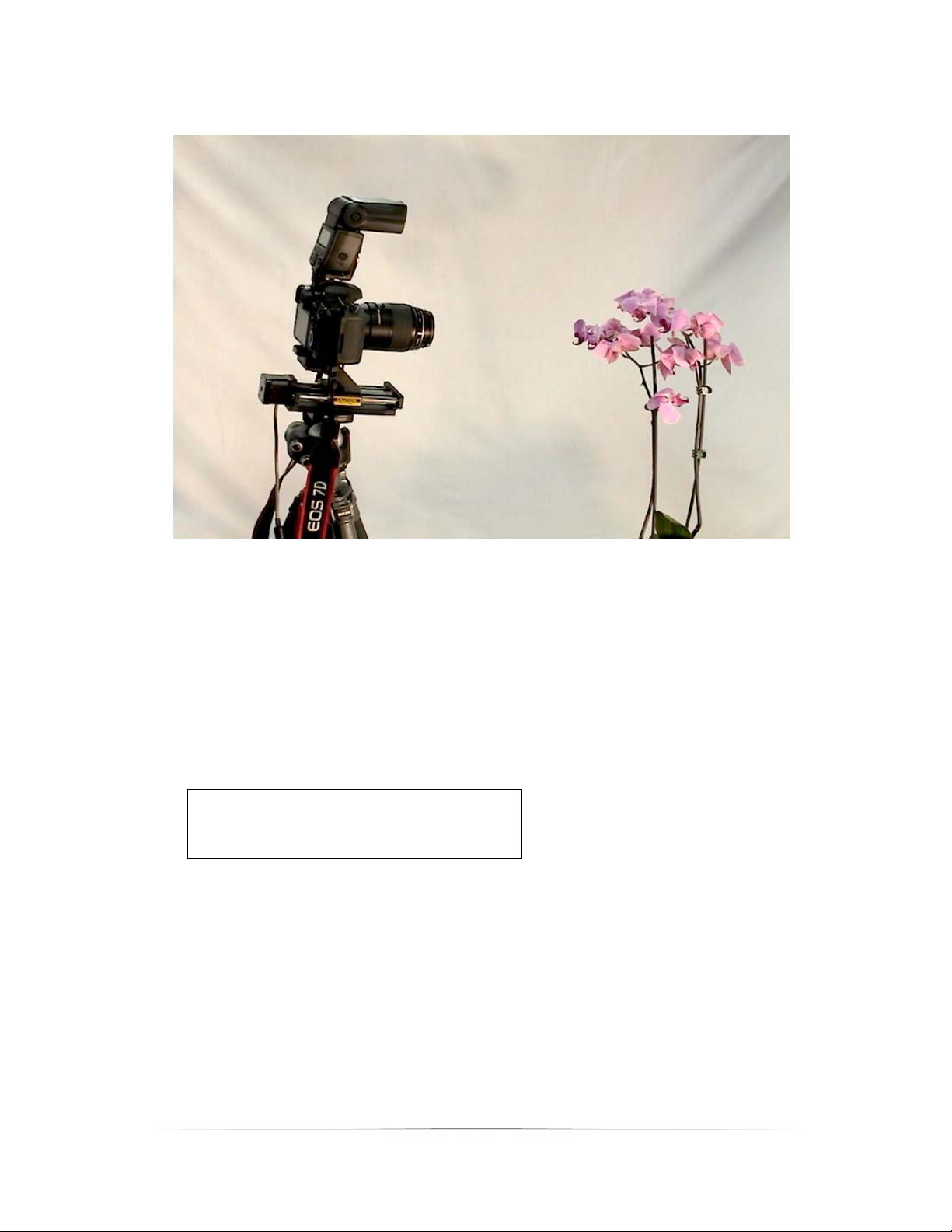
6.2 100mmvs.TheOrchid
InthissetupexamplewehaveaCanon7D,EF100mmmacrolens,andofcourseStackShot.
Figure14‐StackShotOrchidSetup
TheStackShotcontrollercoordinatesthecameraposition,settlingtime,exposure(and
potentiallyexposurebracketing),andautomati creturnuponcompletion.Theoptionalauto‐
returnfeatureallowsadjustmentofthecamera’sparametersandlightingwitho uthavingtore‐
positionthecamera.
FortheOrchiditwasdecidedthat“AutoStep”mode beused(seesection3.7formoredetails).
“#Steps”wasadjustedto10steps(11pictures)which wouldresultinanoutstan dingfinal
stackedimage.
Mode: Auto-Step
> # Steps: 10
Select Start Pos
TheFWDbuttonwaspresseduntilthecamerareachedthedesiredstartingpointofthestack.
Picktheclosestobjectyouwantinfocusforthestackandmovethecamerasuchthatthisisin
sharpfocus.TheSELECTbuttonwasthenpressedtoacknowle dgethestartingposition.Then
theBACKbuttonwaspressedtomovethecameratotheendpointofthestack.Movethe
cameratothepointwherethefurthestawayelementinyourcompositionisinfocus.Againthe
SELECTbuttonwaspressedtoconfirmthefinalposition.Thedisplaythenshowedthe
following:
38

39
Mode: Auto-Step
# Steps: 10
> Up/Down to start
Change Settings
PressingtheUPorDOWNbuttonstartsthecapturingprocess.
Hereisthesequence(onlysixpicturesoutofelevenshown):