ThermoFlex-Manual.pdf - 第64页
Section 4 4-6 ThermoFlex Thermo Scientific Setu p Loop ( ) Use the Setup Loop to adjust/v erify the following controller settings . • Scales: temperature in °C or °F , ow in liters per minute or gallons per minute (only …
Section 4
ThermoFlex 4-5
Thermo Scientific
SP
xx.x C
xx.x C
mode
enter
enter
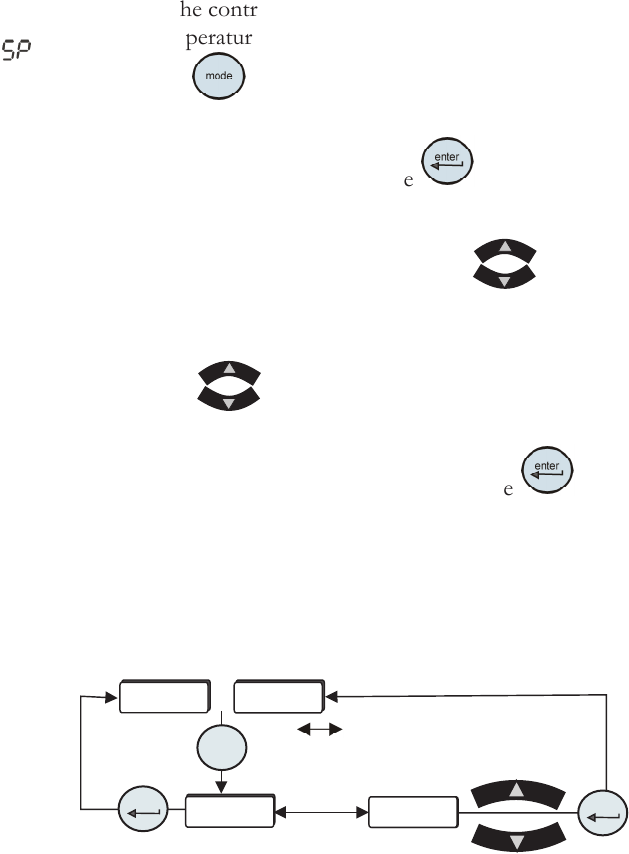
Setpoint Loop
( )
• Ensure the controller is either a blank screen or displaying the process
uid temperature.
• Press the
key and the controller display will alternate between SP
and the setpoint value.
• If no change is required press the
key to return the controller to
the previous display.
• If a setpoint change is required, use the
keys.
The setpoint range is +5°C to +40°C (41°F to 104°F).
Note If the are not used within one minute the controller will time
out and return to the previous display, any changes will not be saved.
• Once the desired value is displayed press the key to conrm the
change.
• The controller will return to the process uid temperature display or a
blank screen.
indicates the controller
display is alternating between the
two displays.
Figure 4-5 Setpoint Loop
or
Section 4
4-6 ThermoFlex
Thermo Scientific
Setup Loop
( )
Use the Setup Loop to adjust/verify the following controller settings.
• Scales: temperature in °C or °F, ow in liters per minute or gallons per
minute (only chillers with an optional ow transducer), and pressure in
PSI, bar or kPa
• High and low temperature alarm limits
• High and low pump discharge pressure alarm limits and time delays
• Chiller reaction to a temperature, pressure or ow (optional) alarm limit
(continue to run or shut down)
• Audible alarm enabled/disabled
• View/change the fan speed (ThermoFlex2500 air-cooled only)
• Auto restart feature enabled/disabled
• Preventive care cleaning frequency reminder for air and uid lters
Optional Features:
• Global voltage
• Analog I/O
• Auto rell alarm
• DI lter cartridge preventive maintenance interval
• High/low ow alarm limits
• Serial communications
• Anti drainback valve position
• Save or not save
all
changes
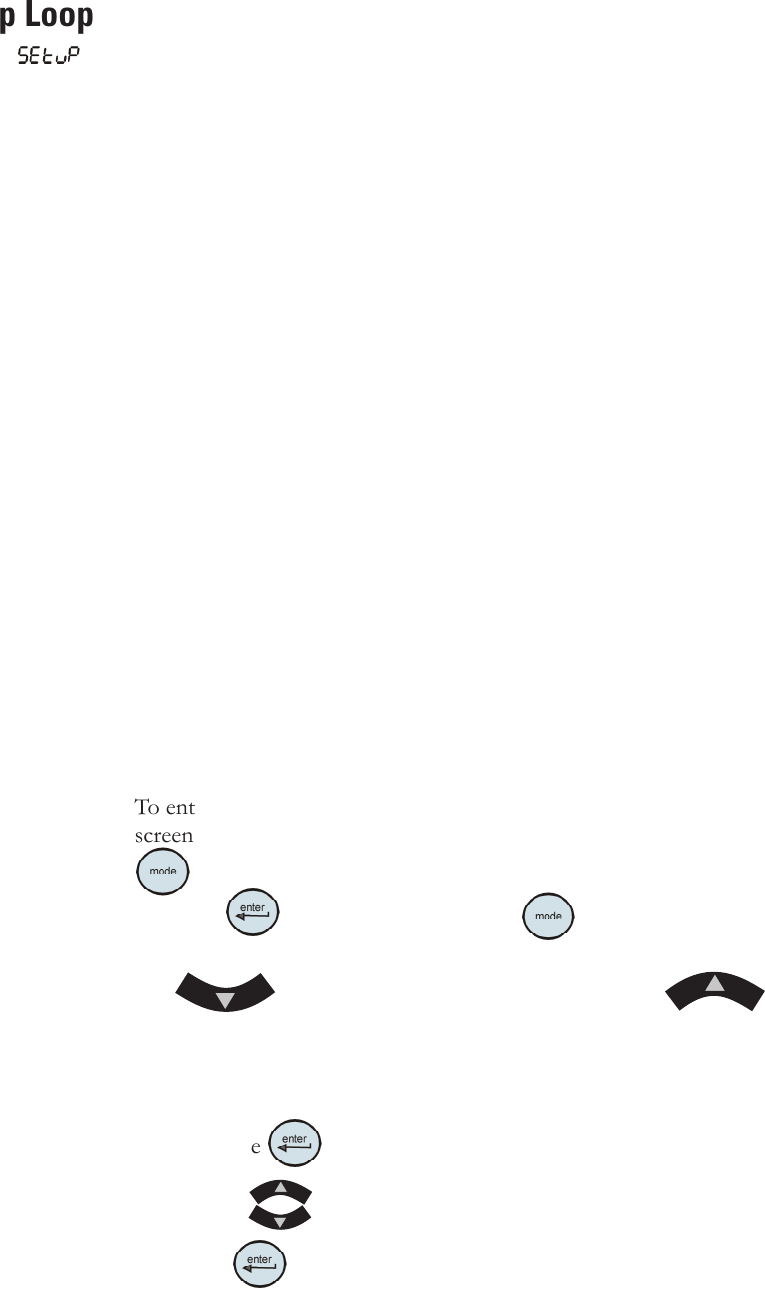
To enter the Setup Loop ensure the controller display is either a blank
screen (chiller off) or displaying the process uid temperature. Press the
key and the display will indicate SP, press it again to display SEtuP.
Press the
key to continue, or press twice to return to the
process uid temperature or blank display.
Use
to sequence down through the loop. Use to
sequence back through the loop up to the Hi t display, see next page.
To change any parameter:
Press the
key.
Use the keys to change a displayed value.
Press
key to conrm the change and bring up the next display.
Section 4
ThermoFlex 4-7
Thermo Scientific
diA9
SP
SEtuP
enter
mode
mode
mode
mode
xx.x C
xx.x C
xx
xx
Hi t
UnitS
Lo t
Lo t
xx
xx
xx
xx
Hi P1
Lo P1
Hi P1
dELAY
enter
enter
enter
enter
enter
enter
enter
enter
enter
Hi t
UnitS
degx
Lo P1
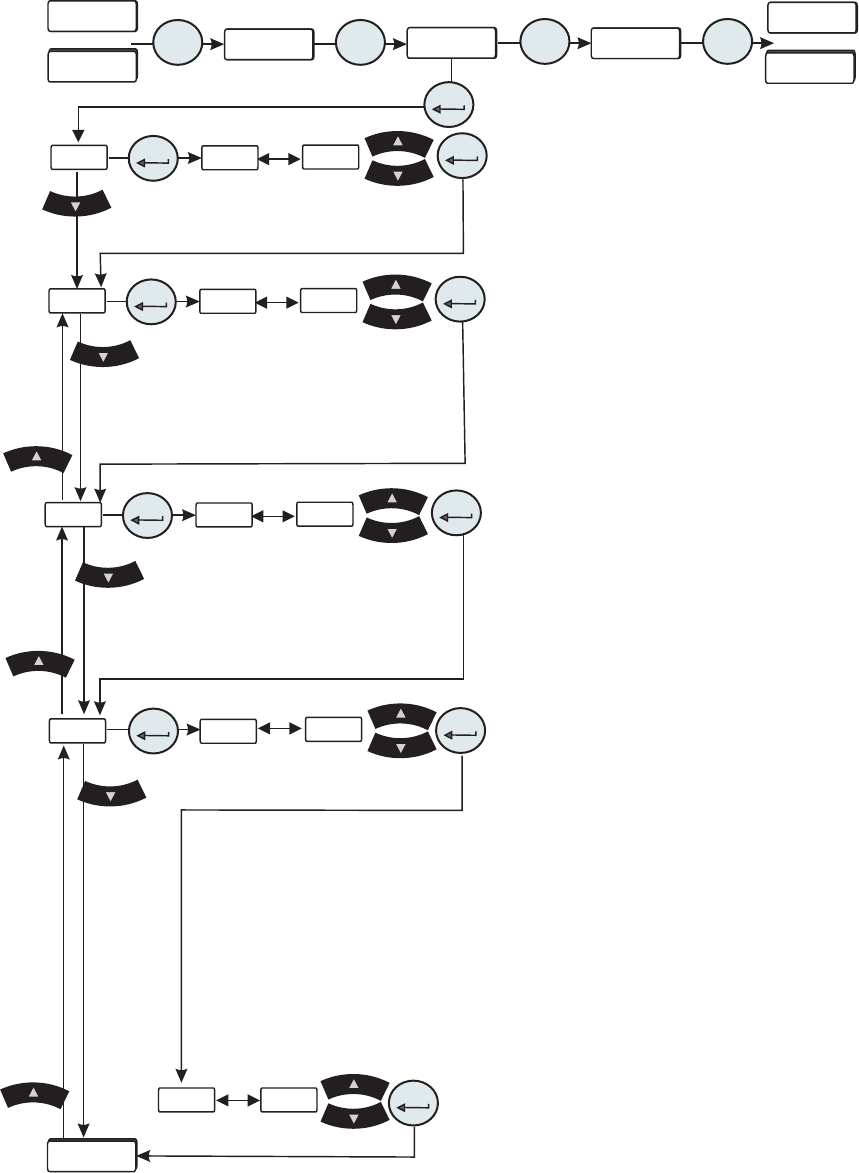
Figure 4-6 Setup Loop (All Chillers)
or
or
Continued on next page.
• UnitS are the temperature, uid ow (only chillers with an
optional ow transducer) and pressure display scales.
Scales:
°C or °F Defaults: °C
GPM or LPM GPM
PSI, Bar or kPa PSI
• Hi t is the uid's High Temperature alarm limit.
Range:
+3°C to +42°C Default: +42°C
Exceeding this limit ashes Hi t and, if enabled, sounds the
alarm. The chiller reaction depends on the alarm conguration
(see ALr on next page).
• Lo t is the uid's Low Temperature alarm limit.
Range: +3°C to +42°C
Default: +3°C
Falling below this limit ashes Lo t and, if enabled, sounds
the alarm. The chiller reaction depends on the alarm
conguration (see ALr on next page).
• Hi P1 is the pump's High Pressure discharge alarm limit.
T 1 T 0 Pump Range: 3 to 100 PSI Default: 100 PSI
T 5 Pump Range: 2 to 105 PSI Default: 105 PSI
P 1 P 2 Pump Range: 3 to 100 PSI Default: 100 PSI
P 3 Pump 60Hz Range: 3 to 46 PSI Default: 46 PSI
P 3 Pump 50Hz Range: 3 to 32 PSI Default: 32 PSI
P 4 Pump 60Hz Range: 3 to 85 PSI Default: 85 PSI
P 4 Pump 50Hz Range: 3 to 60 PSI Default: 60 PSI
P 5 Pump 60Hz Range: 3 to 87 PSI Default: 87 PSI
P 5 Pump 50Hz Range: 3 to 56 PSI Default: 56 PSI
Exceeding this limit ashes Hi P1 and, if enabled, sounds
the alarm (see Sound on next page).
• dELAY is the length of time the pump can exceed the
Hi P1 alarm limit. Note This feature is only active if the
chiller is congured to shut down with a pressure alarm.
P
1, P 2, T 0 and T 1 Range: 0 to 30 seconds
Default: 0 seconds
P 3 - P 5, T 5 Range: 0 to 60 seconds Default: 0 seconds
Exceeding this limit ashes Hi P1 and, if enabled, sounds
the alarm. The chiller reaction depends on the alarm
conguration (see ALr on next page).