PSV7000_ Owners Manual_096-0460-001B - 第103页
■ 3D Coplanarity Option ◘ Turning OFF the 3D Inspection Computer PSV7000 Owner’s Manual 3—33 back T urning OFF the 3D Inspection Com- puter The 3D Inspection PC generally does not need to be turned off until the PSV7000 …
Administrative Functions ■ 3D Coplanarity Option
3—32 Data I/O • 096-0460-001B
back
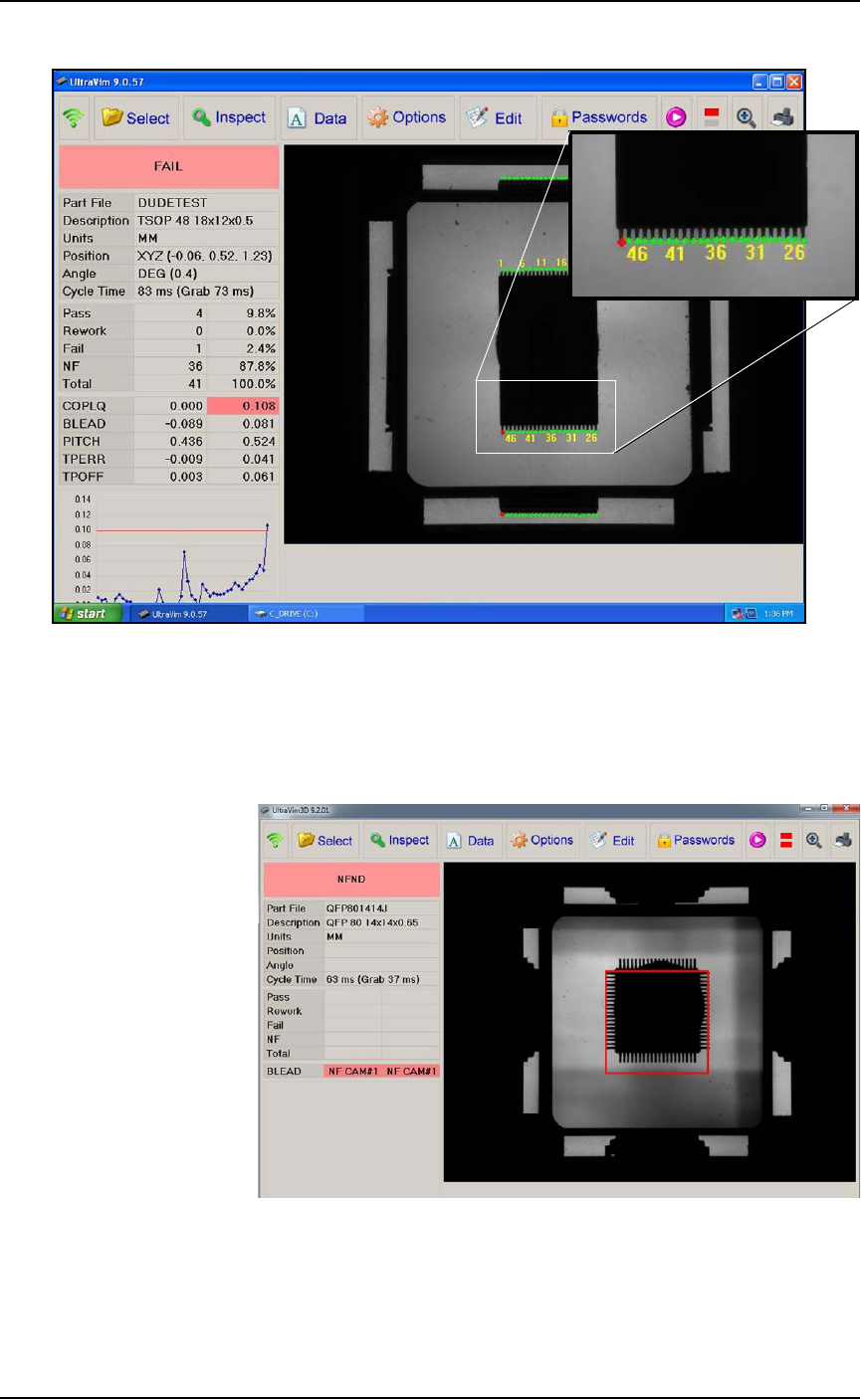
Figure 3-20: This inspection image shows 1 lead failed (see the red
dot).
3D Troubleshooting
Probe goes down too low.
Figure 3-21: Probe is too low: you can see the probe tip all four of the
side views.
Resolution: Adjust the Z-height in AH700.

■ 3D Coplanarity Option ◘ Turning OFF the 3D Inspection Computer
PSV7000 Owner’s Manual 3—33
back
Turning OFF the 3D Inspection Com-
puter
The 3D Inspection PC generally does not need to be turned off until
the PSV7000 System is shut down. However, if it will not be used
again for several days, follow this procedure:
1. Toggle back to the 3D Inspection PC (keyboard key sequence
Scroll-Lock > Scroll-Lock > 3) if not already there.
2. Shut down the PC using the Windows Start menu. (It is not nec-
essary to close the UltraVim software first.)
To turn the 3D Inspection PC back ON, open the PC door with the
key and push the Power switch ON and release.
Administrative Functions ■ Additional Features
3—34 Data I/O • 096-0460-001B
back
Additional Features
Automotive Performance Pak
Data I/O offers several utilities that are especially useful to certain
industries. These utilities, labeled the Automotive Performance Pak
(AP Pak), are described below. If your PSV7000 System does not have
this feature, it can be ordered and installed.
Contact Data I/O Sales.
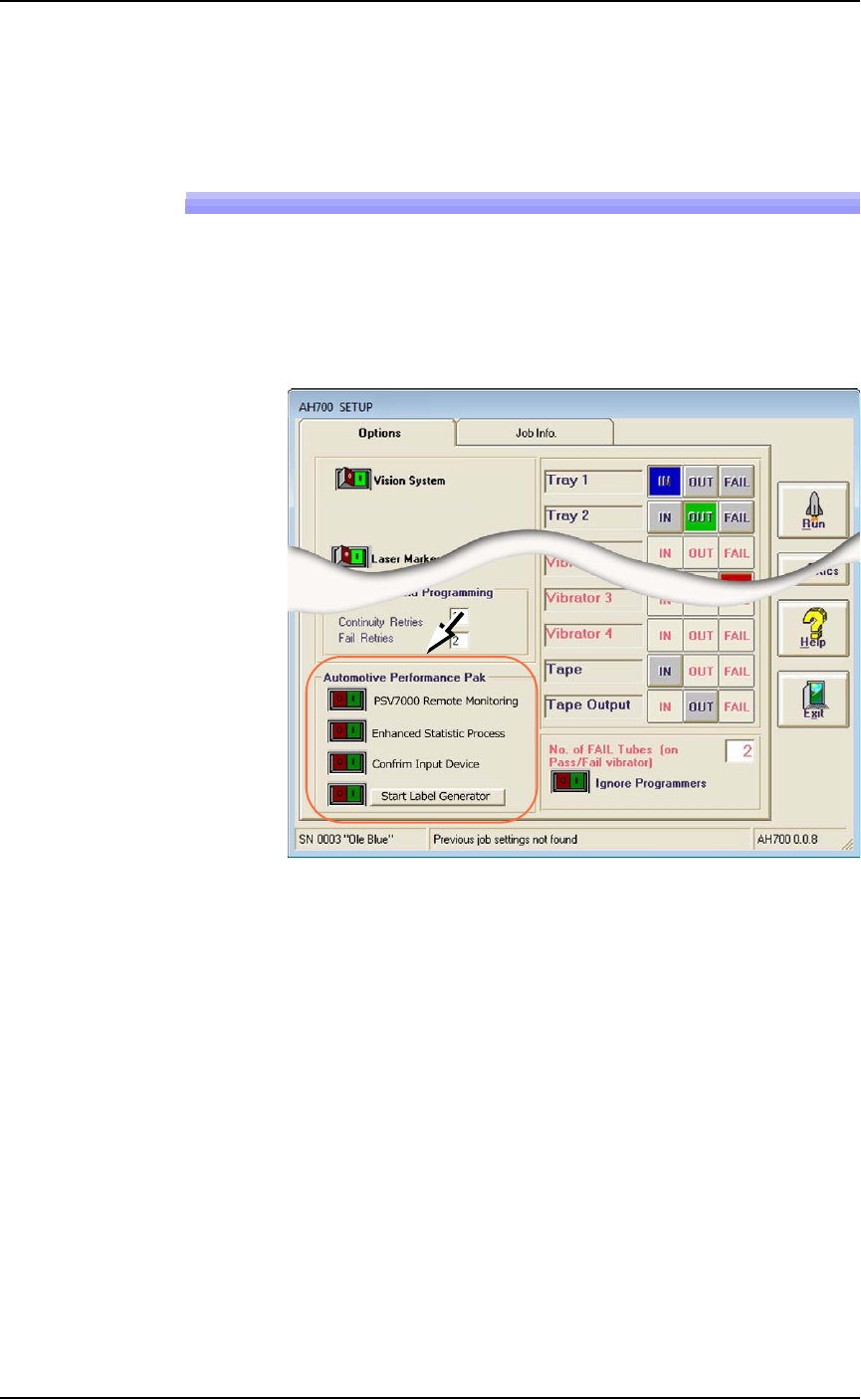
Figure 3-22: The Automotive Performance Pak features appear in the
Setup window.
Automotive Performance Pak Software Descrip-
tions
The Automotive Performance Pak (AP Pak) includes the following
software and hardware components.
Remote Monitoring
This application runs on a remote PC and displays Pass, Fail, and
Yield information of networked PSV7000 Systems. Up to ten systems
can be monitored.
Enhanced Statistics
The Enhanced SPC (Statistical Process Control) application is a stan-
dard feature on AH700 Ver 1.5+ and allows precise tracking of
machine behavior such as uptime, downtime, yields, and