PSV7000_ Owners Manual_096-0460-001B - 第109页
■ Maintenance Schedule ◘ PSV7000 Owner’s Manual 4—3 back Every w eek Programmers T o help ensure there are no problems with the pro- grammer hardware, run th e programmers’ Self-test once a week at a minimum; more often …

Maintenance ■ Maintenance Schedule
4—2 Data I/O • 096-0640-001B
back
Maintenance Schedule
This Maintenance Interval Chart below recommends intervals based
on single-shift daily usage. Information about the specified proce-
dures and intervals can be found on the pages referenced in the right
column.
Make copies of this
chart and post near
your work area.
Date
completed
/ initials
Component
Action
(see precautions also, on page listed)
Page
Items to check Every Day
Every day Sockets Clean with dry compressed air. Check for wear; replace
if necessary.
For HIC Socket Adapters, see more information in cus-
tomer letter Cleaning HIC Sockets (PN 983-5053) on our
web site Technical Library. This link opens the PDF
which lists cautions and suggested items, such as
Cleaning brush (PN 5655500901) and ProGold Wipes
(PN 5705500902).
page
4-8
Every day Input air pressure
Verify the input air pressure at the regulator is within
specifications
and that it is constant, that is the
Nm3/min. [Normal Cubic Meter/min.] (SCFM ) must be
stable. For specifications, see PSV7000 Air Requirements
Table on page 2-3.
—
Items to check Every Week
* denotes optional equipment
■ Maintenance Schedule ◘
PSV7000 Owner’s Manual 4—3
back
Every week Programmers
To help ensure there are no problems with the pro-
grammer hardware, run the programmers’ Self-test
once a week at a minimum; more often is even better.
The Power-On-Self-test (POST), which sets precision to
a laser-trimmed reference, runs when programmers are
powered up .
This insures proper operation of the programmers
voltage sources.
CAUTION: Possible damage to programmers
and devices! DO NOT TURN AIR OR POWER
OFF to the PSV7000 Machine while a job is
running.
A job must be
Finished
before turning OFF
compressed air or electrical power. Wait for the
gantry to park before turning OFF.
Run the Self-test by either
A) turning the PSV7000 System power OFF properly
and then ON (Shutting Down the PSV7000 System on
page 2-7) or
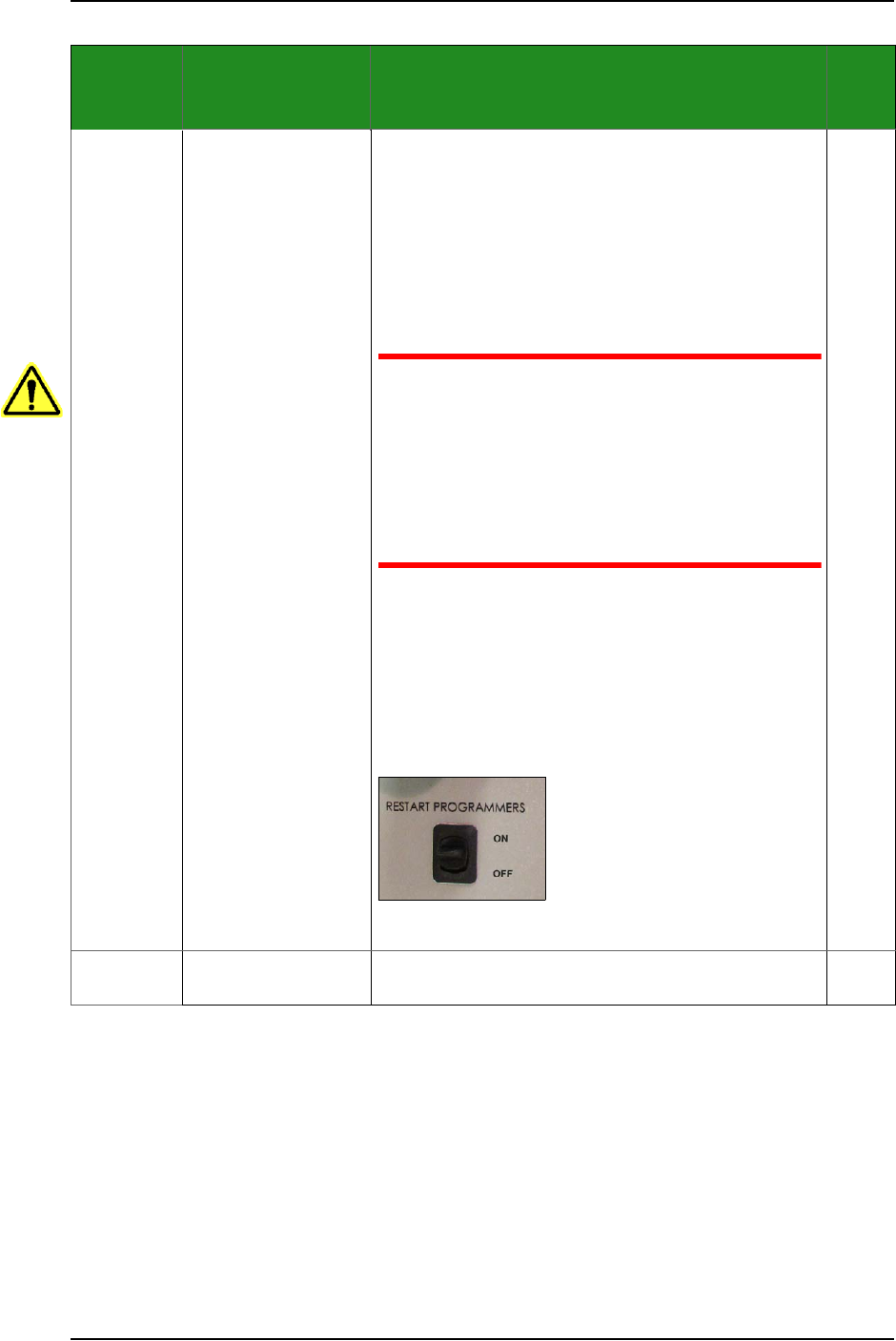
B) turning OFF only power to the programmers, and
then ON, with the Programmer Power Switch on the
Power Panel. If there is a programmer issue, a message
will display when the next TaskLink job is run.
—Refer to the Operator’s Manual for switch locations.
—
Every week General system Clean surfaces of equipment and all areas in workspace
with a clean brush, cloth, or dry compressed air.
page
4-12
Date
completed
/ initials
Component
Action
(see precautions also, on page listed)
Page
* denotes optional equipment

Maintenance ■ Maintenance Schedule
4—4 Data I/O • 096-0640-001B
back
Every week Probe tips, on the
PNP head
• Inspect Probe Tips to make certain they can create a
good vacuum seal on the device. Replace if probe tip
is worn, cut, or damaged.
• Clean the PNP Probe tips with alcohol wipes
(Data I/O PN 570-0410-001) or a damp cloth.
Note: Do not touch the probe tip with bare
hands. Finger oils can cause small devices to
stick.
page
4-14
Every week Laser Marking* Clean the Rotor Probe tips. page
4-35
Every week Data I/O Dual Tray
Feeder*
Check the Data I/O Dual Tray Feeder for damaged or
broken parts.
Check the conveyor belt and the black inside side
guides for dirt, nicks, or other signs of damage. For
more information, refer to the Dual-Tray Feeder Opera-
tor’s Manual.
—
Every week,
or as
needed
3D Coplanarity
Inspection System*
Blow off the 3D Inspection System glass lens with clean
and dry compressed air, or wipe gently with lens tissue
or soft cloth. Pre-moistened
wipes (Data I/O PN
5700410)
can also be used. Check the Accessories that
came with your system.
—
Items to check Every Month
Every
month
Data I/O Dual Tray
Feeder*
Clean and Inspect the Data I/O Dual Tray Feeder. page
4-61
Every
month
Supply line air filter Check the main air filter and replace if necessary. Drain
fluid.
page
4-18
Every
month
Vacuum Generator
filters at PNP head
Check vacuum generator filters; replace as necessary. page
4-19
Every
month
Laser Marking* Clean the Laser housing to remove laser marking dust. page
4-34
Item to check Every Three Months
Every
quarter
Device Position Sen-
sor
Clean the sensor windows. Clean more often in envi-
ronments that demand it. Click the AH700 Check Image
button to determine if cleaning is necessary.
page
4-12
Every
quarter
LCD Display (Quarterly or as needed)
Clean the monitor with consumer-grade ammonia
glass cleaner. Spray window cleaner onto a soft,
lint-free cloth and wipe the screen.
DO NOT APPLY liquids directly to the screen.
DO NOT USE alcohol or industrial chemical cleaners.
—
Date
completed
/ initials
Component
Action
(see precautions also, on page listed)
Page
* denotes optional equipment