PSV7000_ Owners Manual_096-0460-001B - 第114页
Maintenance ■ Workspace, Head and Gantry 4—8 Data I/O • 096-0640-001B back Workspace, Head and Gantry The workspace includes the Sock et Adapters and items on the working surface, ex cept not the programmers. They are co…
■ Self-Service Spares Kit ◘ Turning Off the System
PSV7000 Owner’s Manual 4—7
back
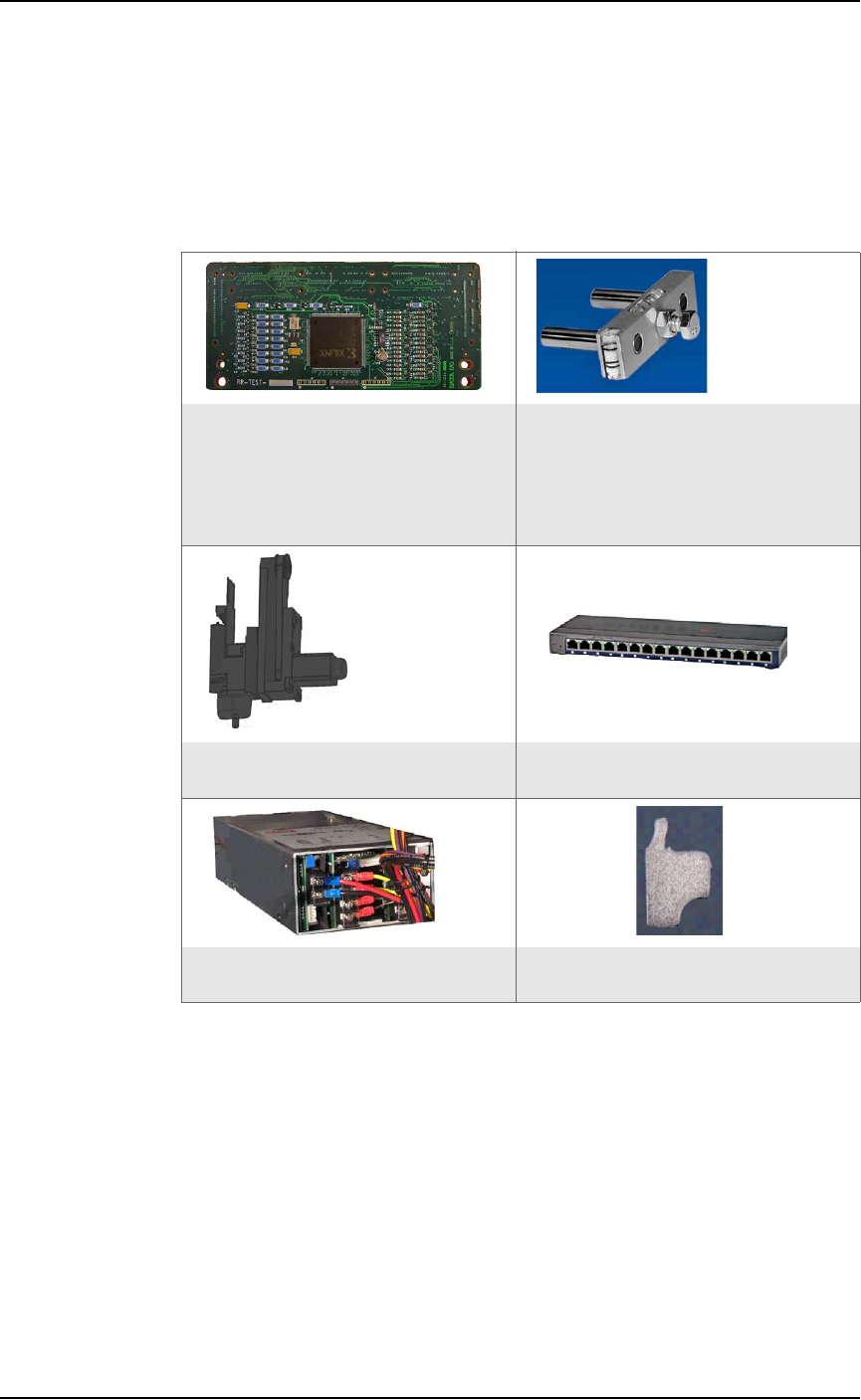
Self-Service Spares Kit
The Self-Service Spares Kit, Data I/O part number 952-0508-001 or
higher, can be purchased at any time.
Some items the kit contains:
910-2200-00d or higher:
Diagnostics Adapter Board (DAB)
for programmer calibration
(Sales PN: FC-DIAGNOSTICS
BOARD)
565-0222-001 or higher:
Gantry Belt tension tool
750-2474-001 or higher:
an entire probe assembly
480-0070-001 or higher:
16-port VLAN Ethernet hub
750-2464-001 or higher:
programmer power supply
2940220001 or higher:
Pneumatic Silencer
Maintenance ■ Workspace, Head and Gantry
4—8 Data I/O • 096-0640-001B
back
Workspace, Head and Gantry
The workspace includes the Socket Adapters and items on the
working surface, except not the programmers. They are covered in a
separate heading.
Socket Adapters and Actuation
Under this heading you will learn about visually inspecting, cleaning
and adjusting sockets, actuation, and air pressure for the workspace
items.
Inspecting the Socket Adapters
The condition of the Socket Adapters has great throughput conse-
quences.
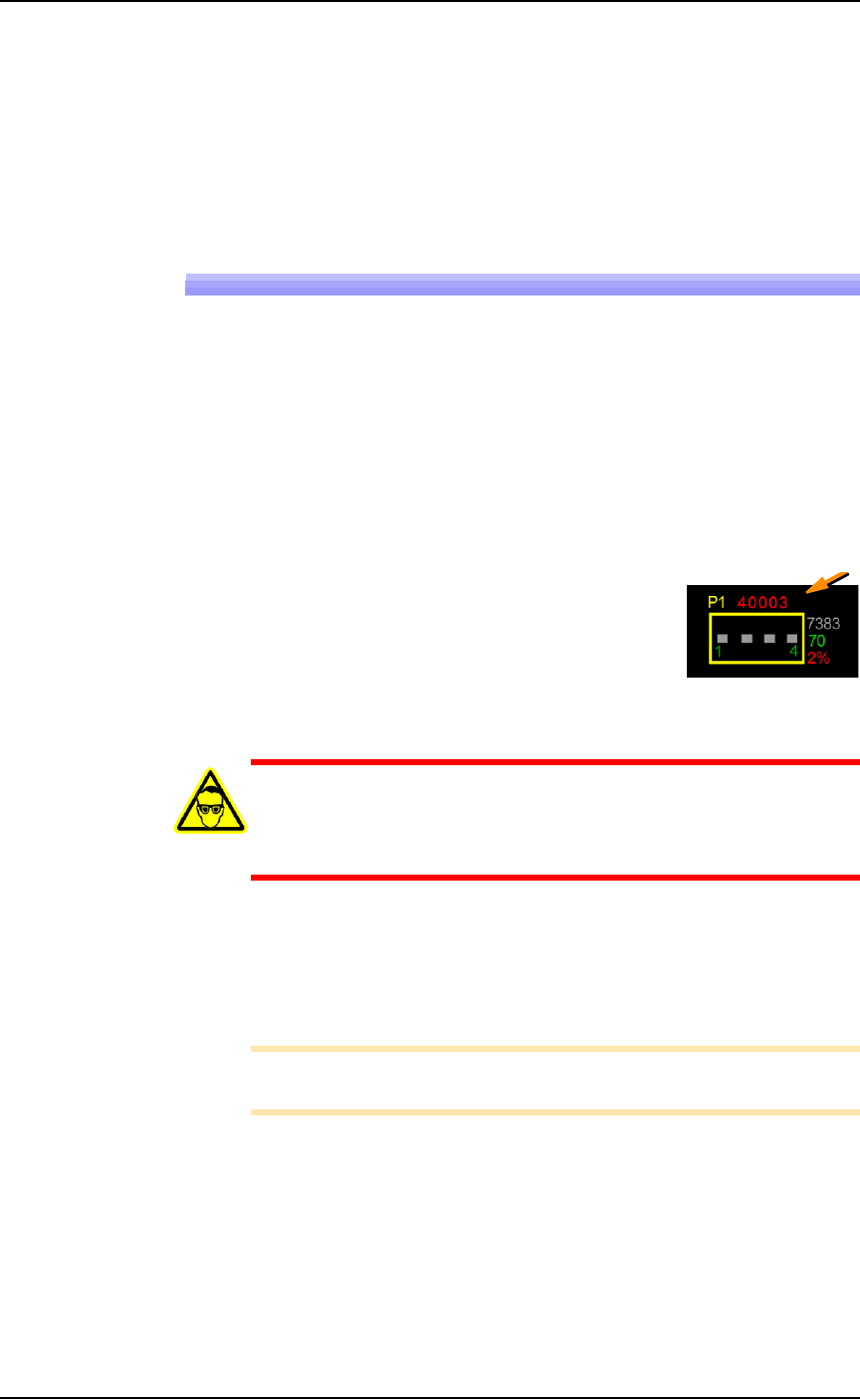
Socket Life
The Run window displays the Socket Adapter
lifetime actuation count in yellow until it is
exceeded at which time it changes to red.
Socket Cleaning
WARNING: Vision hazard! Pressurized air or debris blown
into the eyes or skin could cause bodily damage. Always use
care and wear protective eye goggles when cleaning with
pressurized air.
1. Use clean, dry compressed air (at 6.2 Bars (90 PSI or less) to
remove dirt from the sockets. Actuate the sockets while blowing
them out.
2. Check the sockets for wear and replace if necessary.
Note: The socket replacement cycle depends upon the type of socket
used and the socket manufacturer.
■ Workspace, Head and Gantry ◘ Socket Adapters and Actuation
PSV7000 Owner’s Manual 4—9
back
Turning OFF Input Air
Prior to turning off the input air, ensure that no job is running.
CAUTION: Possible damage to programmers and devices! DO
NOT TURN AIR OR POWER OFF to the PSV7000 Machine while
a job is running.
A job must be
Finished
before turning OFF compressed air or elec-
trical power. Wait for the gantry to park before turning OFF.
1. If a job is running, Pause or Finish it.
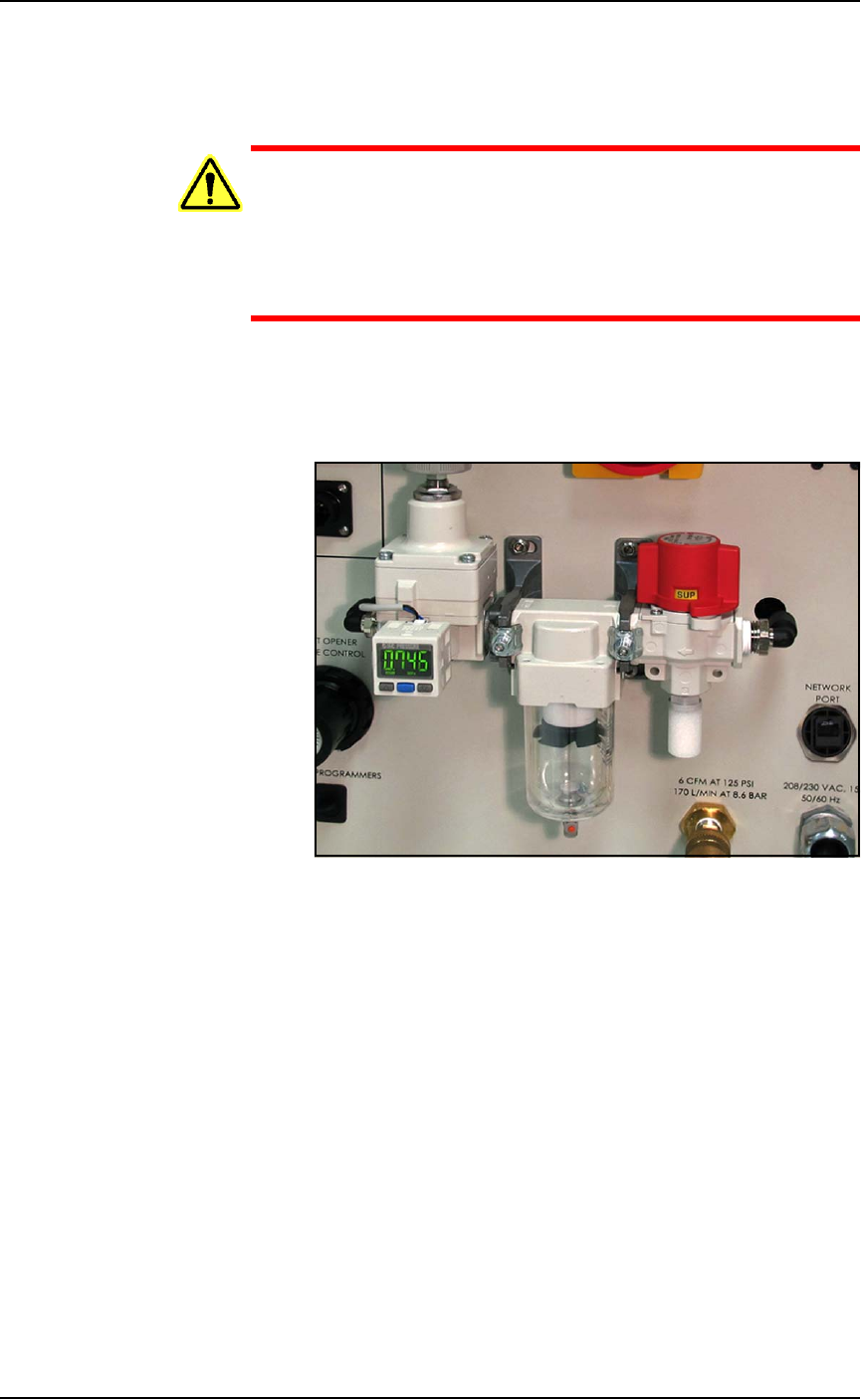
2. On the Power Panel, rotate the valve clockwise to turn OFF the
input air; it is off when the lock rings line up. See Figure 4-1.
Figure 4-1: The input air regulator/filter on the Power Panel (on the left
side of the machine). When the lock rings on the valve line up, the air
supply to the PSV7000 Machine is OFF.
3. (Optional) Paddle lock the air shutoff valve.
Adjusting the Socket Actuator Air Pressure on the
Programmers
Socket Actuators are built into the FlashCORE programmers on
PSV7000. Socket actuation is controlled by air pressure. If Socket
Actuators are slamming up and down loudly, or devices are
bouncing, the air pressure may be too high. If the PNP head does not
properly pick or place a device in a socket because the socket is not
opening completely, the air pressure might be set too low.
Adjust the air pressure setting as follows:
1. Finish a job if one is running.
2. Navigate to the Gantry window and click the yellow label for a
programmer that is easy to see.