PSV7000_ Owners Manual_096-0460-001B - 第132页
Maintenance ■ Workspace, Head and Gantry 4—26 Data I/O • 096-0640-001B back 5. Disconnect the four electrical connectors from the Control Board on the back of the PNP head. For the 1Home and tw o Z connectors: push the t…
■ Workspace, Head and Gantry ◘ Replacing a PNP Probe Assembly
PSV7000 Owner’s Manual 4—25
back
Requirement
• Long metric hex key set (extended reach)
•Spare Probe Assembly
To remove a Probe Assembly
1. End a job and move the PNP head to the TOOL position (click
System > Gantry > Tool) to move it to an accessible position.
2. Properly shut down the PSV7000 System; refer to Shutting Down
the PSV7000 System on page 2-7.
CAUTION: Possible Machine Damage! The PNP head,
Device-position Sensor, and gantry can be damaged by pushing
or pulling it improperly.
• Make sure the AH700 Application is closed.
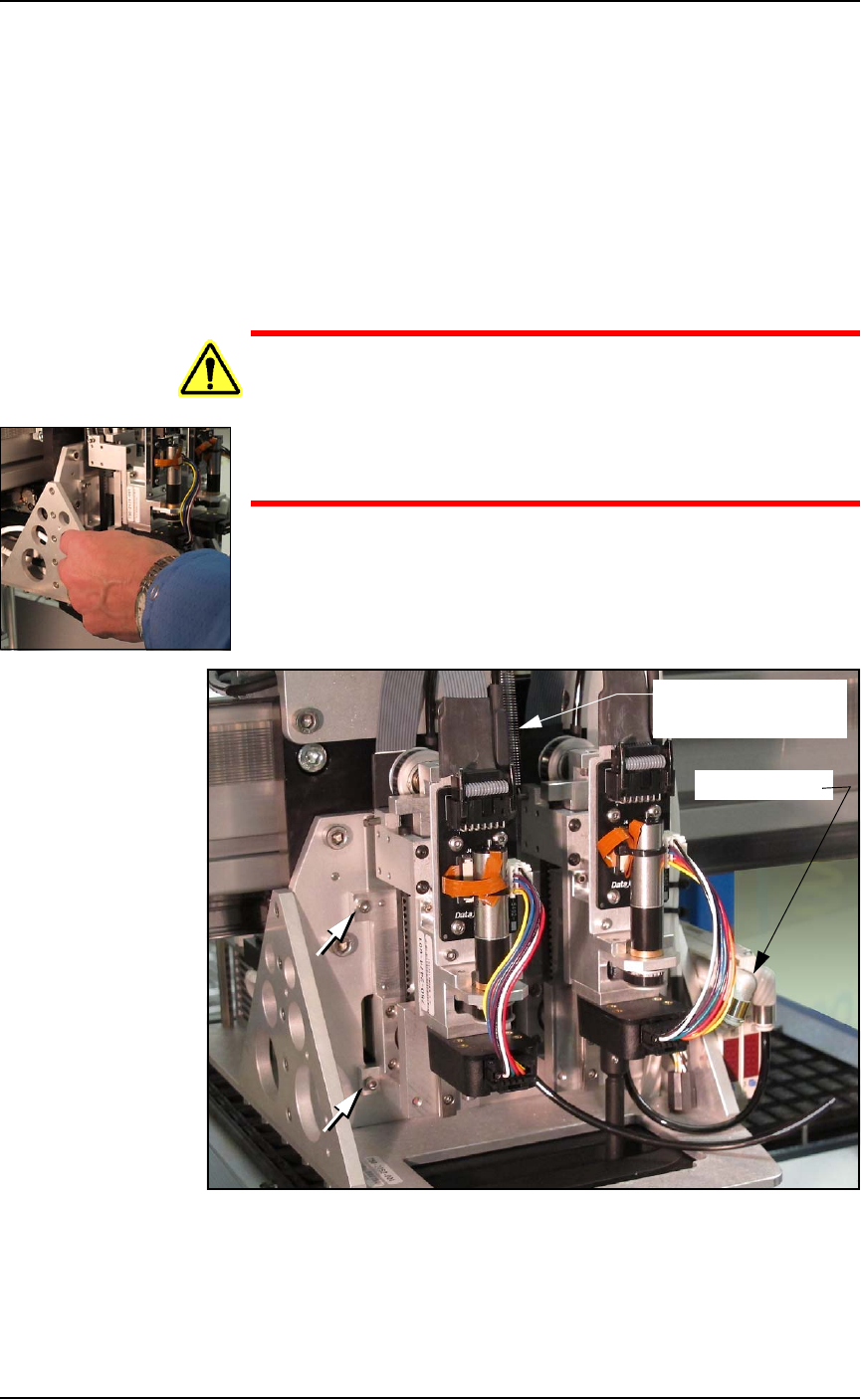
• Only push or pull the head by gripping the triangular bracket
on the left side of the head.
3. Remove the probe from the target Probe Assembly. See Installing
the Correct Probes in the PSV7000 Operator’s Manual.
4. Disconnect the appropriate air hose form the vacuum generator
on the right side of the PNP head.
Figure 4-15: Probe Assembly #1 (on left) has air hose disconnected
and the Z-axis retention spring removed. Two of the four fasteners are
shown (arrows).
Air connector
Spring (on Probe #2)
(ref only)
Maintenance ■ Workspace, Head and Gantry
4—26 Data I/O • 096-0640-001B
back
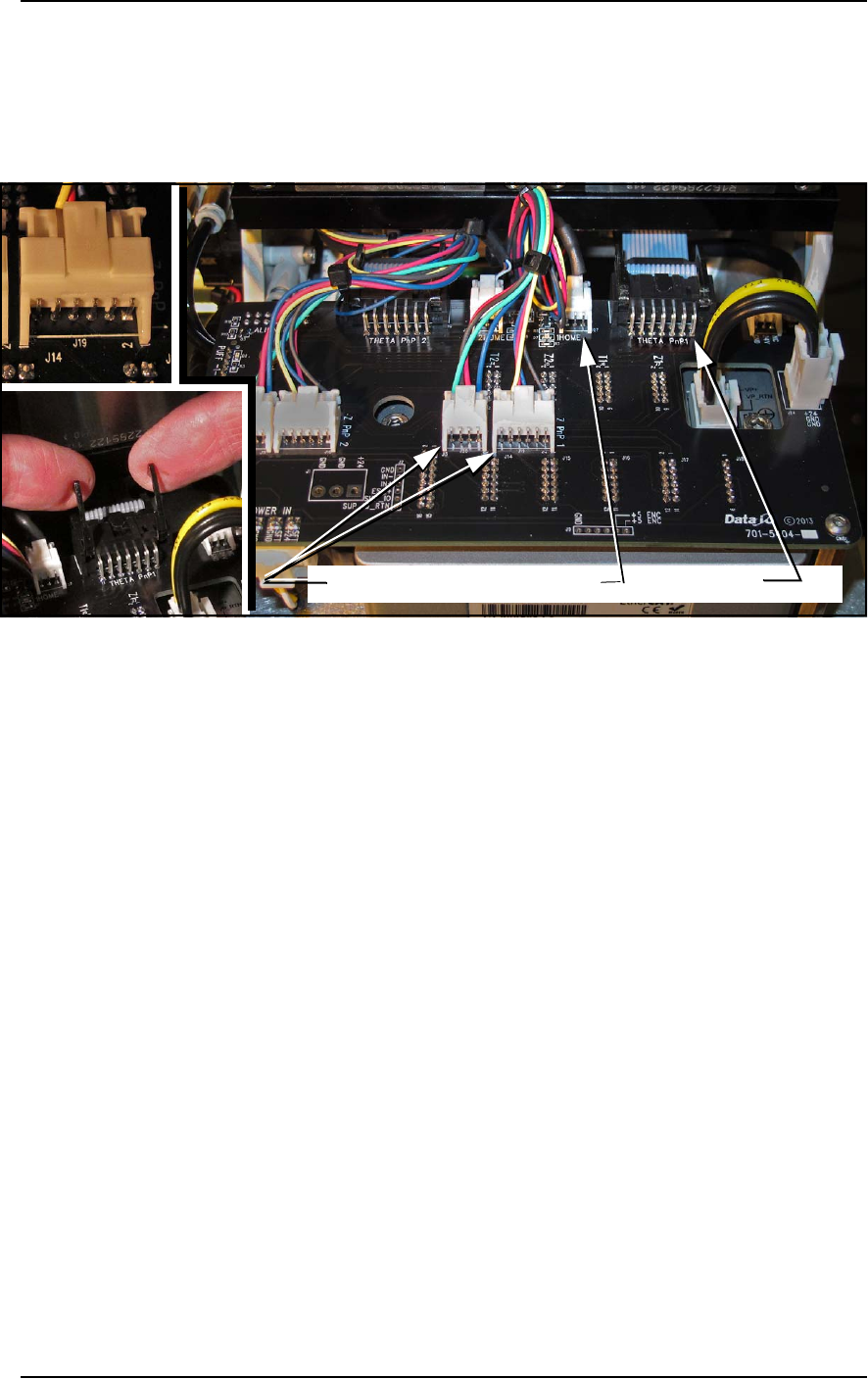
5. Disconnect the four electrical connectors from the Control Board
on the back of the PNP head.
For the 1Home and two Z connectors: push the thumb-tab up to
disconnect the latch.
For the Theta PNP 1: lift the two arms up as shown below.
Figure 4-16: Four Probe Assembly connectors. Detail of THETA PNP1 is
at ‘B.’ All others are style ‘A.’
6. Disconnect and remove the Z-axis retention spring.
7. Remove the four fasteners that hold the Probe Assembly to the
PNP head. Refer to Figure 4-15. (A long 2.5 mm hex key is
required.)
8. Carefully pull the Probe Assembly and air tubing toward the
front of the machine while guiding the cables on the back side
through the small opening.
Reinstalling the Probe Assembly
Generally, the reinstallation is in the reverse order of removal with
these precautions:
• Ensure the ribbon cable fits into the slot on the head bracket and
does not get pinched.
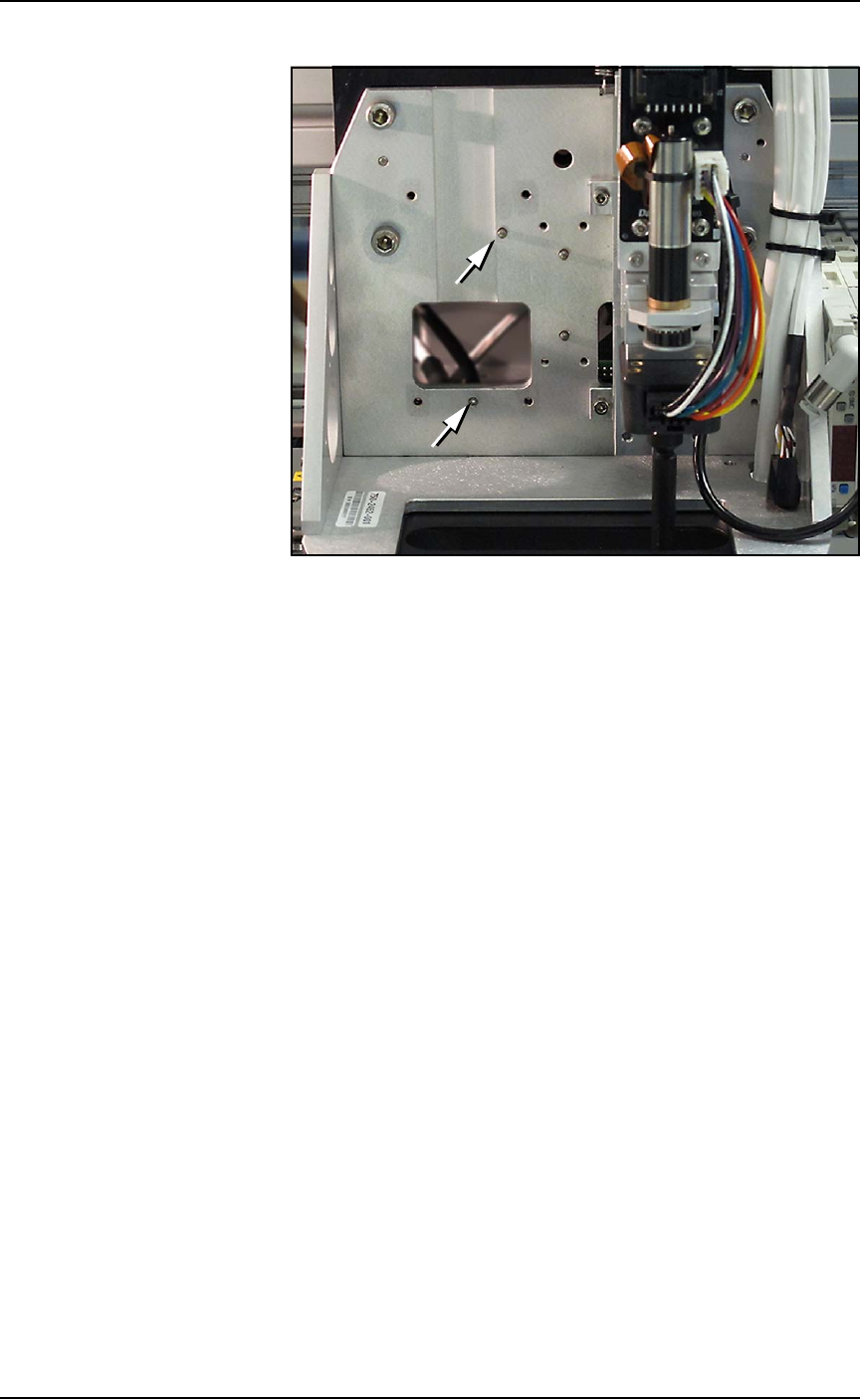
• Make sure the Probe Assembly mates up to the two locating pins
on the head bracket. See figure below.
Z PNP 1 connectors 1HOME THETA PNP1
A
B
B
■ Workspace, Head and Gantry ◘ Replacing a PNP Probe Assembly
PSV7000 Owner’s Manual 4—27
back
Figure 4-17: The PNP head with Probe Assembly #1 removed. The slot
for the ribbon cable and the two locating pins (arrows) are visible.
• Make sure that the probe set screw lines up with the flat on the
nub, and that the probe gets pushed up all the way past the
o-ring to the base of the head assembly.
• Make sure tubes and wires are securely stowed and fixed to
avoid being rubbed by any moving part. Slide the Z-axis move-
ment up and down by hand to verify clearance.