PSV7000_ Owners Manual_096-0460-001B - 第138页
Maintenance ■ Programmers 4—32 Data I/O • 096-0640-001B back Figure 4-19: The Programmer air manif old. Only two programmers are connected in this vie w. Blue pl ugs must be installed int o all unused ports. 7. Follow an…
■ Programmers ◘ Replacing a FlashCORE Programmer
PSV7000 Owner’s Manual 4—31
back
To remove a FlashCORE programmer:
1. Properly turn OFF the PSV7000 sub-systems and machine
power. See Shutting Down the PSV7000 System on page 2-7.
2. With the supplied door key, open the lower, right front access
door.
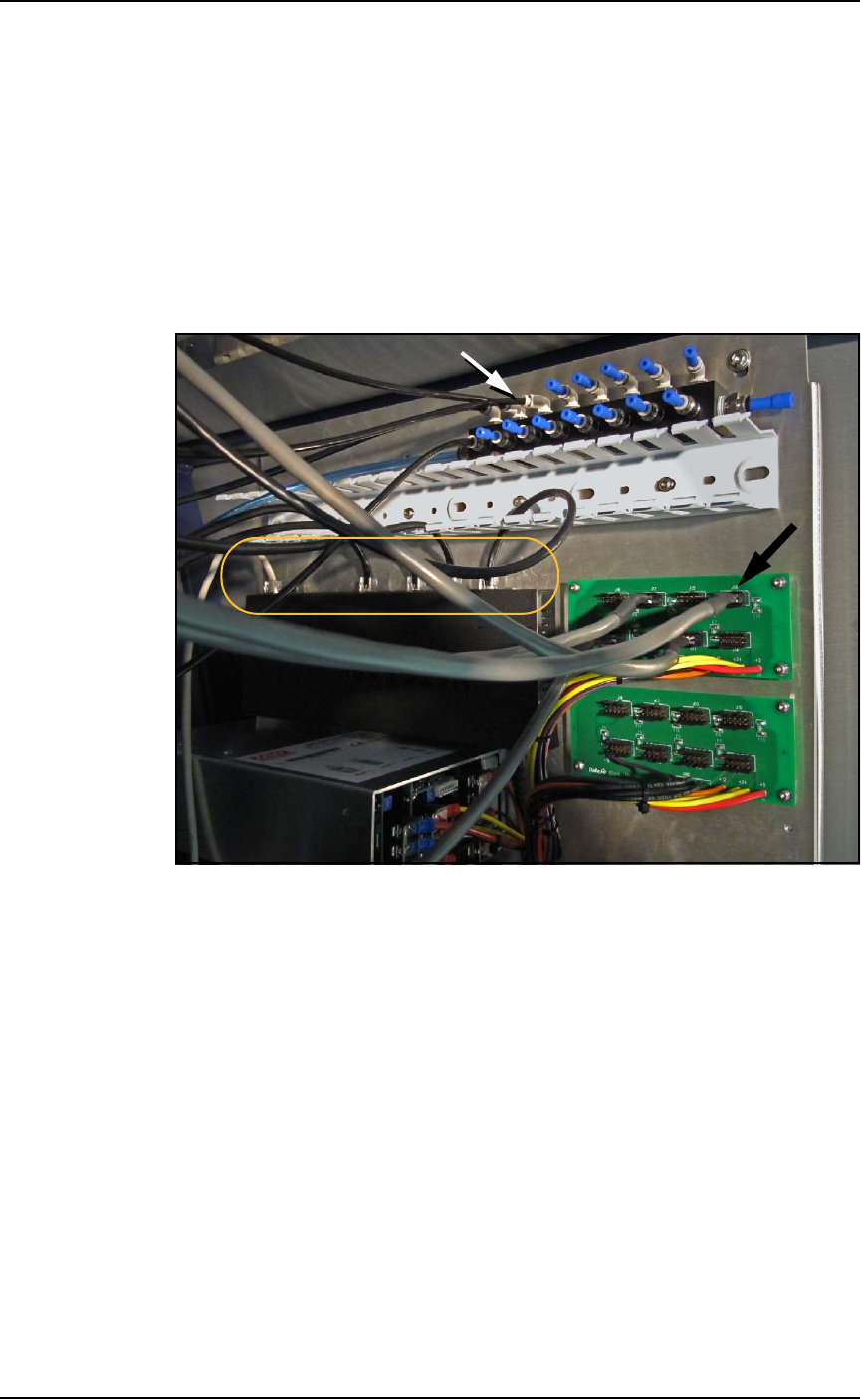
3. Locate the target programmer and follow the heavy gray power
cable to the connection panel on the right side of the machine.
Refer to Figure 4-18 on page 4–31.
4. Mark the cable (to re-install in the same place) and pull the con-
nector straight out.
Figure 4-18: The right side connection panel inside the right front
access door. Power cables (black arrow), Pneumatic tubing (white
arrow), and the Ethernet connections (circled).
5. Follow and mark the thin black tubing to the air manifold on the
right mounting plate.
6. Disconnect the air tube at the one-touch connector (push in on
the collar while pulling the tube out).
Maintenance ■ Programmers
4—32 Data I/O • 096-0640-001B
back
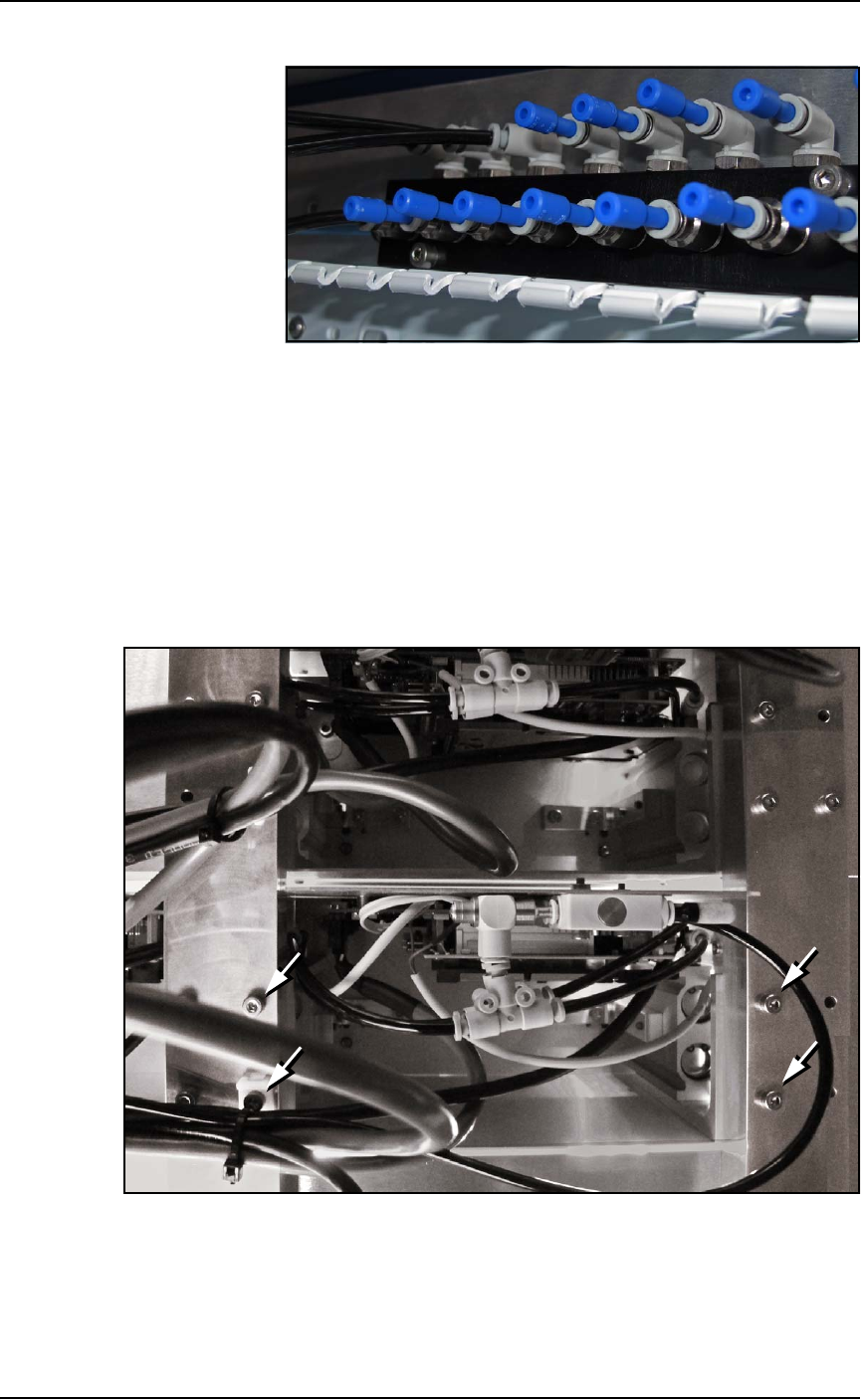
Figure 4-19: The Programmer air manifold. Only two programmers are
connected in this view. Blue plugs must be installed into all unused
ports.
7. Follow and mark the heavy Ethernet cable to the router on the
right mounting plate.
8. Disconnect the Ethernet cable by pinching the clip and pulling
up. Refer to Figure 4-18 on page 4–31.
9. Remove four screws (3 mm hex key) from the bottom side of the
programmer. One screw also holds a cable tie which must be cut
first. Save the cable tie mount for reuse (as well as the screws).
Figure 4-20: Inside the machine looking up at the programmers. There
are four attachment screws (arrows) per programmer.
10. Open the front or back safety door to access the workspace.

■ Programmers ◘ Replacing a FlashCORE Programmer
PSV7000 Owner’s Manual 4—33
back
11. Lift up on the target programmer being cautious of the cables
that will come out with it.
Replacement is in the reverse order of removal.