PSV7000_ Owners Manual_096-0460-001B - 第143页
■ The Laser Module ◘ Laser Marking Fume Extractor PSV7000 Owner’s Manual 4—37 back Figure 4-22: The Tiger 130 Manual. The Handler Computer softw are monitors the air flow senso r on the laser filter system. If the sensor…
Maintenance ■ The Laser Module
4—36 Data I/O • 096-0640-001B
back
The Tiger Filter System starts automatically by the PSV7000.
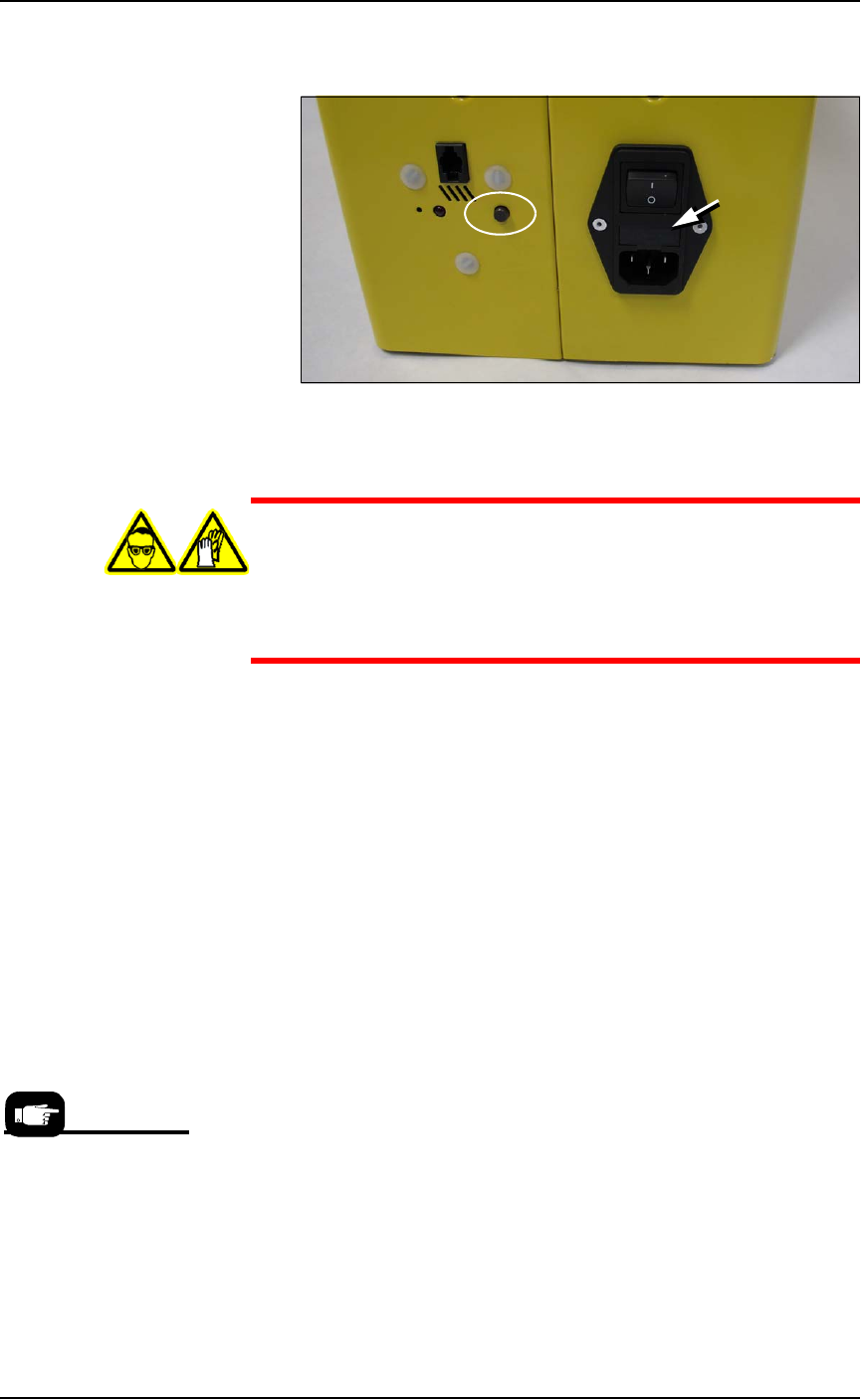
Figure 4-21: Tiger Fume Extractor power switch, utilities, reset button
(circled), and fuse location (arrow).
WARNING: Possible health hazard! Lased materials can con-
tain hazardous toxins in the dust that cause eye and skin
damage! DO NOT use compressed air to remove laser dust or
any method that allows the particulate to be released into
the work environment. Wear safety goggles and disposable
protective gloves.
Cleaning the Laser Module and Fume Extractor
Tube
The filter extraction tube and nozzle should be cleaned occasionally
for best flow. Prior to cleaning the tube, the lasing chamber should be
cleaned with the Fume Extractor running.
For both these procedures contact Data I/O Customer Support or a
local Data I/O approved service representative.
To clean the outer Laser housing, see Cleaning the Rotor Housing and
Device Tips on page 4-34.
Removing the Fume Extractor Filters
The Tiger Fume Extractor sets off an alarm and blinks a red indicator
when main filter has exceeded its life. Push the filter reset button and
see the filter Operating Manual that came with PSV7000 for instruc-
tions to replace the filter.
The Fume Extractor also sounds an alarm and lights a red lamp when
suction capacity is low. Push the reset button and refer to the filter
Operating Manual that came with PSV7000 for instructions.
The Laser Filter Kit Part
Number is
952-0509-001 or
higher.
■ The Laser Module ◘ Laser Marking Fume Extractor
PSV7000 Owner’s Manual 4—37
back
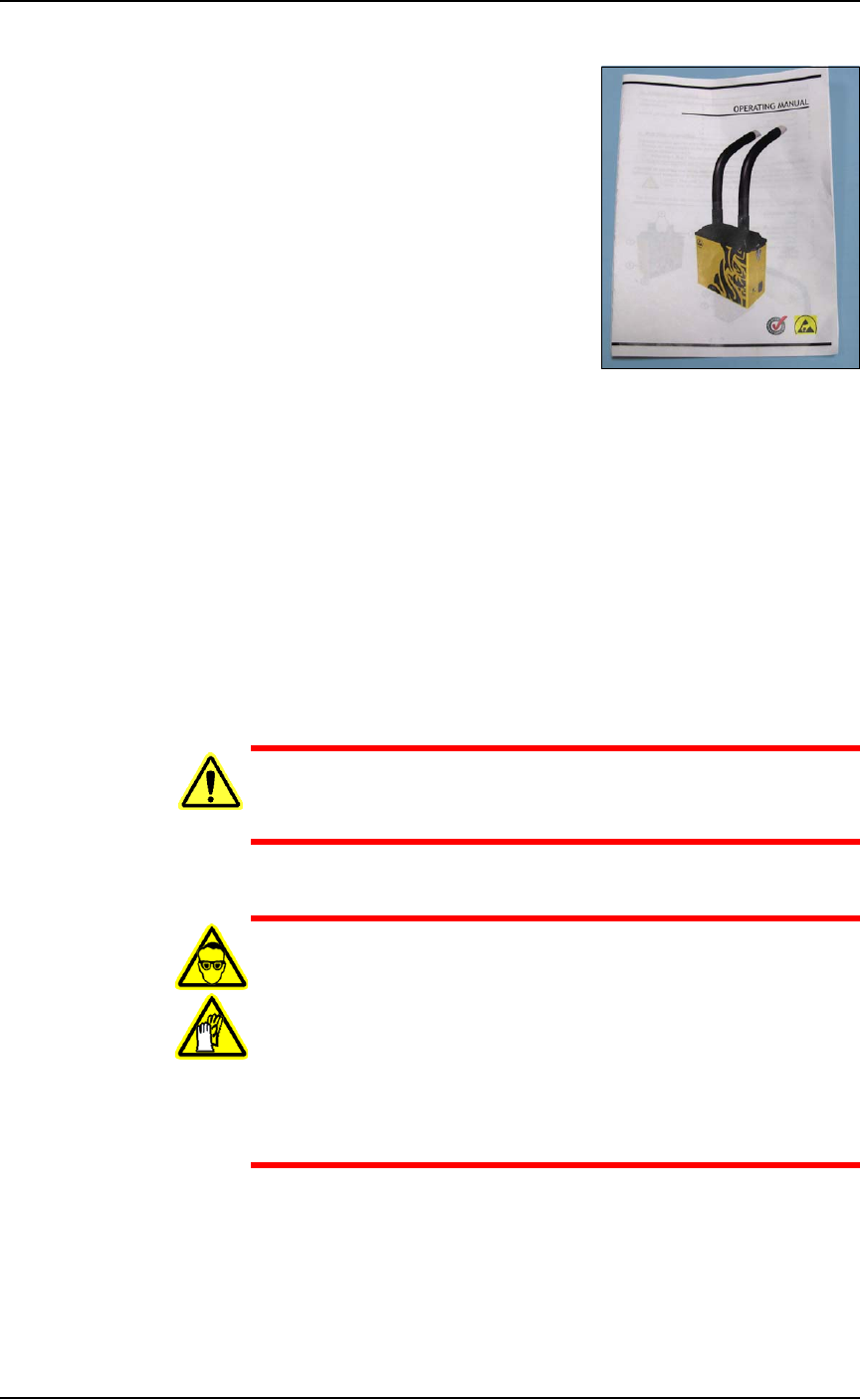
Figure 4-22: The Tiger 130 Manual.
The Handler Computer software monitors the air flow sensor on the
laser filter system. If the sensor detects low air flow, an error message
is displayed on the PSV7000 Monitor:
Insufficient airflow at laser filter.
Verify that the filter is turned on.
Service might be required.
When this error message displays, the laser system will mark up to
ten more devices (as defined in the winAH400.ini file) before the mes-
sage displays again.
WARNING: Health hazard! Failure to replace the laser vac-
uum filters at the required intervals could create a hazardous
operating environment.
WARNING: Hazardous Materials—Possible health hazard!
This procedure involves exposure to hazardous by-products
from the laser marking process. Some device material may be
carcinogenic.
Perform the following procedure only if you have training
regarding laser etching processes or handling hazardous
materials.
Wear safety goggles and disposable protective gloves..
Tools Required for removing the filters
• sealable plastic bag (approximately .06 M
3
[2 cu. ft.])
• protective gloves and goggles
Maintenance ■ The Laser Module
4—38 Data I/O • 096-0640-001B
back
• a particle (dust) mask
• access door key that came with your PSV7000
1. Turn OFF the subsystems and PSV7000 System power and
ensure the main power switch is in the OFF position. See Shutting
Down the PSV7000 System on page 2-7.
2. Open the rear access door on the PSV7000.
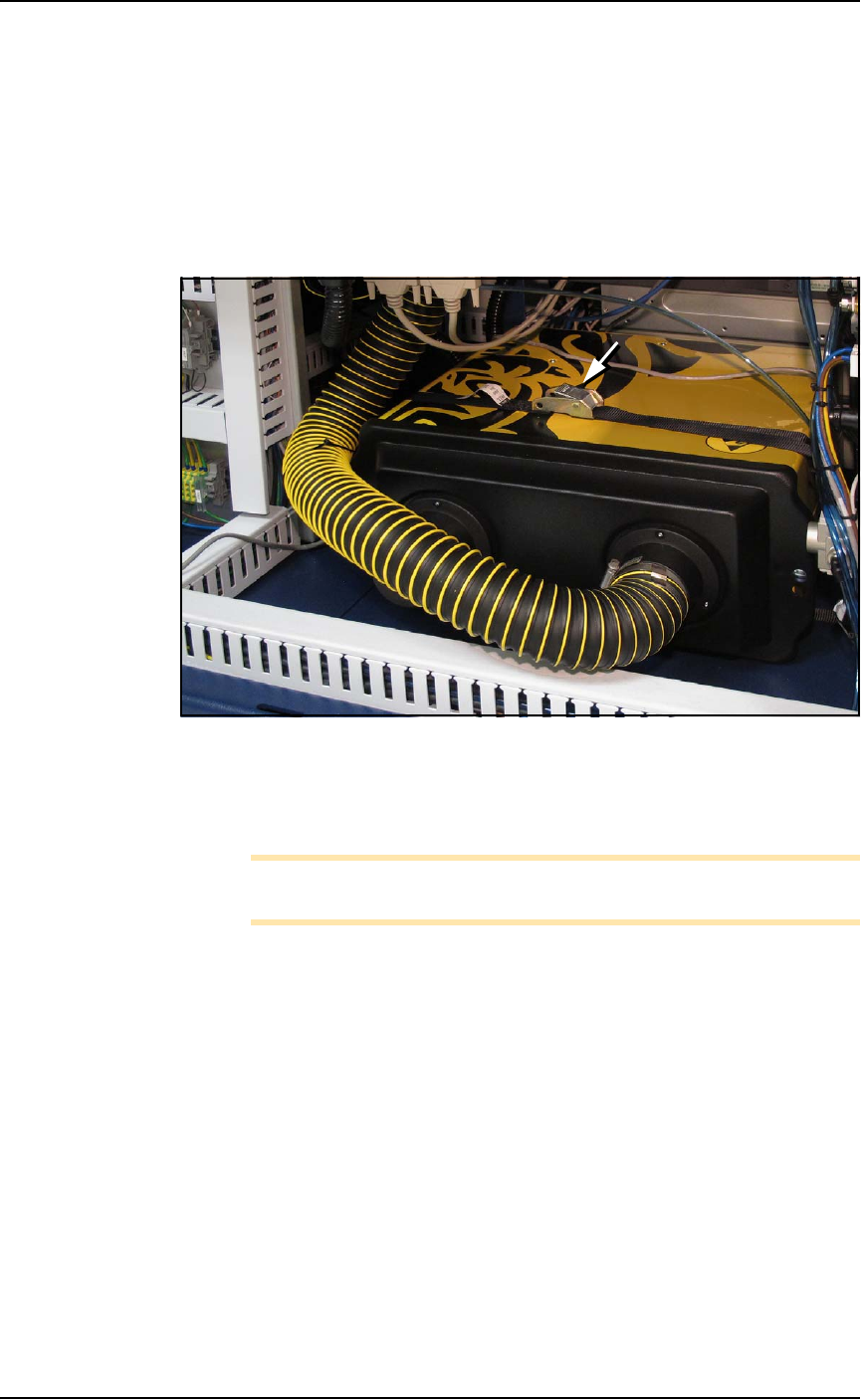
3. Unbuckle the strap securing the Fume Extractor to the machine.
Figure 4-23: The Laser Fume Extractor box is strapped into place. After
unbuckling the strap and removing the lid, the box needs to be raised
for the filters to clear the wire track. Read the warning above before
starting this task.
Note: If the wire cable is removed from the exhaust hose, it needs to
be replaced.
To continue, see the replacement instructions and part numbers of the
Tiger pre-filter and main filter in the Tiger Operating Manual that
came with PSV7000. A PDF copy is included on the CD with this
Owner’s Manual.