PSV7000_ Owners Manual_096-0460-001B - 第146页
Maintenance ■ The L aser Module 4—40 Data I/O • 096-0640-001B back Figure 4-25: The location of Laser Computer filt er (Laser Marker equipped models only). Six screws (arrows) att ach the filter grille. T o remove the La…
■ The Laser Module ◘ Laser Marking Fume Extractor
PSV7000 Owner’s Manual 4—39
back
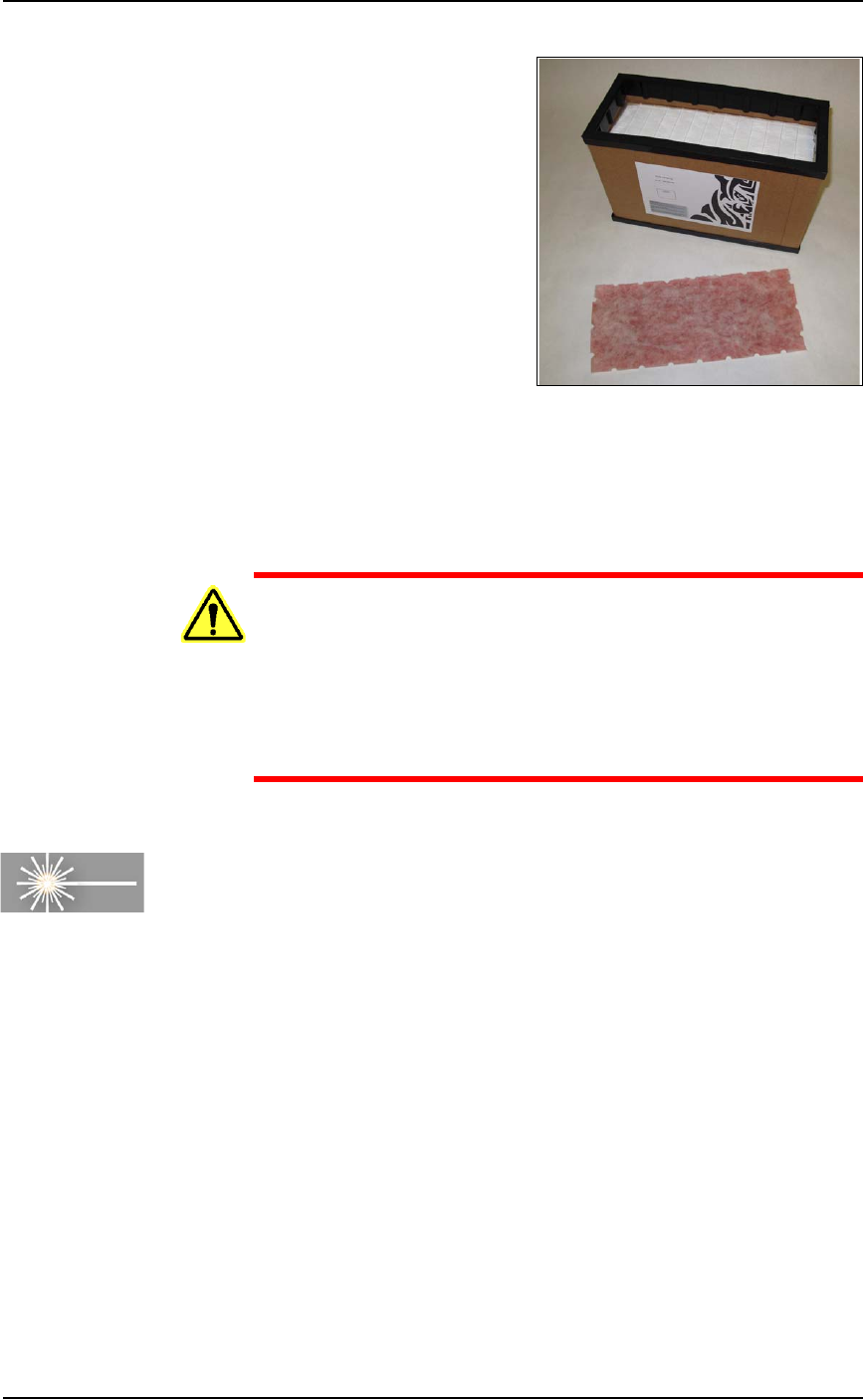
Figure 4-24: The Pre-Filter is removed from the Main Filter.
To finish, place the filters and your gloves in the bag and seal the bag
and dispose of as hazardous waste. Close the access door on
PSV7000.
WARNING: Possible health hazard from toxic materials! Gov-
ernment regulations apply to the storage of hazardous
waste. Ensure that contaminated filters are:
• properly labeled and stored in your hazardous waste stor-
age area
• not stored on your site longer than government regula-
tions allow (the typical limit is 90 days)—check your govern-
ment regulations for hazardous waste storage requirements.
Cleaning the Laser Computer Air Filter
Requirements
• Very small (jeweler's) Phillips screwdriver
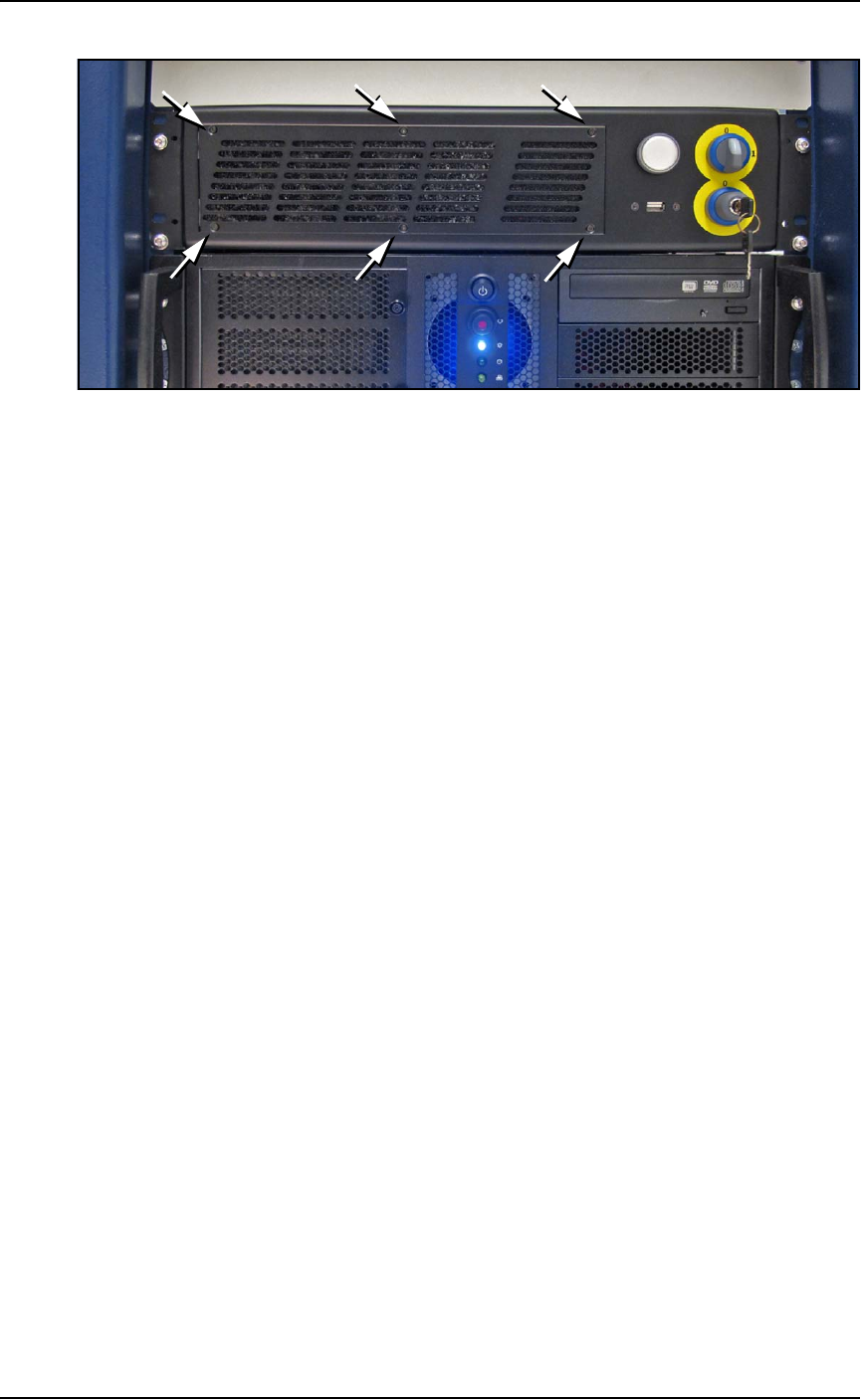
[Laser Marking only] The Laser Computer is located above the Han-
dler Computer on the left side of the machine.
In general, clean this filter every year, depending on environment
and amount of use. See the figure below.
Maintenance ■ The Laser Module
4—40 Data I/O • 096-0640-001B
back
Figure 4-25: The location of Laser Computer filter (Laser Marker
equipped models only). Six screws (arrows) attach the filter grille.
To remove the Laser Computer air filter:
1. Turn OFF the Laser computer.
1a. Switch to the Laser PC by pressing the keyboard key
Scroll-Lock twice and then immediately press 2.
1b. Exit the Lighter Laser software.
1c. Shut down the PC using the Windows Start Menu.
2. Unscrew the six small Phillips screws on the filter grille and
remove it.
3. Remove the old air filter and clean such as with a light-duty vac-
uum (or replace with a new air filter if necessary).
4. Replace the filter grille and attach with the six screws.
■ Handler Computer ◘ Handler Computer Air Filter
PSV7000 Owner’s Manual 4—41
back
Handler Computer
The main PSV7000 Machine computer, or Handler Computer, is at
the left side of the machine and requires little maintenance.
Handler Computer Air Filter
The Handler Computer has an air filter that requires periodic
cleaning or replacing.
To remove the air filter:
1. Properly shut off the PSV7000 sub-systems and machine power.
See Shutting Down the PSV7000 System on page 2-7.
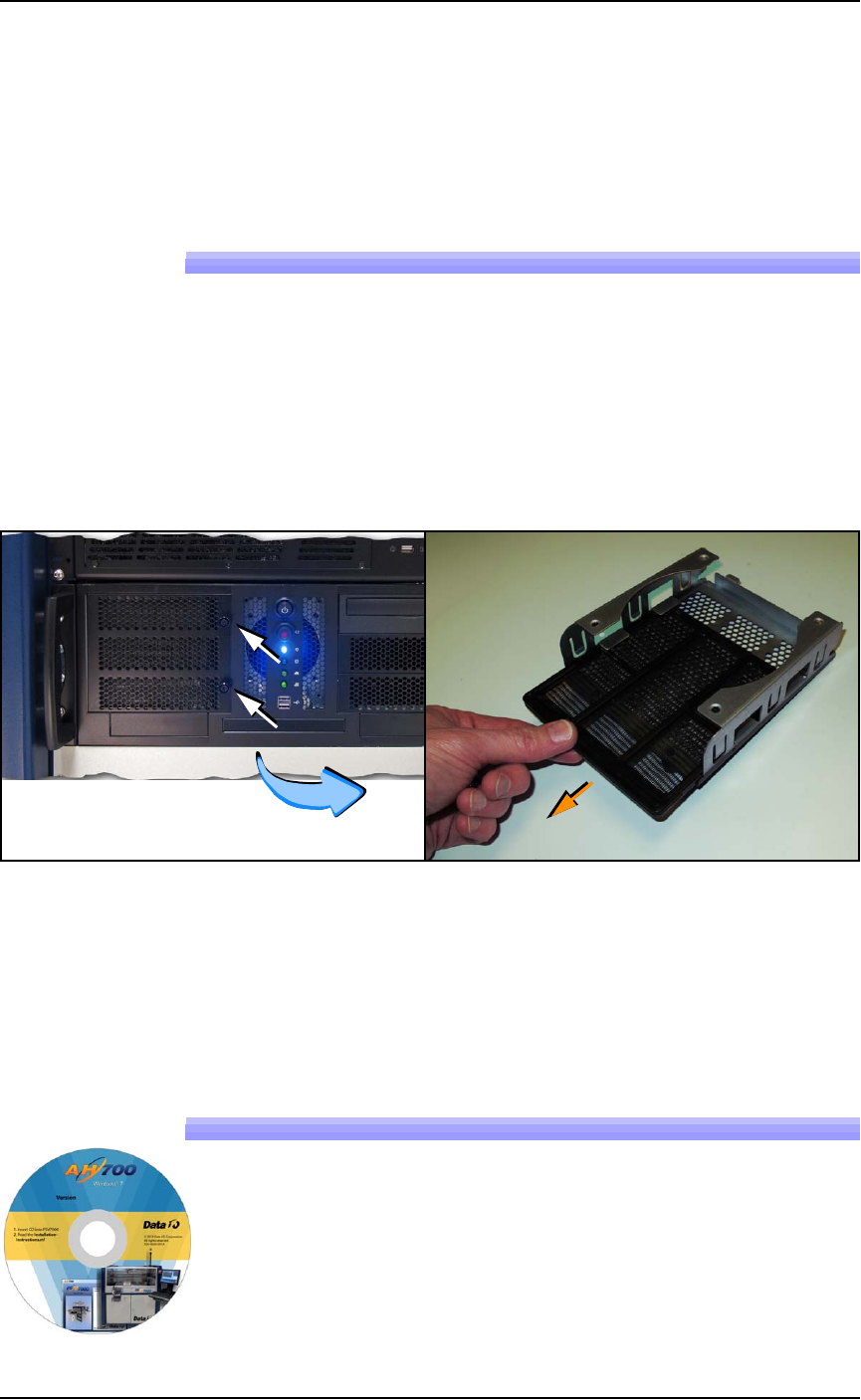
2. Open the filter door by unscrewing the two knurled knobs. See
Figure 4-26.
Figure 4-26: The Handler Computer filter door has two knurled knobs
(white arrows). The filter (screen) slides out.
3. Open the filter door or lift it out.
4. Pull out the filter tray out of the door.
5. Clean filter as necessary such as with a light-duty vacuum.
Installing AH700 Software Updates
AH700 Software updates are periodically published with improve-
ments. Delivery depends on contract options.
To install new AH700 Updates on the Handler Computer, insert the
AH700 CD and follow instructions in the
Installation Instruc-
tions.rtf
file.