PSV7000_ Owners Manual_096-0460-001B - 第16页
Introduct ion ■ Snapshot of PSV7000 1—2 Data I/O • 096-0460-001B back Snapshot of PSV7000 Figure 1-1: F eatures of PS V7000. F or a more detailed image with components labeled, see the Operat ors Manual . For component d…

PSV7000 Owner’s Manual 1—1
Chapter
1
1Introduction
This chapter describes PSV7000 and its compo-
nents, software, safety and room considerations.
The Automated Programming System
(PSV7000 System) is a versatile production pro-
grammer that handles and programs devices in tra-
ditional and fine-pitched packages. These include
BGA, FPGA, µBGA, QFP, TQFP, CSP,
TSOP, SSOP, SON, WSON, SOIC
Device technologies supported include NOR and
NAND Flash, MicroControllers, Serial EEPROM, and
the latest e-MMC memories.
The PSV7000 System refers to the machine, accessories, the software
and, more generally, the interactions of all these parts. The Machine
is used to mean the physical machine, not the software. For example,
you might connect an air supply hose to the Machine, but change
programming jobs on the PSV7000 System.
The modular design of PSV7000 creates flexibility, allowing you to
optimize to the level of production required by your facility.
Definition of terms:
Introduction ■ Snapshot of PSV7000
1—2 Data I/O • 096-0460-001B
back
Snapshot of PSV7000
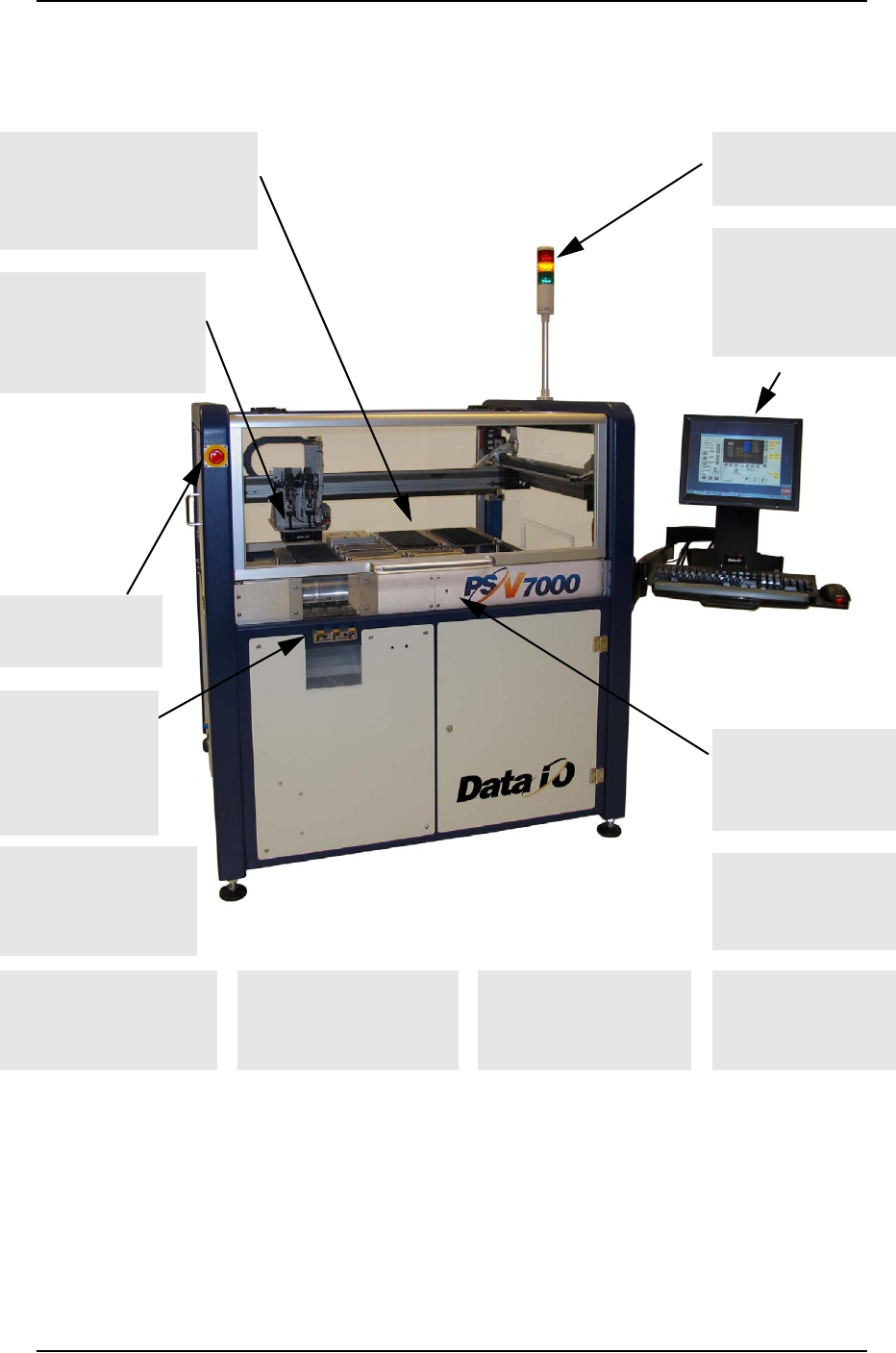
Figure 1-1: Features of PSV7000. For a more detailed image with
components labeled, see the Operators Manual. For component
descriptions see Component Descriptions on page 1-10.
Many software options
such as the Automotive
Performance Pak
Support for laser
marking option
(far side); 2-29
Adjustable feet for
leveling and wheels
for relocating ease
Light Tower displays
machine status
Clear safety doors open
(front and back)
Flexible options for input &
output: • static tray (shown),
• automatic tray feeder,
• tube, • tape; 2-10
Uses FlashCORE pro-
grammer modules
offering the latest
industry technology
Keyboard and Touch
Screen monitor
which displays
real-time processes
& online Help.
Supports Tape
Feeder input (see
Operators Man-
ual) or Vibrator
Tube Input; 2-18
Laser guided
Device-position Sensor
for precise device
placement; 4-12
ESD ground connec-
tion (front and inside
workspace at back)
1-6
E-Stop button on
front & back; 1-4
Built-in mounts for the
optional Tray Stacker and
Tape Output Modules

■ Snapshot of PSV7000 ◘ Setting the Language
PSV7000 Owner’s Manual 1—3
back
Setting the Language
Several other languages are available for the application interface. To
change the language, edit the C:\AH700\winAH400.ini file as fol-
lows:
1. Find “Language Settings” section.
2. Remove the semicolon from the line for desired language.
3. Add a semicolon to the line that initially didn’t have one.
Figure 1-2: Sample from the winAH400.ini file. The language in this
sample is set to English.
4. Restart AH700 Software for the changes to take effect.
;-------- Language Settings--------------------------
;Default language is English 1000
;LangId=0 ;German
LangId=1000 ;english
;LangID=2000french
;LangID=3000spanish
;LangID=4000danish