PSV7000_ Owners Manual_096-0460-001B - 第17页
■ Snapshot of PSV7000 ◘ Setting the Language PSV7000 Owner’s Manual 1—3 back Setting the Language Several other languages are av ailable for the application interface. T o change the language, edit the C:\AH700\winAH400.…
Introduction ■ Snapshot of PSV7000
1—2 Data I/O • 096-0460-001B
back
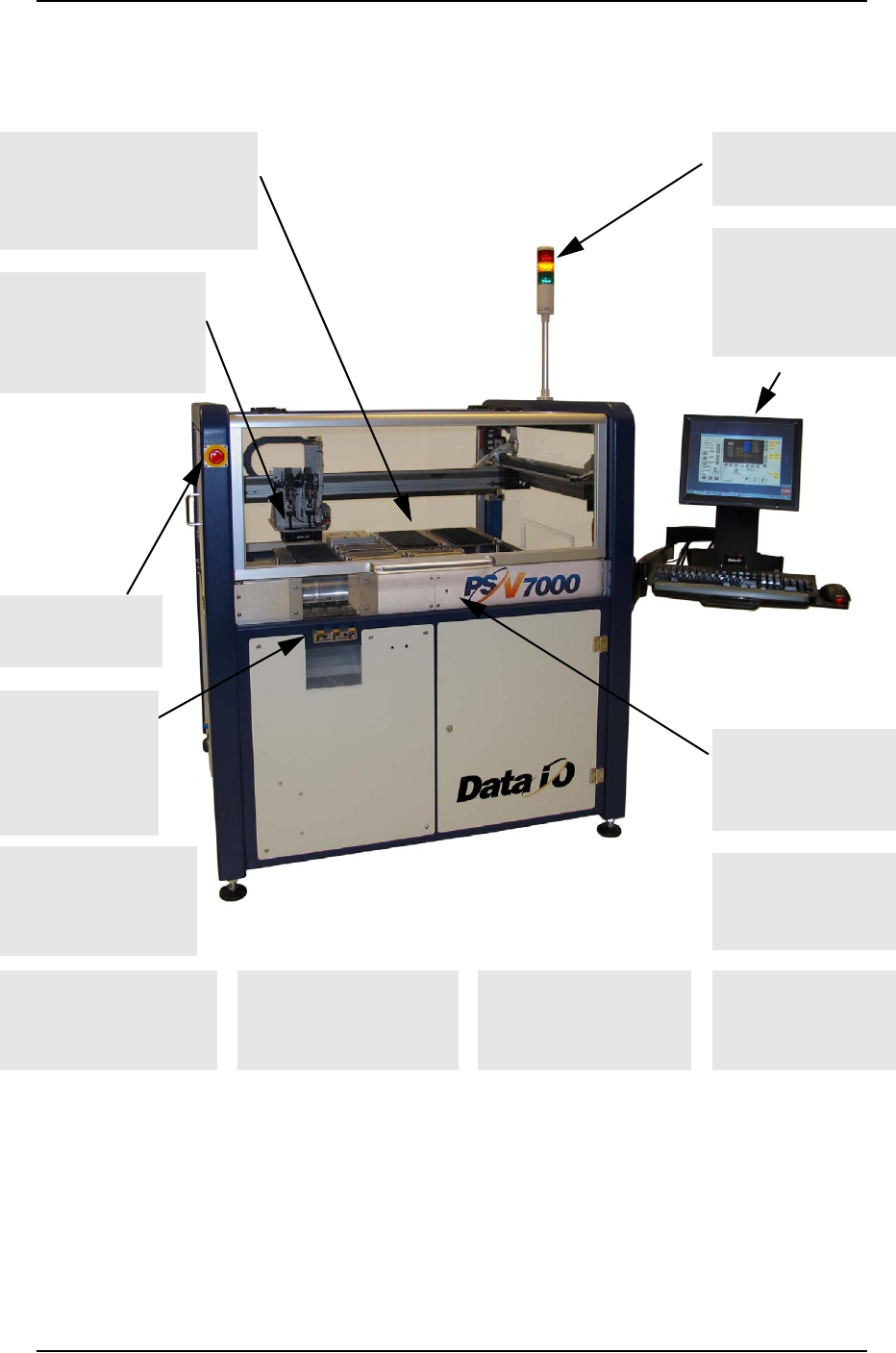
Snapshot of PSV7000
Figure 1-1: Features of PSV7000. For a more detailed image with
components labeled, see the Operators Manual. For component
descriptions see Component Descriptions on page 1-10.
Many software options
such as the Automotive
Performance Pak
Support for laser
marking option
(far side); 2-29
Adjustable feet for
leveling and wheels
for relocating ease
Light Tower displays
machine status
Clear safety doors open
(front and back)
Flexible options for input &
output: • static tray (shown),
• automatic tray feeder,
• tube, • tape; 2-10
Uses FlashCORE pro-
grammer modules
offering the latest
industry technology
Keyboard and Touch
Screen monitor
which displays
real-time processes
& online Help.
Supports Tape
Feeder input (see
Operators Man-
ual) or Vibrator
Tube Input; 2-18
Laser guided
Device-position Sensor
for precise device
placement; 4-12
ESD ground connec-
tion (front and inside
workspace at back)
1-6
E-Stop button on
front & back; 1-4
Built-in mounts for the
optional Tray Stacker and
Tape Output Modules

■ Snapshot of PSV7000 ◘ Setting the Language
PSV7000 Owner’s Manual 1—3
back
Setting the Language
Several other languages are available for the application interface. To
change the language, edit the C:\AH700\winAH400.ini file as fol-
lows:
1. Find “Language Settings” section.
2. Remove the semicolon from the line for desired language.
3. Add a semicolon to the line that initially didn’t have one.
Figure 1-2: Sample from the winAH400.ini file. The language in this
sample is set to English.
4. Restart AH700 Software for the changes to take effect.
;-------- Language Settings--------------------------
;Default language is English 1000
;LangId=0 ;German
LangId=1000 ;english
;LangID=2000french
;LangID=3000spanish
;LangID=4000danish
Introduction ■ System Description
1—4 Data I/O • 096-0460-001B
back
System Description
The PSV7000 System moves devices from input media through a pro-
gramming and optional marking process to output media for
delivery to the next phase of the production process. The
PSV7000 System combines a device programming system and a
high-speed pick and place head (PNP head) to provide rapid pro-
gramming of standard pitch devices, as well as ultra-fine pitched
devices.
TaskLink™ software and Automated Handler software (AH700) run-
ning on the system’s Handler Computer direct the PSV7000 System to
perform a series of processes, including automatic handling, pro-
gramming, marking, and placement of devices to the output media of
choice.
Safety Systems
The PSV7000 System has several safety systems to prevent personal
injury and system damage. These systems include E-Stops and safety
doors. If your system has a Laser Module, it comes with a fume
extractor.
Emergency Stop (E-Stop) Buttons
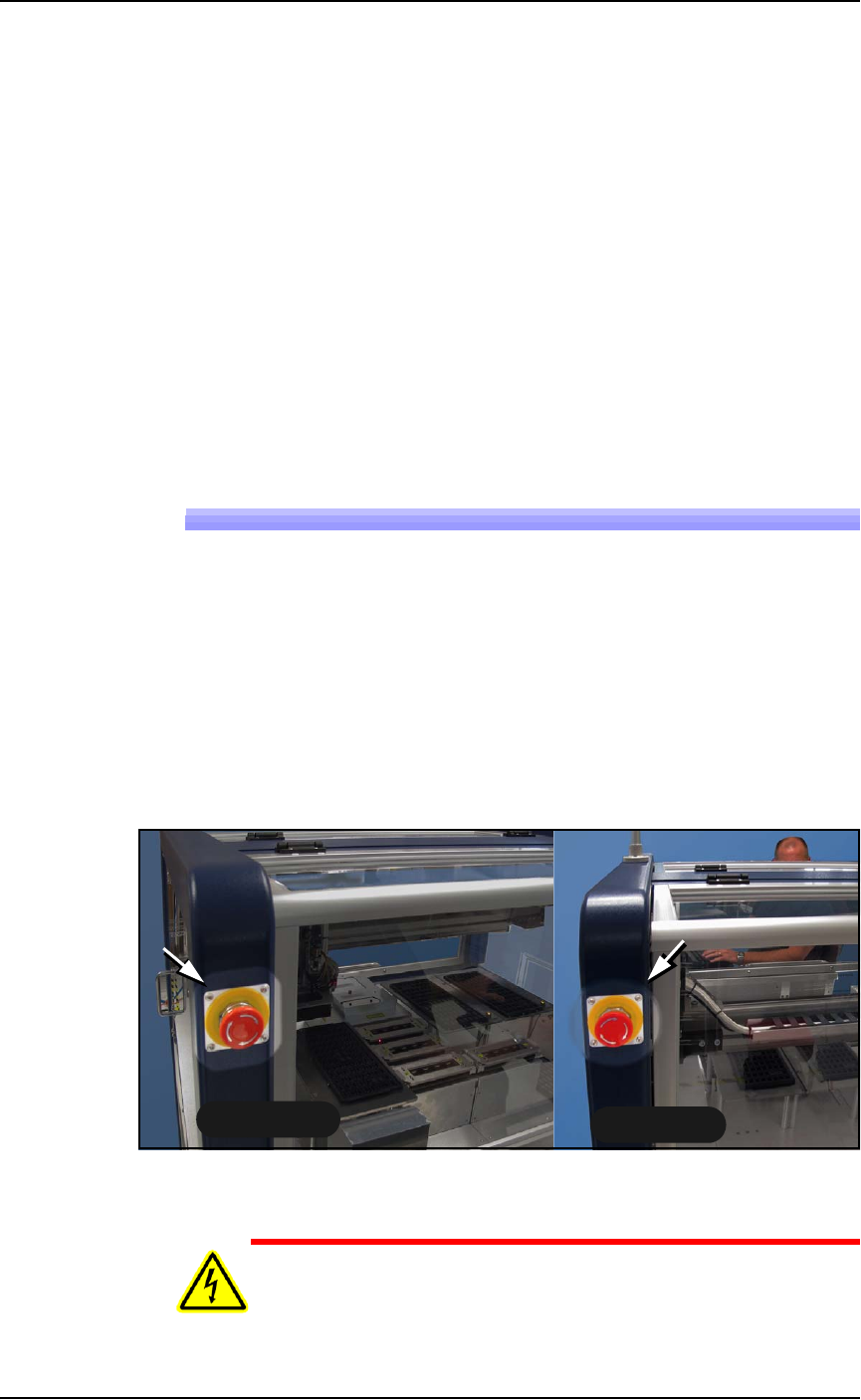
Two large, red Emergency Stop buttons are located near the top of the
PSV7000 System, one on either side of the machine. When an E-Stop
button is pressed, the gantry stops moving immediately. See caution
notice below.
.
Figure 1-3: Two Emergency Stop (E-Stop) buttons.
WARNING: Shock hazard! Pressing an E-Stop button removes
power from the motion controller (gantry) only, and stops com-
munication to the Laser Marking head. It does not remove electri-
Back Side
Front Side