PSV7000_ Owners Manual_096-0460-001B - 第23页
■ System Description ◘ PSV7000 Specifications PSV7000 Owner’s Manual 1—9 back PSV7000 Specifications Specifications are wit hout optional equipment. 1 Since the monitor arm rotates, le ngth and width dimensions can be ad…
Introduction ■ System Description
1—8 Data I/O • 096-0460-001B
back
• Illegal-bit check
• Functional verification operations
• Secure device
• Verify options such as voltage
(Optional) Inspect device leads—
The optional 3D Coplanar Inspection System detects bent leads on
devices prior to further processing.
(Optional) Mark devices—
When available, devices that pass the programming and verification
operations are marked at the Laser Module or moved to a Label
Marker where they are marked for identification.
3. Load devices into the output media—
Devices are moved by the PNP head to output media: trays, tubes, or
tape. Devices that fail one of the programming processes are placed
into the reject bin or reject tray.
Input and Output Options
PSV7000 System input and output options are: static tray (manual),
tray feeder (automatic), tube, and tape.
Most combinations of input and output options may be used. For
example, the PSV7000 System can be configured with input as static
tray and output as taped. However, the use of a tray feeder precludes
the use of static trays and vice versa.
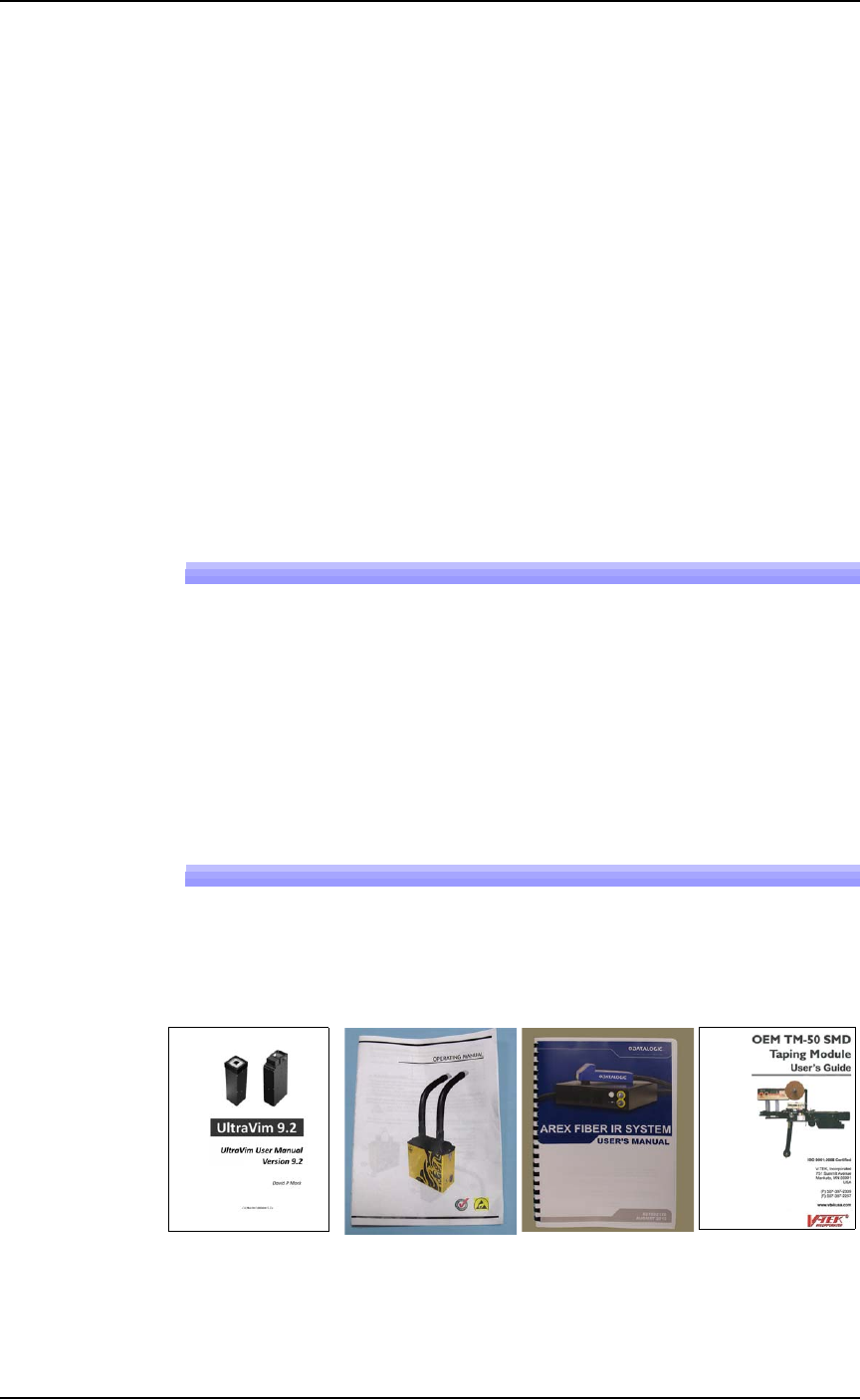
Manuals for Optional Equipment
The manuals that came with any optional equipment on your system
contain additional, more in-depth information. Some of the manuals
came in hard copy format with your PSV7000 System. Others are
PDFs installed on the Handler computer.
Figure 1-3: A few of the Optional equipment manuals, from left to
right: 3D Inspection System, Tiger Fume Extractor, Laser Marker, Tape
Output Module.
■ System Description ◘ PSV7000 Specifications
PSV7000 Owner’s Manual 1—9
back
PSV7000 Specifications
Specifications are without optional equipment.
1
Since the monitor arm rotates, length and width dimensions can be
adjusted inversely, up to 13 cm (5 inches). For example, if you sub-
tract 13 cm from length, then add 13 cm to width.
FACILITIES
Supply Air Pressure clean, dry, oil-free air at
5.5–8.2 Bar (551–827 kilopascals)
(80–120 PSI)
Air Flow 85 liters/minute (3 SCFM) constant
AC Input Voltage 208–230 VAC, single phase
AC Input Frequency 50–60 Hz
AC Input Power (max) 15 Amps (with all options)
PSV7000 DIMENSIONS
Length (including monitor)
1
178 cm (70 inches)
Width (including monitor)
1
178 cm (70 inches)
Height: machine (doors closed)
then add [light tower]
150 cm (59 inches) +
[48 cm, 19 in.]
Weight (no optional equipment) 227 kg (500 lbs)
ENVIRONMENT
Operating Temperature +13° to +30° C (+55° to +86° F)
Relative Humidity 35% to 90% non-condensing
Sound level
≤ 80 dB (without tube vibrators)
OTHER
Handler PC Operating System Windows® 7 Professional, 64-bit
Monitor 15 inch LCD Touchscreen
Introduction ■ Machine Components
1—10 Data I/O • 096-0460-001B
back
Machine Components
The PSV7000 System has many components, or subassemblies, that
work together. Refer to the figure below to locate primary compo-
nents.
Component Descriptions
Light Tower
Allows monitoring the status of the PSV7000 System from a distance
while the system is processing devices. See Light Tower Interpretation
in the Operator’s Manual for a complete description of lamp colors
and significance.
Gantry
Travels along X- and Y-axes moving the PNP head to different loca-
tions within the work envelope.
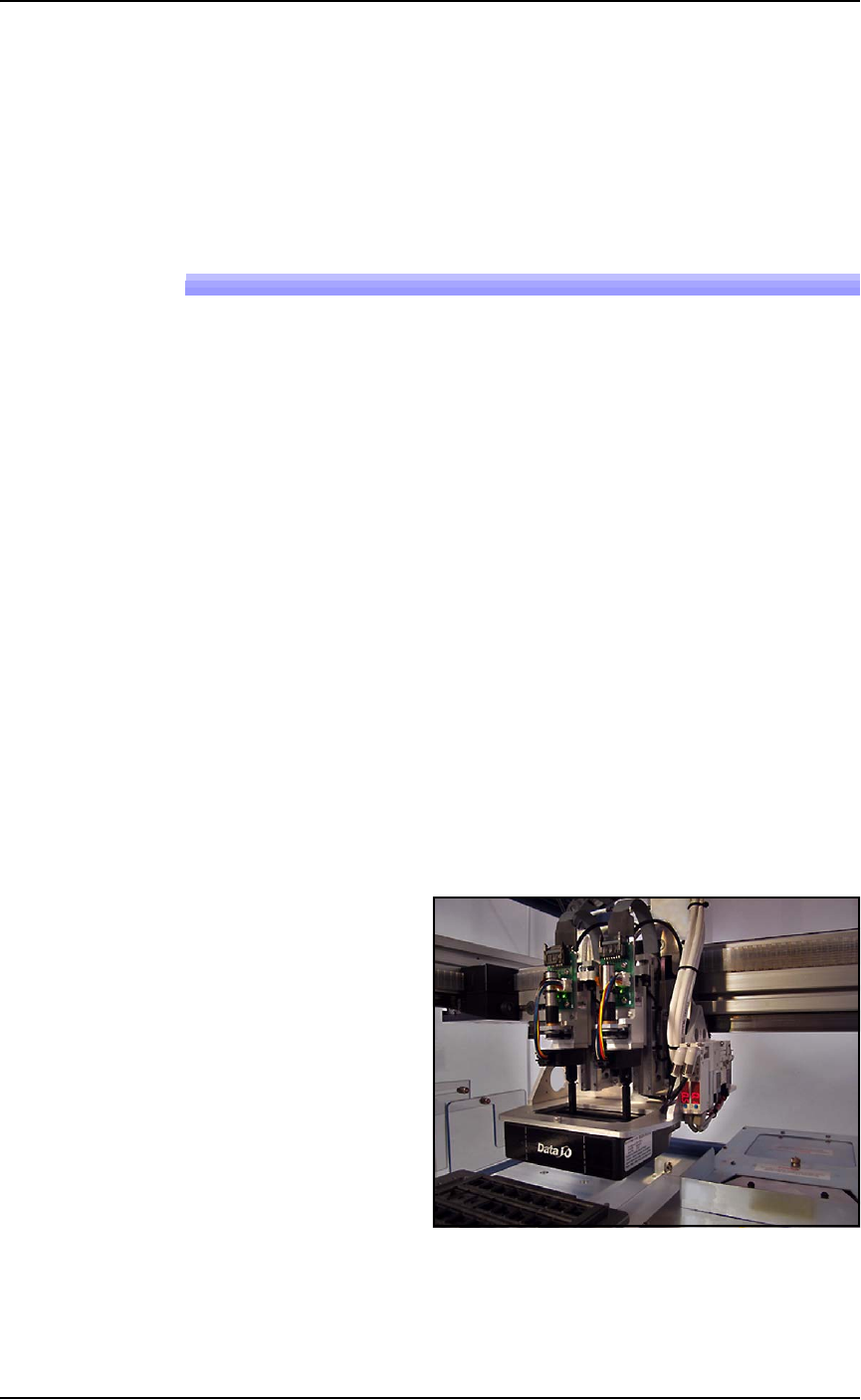
Pick and Place Head (PNP Head)
The PNP head is responsible for moving devices to and from their
respective stages within the workspace. It moves devices in four axes,
X, Y, Z and R.
The PNP head uses different sized probe tips to accommodate the
great number of device types that are available. See Installing the Cor-
rect Probes in the Operator’s Manual. During operation, vacuum at
each probe holds a device. Vacuum sensors detect whether or not a
device is present on a probe tip.
Figure 1-4: The PSV7000 PNP head.