PSV7000_ Owners Manual_096-0460-001B - 第30页
Introduct ion ■ Software 1—16 Data I/O • 096-0460-001B back Software Software resides in the Handler Computer . The primary log-on for the Handler Computer is Microsof t Client. The current operating system (at time of t…
■ Machine Components ◘ Optional Equipment Descriptions
PSV7000 Owner’s Manual 1—15
back
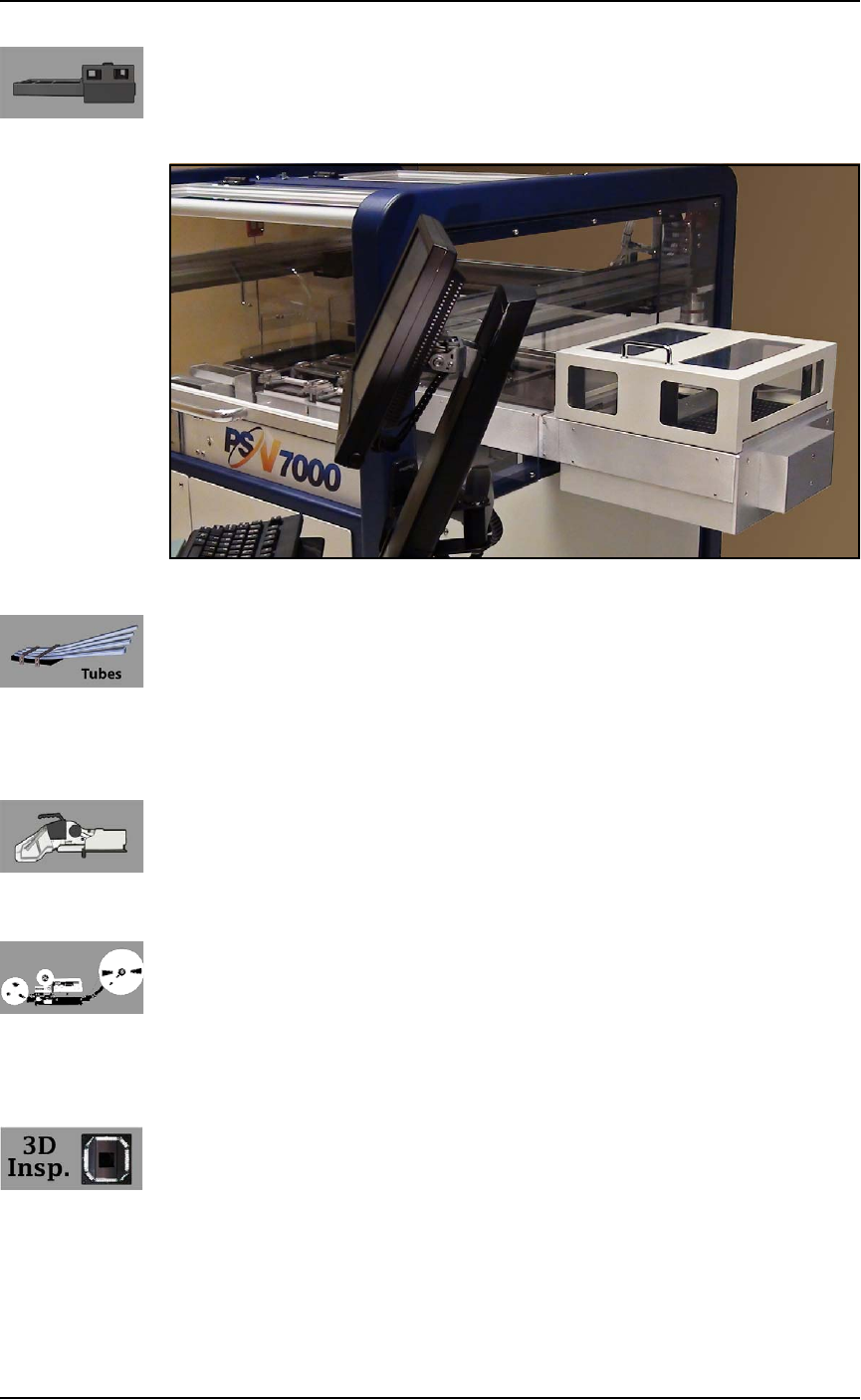
(Optional) Automatic Tray Feeder
Designed to automatically supply trays full of devices to the
PSV7000 System, the Data I/O Dual Tray Feeder accepts up to twenty
thin or thick JEDEC trays.
Figure 1-9: Data I/O Dual Tray Feeder.
(Optional) Tube Input and Output Modules
The input tube holds blank devices and the output tube collects
devices after programming. Vibration mechanisms keep devices
sliding freely by gently vibrating the tubes to reduce the likelihood of
device jams. Vibration adjustment controls are located on the front of
the PSV7000 System.
(Optional) Tape Input Module
The tape input module is a chip feeder which provides devices for
programming. Each device is picked from a carrier tape pocket and
placed into a programming socket.
(Optional) Tape Output Module
The tape output module, mounted on the Option Bay, uses a reel of
empty carrier tape to hold devices after they are programmed. Pro-
grammed devices are placed into empty pockets on the carrier tape.
The carrier tape advances through either a heat seal or pressure seal
unit that applies cover tape to the carrier tape.
(Optional) 3D-Coplanarity Inspection
The 3D Coplanarity Inspection System checks for accurate 3-dimen-
sional positions of all the leads on a integrated circuit and can detect
lead burrs. The 3D System inspects devices after programming is
complete to make sure device contacts are within customer-defined
tolerance. The inspection system uses its own computer installed into
PSV7000.
Introduction ■ Software
1—16 Data I/O • 096-0460-001B
back
Software
Software resides in the Handler Computer. The primary log-on for
the Handler Computer is Microsoft Client. The current operating
system (at time of this publication) is Windows 7.
CAUTION: Possible machine damage! Adding software to the
PSV7000 System can cause damage or cause the system to oper-
ate improperly. Adding software without specific instruction from
Data I/O Customer Support will void the warranty and may incur
service charges if subsequent service is required.
CAUTION: Possible machine damage! Microsoft Windows system
parameters and network parameters should not be changed
unless instructed to do so by Data I/O Customer Support. Chang-
ing parameters can cause failure and/or damage to systems or
cause improper programming.
Customer-Supplied Software
The PSV7000 System should never have other software added
without consulting with Data I/O Customer Support.
Antivirus Software
Customer-supplied antivirus software can be installed on the Han-
dler Computer.
CAUTION: Check with Data I/O Customer Support to ensure that
your software is compatible with the programming system, other-
wise the warranty may be voided. Ensure that the antivirus soft-
ware does not scan during a job run.
Statistical Process Control Software
Customer-supplied Statistical Process Control software can be
installed on the Handler Computer. See Statistical Process Control Soft-
ware on page 3-15 for more information.
■ Software ◘ TaskLink
PSV7000 Owner’s Manual 1—17
back
TaskLi n k
TaskLink
™
for Windows
®
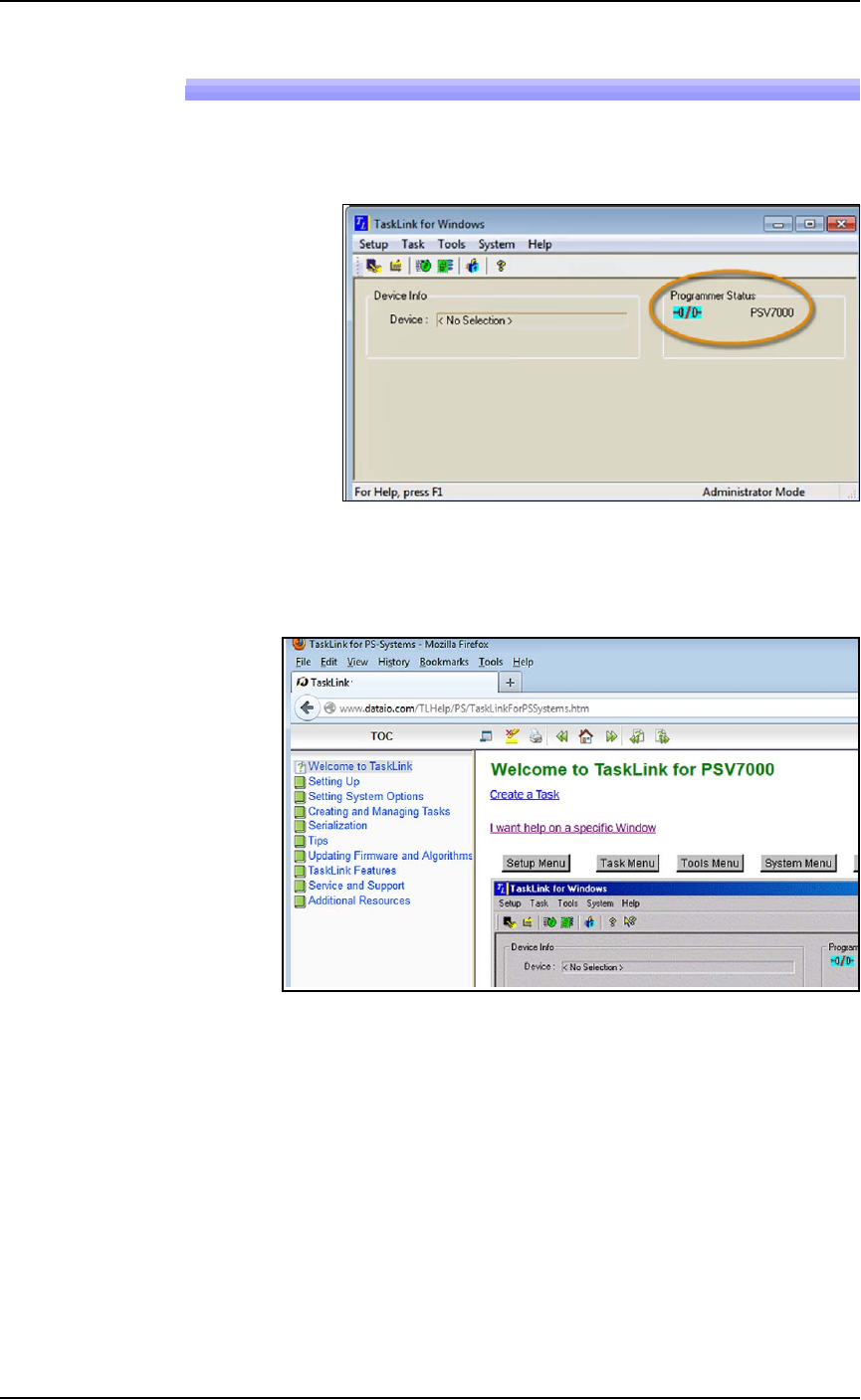
is Data I/O’s versatile application for cre-
ating jobs to run on the PSV7000 System. TaskLink resides on the
Handler Computer.
Figure 1-10: TaskLink’s main window displays the selected
programming system. Jobs created or edited will be for this system.
TaskLink online Help is available by clicking Help > Help Topics. It
offers procedural steps as well as general information.
Figure 1-11: TaskLink online Help. It includes update instructions.
Updates and Algorithm Support
Updates to TaskLink (includes algorithm updates) are generally
acquired through our APS Agreement (Annual Programmer Sup-
port). See APS Agreement on our Web site under the SUPPORT tab.
For more information, see TaskLink online Help.