PSV7000_ Owners Manual_096-0460-001B - 第44页
Setup ■ Applying Power for the First Time 2—6 Data I/O • 096-0460-001B back Applying Power for the First Time Before the PSV7000 System is turned on for the first time, ensure the following: The external air line is co…
■ Connecting Facilities ◘ Connecting Electrical Power
PSV7000 Owner’s Manual 2—5
back
Connecting Electrical Power
WARNING: Electric shock hazard! Personal injury could be
caused from high leakage electrical current from the main
power cable. An Earth (ground) connection is essential
before connecting power.
Required power is provided through a supplied 3-wire power cable
with one end terminated in an electrical plug as required by the cus-
tomer’s facility. For power specifications, see PSV7000 Specifications
on page 1-9. For cable location see Figure 2-1 on page 2–4.
(Optional) Connecting an Ethernet
Cable
A Network connection is on the Power Panel. Plug in an Ethernet
cable. Refer to Figure 2-1 on page 2–4.
Network settings are described in (Optional) Network Settings on page
2-8.
CAUTION: Possible PC virus hazard! The PSV7000 System has no
antivirus software installed from the factory. Prior to connecting
to a network, Data I/O recommends installing antivirus software.
To install antivirus software refer to (Optional) Installing Antivirus
Software on page 2-8.
Setup ■ Applying Power for the First Time
2—6 Data I/O • 096-0460-001B
back
Applying Power for the First Time
Before the PSV7000 System is turned on for the first time, ensure the
following:
The external air line is connected, and the main air valve is open.
All E-Stop buttons are in the released (operating) positions (refer
to Emergency Stop (E-Stop) Buttons on page 1-4 for location).
All safety doors and access doors are closed.
The circuit breakers on the Power Panel on the left side of the
machine are in the ON (UP) position.
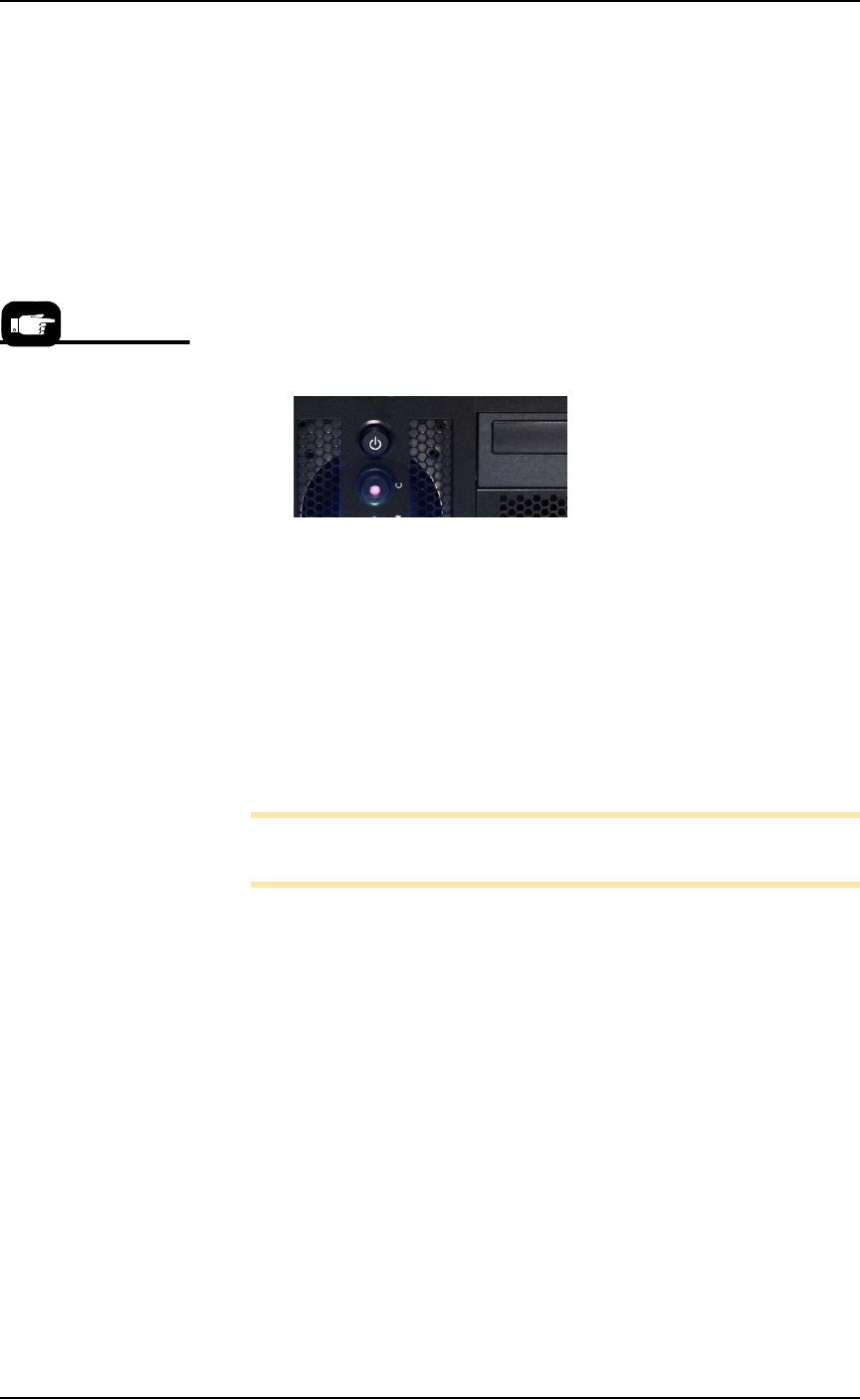
The power switch on the Handler Computer is set to the ON
position (although it will not have power yet). The rocker switch
is ON when tipped to the down position.
(Optional) The Socket Adapters required for the job have been
installed on all necessary programmer sites. See Installing Socket
Adapters in the Operator’s Manual for more information.
When satisfied, rotate the main power switch on the Power Panel to
the ON position (clockwise).
After power is applied, verify that no obvious failures or electrical
anomalies occur. Verify that the Handler Computer starts properly
and displays a network log-on dialog.
Note: If electrical or mechanical problems are noted, turn OFF the
PSV7000 System and notify Data I/O Customer Support.
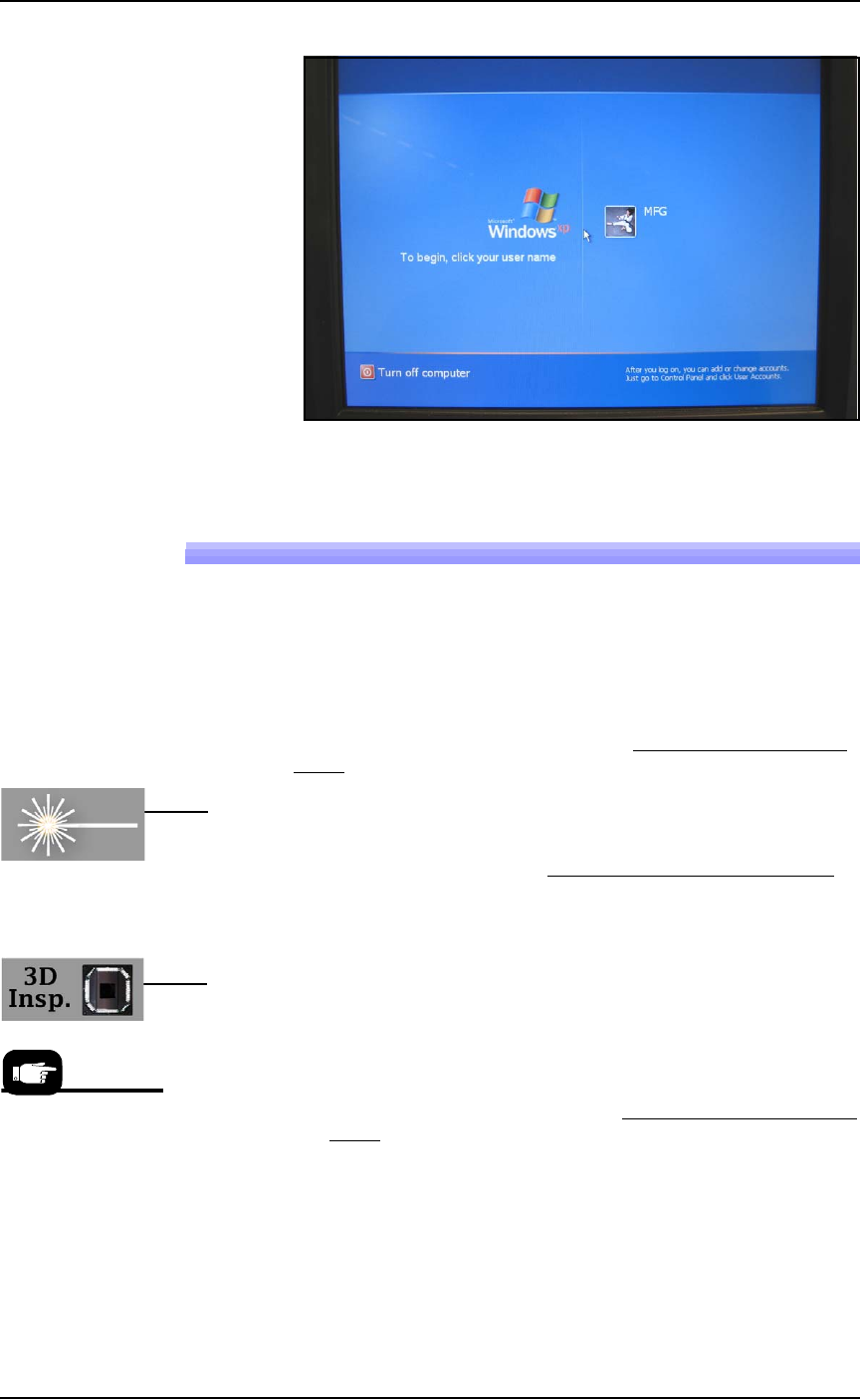
At the Microsoft Log-on window, click the user profile (usually
labeled MFG) to complete the startup procedure.
Normal operating pro-
cedure never requires the
Handler Computer
power switch to be
turned off manually.
■ Applying Power for the First Time ◘ Shutting Down the PSV7000 System
PSV7000 Owner’s Manual 2—7
back
Figure 2-2: Windows Log-on window.
Shutting Down the PSV7000 System
1. Finish and Exit any job that is running.
2. (Optional) Remove all devices from the system.
3. With Handler PC active (key sequence: scroll-lock > scroll-lock 1),
exit AH700 and TaskLink and any other software that you have
running.
4. Shut down the Handler Computer PC with the Windows Start
menu.
5. [Laser Marker System only] At the keyboard switch to the
Laser PC (key sequence: scroll-lock > scroll-lock 2).
5a. (Optional) Save and exit the Laser Marker software.
5b. Shut down the Laser PC with the Windows START menu
.
Wait until it finishes shutting down—see the message “I’s
now safe to shut off the computer.”
5c. Turn OFF (0) the Enable Selector (Laser PC).
5d. Turn OFF (0) the Key Selector (Laser PC).
6. [3D Coplanarity Inspection System only] At the keyboard
switch to the 3D Inspection PC. (key sequence: scroll-lock >
scroll-lock 3).
6a. Exit the UltraVim Application software. At the next dialog
type EX to exit.
6b. Shut down the 3D Inspection PC with the Windows START
menu.
7. WAIT UNTIL WINDOWS COMPLETES SHUTTING DOWN,
then rotate the main power switch (on the Power Panel) counter-
clockwise to the OFF (vertical) position.
8. (Optional) Padlock the main power switch so that it cannot be
turned back ON while the lock is in place.
If the PSV7000 Machine will not be used for several days, the shop air
should also be removed or turned off at the Power Panel.
Note that the
On/Off switches for
the Tube Media
Modules do not need
to be turned OFF.
Power is controlled
by the AH700 SW.