PSV7000_ Owners Manual_096-0460-001B - 第83页
■ Administrator Functions ◘ Monitoring Statistics PSV7000 Owner’s Manual 3—13 back Figure 3-5: Automo tive Pe rforma nce Pak and some of its features. T askLink Session Data Logging For complete instructions on enabli ng…
Administrative Functions ■ Administrator Functions
3—12 Data I/O • 096-0460-001B
back
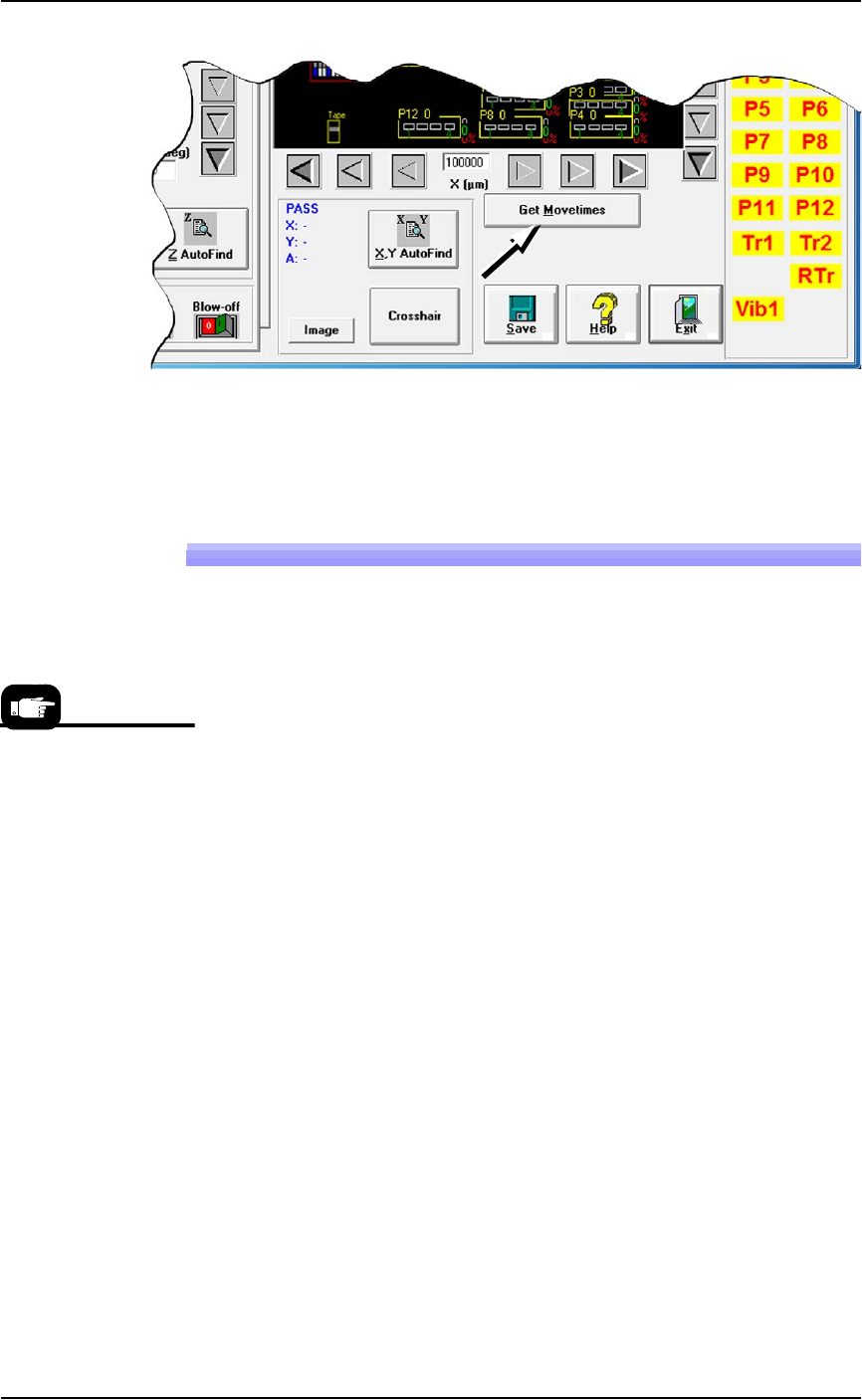
Figure 3-4: Click Get Movetimes to optimize head travel.
2. Click Yes when prompted to save positions.
Monitoring Statistics
Occasionally, the system administrator may require statistics for a
group of devices for a given job. This is easily accomplished using
any of three statistics tools described on the next pages:
• TaskLink’s Session Data Logging feature
• the AH700 Statistics window
• (optional) Statistical Process Control Software (customer-sup-
plied)
• Sort-on-Error-Code separates devices that fail specific, customer
specified processes.
In addition, Data I/O offers additional utilities for enhancing yield
and reducing errors. These include the Automotive Performance Pak
(see page 3-34) and several other software packages and hardware
such as Factory Integration Software (FIS) and Serial Number Server
(SNS).
For turning ON
Sort-On-Error-Code in
the winAH400.ini file, see
the AH700 on-screen
Help.
For setting up
Sort-On-Error-Code see
TaskLink Help for
PSV7000.
■ Administrator Functions ◘ Monitoring Statistics
PSV7000 Owner’s Manual 3—13
back
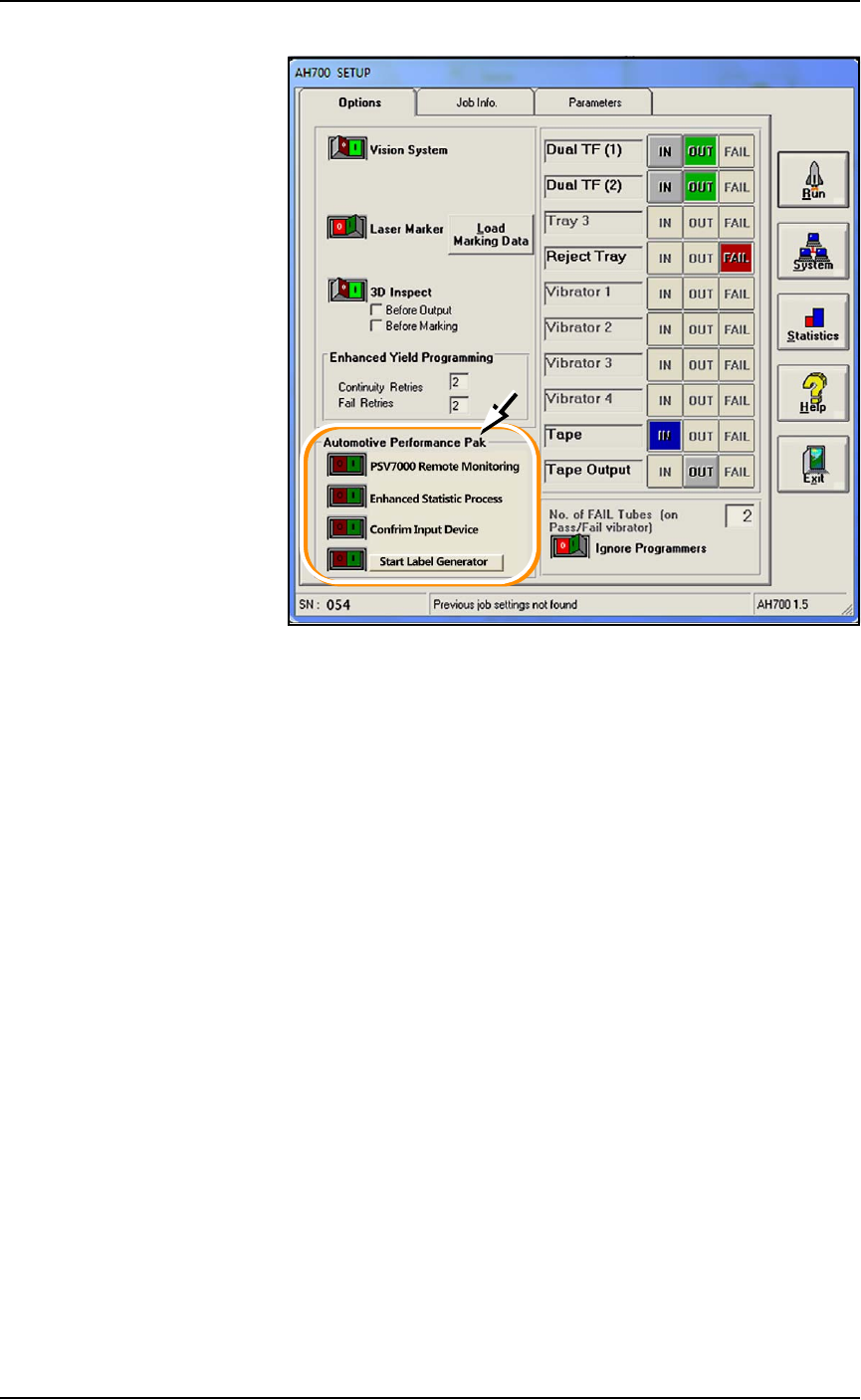
Figure 3-5: Automotive Performance Pak and some of its features.
TaskLink Session Data Logging
For complete instructions on enabling and using TaskLink’s Session
Data Logging option, see TaskLink online Help.
AH700 Statistics Window
PSV7000’s AH700 software provides statistics that include: devices
programmed successfully, continuity failures, and verify failures.
To view programming statistics using the AH700 software:
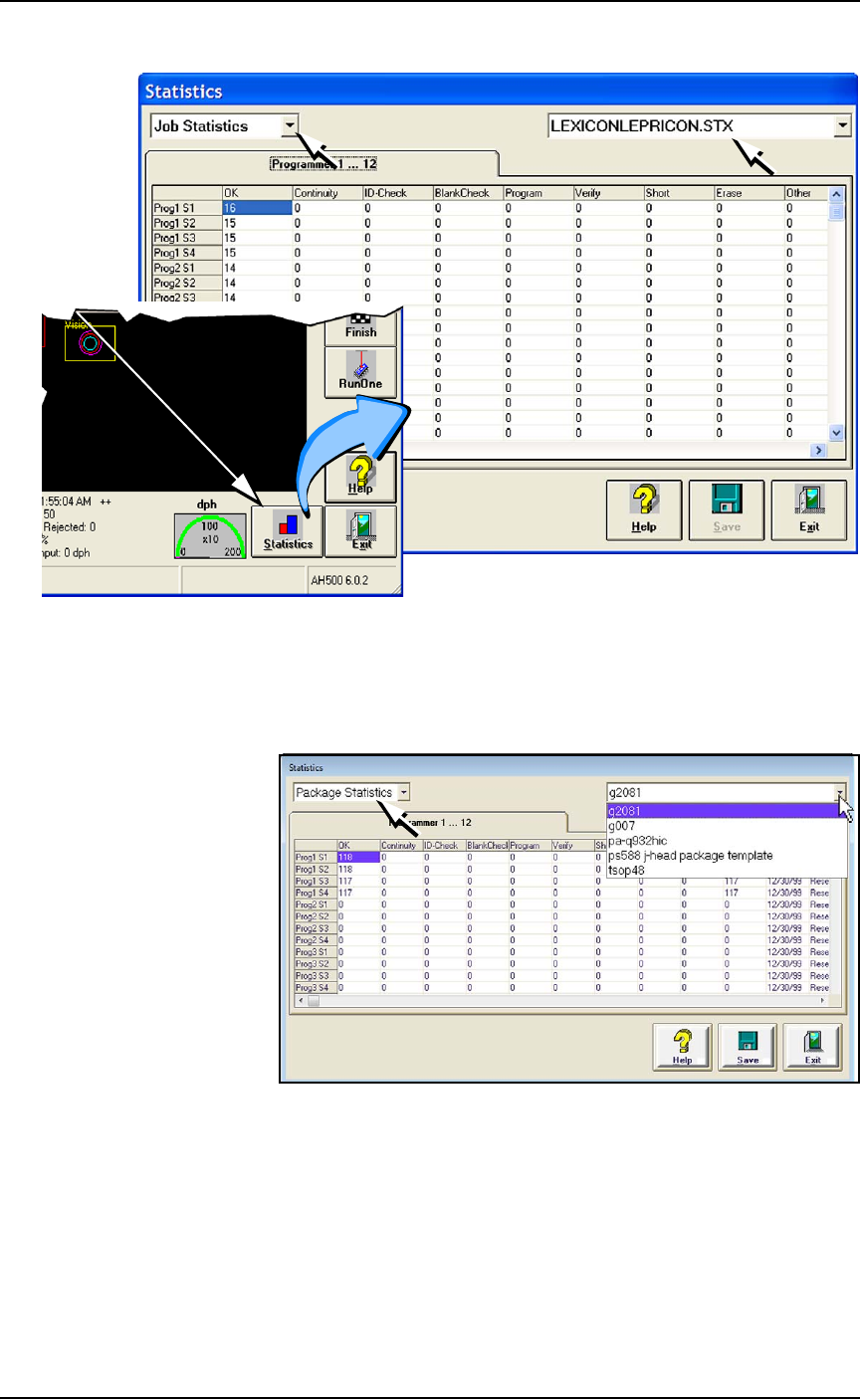
1. At either the Setup window or at the Run window, click Statis-
tics.
2. Select either Package Type or Job Statistics from the drop-down
field in the upper left corner.
Administrative Functions ■ Administrator Functions
3—14 Data I/O • 096-0460-001B
back
Figure 3-6: At the Statistics window, the Job Statistic file can be viewed
(
Jobname.stx
) as shown. When Job Statistics is selected, Pass/Fail
criteria are logged for each individual socket and programmer listed in
the left column.
Figure 3-7: At the Package Statistics window, statistic can be viewed by
Package Type (
PackageType.sts
).
Resetting Package Statistics
The Package statistics displayed correspond to the Package File and
therefore to the Socket Adapter used. When a Socket Adapter is
replaced on a FlashCORE programmer, statistics for that Socket
Adapter must be reset.
A
t
R
u
n
o
r
S
y
s
t
e
m
w
i
n
d
ow