PSV7000_ Owners Manual_096-0460-001B - 第84页
Administrative Functions ■ Administrator Functions 3—14 Data I/O • 096-0460-001B back Figure 3-6: At the Statistics win dow, the Job Statistic file can be view ed ( Jobname.stx ) as shown. When Job Statistics is select e…
■ Administrator Functions ◘ Monitoring Statistics
PSV7000 Owner’s Manual 3—13
back
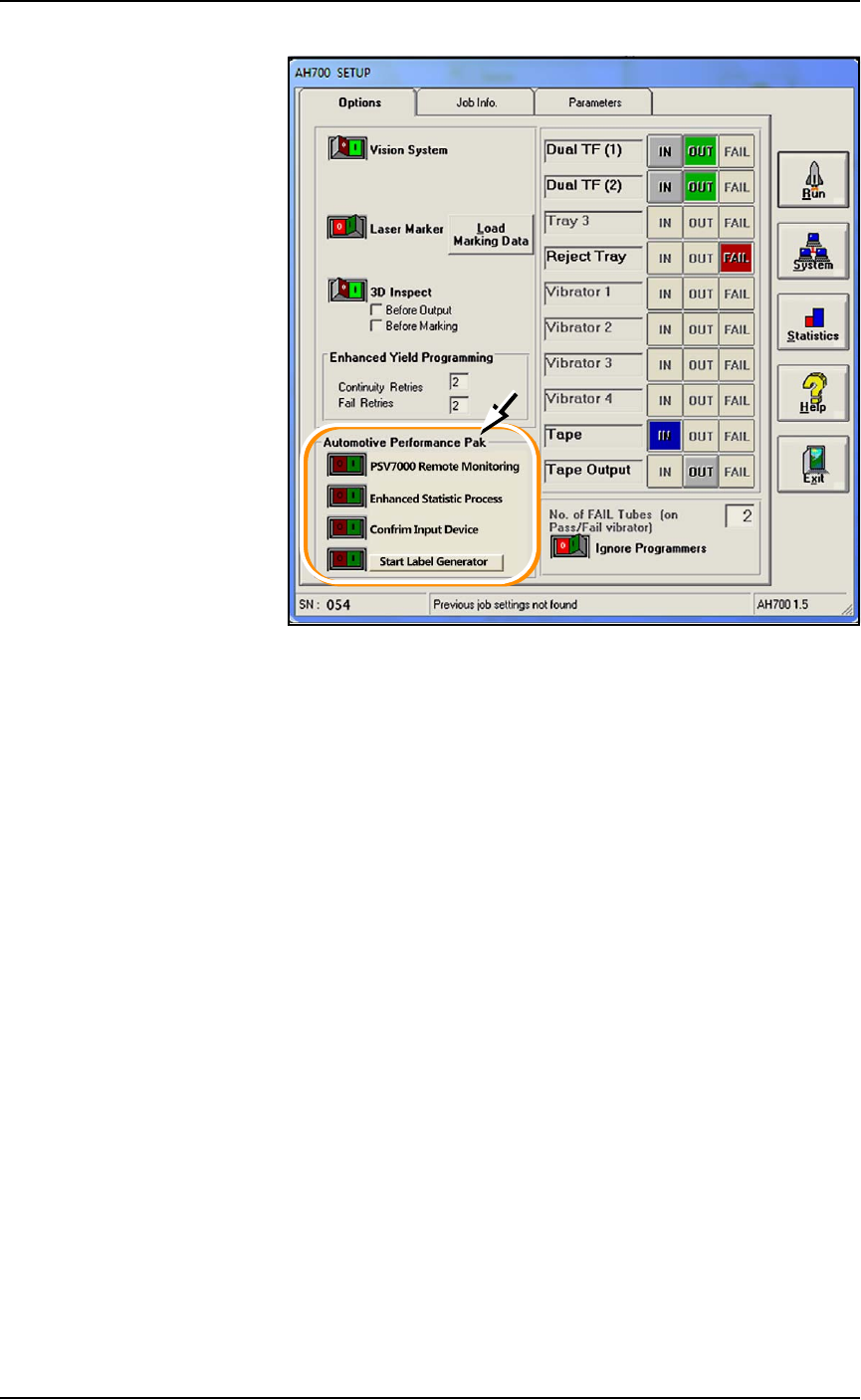
Figure 3-5: Automotive Performance Pak and some of its features.
TaskLink Session Data Logging
For complete instructions on enabling and using TaskLink’s Session
Data Logging option, see TaskLink online Help.
AH700 Statistics Window
PSV7000’s AH700 software provides statistics that include: devices
programmed successfully, continuity failures, and verify failures.
To view programming statistics using the AH700 software:
1. At either the Setup window or at the Run window, click Statis-
tics.
2. Select either Package Type or Job Statistics from the drop-down
field in the upper left corner.
Administrative Functions ■ Administrator Functions
3—14 Data I/O • 096-0460-001B
back
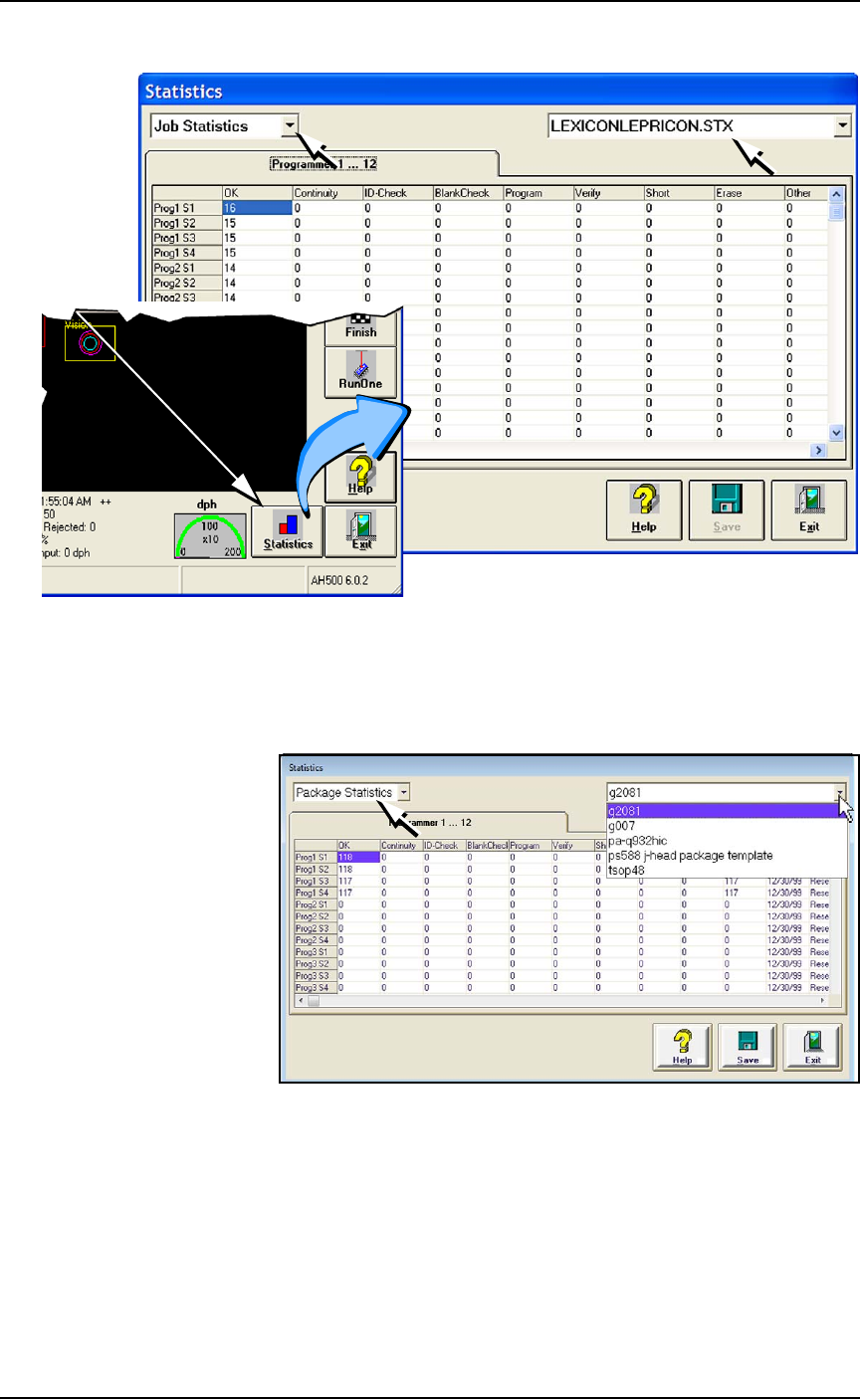
Figure 3-6: At the Statistics window, the Job Statistic file can be viewed
(
Jobname.stx
) as shown. When Job Statistics is selected, Pass/Fail
criteria are logged for each individual socket and programmer listed in
the left column.
Figure 3-7: At the Package Statistics window, statistic can be viewed by
Package Type (
PackageType.sts
).
Resetting Package Statistics
The Package statistics displayed correspond to the Package File and
therefore to the Socket Adapter used. When a Socket Adapter is
replaced on a FlashCORE programmer, statistics for that Socket
Adapter must be reset.
A
t
R
u
n
o
r
S
y
s
t
e
m
w
i
n
d
ow
■ Administrator Functions ◘ Monitoring Statistics
PSV7000 Owner’s Manual 3—15
back
To reset Package statistics:
1. Select Package Statistics in the drop-down field in the upper left
corner.
2. Click Reset in the right-most column corresponding to the Flash-
CORE programmer on which the Socket Adapter was replaced.
• If a Socket Adapter was replaced, reset all rows for that pro-
grammer.
• If an individual socket was replaced*, reset only the row corre-
sponding to the replaced socket.
The R-date (reset date) is set to the current date and statistics are
all reset to zero.
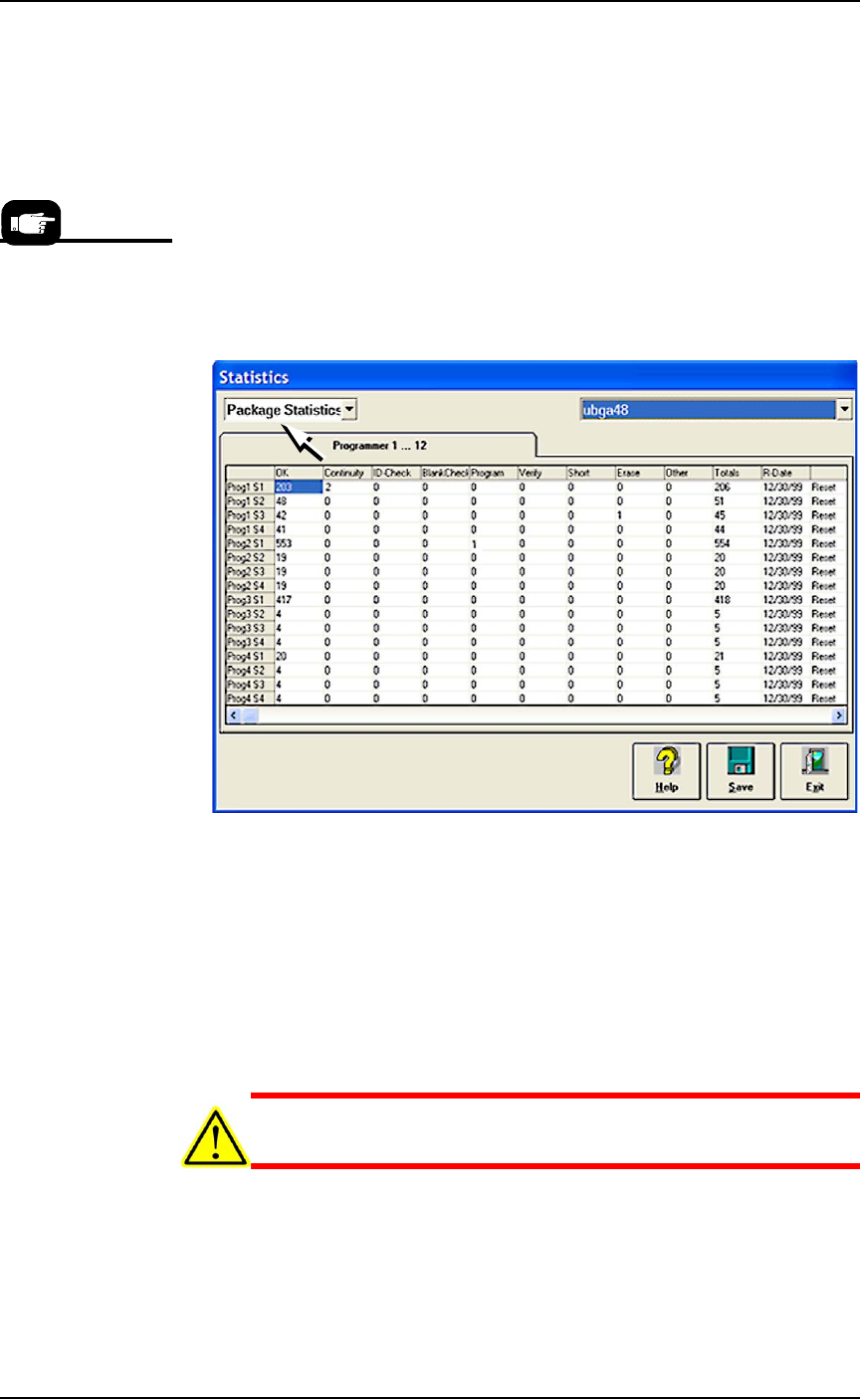
Figure 3-8: Resetting Package statistics. Open the Statistics window
from either the Setup window or the Run window.
Statistical Process Control Software
The AH700 can be set to generate a semicolon-delimited file whose
fields are described on the next page. A (customer-supplied) Statis-
tical Control SW can be used to import and process data output by
the AH700. Or use Data I/O’s Enhanced Statistical Software that
comes with the A
H700; see page 3-34
.
CAUTION: File corruption hazard! Before making any changes to
your winAH400.ini file, save a backup copy.
To generate a semicolon-delimited output file:
1. On the Handler Computer, navigate to C:\AH700 and open
winAH400.ini (with Microsoft® Notepad or IDM Computer
Solutions’s UltraEdit®).
*Only HIC Socket
Adapters and HPS
Socket Adapters are
designed to accommo-
date replacement of
individual sockets on
the adapter board.