00193365-0202.pdf - 第28页
Retrofit instructions Splice s ensors 8 - 72 m m 07/2003 Edition 28 Inst all Splice Detect Sensor on Feeder 4 : Attach the S plice De tect Sensor S pring wit h the (2) sa ved m3 x 4 flat hea d screws to the remo- ved spr…
Retrofit instructions Splice sensors 8 - 72 mm
07/2003 Edition
27
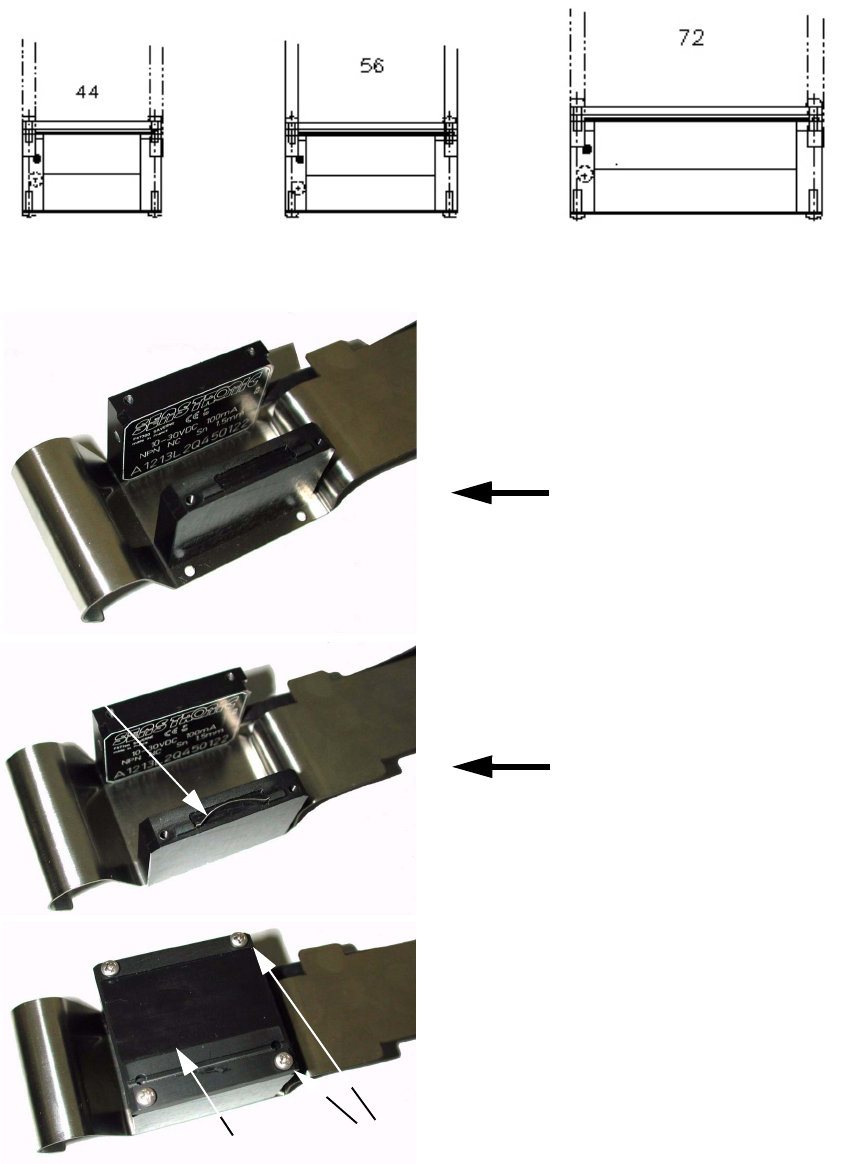
For the 44, 56, and 72 wide kits, they are shipped pre-assembled ready to install. 4
4
Fig. 4 - 4 End views of 44, 56, & 72 wide kits
4
Fig. 4 - 5 Splice Sensors
Blade spring
Setting the 32 mm position
Setting the 24 mm position
Cover
4 screws
Retrofit instructions Splice sensors 8 - 72 mm
07/2003 Edition
28
Install Splice Detect Sensor on Feeder 4
: Attach the Splice Detect Sensor Spring with the (2) saved m3 x 4 flat head screws to the remo-
ved spring mount bracket.
: Slide the bracket back into the feeder until the end slot engages the pins inside of the feeder
where it was originally attached.
Use the saved phillips head screws to attach the bracket on both sides of the feeder. The Splice
Detect Sensor is now installed.
Install Feeder 4
: Re-install completed feeder module onto feeder table at original machine location.
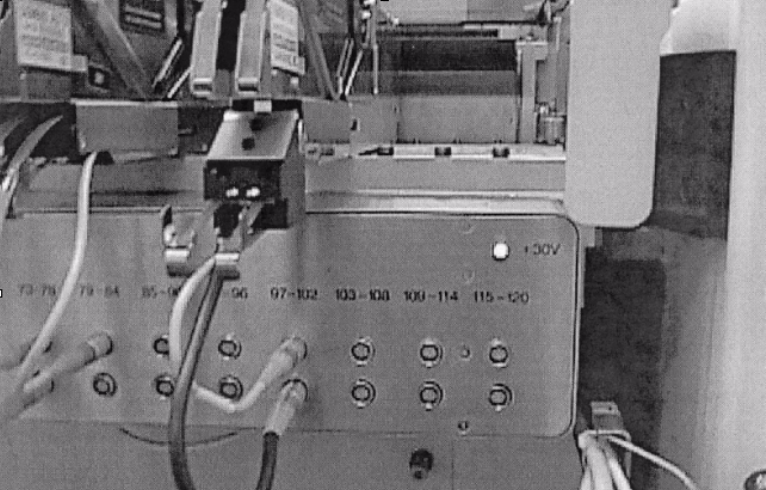
: Re-plug feeder communication cable into feeder communication unit and plug splice detect
sensor communication cable into unit as shown in Fig. 4 - 6.
4
Fig. 4 - 6 Communication cables installed
The installation is now complete. Refer to Splice Detect Sensor operations instructions for further
information. 4
4
LEDs on splice sensors 4
The LEDs on the splice sensors have the following meaning: 4
– LED on: Ready
– LED off: Splice detected
4