TR7700_SII_DL_Software_ch-v4.8_20130515.pdf - 第410页
Test Research Inc. 396 TR 7700 S II DL Us er Gui de – Software 操作步驟 • Light Bar 平整度的量測 • 在 Library 中先建置檢測元件 (Lead 、 Missing) 和邊 (Caldistanc e) 的檢測框。接 著開啟 [Set Distance] 功能 (menu/ S etting/ S et Di stance). • 使用 [Get] ,分別…
Test Research Inc.
TR7700 SII DL User Guide–Software 395
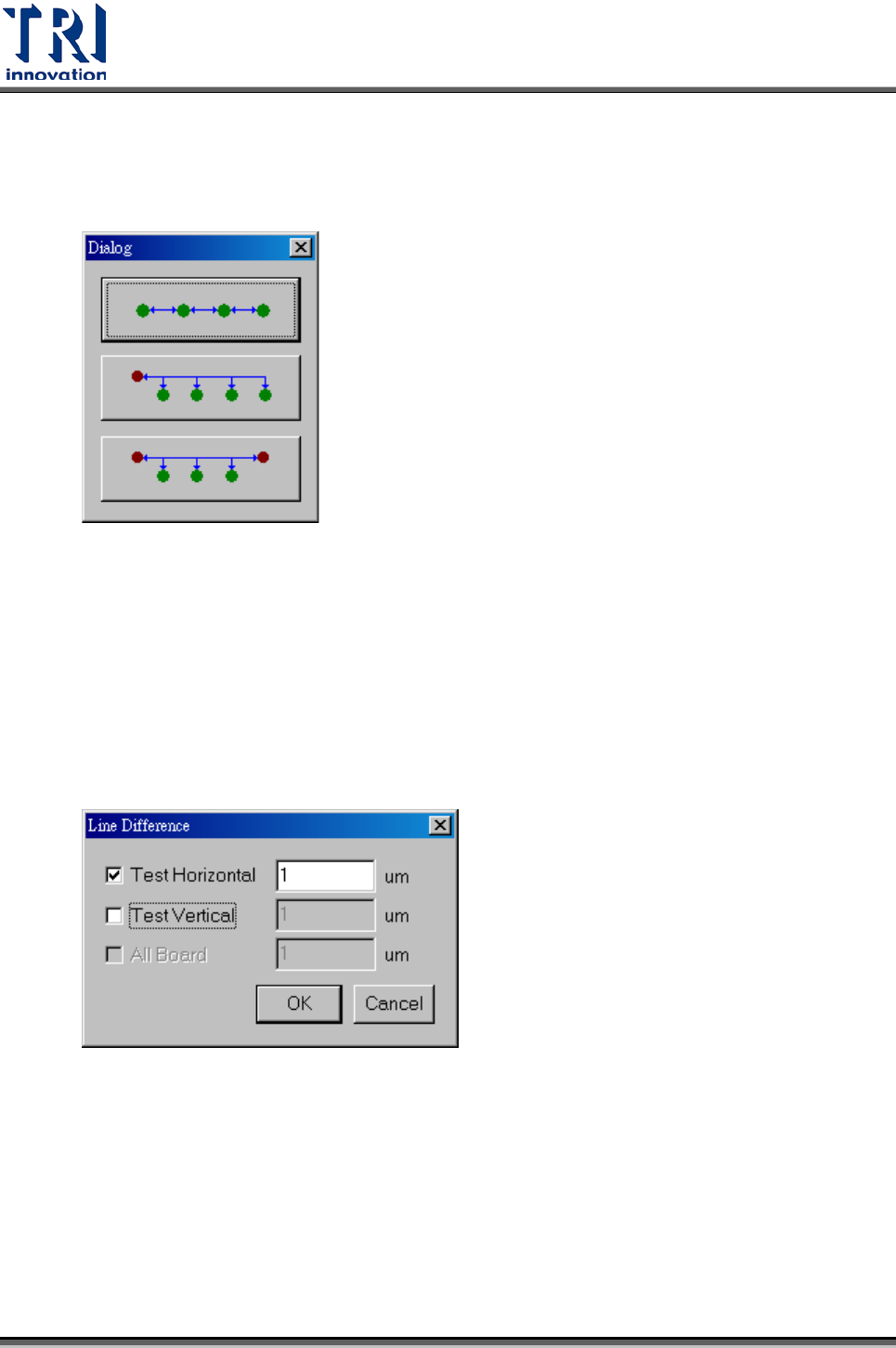
• Advanced Add:將本設定加入,且有以下三種方式可選擇將設定套用在指定的
其他檢測框上。第一種方式為系統自動計算,將此設定帶入列於同一個水平上,
有相同距離的檢測框。另外兩個功能暫不開放。
• Remove:移除目前[Target1]及[Target2]中所選擇的檢測框的設定。若所選的二
個檢測框為同一個元件則可以 by type 移除。
• Remove All:移除在[Target 1]中所選擇的檢測框的所有相關設定。
• Line Difference:可在此設定指定[Line Difference]設定。[Test Horizontal]表示
測試水平排成同一列元件的上下偏移,[Test Vertical]表示測試垂直排成同一列元
件的左右偏移,[All]表示其他方向的測試。
•
Asynchronous Tolerance
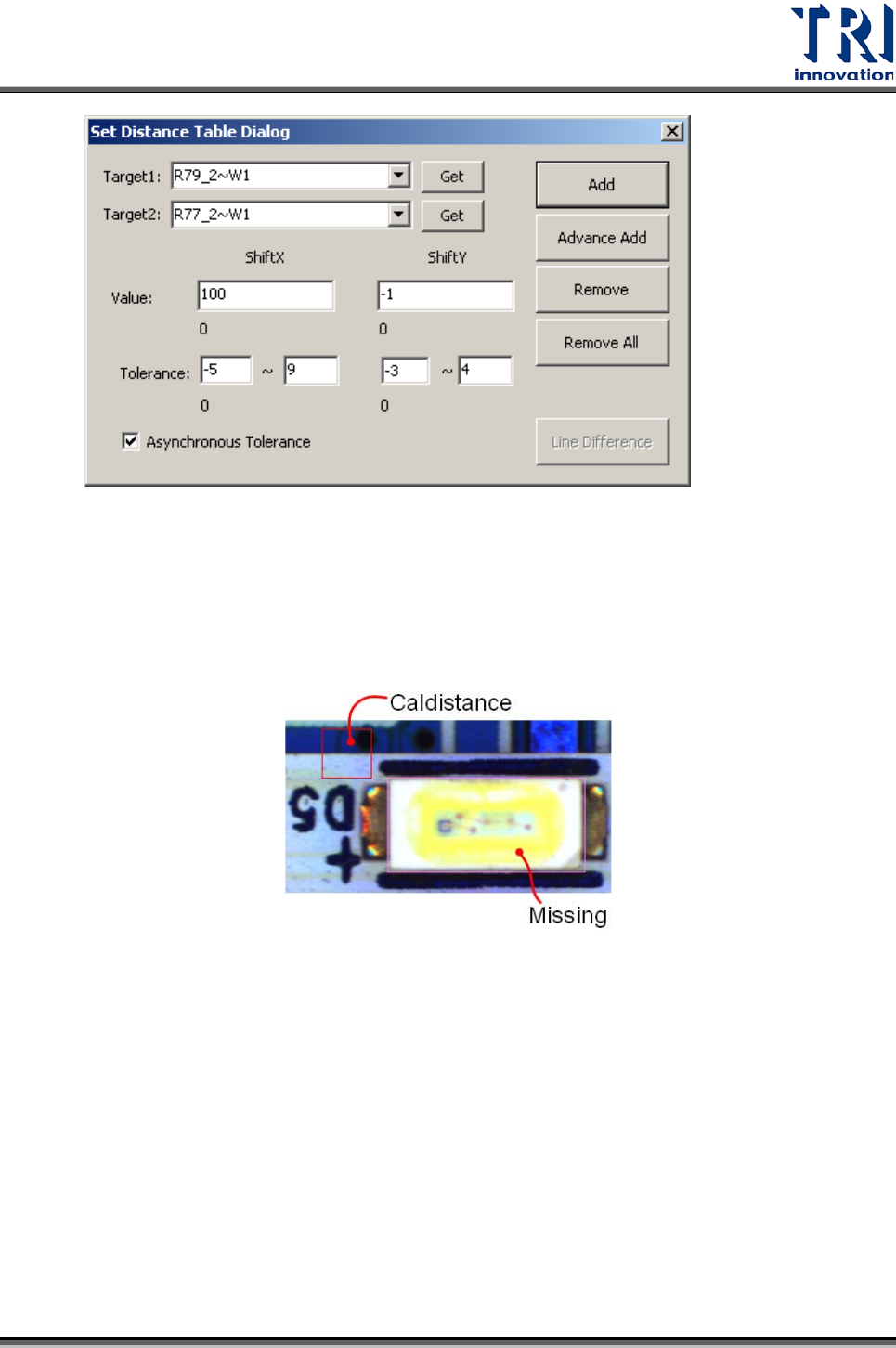
:勾選後,可以設定 Tolerance 值的正負範圍。(左邊
欄位為負右邊欄位為正值
Test Research Inc.
396 TR7700 SII DL User Guide–Software
操作步驟
• Light Bar 平整度的量測
• 在 Library 中先建置檢測元件(Lead、Missing)和邊(Caldistance)的檢測框。接
著開啟[Set Distance]功能(menu/ Setting/ Set Distance).
• 使用[Get],分別將 Missing 框加入[Target1],Caldistance 加入[Target2]欄位
中。
• 設定二個框的距離檢測參數。
• 按下[Add]鈕,即設定完成。
• [存檔..]系統會將設定存在 pkg 檔內。
• [merge library..]系統會將設定套給同 type 的相同檢測框。
Test Research Inc.
TR7700 SII DL User Guide–Software 397
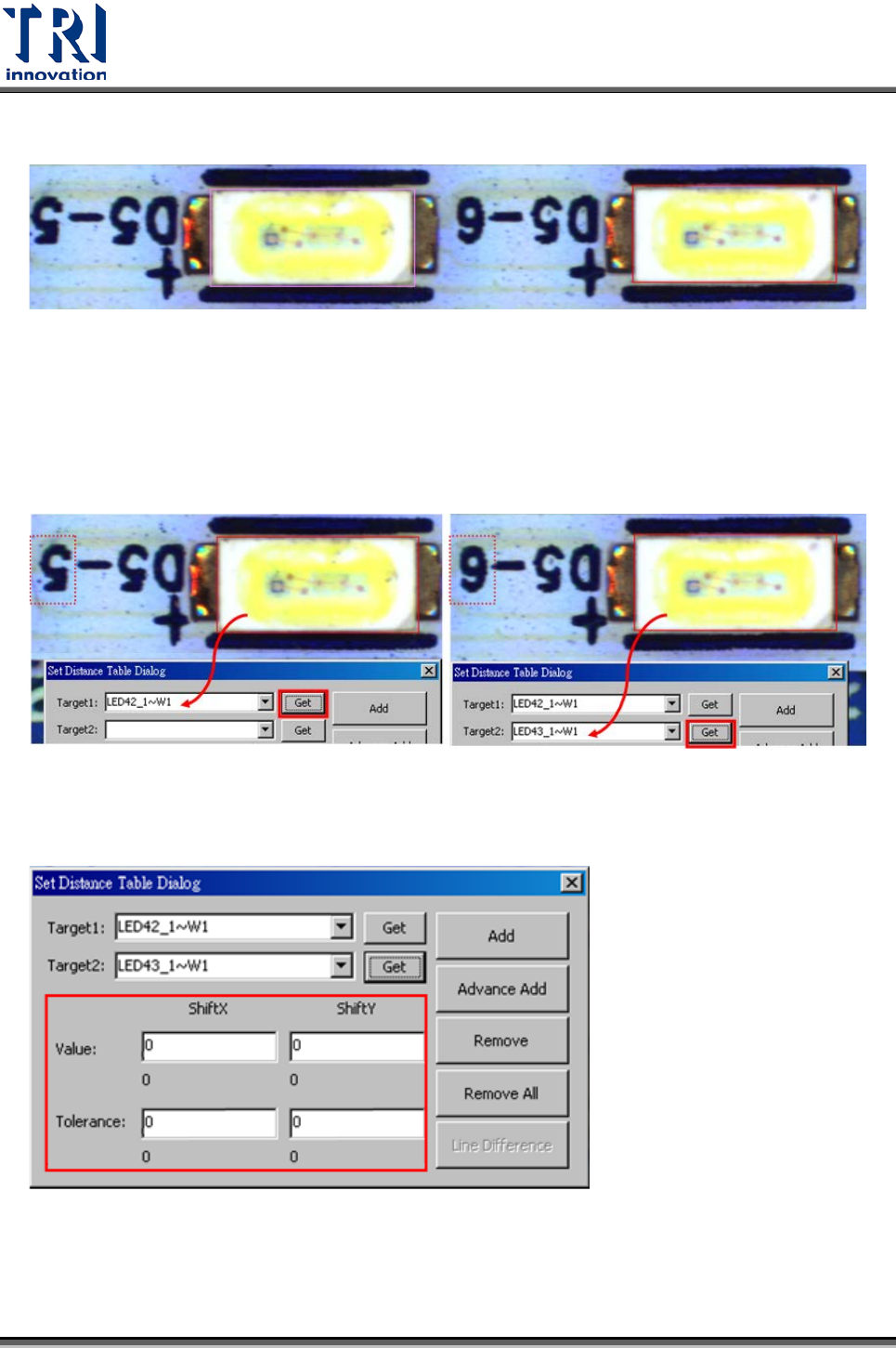
• 跨元件的量測
• 只能在 Train Dialog 做設定(按右鍵選擇[Set Distance]),無法在 Library 內做
設定。
• 利用設定界面上的[Get]按鈕,將所選的框帶入 Target 內。
• 設定二個框的距離檢測參數。
• 完成後按下[Add]按鈕。