00194932-20 User Manual CAN Test Box-Error Frame Diagnostic unit_en.pdf - 第36页
1 - 36 SIPLACE CAN Bus Edition 10/2018 36
1 - 35
Edition 10/2018 SIPLACE CAN Bus
35
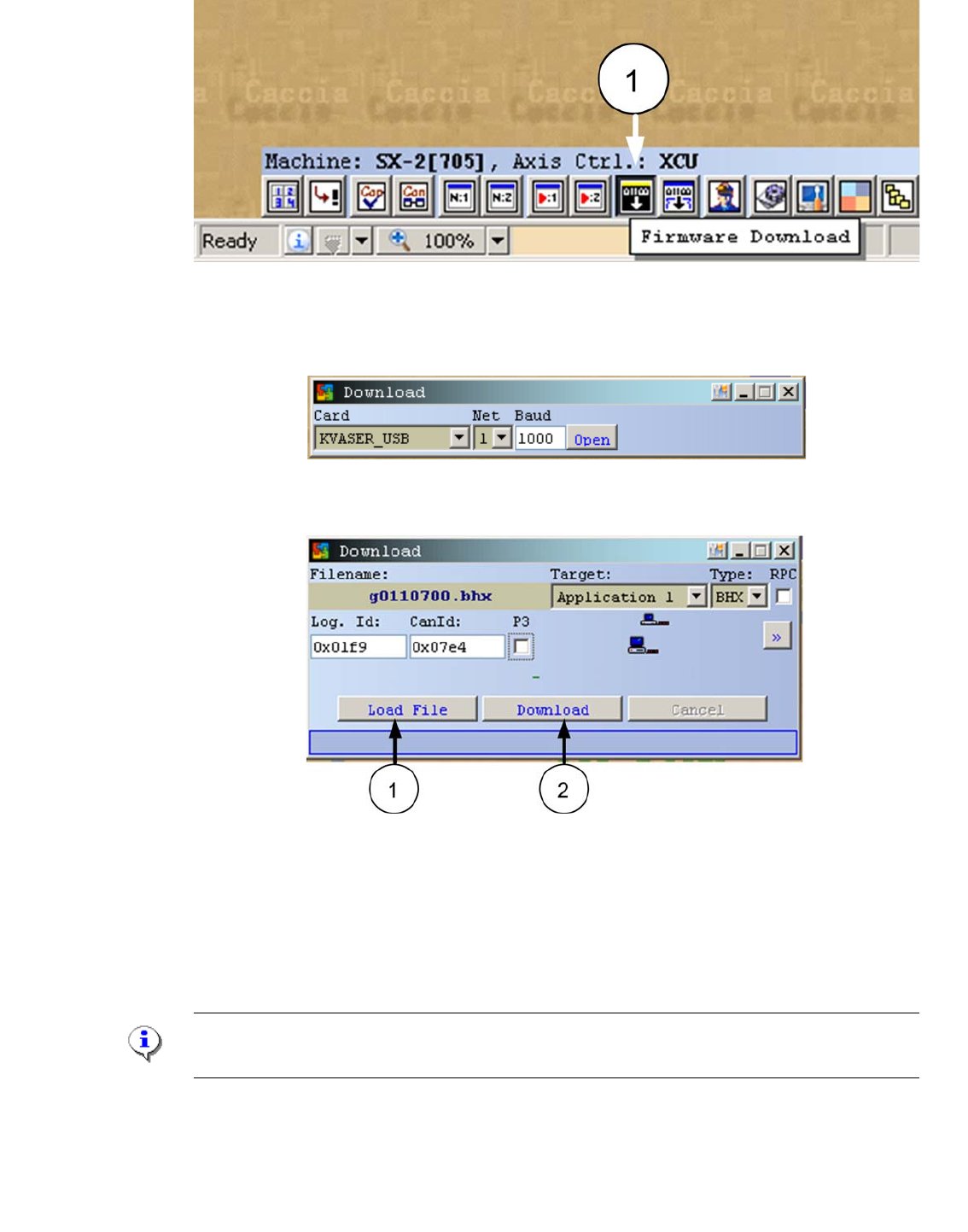
Fig. 3.3 - 5 Firmware Download
– Confirm the settings and press "Open".
Fig. 3.3 - 6 Settings Firmware Download
– - The following windows appears.
Fig. 3.3 - 7 Download Application 1
– - Write the CAN ID 0x7e4 of the CAN Switch Box into the field CanId:
– - Press the Button "Load File" and choose the download file.
– - Now, connect the power supply cable into the CAN switch and press within 3s the button
"Download".
Note:
The Download -Button have to press in the first 3s after switch on the CAN Switch!
– A confirmation of the succesful download appears.

1 - 36
SIPLACE CAN Bus Edition 10/2018
36
1 - 37
Edition 10/2018 SIPLACE CAN Bus
37
4 CAN Bus Operation Diagrams
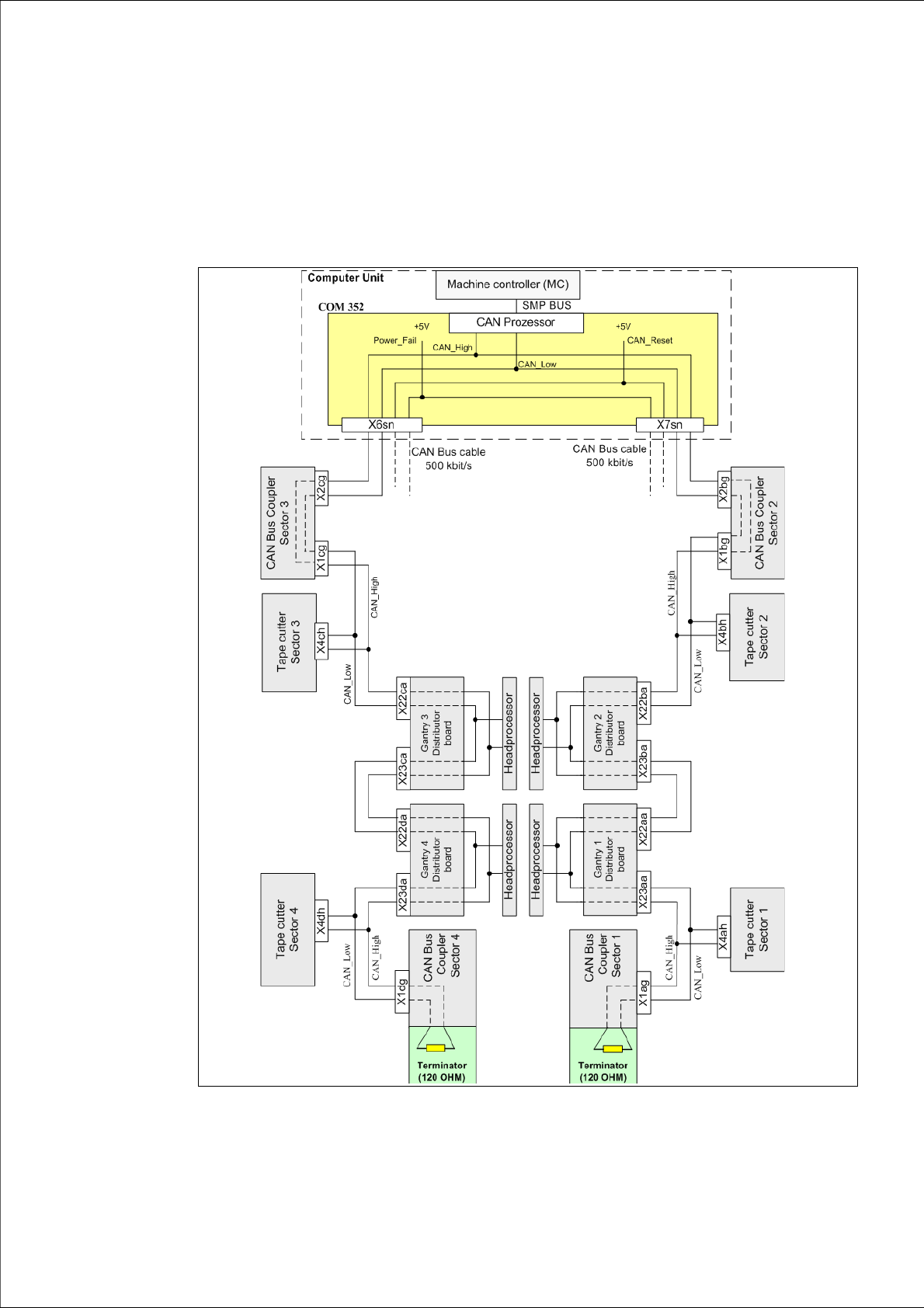
4.1 HS 50 / HS 60 CAN Bus 500kBit
Fig. 4.1 - 1 CAN Bus structure HS50/60 with connector designations