M20_Ope_E.pdf - 第122页
Chapter 2 Creating and Editing a Program 2-78 2-7-6-7 CFB Front/Rear Relocation Menu: Program>Data Edit Utilities > CFB Front/Rear Relocation When the CFB (Changeable Feeder Bank) is relocate d from the front to the r…
Chapter 2 Creating and Editing a Program
2-77
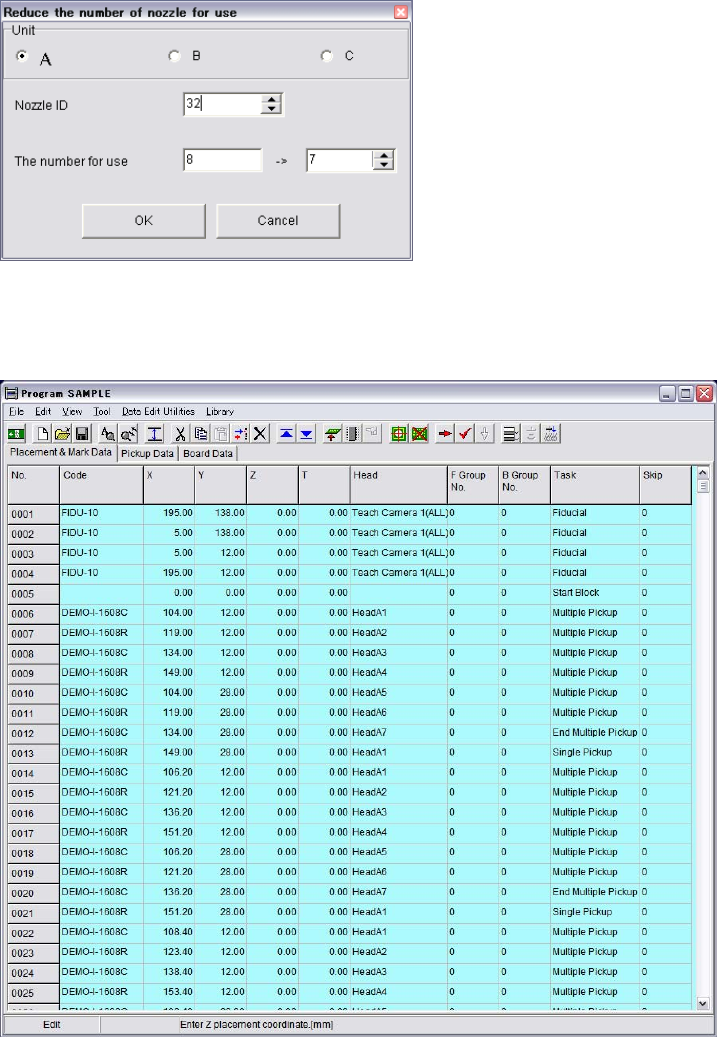
2) If you have only seven of ID-32 nozzles, change the program to reduce the use of ID-32 nozzle
from “8” to “7” by this function.
3) Click OK button to perform the function.
Following shows the result program which needs max. 7 pieces of ID-32 nozzle.
Note: Once the [Reduce the number of nozzle for use] function is performed, the original program
would be lost. It is recommended to save it as a new file name after performing the function in
order to keep the original program.
Chapter 2 Creating and Editing a Program
2-78
2-7-6-7 CFB Front/Rear Relocation
Menu: Program>Data Edit Utilities>CFB Front/Rear Relocation
When the CFB (Changeable Feeder Bank) is relocated from the front to the rear of the mounter and
vice versa, the pickup data can be converted for the relocated CFB by executing the [CFB
Front/Rear Relocation] menu.
Note: Once the CFB Front/Rear Relocation is executed, the original pickup data won’t be recovered.
It is recommended to execute pickup data conversion on a renamed program to secure the original
program.
Action:
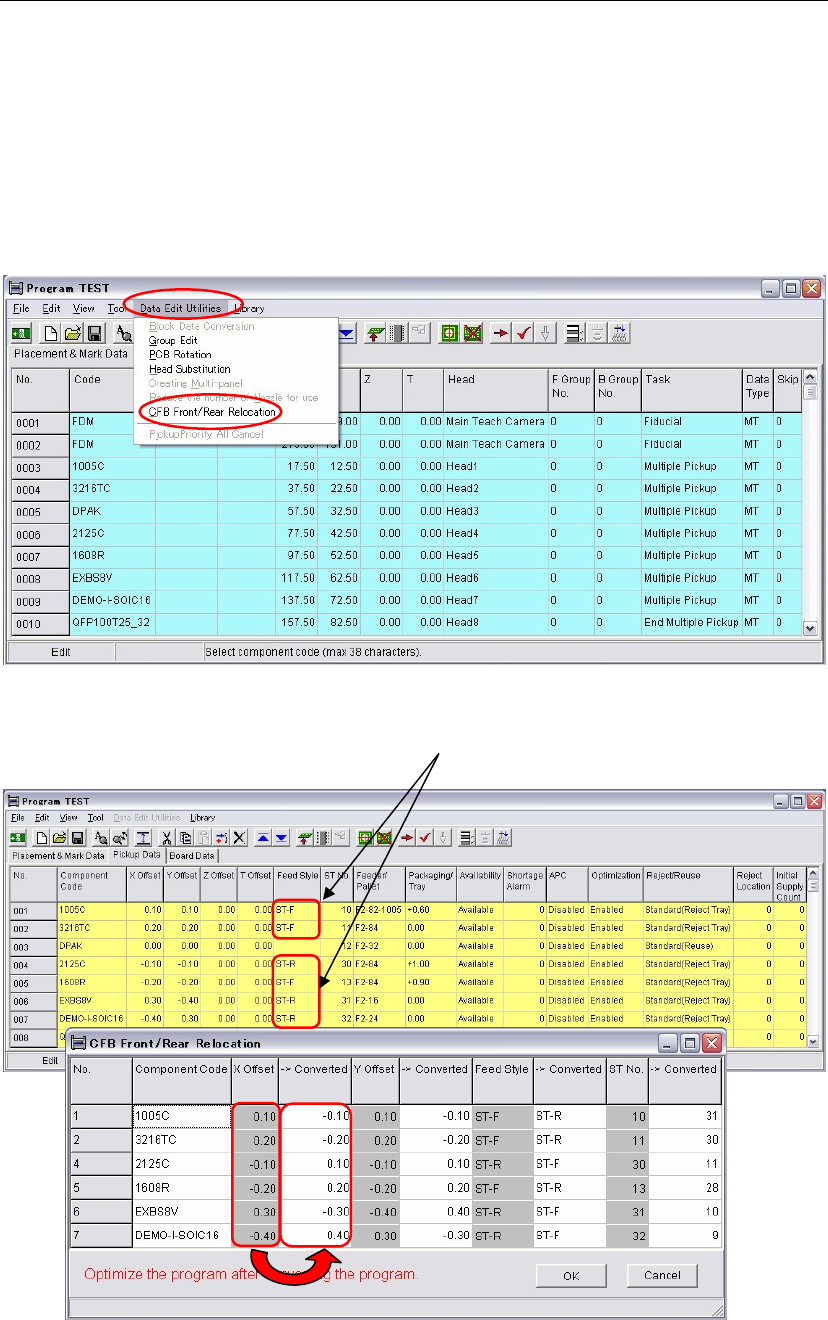
① Click the [CFB Front/Rear Relocation] menu.
② The window is switched to [Pickup Data] and the [CFB Front/Rear Relocation] window
appears at the same time. In the [CFB Front/Rear Relocation] window, data to be converted
appear as follows.
In the [CFB Front/Rear Relocation] window, each original and converted data are shown in
columns side by side. The original data is in a left column and the converted data is in its right
column.
③ Check the result of the converted data. Click the <OK> button.
Data of Feeder styles, ST-F and ST-R will be
converted by the [CFB Front/Rear Relocation].
Chapter 2 Creating and Editing a Program
2-79
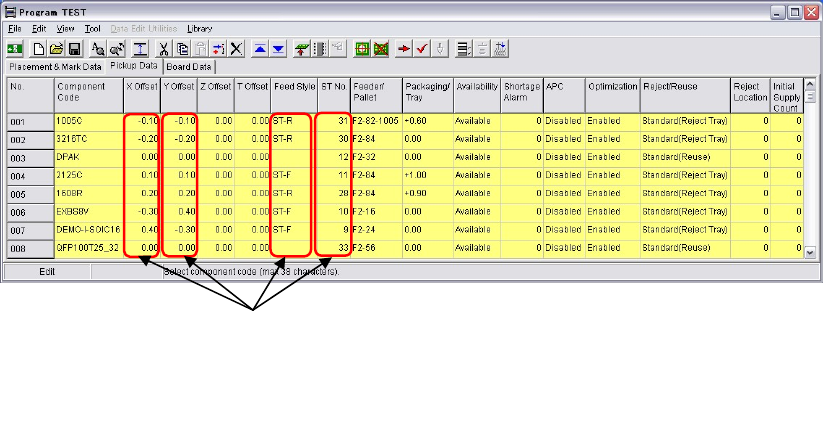
④ The converted data will be embedded in the pickup data.
⑤ Execute optimization.
Data of these four column will be converted.
1. X Offset
2. Y Offset
3. Feed Style
4. ST No.