M20_Ope_E.pdf - 第138页
Chapter 3 Optimization 3-8 ---Blank page---
Chapter 3 Optimization
3-7
3-1-4 Saving the Result
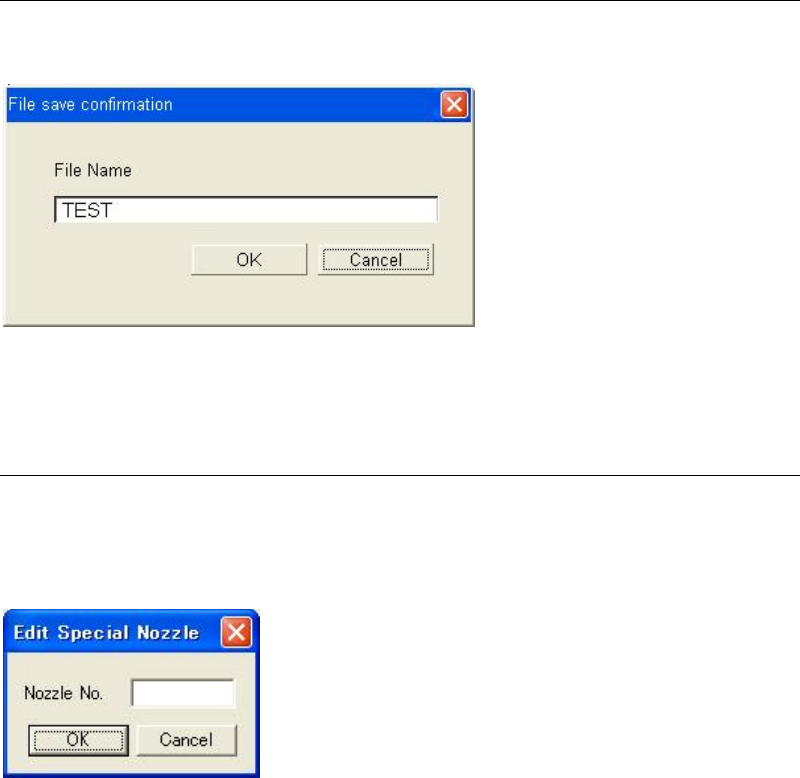
Clicking the <Close> button will display the dialog box asking whether to save the result or not.
Type the file name and click the <OK> button to save the result.
When not saving the result, click the <Cancel> button to stop the process.
3-1-5 Special Nozzles
Menu: Tool>EditSpecialNozzle
When using special nozzles that are not registered as standard, add the nozzle(s)
A special nozzle will be added by typing the nozzle number in the “Nozzle No.”.
The entered nozzle No. will be added in the “Nozzle” combo box and can be selected from it.
Note: The allowable numbers are from 1 to 255.
Note: The maximum number of nozzle registration is 32.
Chapter 3 Optimization
3-8
---Blank page---
Chapter 4 Data Conversion
4-1
Chapter 4
Data Conversion
Converting CAD data (placement
coordinates, comments, and component
names) for compatibility with the mounter