M20_Ope_E.pdf - 第139页
Chapter 4 Data Conversion 4-1 Chapter 4 Data Conversion Converting CAD data (placement coordinates, comments, and component names) for compatibil ity with the mount er
Chapter 3 Optimization
3-8
---Blank page---
Chapter 4 Data Conversion
4-1
Chapter 4
Data Conversion
Converting CAD data (placement
coordinates, comments, and component
names) for compatibility with the mounter
Chapter 4 Data Conversion
4-2
4-1 CAD Data Conversion
Menu: Tool>CAD_Data
CAD Data menu allows CAD data and NC data for other manufacturers' mounters to be
translated into program data that are compatible with the TenryuTechnics machines. Only
component names, comments, and X, Y, T data can be translated.
Note: CAD data used in this manual refers to text files.
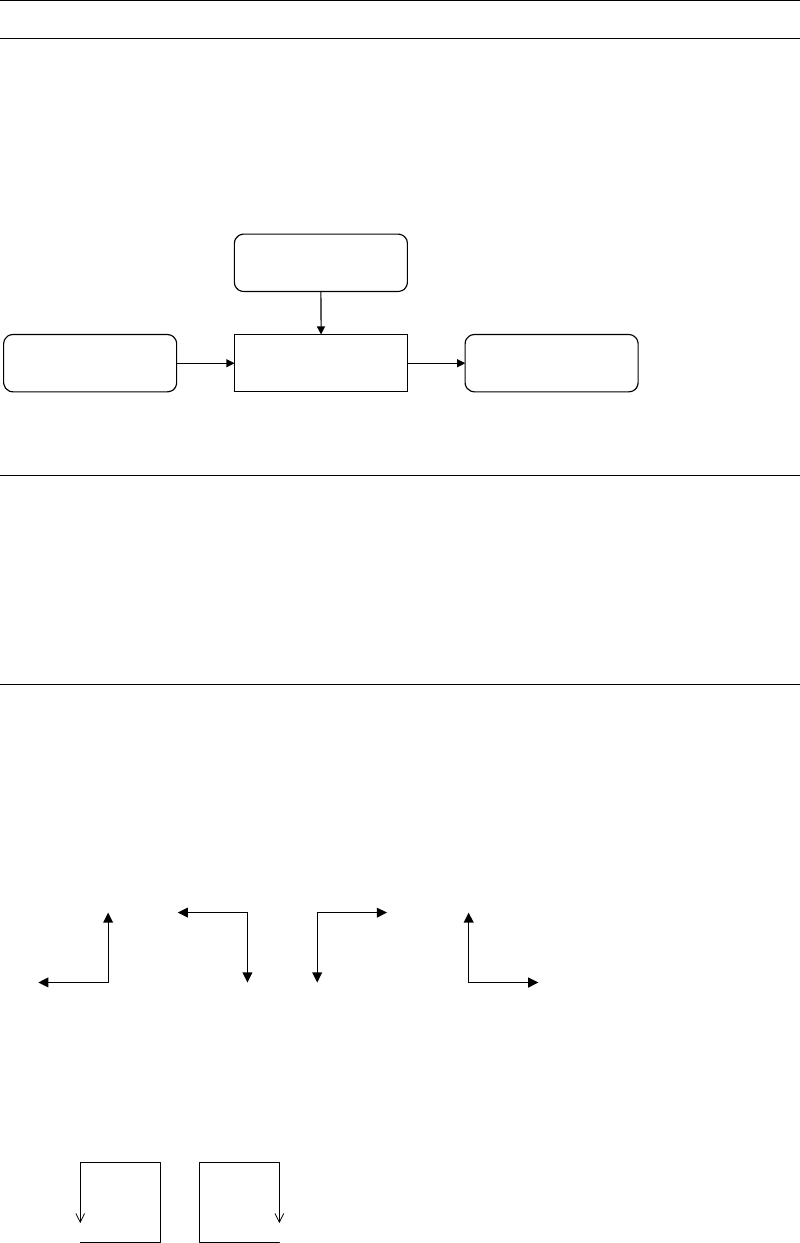
CAD Data
Format File
Program DataCAD Data
CAD Conversion
Program
OutputInput
4-1-1 Use of Converted Data
Converted data can be downloaded to the program editor of the MMI system
(Program>Placement&MarkData).
Component name: downloaded to Code fields
Comment: downloaded to Comment fields
X, Y, T: downloaded to X, Y, T fields
4-1-2 Supplementary Functions
The following assisting features are available in performing CAD data conversion:
mm/inch Conversion
Converts CAD data to either mm or inch that is used in the machine.
Coordinates Direction Conversion (X/Y)
Converts the orientation of the board to match the machine’s X, Y-coordinates system.
Y
X
X
YY
X
X
Y
Coordinate Direction Conversion (T)
Converts the component rotational direction to match that of the machine (counterclockwise is
the plus direction for the TenryuTechnics machines.). In addition, if rotating angle exceeds 180
degrees, to minimize rotating angle, rotating direction is reversed.
+ -
Data Magnify Function
Multiplies or divides the source CAD data according to the RATE setting (data-correction rate).
Origin-offset Correction